7 Best Example Resume Resources for 2025 (And Why They Work)
Discover the best example resume resources to land your next job. We analyze top builders and templates to show you how to create a winning CV today.

7 Best Example Resume Resources for 2025 (And Why They Work)
Finding the best example resume that actually helps you land an interview can feel impossible. Too many templates are outdated or fail against modern Applicant Tracking Systems (ATS). This guide cuts through the noise to break down the strategic elements of the top resources for creating a powerful resume. You'll see precisely why certain layouts work, what language gets results, and how to adapt these winning formulas for your own career goals. To truly understand what makes a standout application, consulting an effective AI Resume Example tool can provide invaluable insights into successful formats and content.
1. CV Anywhere
CV Anywhere transcends the traditional resume builder, offering a comprehensive, AI-powered job search workspace designed to manage the entire application lifecycle. For anyone seeking the best example resume tailored to a specific role, this platform provides an integrated suite of tools that moves you from initial draft to final offer. It stands out by unifying CV creation, job description analysis, application tracking, and interview preparation into a single, cohesive workflow, eliminating the need to juggle multiple disconnected apps and spreadsheets.
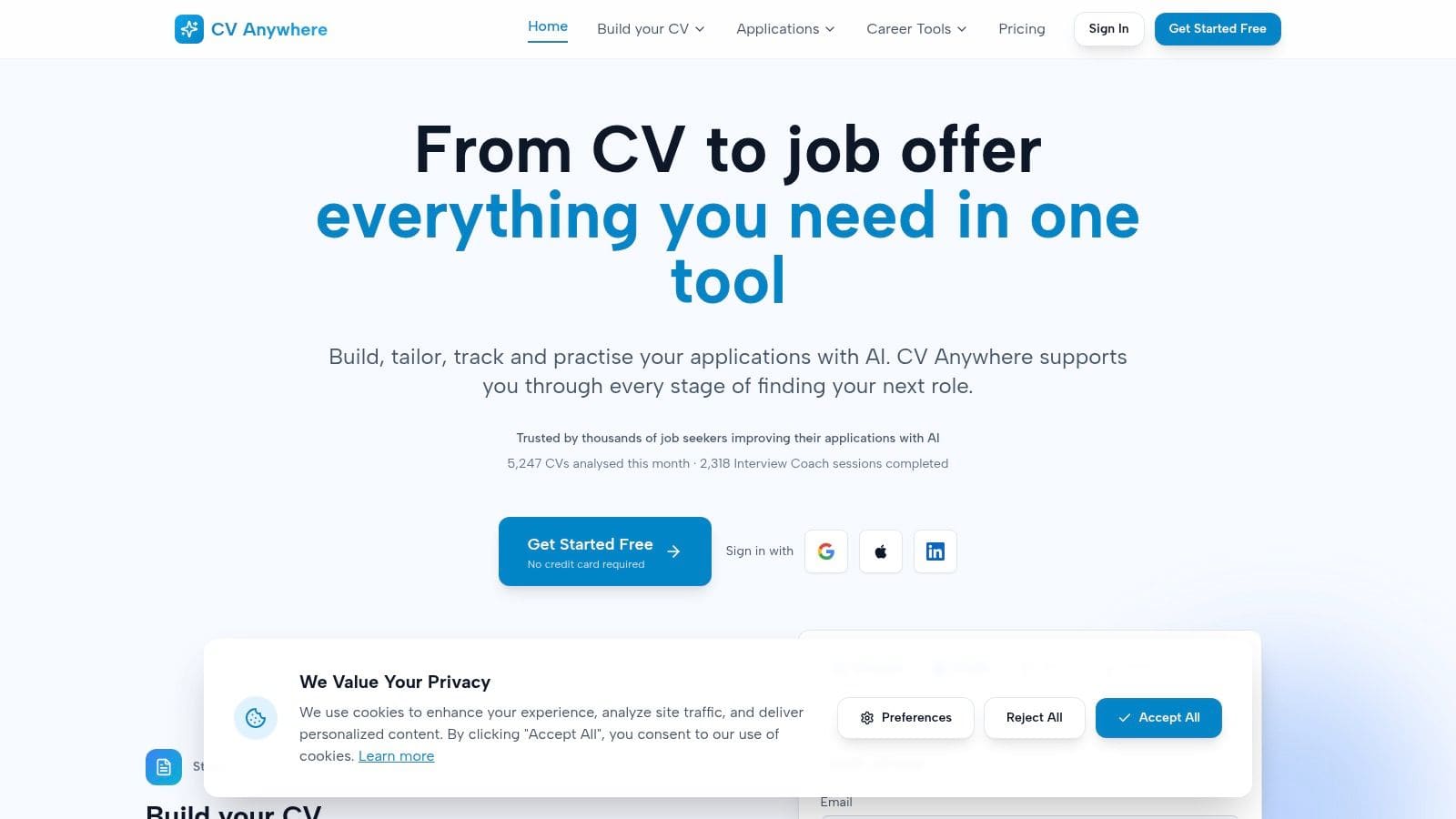
The platform is engineered to give you a strategic advantage in a competitive job market. Instead of just providing templates, it delivers actionable intelligence at every step. This makes it an invaluable resource for job seekers aiming to create not just a good resume, but the right resume for each application.
Key Features and Strategic Advantages
CV Anywhere's strength lies in its interconnected, AI-driven features that build on each other to create a powerful, efficient job search process.
- Smart CV Builder: This core tool uses AI to help you draft polished, ATS-friendly resumes. It offers AI-enhanced summaries and suggests skills that align with industry standards, ensuring your document is professional and machine-readable from the start.
- JD Fit Checker: This is a standout feature. You can paste any job description, and the tool analyses it against your resume, providing a match score and a clear list of skill gaps. This allows you to tailor your resume with surgical precision in minutes, not hours.
- Integrated Application Tracker: Say goodbye to chaotic spreadsheets. The built-in tracker provides a clean, organised view of every application, its status, and important deadlines or follow-up reminders, all in one place.
- AI Interview Coach: Once your resume lands you an interview, the platform helps you prepare. It simulates realistic interview questions based on your target role and gives you instant, personalised feedback on your answers to build confidence and refine your delivery.
How It Delivers a Better Resume Example
What makes CV Anywhere a top choice is its focus on customisation and performance. The platform helps you understand why certain resumes succeed by showing you how to adapt your own. The JD Fit Checker, in particular, is a game-changer, revealing precisely which keywords and skills you need to add to pass ATS scans and capture a recruiter's attention. For more in-depth guidance, the platform's blog offers excellent resources. To see a detailed breakdown of a top-tier resume, explore this example of a resume from CV Anywhere.
Pricing and Accessibility
CV Anywhere offers a flexible pricing structure that makes its powerful tools accessible to everyone.
| Plan | Price | Key Features |
|---|---|---|
| Free | $0 | Core tools, 2 Interview Coach sessions, limited AI Career Coach. |
| Next Move | $9/month | Full feature access, unlimited use of all tools. |
| Lifetime | $99 (one-time) | Permanent access to all features and future updates. |
Pros:
- All-in-one AI workflow saves significant time and effort.
- Actionable insights for tailoring applications quickly.
- Integrated interview practice with instant feedback.
- Transparent and affordable pricing with a useful free tier.
Cons:
- AI suggestions require human review for role-specific nuance.
- The most powerful features are behind the paid subscription.
Website: https://cvanywhere.com
Does your resume clearly show results for each role?
Turn a weak resume into a stronger one
Upload your resume → get stronger wording instantly → fix the weakest parts first.
No need to rewrite. Start with your current resume.
2. Zety
Zety earns its spot as a top resource due to its powerful combination of a guided builder and an extensive library of professional templates. It's designed for job seekers who need to create a polished, ATS-friendly resume quickly without starting from a blank slate. The platform walks you through each section, offering pre-written bullet points and phrasing suggestions tailored to specific roles and industries.
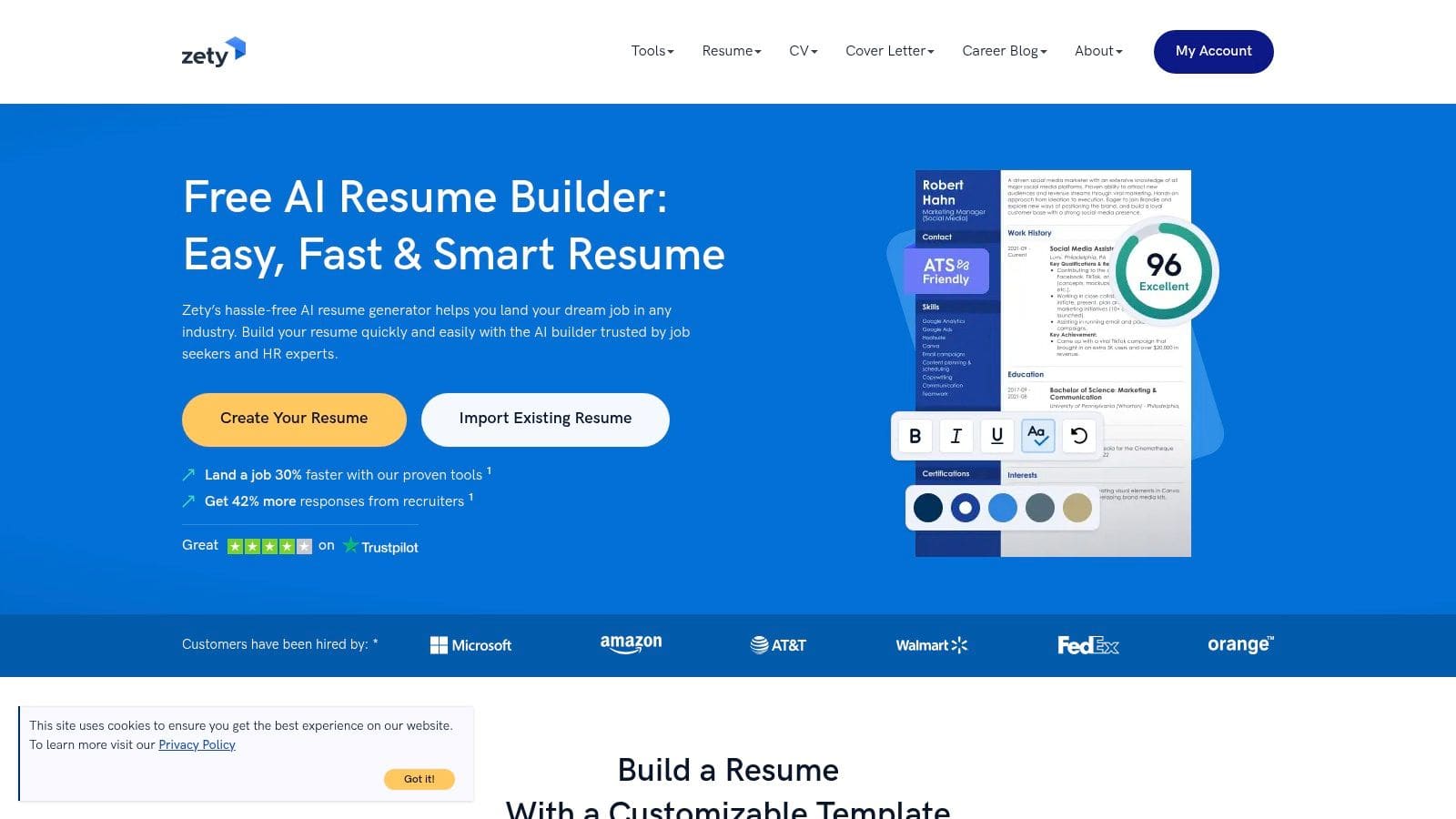
This approach is especially beneficial for recent graduates or career changers who may struggle with wording their accomplishments effectively. Zety's real strength lies in its ability to demystify resume writing, turning a daunting task into a manageable, step-by-step process.
Strategic Breakdown & Key Features
Zety's primary differentiator is its content-suggestion engine. As you input your job title, the builder provides relevant, action-oriented bullet points that you can customise. This not only saves time but also teaches you how to frame your experience using industry-standard language.
- Guided Resume Builder: An intuitive, step-by-step interface that suggests keywords and phrases.
- Extensive Template Library: A large collection of example resumes categorised by job and industry, complete with matching cover letter templates.
- Built-in Resume Checker: An integrated tool that scores your resume based on common best practices and provides recommendations for improvement.
- Multiple Download Formats: Resumes can be downloaded as PDF, DOCX, and TXT files, ensuring compatibility with various application systems.
Pricing and Access
Zety operates on a subscription model. You can build a resume for free but must subscribe to download a high-quality PDF or DOCX file. A 14-day trial is available for a small fee (around $2.70), which then auto-renews to a monthly subscription if not cancelled. Whilst the auto-renew can be a drawback, the low-cost trial offers full access to its features, making it a great short-term option. For a more detailed comparison of its features against other tools, you can explore this breakdown of Zety and similar online resume builders.
Actionable Takeaways
To get the most out of Zety, use its builder to create a strong foundational resume. Pay close attention to the action verbs and keywords it suggests, as these are optimised for Applicant Tracking Systems. Use its vast library of samples for inspiration on structure and phrasing specific to your target role. Even if you cancel after the trial, the insights gained from its guided process are invaluable for future applications.
3. Novorésumé
Novorésumé secures its position by offering a unique balance between creative design and ATS compatibility. It is an ideal platform for job seekers who want a visually appealing yet functional resume that passes through automated screening systems. Instead of overwhelming users with options, Novorésumé provides curated templates that are professionally designed and structured, making it easy to create an effective resume without needing a background in graphic design.
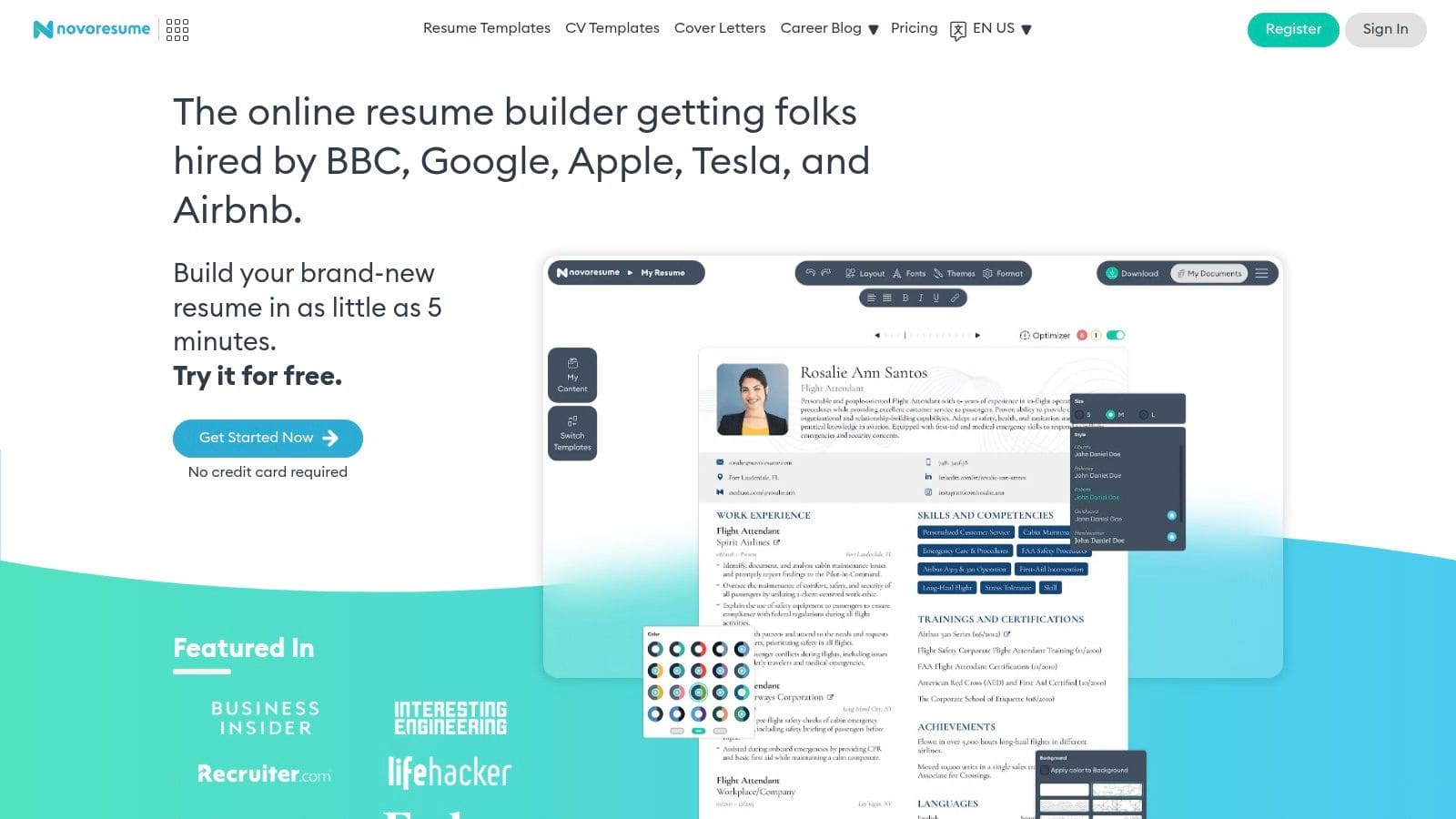
The platform is particularly helpful for those who need to tailor applications for different roles. Its user-friendly interface allows for easy creation and management of multiple resume versions, ensuring each submission is perfectly aligned with the job description. Novorésumé's focus on clean layouts and clear content organisation helps your qualifications stand out to recruiters.
Strategic Breakdown & Key Features
Novorésumé's core strength is its emphasis on ATS-friendly design. Whilst other builders might offer flashy templates that confuse automated systems, Novorésumé ensures its layouts are readable by both software and humans. This dual focus gives users confidence that their application will reach a hiring manager.
- ATS-Friendly Templates: Professionally designed templates that balance modern aesthetics with machine readability.
- Content & Layout Customisation: Control over fonts, colour themes, and section layouts without compromising ATS compatibility.
- Multiple Resume Versions: The ability to easily create, duplicate, and manage different resumes for various job applications.
- Role-Specific Examples: A library of resume and cover letter examples tailored to specific industries and job titles.
Pricing and Access
Novorésumé offers a straightforward pricing model without the trap of auto-renewing subscriptions. The free tier allows you to create and download a single-page resume with limited design features. For full access, including multi-page documents and advanced templates, users can purchase a Premium plan for one, three, or twelve months. This one-time payment approach is transparent and user-friendly, with a 14-day money-back guarantee. If you want to dive deeper into template choices, you can review this guide to top CV templates.
Actionable Takeaways
To maximise Novorésumé, start by selecting a template that aligns with your industry's conventions; a creative field might warrant a more visual layout, whilst a corporate role needs a traditional one. Use the platform's versioning feature to create a master resume, then duplicate and tailor it with specific keywords for each job you apply to. Leverage its clean design to create a resume that highlights your most impactful achievements clearly and concisely.
4. Indeed Career Guide
Indeed's Career Guide is a standout resource for anyone seeking a great resume without the commitment of a paid subscription. As one of the world's largest job boards, Indeed provides a vast, completely free library of resume templates and samples tailored to hundreds of specific job titles. This makes it an ideal starting point for job seekers who want authoritative advice and downloadable templates they can edit directly in common word processors.
The platform's strength lies in its simplicity and accessibility. Instead of a complex builder, it offers practical, no-frills templates and clear, step-by-step guidance. This straightforward approach is perfect for individuals who are comfortable working in Google Docs or Microsoft Word and prefer manual control over their document's final look and feel.
Strategic Breakdown & Key Features
Indeed's primary advantage is its massive repository of role-specific content, directly linked to its job market data. The examples provided are not just visually appealing; they are structured with content that reflects what real hiring managers look for in a given industry. This provides a clear blueprint for what to include and how to phrase it.
- Large Library of Examples: Hundreds of free, role-specific resume examples and templates that can be downloaded with a single click.
- Multiple Formats: Templates are provided in formats compatible with Google Docs and Microsoft Word, offering maximum editing flexibility.
- Practical Formatting Guidance: Each example comes with articles and tips explaining resume-writing best practices and modern layout standards.
- No Signup Required: All resources are accessible without creating an account or providing any personal information.
Pricing and Access
The Indeed Career Guide is 100% free. Unlike many other platforms that place their best features behind a paywall, Indeed offers its entire collection of resume templates, examples, and career advice articles at no cost. There are no trials, subscriptions, or hidden fees. This makes it an incredibly valuable and accessible tool for anyone looking for guidance during their writing process. You can browse the full collection on the Indeed Career Guide resume templates page.
Actionable Takeaways
To make the most of the Indeed Career Guide, find a resume example that closely matches your target role. Download the template and use it as a structural foundation. Pay close attention to the section headings, action verbs, and skills listed in the example, as these are curated based on industry trends. Since you have full control in Word or Docs, customise the fonts and layout to add a personal touch that helps your application stand out whilst still adhering to professional standards.
5. Canva
Canva stands out as a go-to platform for visually appealing resume templates, especially for those prioritising design flexibility. Unlike traditional resume builders, Canva is a graphic design tool at its core, offering a drag-and-drop interface that gives users complete creative control. It's an excellent choice for professionals in creative fields or anyone looking to create a modern, memorable resume that breaks away from standard formats.
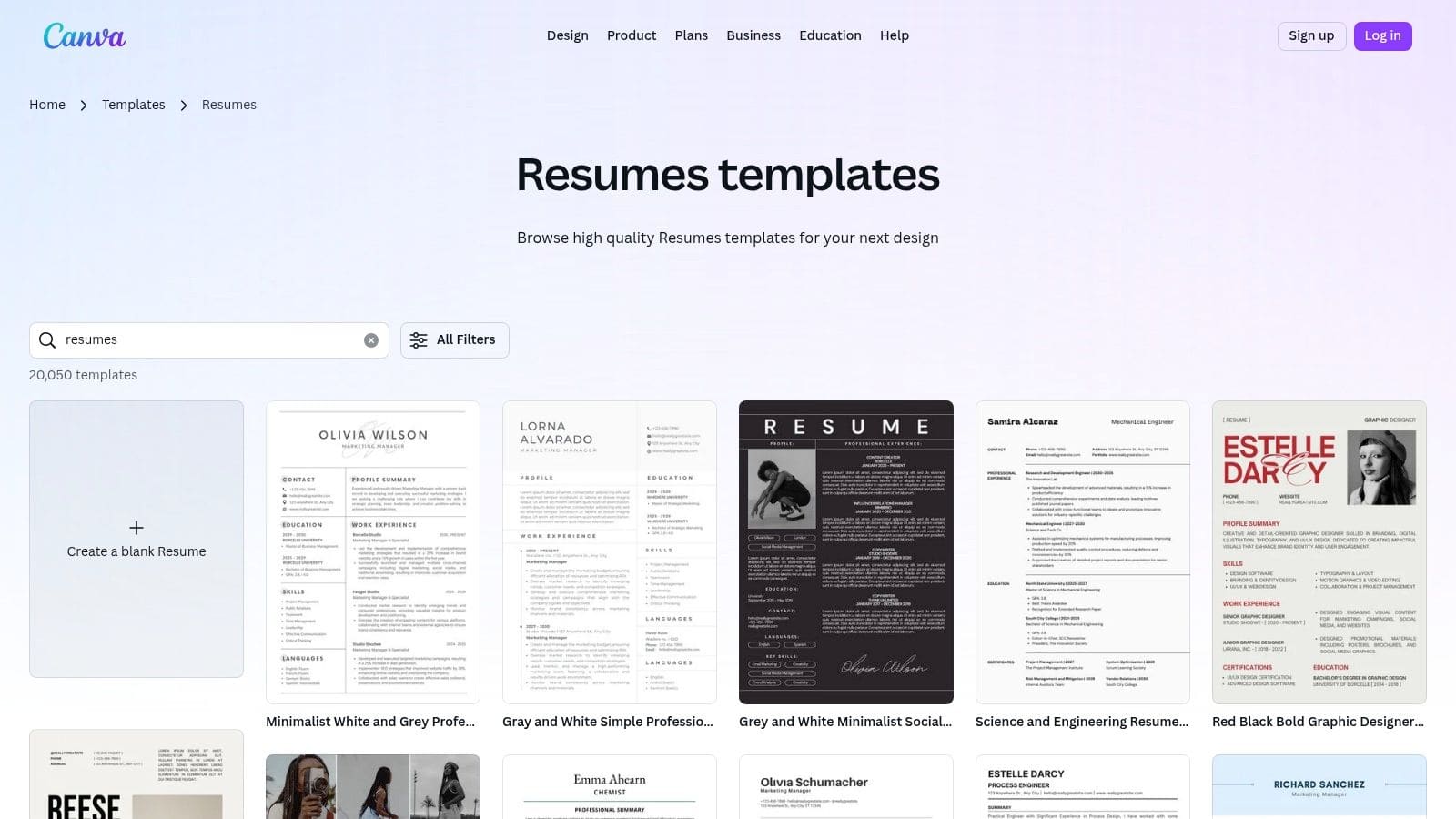
The platform's strength lies in its vast library of professionally designed templates that can be easily customised with different fonts, colours, and graphical elements. For job seekers who want their application to have a distinct personality whilst remaining professional, Canva provides the perfect balance of structure and customisation.
Strategic Breakdown & Key Features
Canva's primary differentiator is its design-centric approach to resume creation. Whilst other builders focus on content suggestions, Canva empowers users to take charge of the visual narrative. Its inspiration galleries and "Learn" articles provide not just templates but also strategic advice on how to use design to highlight key qualifications effectively.
- Drag-and-Drop Editor: A highly intuitive interface allowing for easy customisation of every element on the page.
- Massive Template Library: Hundreds of resume templates ranging from minimalist and corporate to creative and bold, suitable for various industries.
- Rich Asset Library: Access to a vast collection of icons, fonts, and graphics to create a visually distinctive and personalised resume.
- Collaboration and Export Options: Easily share your design with others for feedback and download the final version as a high-quality PDF.
Pricing and Access
Canva operates on a freemium model. Its free plan is incredibly robust, providing access to thousands of templates and design assets sufficient for creating a professional resume. Canva Pro, available via a monthly subscription, unlocks premium templates, a larger asset library, and advanced features like Brand Kits and background removal. For most job seekers, the free version is more than enough to produce an excellent result.
Actionable Takeaways
To make the most of Canva, start by browsing its library for a template that aligns with your industry's conventions. If applying through an online portal, choose a clean, single-column template to ensure it's ATS-friendly. Use Canva's design tools to add subtle, professional touches, like a custom colour scheme that matches a target company's branding. Whilst its creative options are vast, remember that clarity and readability should always be your top priorities. To find templates that balance design and functionality, you can explore this collection of free resume templates for more ideas.
6. Microsoft Word Templates
For job seekers who prefer a direct, no-fuss approach, Microsoft Word's built-in templates are a classic and reliable resource for crafting a professional resume. Eschewing third-party builders, these templates offer a straightforward path to creating a professional, ATS-friendly document directly within a familiar program. This method is ideal for those who value control over every detail and want a universally accepted format without a learning curve.
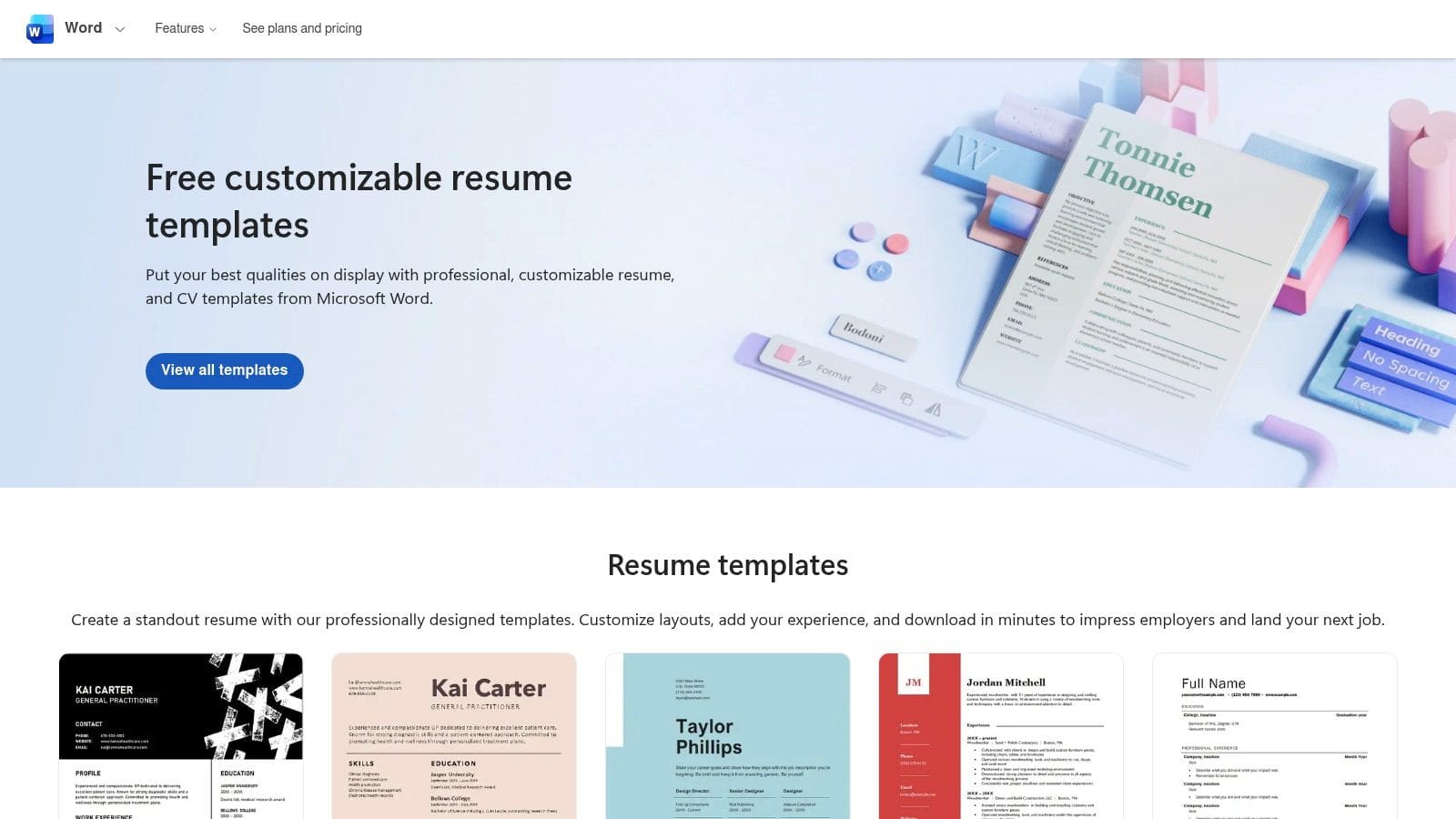
The primary advantage is accessibility and compatibility. Since DOCX is a standard format requested by many online job portals, using an official Word template ensures your resume will be parsed correctly by most applicant tracking systems. This simple, effective solution cuts out the middleman, putting the power of customisation directly in your hands.
Strategic Breakdown & Key Features
Microsoft Word's key differentiator is its ubiquity and simplicity. You don't need to sign up for a new service or learn a new interface. The templates are professionally designed with clean layouts that prioritise readability and ATS compliance over flashy graphics. This ensures your skills and experience remain the central focus.
- ATS-Friendly Designs: Templates are structured with standard headings and clean formatting to ensure they are easily read by automated screening software.
- Direct Customisation: Full control over fonts, margins, colours, and layout directly within the Word application.
- Widely Accepted Format: Creates resumes in the DOCX format, one of the most commonly requested file types for online applications.
- Free and Accessible: Available to anyone with access to Microsoft Word, including the free web version with a Microsoft account.
Pricing and Access
The entire collection of resume and cover letter templates is 100% free. Users can access them directly through the desktop version of Microsoft Word by navigating to File > New and searching for "resume," or by visiting the official Microsoft Create template website. There are no subscriptions, trials, or hidden fees, making it one of the most accessible options available. For additional guidance, you can explore more tips on using Microsoft Word templates for your job search.
Actionable Takeaways
To maximise Word templates, choose a clean, modern design and focus on personalising the content. Since it lacks a content-suggestion engine, you must be proactive in using strong action verbs and industry-specific keywords. For a productivity boost, consider leveraging speech-to-text features within Word to quickly draft sections and refine your phrasing. Always save your final version as both a DOCX and a PDF to ensure you have the right format for any job application.
7. Etsy
Etsy is a unique and valuable resource for finding high-quality resume templates, offering a massive marketplace of professionally designed, downloadable files. Unlike dedicated builders, Etsy provides instant access to creative and corporate templates created by independent designers. This is perfect for job seekers who want a visually striking document and are comfortable editing it themselves in common software like Microsoft Word, Google Docs, or Canva.
The platform's strength lies in its sheer variety and affordability. You can find everything from sleek, minimalist designs for corporate roles to creative, infographic-style resumes for artistic fields. Because each template is a product, there are no recurring subscriptions, making it a highly cost-effective way to get a premium-looking resume.
Strategic Breakdown & Key Features
Etsy's key differentiator is its marketplace model, which fosters competition amongst designers and results in a diverse, high-quality selection of resume templates. The user review system is crucial, allowing you to vet a template's quality and the seller's reliability before purchasing. Many listings are comprehensive bundles that include a resume, cover letter, and reference page templates, providing a complete, coordinated application package.
- Massive Template Selection: A vast library of templates in various formats, including Word, Google Docs, and Canva, catering to different aesthetic preferences.
- User Ratings and Reviews: Transparent feedback from other buyers helps you gauge the quality of a template and the helpfulness of the seller.
- Instant Digital Downloads: Get immediate access to your files after purchase, often including guides and font links.
- ATS-Friendly Designs: Many sellers specifically design and label their templates as ATS-compatible, focusing on clean layouts and standard fonts.
Pricing and Access
Etsy operates on a straightforward, one-time purchase model. Prices for resume templates are very affordable, typically ranging from $5 to $20 for a complete bundle. There are no subscriptions or hidden fees. Once you purchase a template, you own the file and can download and use it as many times as you like. For more options, you can browse the resume template market on Etsy to find a style that fits your needs.
Actionable Takeaways
To maximise your success on Etsy, filter your search for templates compatible with software you already own (e.g., "Google Docs resume template"). Always read recent reviews and check the product images to ensure the design is clean and professional. Use these templates as a foundation; the best example resume will still require you to customise the content with powerful, action-oriented language tailored to your target job. Look for bundles that include a matching cover letter to create a cohesive and professional brand for your application.
Top 7 Resume Builders Compared
| Tool | Complexity & workflow (🔄) | Resources & cost (⚡) | Expected outcomes & impact (📊⭐) | Ideal use cases & tips (💡) | Key advantages (⭐) |
|---|---|---|---|---|---|
| CV Anywhere | Medium — integrated end-to-end AI workspace; multiple modules 🔄 | Freemium: limited Free; $9/mo Next Move or $99 lifetime ⚡ | High 📊⭐ — ATS-ready CVs, tailored match scores, higher interview conversions | End-to-end job search and tracking; use AI suggestions then refine manually 💡 | All-in-one workflow; JD Fit analysis; Interview Coach; application tracker |
| Zety | Low — guided, template-driven builder with live suggestions 🔄 | Trial/paid model; downloads require paid plan after trial ⚡ | Medium-High 📊⭐ — fast polished ATS-friendly resumes | Quick resume creation and rapid application turnaround 💡 | Very fast; extensive example library; inline content suggestions |
| Novorésumé | Low–Medium — polished templates with design controls whilst preserving ATS best practices 🔄 | Free tier with limits; non-subscription purchase options; Premium for advanced layouts ⚡ | High 📊⭐ — clean, ATS-safe designs balanced with visual polish | Applicants who want design-forward but ATS-compliant resumes; buy once if preferred 💡 | ATS-safe templates; role-specific sections; no auto-renew billing option |
| Indeed Career Guide | Very Low — library of downloadable examples and how-to articles (no builder) 🔄 | Completely free; no signup required; uses Docs/Word for editing ⚡ | Medium 📊 — reliable examples and guidance; manual formatting needed | Free, broad research and examples; best if comfortable editing in Docs/Word 💡 | Free access; authoritative guidance; wide role/seniority coverage |
| Canva | Medium — drag-and-drop visual editor with many assets; some learning curve 🔄 | Free tier sufficient for most; Pro unlocks premium assets and features ⚡ | Variable 📊 — high visual impact for design roles; may hurt ATS parsing if too graphical ⭐ | Best for creative/design roles; export simple/clean versions for ATS submissions 💡 | Rich design control; collaborative editing; many modern templates |
| Microsoft Word Templates | Very Low — built into Word (web/desktop), straightforward customisation 🔄 | Free via Word for the web or bundled with Office; native DOCX format ⚡ | High for ATS compatibility 📊⭐ — predictable formatting for portals | Ideal when portals require DOCX or strict ATS formatting; minimal learning curve 💡 | 100% free options; reliable ATS-friendly formatting; no third-party tool needed |
| Etsy | Low — one-off downloadable templates, editing in Word/Docs/Canva; seller-dependent 🔄 | One-time purchase per template; generally affordable; no subscription ⚡ | Variable 📊 — polished results possible but quality varies by seller | Affordable, aesthetic-specific templates; verify ratings and samples before buying 💡 | Huge variety of styles; instant downloads; inexpensive bundles |
Turn Examples into Offers with Smarter Tools
Throughout this guide, we've dissected what makes a resume truly effective. We've moved beyond surface-level aesthetics to uncover the strategic core of each resource, from the data-driven precision in a software engineer's profile to the compelling narrative of a career changer's summary. The recurring theme is clear: a powerful resume is not a static document but a dynamic, targeted marketing tool.
The examples from platforms like Zety and Novorésumé demonstrate the importance of clean, ATS-friendly design, whilst resources from Indeed and Microsoft Word offer accessible starting points. However, inspiration alone doesn't secure interviews. The real work lies in customisation, keyword optimisation, and strategic alignment with each specific job description.
From Inspiration to Implementation
Merely finding a solid template is step one. The crucial next step is transforming that template into a personalised document that speaks directly to a hiring manager's needs. This involves a strategic process that a simple template cannot manage on its own.
Consider these key takeaways from our analysis:
- Targeted Customisation is Non-Negotiable: Every example we reviewed succeeded because it was tailored. A generic resume gets lost in the pile; a customised one gets noticed.
- Quantifiable Achievements Matter: Numbers provide proof. Phrases like "Increased sales by 15%" are far more impactful than "Responsible for sales."
- ATS Compatibility is Essential: Your resume must first pass the machine before it can impress a human. This means a clean layout, standard fonts, and keyword optimisation are critical.
Choosing the Right Tool for the Job
The tools we've explored serve different purposes. Canva and Etsy are excellent for creative roles where visual presentation is key, but they may lack the ATS-optimisation features needed for corporate or technical jobs. Traditional templates are a good start, but they require significant manual effort to tailor for each application, a process that is both time-consuming and prone to error.
This is where a dedicated career platform becomes invaluable. Instead of just showing you a resume, an intelligent tool helps you build your own by actively integrating these strategic principles. It bridges the gap between seeing what works and doing what works, saving you time and increasing your chances of success. By automating the tedious parts of the process, you can focus on what truly matters: articulating your value and preparing for the interviews that will follow. The ultimate goal is to create a document that not only looks professional but also performs brilliantly.
Ready to stop just looking at examples and start building a resume that lands offers? CV Anywhere provides an all-in-one platform with an AI-powered CV Builder and JD Fit Checker to help you customise your application for any role in minutes. Build your interview-winning resume with CV Anywhere today and take the guesswork out of your job search.
Tags
Related articles
CV Best Template Word: 7 Top Sources for 2025
CV Best Template Word: 7 Top Sources for 2025 Finding the perfect CV template for Microsoft Word ensures your skills shine through Applicant Tracking Systems (ATS) and catch a recruiter's eye. This gu...
How to Find the Best Template CV for Your Next Job Application
How to Find the Best Template CV for Your Next Job Application Choosing the best template CV is a strategic decision that needs to impress a human recruiter in seconds whilst also getting past automat...
10 Examples of the Best Resume Formats for 2025
10 Examples of the Best Resume Formats for 2025 Searching for a single best example of a resume can be misleading, as the perfect format depends on your industry, career stage and goals. To help you b...
12 Free Resume Templates for Google Docs — and One Better Option
Looking for a free resume template for Google Docs? This guide covers 12 of the best sources, with direct links so you can start editing immediately. Whether you need a clean, ATS-friendly layout or s...
Popular Articles
CV Best Template Word: 7 Top Sources for 2025 Finding the perfect CV template for Microsoft Word ensures your skills shine through Applicant Tracking Systems (ATS) and catch a recruiter's eye. This gu...
How to Find the Best Template CV for Your Next Job Application Choosing the best template CV is a strategic decision that needs to impress a human recruiter in seconds whilst also getting past automat...
10 Examples of the Best Resume Formats for 2025 Searching for a single best example of a resume can be misleading, as the perfect format depends on your industry, career stage and goals. To help you b...
Looking for a free resume template for Google Docs? This guide covers 12 of the best sources, with direct links so you can start editing immediately. Whether you need a clean, ATS-friendly layout or s...