Applicant Tracking Systems (ATS) are the gatekeepers of modern recruitment. To ensure your application makes it to a human, you must avoid the most common ats cv mistakes that cause these systems to misread or discard your CV. Many of these errors are simple formatting or content choices that, whilst looking good to the human eye, render a CV unreadable to the software. Here are the eight most critical, yet easily fixable, errors that job seekers make. To truly understand why your CV might not be making the cut, it helps to know what tools recruiters are using, such as the best AI recruiting software with ATS capabilities. Let's dive straight into what you need to change today.
1. Using Images, Graphics, and Logos in Your CV
Whilst a visually striking CV can capture a human recruiter's attention, it often creates significant problems for an Applicant Tracking System (ATS). One of the most common ATS CV mistakes involves embedding images, custom graphics, or company logos directly into the document. These systems are designed to parse and interpret text, not visual elements. When an ATS encounters an image, it typically skips over it completely, meaning any crucial information contained within that graphic is lost.

This becomes a critical issue when key details are presented visually. For example, a marketing professional might use a chart to show a 50% increase in campaign engagement, or a designer might display their skills using star ratings. The ATS will see none of this, leaving gaping holes in your application profile and potentially causing it to be rejected before a human ever sees it. This is a classic example of how easily avoidable ATS CV mistakes can derail your job search.
How to Fix It
To ensure your CV is fully readable, you must replace all graphical elements with plain text. This simple change guarantees that no information is overlooked during the automated screening process.
- Skills Ratings: Instead of using visual bars or star systems to rate your proficiency, list your skills in a simple bulleted list. You can add context with brief descriptions, such as "Advanced" or "Proficient".
- Company Logos: Remove all company logos you may have placed next to your previous employers' names. Simply write the company name in plain text.
- Charts and Graphs: Convert data from charts into text-based bullet points. For instance, turn a performance graph into a bullet point like: "Increased social media engagement by 50% in Q3 2023."
- Portfolios: If you have a visual portfolio, provide a simple, clean hyperlink rather than embedding images.
CV Anywhere Pro-Tip: Our Smart CV Builder tool for ATS-optimised CVs is designed to create ATS-optimised CVs from the ground up. It uses clean, text-based layouts that avoid these common visual formatting errors, ensuring your qualifications are always parsed correctly by recruitment software.
Is your CV actually getting responses?
Your CV might be missing something important
Upload your CV → see its weakest areas → fix them, one by one.
Free. Takes less than 2 minutes.
2. Using Unusual Fonts and Complex Formatting
Whilst creative fonts and a unique layout might impress a human reader, they are a frequent cause of ATS CV mistakes. Applicant Tracking Systems are built for simplicity and standardisation; they prioritise efficiently extracting text-based data. When faced with unusual fonts, multiple columns, text boxes, or excessive styling like colours and shading, the system's parser can become confused. It may fail to read entire sections, jumble your information, or misinterpret key details like job titles and dates.

This formatting issue is one of the most common yet avoidable ATS CV mistakes that can lead to your application being unfairly discarded. A two-column layout, for example, might cause the ATS to read across the page, mashing the text from both columns together into an incoherent mess. Similarly, information placed in headers, footers, or styled text boxes is often ignored completely, meaning your contact details or key skills could be missed. The system is simply not programmed to navigate these complex visual structures.
How to Fix It
To guarantee ATS compatibility, you must strip back your CV to a clean, single-column format using standard fonts and minimal styling. This ensures the system can parse your career history chronologically and accurately.
- Stick to Standard Fonts: Use universally recognised, system-safe fonts like Arial, Calibri, Times New Roman, or Helvetica.
- Use a Single-Column Layout: A linear, top-to-bottom flow is the most reliable structure for an ATS. Avoid sidebars, text boxes, and multi-column designs. Discover more by reading our guide on how to create an effective CV layout.
- Replace Special Characters: Instead of decorative symbols (e.g., ★, ➤), use standard bullet points (•, -, *).
- Remove Creative Styling: Use black text on a white background. Rely on bold and italics for emphasis, but avoid underlines, colours, or shading.
- Avoid Headers and Footers: Place all critical information, especially your name and contact details, within the main body of the document.
CV Anywhere Pro-Tip: The CV Anywhere Smart CV Builder for ATS-friendly formatting automatically uses ATS-friendly fonts and single-column layouts. It handles the formatting for you, so you can focus on showcasing your skills and experience without worrying about technical parsing errors.
3. Including Headers and Footers with Important Information
Placing critical contact details or qualifications in your document's headers and footers is a common but damaging formatting choice. Whilst this might seem like a neat way to organise information, it's one of the most subtle yet critical ATS CV mistakes. Many Applicant Tracking Systems are programmed to ignore headers and footers entirely, as these areas often contain non-essential data like page numbers. If your name, phone number, or email address are in the header, the ATS may fail to parse them, rendering your entire application anonymous and untraceable.
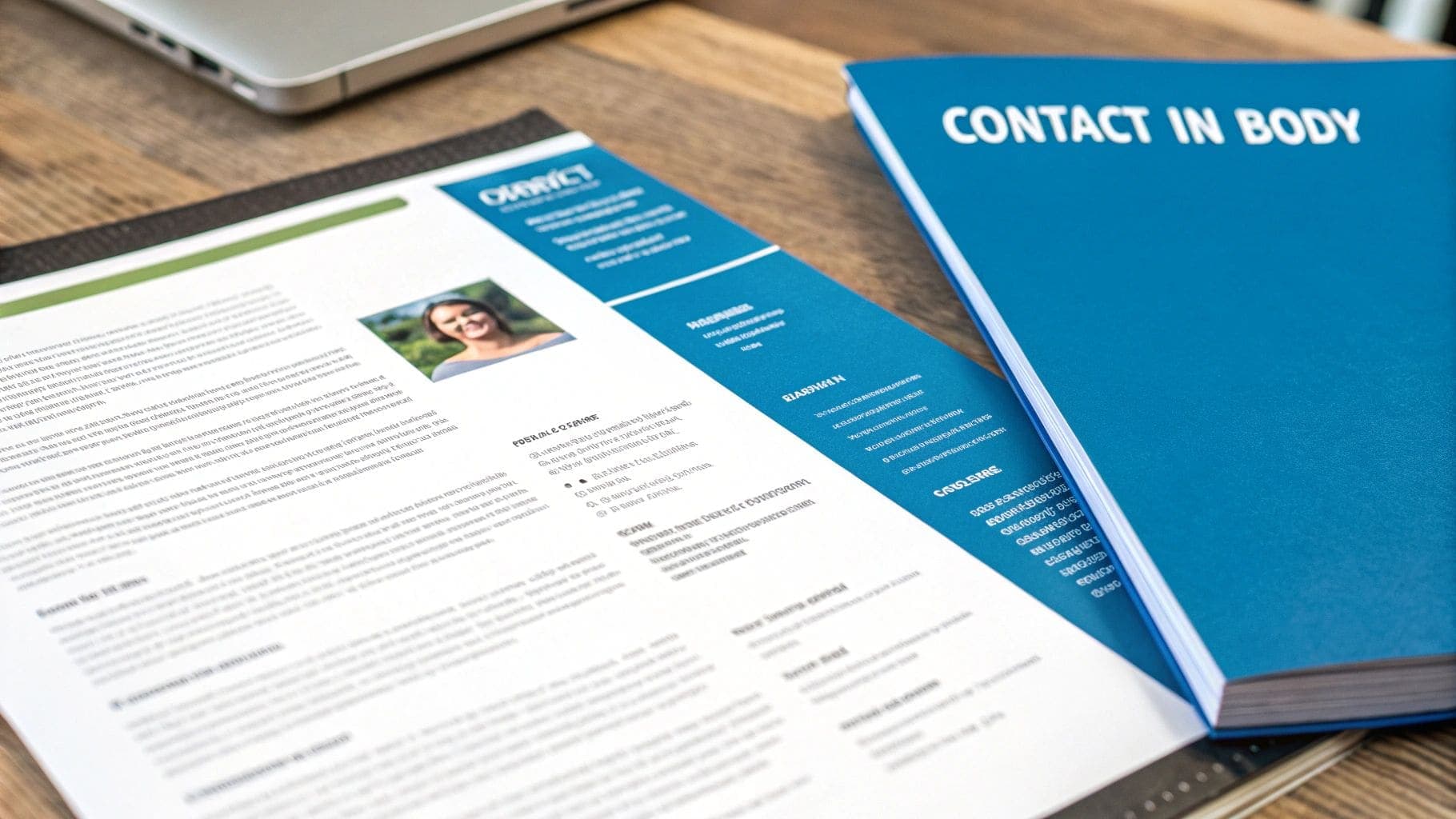
Imagine submitting a perfectly tailored CV, only for it to be discarded because the system couldn't identify who you are. This is a frequent outcome of such simple ATS CV mistakes. Information like a LinkedIn profile URL in the footer or a professional tagline in the page margins will be completely missed. The system processes only the main body of the document, so anything outside of that core area is invisible, creating a significant risk that your application will be incomplete or immediately rejected.
How to Fix It
The solution is straightforward: ensure every piece of essential information resides within the main body of your CV. This guarantees that an ATS will see and process all your key details correctly.
- Contact Information: Place your full name, phone number, email address, and location at the very top of the first page, but within the document's main body, not the header section.
- Professional Links: Add your LinkedIn profile URL or online portfolio link directly below your primary contact details.
- Avoid Page Margins: Do not place any text, such as a professional summary or tagline, in the side margins of your document.
- Keep Headers/Footers Minimal: If you must use them, reserve headers and footers only for non-critical information like page numbers (e.g., "Page 1 of 2").
CV Anywhere Pro-Tip: Our Smart CV Builder for correct information placement automatically formats your CV to keep all vital information within the main body. It avoids using headers and footers for contact details, ensuring your application is always complete and correctly parsed by any ATS.
4. Submitting in an Incompatible File Format (.pdf, .doc, .docx)
Choosing the wrong file format for your CV is one of the most subtle yet damaging ATS CV mistakes you can make. Whilst you might assume modern software can handle any file type, many ATS platforms have specific preferences and limitations. Submitting your CV as an image-based PDF, an old .doc file, or a format exported from a design programme can lead to a complete parsing failure, meaning the system cannot read your information at all.

This compatibility issue often happens without the applicant even realising. For instance, a CV saved as a PDF from a graphic design tool may look perfect, but it could be an image file that an ATS cannot read. Similarly, older .doc formats can cause jumbled text or missing sections. This is a critical error amongst ATS CV mistakes because if the system can't open or read your file correctly, your application is effectively invisible and will be instantly discarded.
How to Fix It
The safest approach is to stick to universally accepted, text-based formats and always check the job description for specific instructions. Prioritising compatibility ensures your carefully crafted CV is actually seen by the system.
- Default to .docx: Unless specified otherwise, save and submit your CV as a .docx file. This format is the most widely compatible with virtually all ATS platforms.
- Use Text-Based PDFs: If you must use a PDF, ensure it is a text-based file. You can check this by trying to highlight the text in the document. If you can't, it's an image file and should not be used.
- Avoid Outdated Formats: Steer clear of older formats like .doc or niche ones like .rtf, .odt, or .pages, as they are less reliable with parsing software.
- Follow Application Instructions: Always double-check the job posting for a preferred file format. If the employer asks for a PDF, provide a text-based one.
CV Anywhere Pro-Tip: The evolution of CVs from PDFs to digital profiles highlights the growing need for adaptable formats. Our Smart CV Builder allows you to download your CV in multiple ATS-friendly formats, including .docx and text-based PDF, giving you the flexibility to meet any application requirement with confidence.
5. Omitting Keywords and Using Vague Job Descriptions
Applicant Tracking Systems are fundamentally search engines for recruiters. They scan your CV for specific keywords and phrases that match the job description to determine your suitability for the role. One of the most damaging ATS CV mistakes is submitting a generic CV that lacks these crucial terms or uses vague, uninspired language. The system cannot infer your skills; it can only match the text you provide against its programmed criteria.
If a job advert asks for a "Python Developer" with experience in "Salesforce CRM," but your CV only lists "software developer" and "CRM experience," the ATS will likely score you poorly. It lacks the specific keywords it was programmed to find. Vague descriptions like "managed a team" or "worked on projects" are equally problematic, as they fail to provide the searchable, concrete details the system needs to validate your qualifications. This is one of the most common yet easily avoidable ATS CV mistakes that causes qualified candidates to be overlooked.
How to Fix It
To pass the initial ATS screening, you must customise your CV for each application by strategically incorporating keywords from the job description. This process is similar to how content creators optimise web pages, and understanding key principles from SEO content writing best practices for CVs can provide valuable insight.
- Mirror the Job Description: Scrutinise the job advert and identify all essential skills, tools, and qualifications. Incorporate this exact terminology naturally into your skills section and work experience descriptions.
- Be Specific with Tools: Instead of "data analysis," list the specific software you used, such as "Analysed sales data using SQL, Tableau, and Python to identify market trends."
- Use Industry Acronyms: If the job posting mentions specific industry acronyms like GDPR or HIPAA, ensure they are also present in your CV where relevant.
- Quantify Achievements: Replace vague duties with measurable results. Instead of "Managed social media," write "Increased social media engagement by 45% across Instagram and LinkedIn using Hootsuite and Buffer."
CV Anywhere Pro-Tip: Manually checking every CV against every job description is time-consuming. Our JD Fit Checker for keyword analysis instantly analyses your CV against the job advert, highlighting missing keywords and suggesting improvements to boost your compatibility score and get you past the ATS.
6. Using Tables, Text Boxes, and Non-Standard Document Objects
Whilst tables and text boxes can create a clean, organised look for a human reader, they are a frequent source of parsing errors for Applicant Tracking Systems. One of the most common ATS CV mistakes is relying on these complex formatting objects. ATS software is built to read information sequentially, from top to bottom, like a plain text document. When it encounters a table, it may read the content out of order, jumbling your experience, or skip it entirely.
This is particularly damaging when crucial details, such as skills or contact information, are placed within a text box or a multi-column table. For example, a candidate might list their technical proficiencies in a neat 3x3 grid. The ATS, unable to interpret the grid structure, may ignore the content, making it seem like you lack those essential skills. These avoidable ATS CV mistakes can lead to your application being filtered out simply because the system couldn't access your information correctly.
How to Fix It
To avoid these parsing problems, you should present all information in a simple, linear format. Replace tables, text boxes, and any other special objects with standard text and bullet points. This ensures your CV is fully readable from start to finish.
- Replace Tables: Instead of organising your skills or work history in a table, use standard headings and bullet points. For example, list each previous role with the company, title, and dates, followed by bullet points detailing your achievements.
- Eliminate Text Boxes: Move any information from text boxes, especially contact details or professional summaries, directly into the main body of the CV.
- Avoid Columns: Whilst some simple two-column layouts are occasionally parsed correctly, it's safer to stick to a single-column format. This guarantees a top-to-bottom reading order.
- Use Standard Bullets: Use simple, solid bullet points (•) for lists. Avoid using complex symbols or trying to create lists within table cells.
CV Anywhere Pro-Tip: Worried your current CV is filled with hidden tables or text boxes? Our Smart CV Conversion tool for ATS-friendly layouts can automatically reformat your document into a clean, ATS-friendly layout, ensuring every detail is parsed perfectly by recruitment software.
7. Poor File Naming and Missing Standard Section Headings
Before an Applicant Tracking System even starts to parse the content of your CV, it has to categorise and store the file itself. This is where two seemingly minor but significant ATS CV mistakes can cause problems: naming your file incorrectly and using non-standard section headings. An ATS relies on clear, conventional labels to organise information. A file named 'CVfinalv2.pdf' offers no identifiable information, whilst custom headings like 'My Journey' instead of 'Work Experience' can confuse the software, causing it to misinterpret or ignore entire sections.
Think of the file name and section headings as signposts for the ATS. Without clear directions, the system may not know where to place your professional history or how to find your contact details. This disorganisation can lead to an incomplete candidate profile, making your application appear less relevant to the job description. These fundamental errors are classic examples of ATS CV mistakes that can hinder your application before a human recruiter ever sees it, simply because the system couldn't file your information correctly.
How to Fix It
To avoid these organisational issues, you should adopt clear, conventional naming and formatting practices. These simple adjustments make your CV easy for both software and recruiters to navigate.
- File Naming Convention: Name your file using a clean, professional format. The most common and effective is "FirstName-LastName-CV.pdf" (e.g., "John-Smith-CV.pdf"). Avoid using version numbers, dates, or generic terms like "resume".
- Use Standard Headings: Stick to universally recognised section titles that an ATS is programmed to look for. Use headings like: "Work Experience," "Education," "Skills," and "Certifications."
- Avoid Creative Titles: Replace subjective or creative headings like "Where I've Been" or "What I Can Do" with standard alternatives like "Professional History" or "Key Skills."
- Logical Section Order: Structure your CV in a conventional order. Typically, this means: Contact Information, Professional Summary, Work Experience, Education, and then Skills.
CV Anywhere Pro-Tip: The CV Anywhere Smart CV Builder with standard headings automatically organises your information under standard, ATS-friendly headings. It ensures your CV is structured logically, so you never have to worry about whether your key sections will be correctly parsed by recruitment software.
8. Incorrect Date Formatting and Timeline Gaps Without Explanation
Applicant Tracking Systems are programmed to read your career history chronologically, and a key part of this process involves parsing dates. One of the most common ATS CV mistakes is using inconsistent date formats or leaving significant gaps in your timeline unexplained. An ATS relies on a predictable structure to understand when you started and ended each role. When it encounters a mix of formats like '05/2020', 'May 2020', and '2020', its parsing logic can fail, garbling your work history or flagging your CV for review.
This issue extends to employment gaps. An ATS might interpret an unexplained gap of several months or years as a red flag, potentially lowering your applicant score. For example, a timeline that jumps from a job ending in 2019 to a new one starting in 2021 without any entry in between can be seen as incomplete. These seemingly minor formatting and timeline issues are critical ATS CV mistakes that can lead to an otherwise strong application being automatically disqualified before a hiring manager ever sees it.
How to Fix It
The solution is to maintain absolute consistency in your date formatting and to address any significant timeline gaps directly. This creates a clear, easy-to-read chronology that an ATS can parse without errors.
- Standardise Your Format: Choose one format and stick to it for every entry. The most reliable options are 'Month YYYY' (e.g., 'May 2021') or 'MM/YYYY' (e.g., '05/2021'). For a deeper dive, learn about the best CV date formats and why they matter for ATS.
- Use Reverse Chronological Order: Always list your experience with the most recent position first. This is the standard format that both ATS and human recruiters expect.
- Address Employment Gaps: If you have a gap of more than a few months, add a brief, professional explanation. For example, you can create an entry like: "Career Break for Professional Development (June 2020 – January 2021)" and list any courses or certifications you completed.
- Handle Current Roles Correctly: For your current position, use 'Present' as the end date (e.g., 'October 2022 – Present').
CV Anywhere Pro-Tip: Manually checking dates across a long career history can be tedious. The CV Anywhere Smart CV Builder tool for consistent date formatting automatically applies consistent date formatting to your work experience, ensuring your entire timeline is organised and ATS-friendly from the start.
8 Common ATS CV Mistakes Comparison
| Item | Implementation Complexity 🔄 | Resource Requirements ⚡ | Expected Outcomes 📊 | Ideal Use Cases 💡 | Key Advantages ⭐ |
|---|---|---|---|---|---|
| Using Images, Graphics, and Logos in Your CV | Low effort to add; high ATS risk 🔄 | Low (design assets) ⚡ | Improves human appeal; can cause complete ATS information loss 📊 | Designer/creative portfolios or supplementary visual samples — avoid when ATS applies 💡 | Eye-catching; showcases design skills ⭐ |
| Using Unusual Fonts and Complex Formatting | Medium (layout work; testing needed) 🔄 | Low–Medium (fonts/tools) ⚡ | Stands out to humans; often misparsed by ATS, resulting in jumbled text 📊 | Creative roles with human review; portfolio sites — avoid for ATS submissions 💡 | Distinctive presentation; emphasises branding ⭐ |
| Including Headers and Footers with Important Information | Low (easy to add) but risky for ATS 🔄 | Low (standard word tools) ⚡ | Cleaner look for print; ATS often omits header/footer content → missing contact data 📊 | Multi-page branded CVs for printed copies; avoid for ATS pipelines 💡 | Consistent page branding; clean layout ⭐ |
| File Format Issues (.pdf, .doc, .docx, .rtf) | Low (choose correct export) 🔄 | Low (save/export options) ⚡ | Correct format (.docx or text-based .pdf) → good parsing; wrong format → complete parsing failure 📊 | Always use .docx for ATS; text-based .pdf when required 💡 | .docx maximises compatibility; .pdf preserves layout ⭐ |
| Omitting Keywords and Using Vague Job Descriptions | Medium (requires customisation per role) 🔄 | Medium (research and tailoring) ⚡ | Direct impact on ranking; missing keywords often eliminate candidates in ATS 📊 | All ATS-screened jobs — tailor per posting for best results 💡 | Improves ATS ranking and recruiter match when optimised ⭐ |
| Using Tables, Text Boxes, and Non-Standard Document Objects | Medium (design/layout effort) 🔄 | Low–Medium (layout tools) ⚡ | Visually organised for humans; tables/text boxes often misread or ignored by ATS 📊 | Visual CVs or printed resumes for human review; avoid tables for ATS submissions 💡 | Clean visual organisation; quick human scanning ⭐ |
| Poor File Naming and Missing Standard Section Headings | Low (simple fixes) 🔄 | Low (naming/heading choices) ⚡ | Reduces searchability and correct section classification in ATS; impacts discoverability 📊 | All applications; especially large applicant pools where indexing matters 💡 | Better discoverability and clearer structure for recruiters ⭐ |
| Incorrect Date Formatting and Timeline Gaps Without Explanation | Low (format consistency) to Medium (gap explanations) 🔄 | Low (editing/time) ⚡ | Inconsistent dates cause parsing errors; unexplained gaps may trigger rejection flags 📊 | All professional CVs — ensure consistent dates and explain gaps succinctly 💡 | Clear timeline verification; fewer parsing errors ⭐ |
Automate Your Success and Eliminate ATS Mistakes
Navigating the modern job market requires more than just professional experience; it demands a strategic approach to your application materials. As we have explored, the gatekeeper to your next opportunity is often an Applicant Tracking System, a sophisticated but literal-minded piece of software. The difference between landing an interview and receiving an automated rejection email frequently comes down to avoiding a few critical yet common ats cv mistakes.
By now, you understand that the sleek, design-heavy CV you laboured over might be completely unreadable to a machine. You have seen how seemingly innocent choices, like placing your contact details in a header, using unconventional fonts, embedding graphics, or structuring your experience within a table, can render your application invisible. These errors are not reflections of your qualifications, but they effectively prevent hiring managers from ever seeing them. The core lesson is clear: for an ATS, simplicity, clarity, and keyword relevance are paramount.
From Knowledge to Action: Your ATS-Optimisation Blueprint
Mastering these rules is the first, most crucial step. The next is consistently applying them to every single job application, a task that can become tedious and prone to human error. The goal is not just to fix your current CV but to build a sustainable system for creating tailored, optimised applications every time.
Here are the most important takeaways to implement immediately:
- Prioritise Substance Over Style: Always begin with a plain text foundation. Use standard, universally recognised fonts like Arial, Calibri, or Helvetica, and rely on simple formatting like bolding and bullet points for emphasis. Your skills and achievements should be the star of the show, not the document design.
- Embrace Standardisation: Stick to conventional section headings like "Work Experience," "Education," and "Skills." Format your dates consistently (e.g., Month Year – Month Year) and ensure your contact information is in the main body of the document, not confined to headers or footers.
- Keywords Are Your Currency: Every job description is a cheat sheet. Scrutinise it to identify the key skills, technologies, and qualifications the employer is seeking. Your CV must mirror this language precisely. Vague descriptions like "results-driven professional" are meaningless to a machine; "managed a £50k project budget using Prince2 methodology" is concrete and searchable.
- Choose the Right Container: Whilst modern ATS can often handle PDFs, a .docx file remains the safest, most universally compatible format. It ensures that all your carefully formatted text and keywords are parsed correctly, eliminating one more potential point of failure.
Ultimately, beating the bots is a game of rules. By understanding and respecting the technical limitations and operational logic of an ATS, you are no longer leaving your career progression to chance. You are taking strategic control, ensuring your qualifications get the visibility they deserve. Correcting these ats cv mistakes transforms your CV from a potential liability into your most powerful marketing tool, paving a clear path from applicant to interviewee.
Ready to stop worrying about formatting and start focusing on interviews? CV Anywhere offers a suite of AI-powered tools designed to eliminate every one of these common ats cv mistakes automatically. Build a perfectly optimised CV in minutes, check its keyword alignment against any job description, and apply with total confidence. Try CV Anywhere for free today and get seen by employers and ensure your application is seen by the right people.