How to Use a CV Builder Step-by-Step (ATS Guide 2026)

15 min read

Learn how to use a CV builder to create a professional, ATS-friendly CV. Our step-by-step guide covers templates, AI summaries, skill matching, and tracking.

Step-by-step UK CV builder guide for 2026 ATS-friendly templates AI drafting job matching and export checks

A cv builder is most useful when the job search has already become messy. One version of the CV feels too generic, another breaks when uploaded, and applications end up scattered across downloads, notes, and browser tabs. A modern cv builder solves that by turning CV writing into a repeatable workflow: choose an ATS-safe template, draft stronger content with AI assistance, match the CV to each job description, then track every application in one place.

That matters in the UK because CV screening is brutally fast. StandOut CV reports that UK recruiters spend just 6–8 seconds reviewing a CV on initial scan, and that every live job advert receives an average of 250 CVs in its UK CV statistics roundup. The builder isn't the goal. The goal is a CV that survives the scan, reaches a human, and makes it easy to tailor again tomorrow.

Choosing Your Foundation: A Professional CV Template

Choosing a resume template is the foundational step that determines whether the subsequent effort succeeds. Job seekers frequently select a design based on visual appeal. Recruiters and applicant tracking systems do not care whether the layout feels modern; they prioritize whether they can read it quickly and extract the right information without friction.

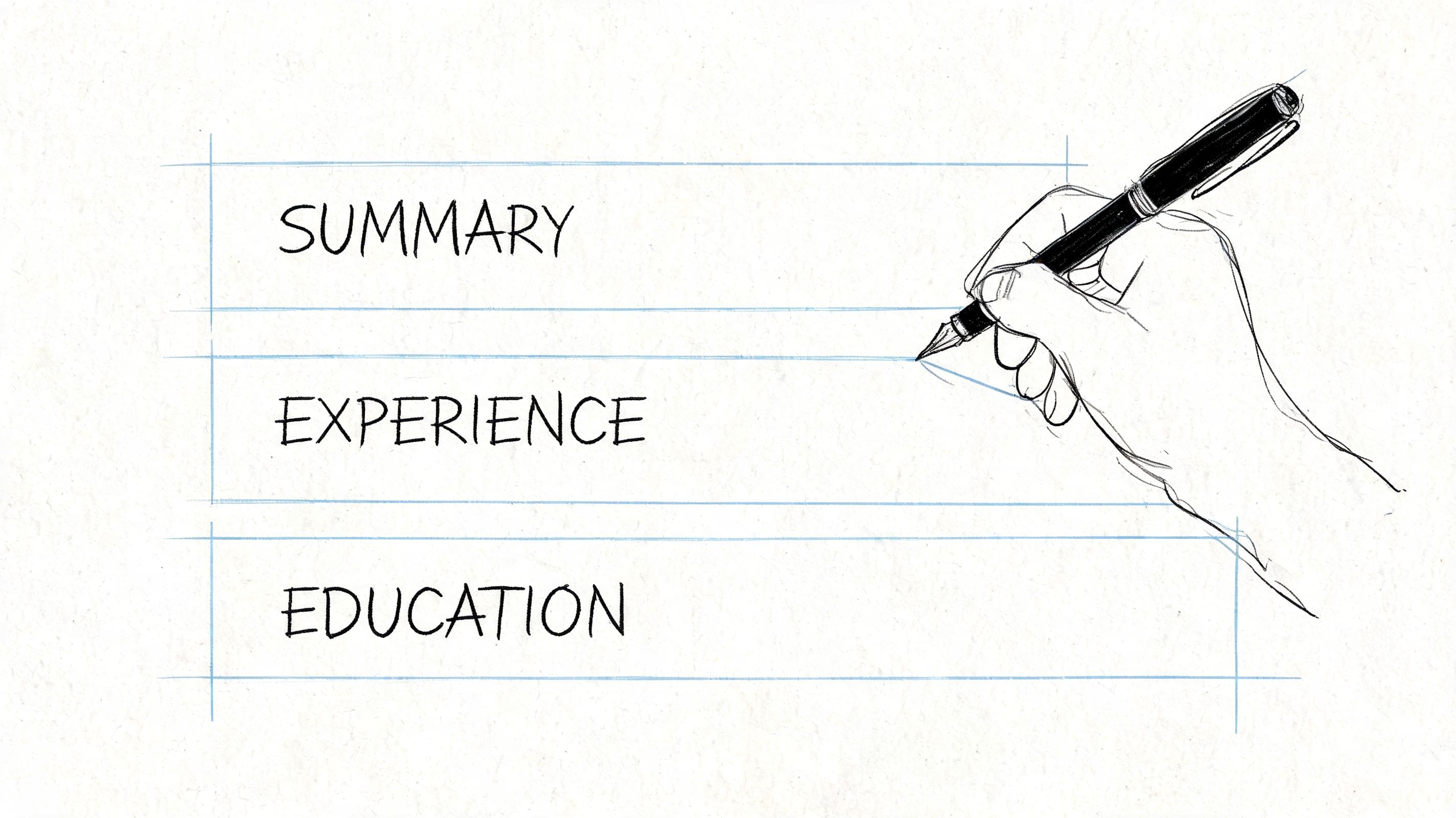
Sketch of single-column ATS CV layout with labelled summary work experience education sections for UK job applications

A professional cv builder should start with a template that is simple, conventional, and easy to scan. Reverse chronological order works well because it lets employers see recent experience first. Clear section headings such as Profile, Work Experience, Education, and Skills also help both humans and software understand the document without guesswork.

What a strong template looks like

The safest choice usually has these traits:

  • Single-column structure so the reading order stays obvious
  • Standard headings that map cleanly to common application systems
  • Consistent spacing so the page doesn't look dense or chaotic
  • Readable font choices rather than decorative or compressed typefaces
  • Straightforward date formatting that makes career history easy to follow

By contrast, a weak template often looks polished at first glance but fails where it matters.

Template choice What works What causes problems
Layout Single column Multi-column layouts with sidebars
Headings Standard section titles Clever labels that hide meaning
Visuals Minimal styling Icons, charts, skill bars, graphics
Order Recent roles first Mixed ordering that obscures progression

Practical rule: If a section can't be understood in a fast skim, the template is doing harm.

The fastest way to judge a template is to scan it as if reading somebody else's CV for the first time. Can contact details be found instantly? Is the current or most recent role obvious? Are the page sections visually separated without boxes and visual clutter? If not, the design is asking for too much attention.

Build for three readers from the start

Template choice isn't only about ATS parsing. It also affects how the CV behaves when saved, uploaded, opened on another device, or read through assistive technology. A clean layout is usually the best compromise.

For applicants who are still gathering evidence before writing, it helps to collect achievements, responsibilities, and examples in one place first. A useful prep step is to download this recommendation letter brag sheet, then pull the strongest proof points into the CV builder before editing the final draft.

A practical starting point is an ATS-friendly CV template from CV Anywhere. The point isn't to use a flashy format. It's to start from a structure that gives every later edit a better chance of being read correctly.

Free CV Builder

Build a CV that actually gets interviews

Start from your current CV — or from scratch — with step-by-step guidance so you do not get stuck.

Free. No blank page. No templates to wrestle with.

Writing Compelling Content with AI Assistance

A cv builder earns its value once the template is selected and the blank sections need actual wording. At this point, many applicants stall. They know what they've done, but they can't turn it into concise, persuasive language that sounds specific rather than vague.

Hand-drawn light bulb doodle illustrating AI-assisted CV ideas brainstorming for profile and bullet points

AI assistance helps most when it is used as an editor and drafting partner, not as an autopilot. The strongest workflow is already well established in career guidance. A practical expert workflow is to extract evidence, map bullets to keywords, rewrite the summary for the target vacancy, and validate ATS-readiness. AI tools in a CV builder are designed to accelerate these steps, as outlined in Virginia Tech Career and Professional Development guidance.

Start with evidence, not prompts

The input matters more than the tool. Before generating any summary or bullet points, pull together raw material such as:

  • Current CV content including duties, dates, projects, and promotions
  • LinkedIn details if they contain stronger wording or broader context
  • Job description language that reveals the employer's priorities
  • Specific outcomes such as scope, speed, quality, savings, delivery, or ownership

If the AI only receives generic duties, it will usually return generic copy. If it receives evidence, it can suggest sharper phrasing.

Use AI to improve weak bullets

The biggest gain usually comes from rewriting responsibility-led statements into achievement-led ones.

Weak version:

  • Responsible for customer queries
  • Managed social media accounts
  • Worked with cross-functional teams

Stronger version:

  • Resolved customer queries across phone and email channels, improving service consistency
  • Managed social media content calendar and supported campaign delivery across multiple channels
  • Coordinated with sales, operations, and marketing teams to keep projects moving on schedule

These stronger examples are still grounded in real work. They sound like evidence rather than placeholders.

AI should speed up the writing process, but the applicant still needs to check whether every line is true, specific, and relevant to the role.

For the profile section, the same rule applies. A weak summary uses broad claims such as "hard-working professional" or "excellent team player". A better summary mirrors the vacancy and states the candidate's fit in plain language.

What to edit after the AI draft

Even a good draft usually needs human judgement. Check for these issues before keeping any suggestion:

  • Inflated language that overstates seniority or ownership
  • Repeated phrasing across multiple bullet points
  • Buzzwords with no supporting evidence
  • Missing context around tools, sectors, or responsibilities
  • Claims that sound impressive but can't be defended in interview

For anyone comparing tools, it's worth reviewing how an AI CV generator works in practice. The useful feature isn't automatic writing by itself. It's the ability to move from rough notes to clear, customized copy without losing accuracy.

Aligning Your CV with Any Job Description

A generic CV usually fails for a simple reason. It asks the employer to connect the dots. Most won't. A cv builder with job matching tools shortens that gap by showing where the CV already fits and where it still misses the language of the vacancy.

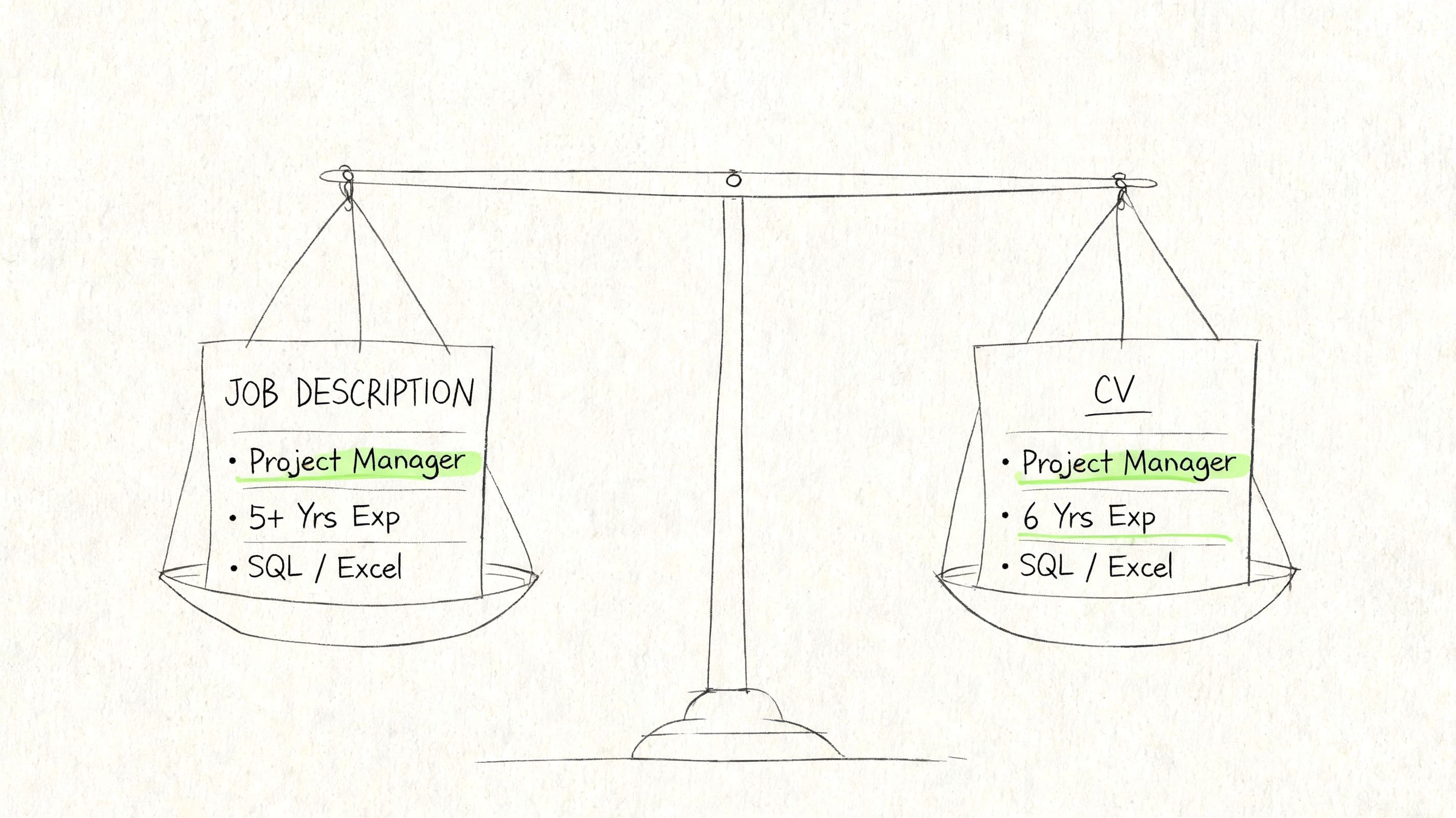
Balance scale illustration weighing a job specification against an applicant CV for keyword and evidence alignment

This matters most when the role is close to the candidate's background but not identical. The experience may be relevant, yet the wording doesn't reflect the target job. A fit checker solves that by turning vague tailoring advice into specific editing tasks.

How to use a fit checker properly

The process is simple, but the quality of decisions matters.

  1. Paste in the full job description
    Include responsibilities, requirements, and preferred skills. Short snippets don't give enough context.

  2. Review the missing terms carefully
    Not every missing keyword belongs in the CV. Keep only the ones that match real experience.

  3. Edit the right sections
    Add relevant language to the profile, skills section, and experience bullets where it fits naturally.

  4. Recheck after each meaningful revision
    The goal isn't a cosmetic score. The goal is a CV that speaks the employer's language without sounding stuffed.

What good tailoring looks like

A poor edit copies phrases into a skills list and hopes for the best. A better edit connects the keyword to evidence.

For example, if the vacancy emphasises stakeholder management, reporting, and cross-functional coordination, stronger updates might include:

  • Profile line that mentions experience supporting stakeholder communication
  • Experience bullet that shows reporting or coordination in a real role
  • Skills section that includes the term only if it reflects actual work

That's very different from loading the top of the CV with repeated jargon.

Job description asks for Weak reaction Better reaction
Stakeholder management Add term to skills only Add term and back it up in experience
Data reporting Mention "analytics" vaguely Name reporting responsibilities clearly
Project coordination Copy sentence into summary Show where coordination happened

A match score is only useful when it leads to better evidence on the page.

A tool like the CV Anywhere job description fit checker helps by flagging gaps and showing where alignment is thin. Other platforms offer similar matching features, but the same rule applies across all of them. Use the tool to guide edits, not to game the system.

The practical benefit is speed. Instead of rebuilding the CV from scratch for every application, the candidate can keep a strong base version and tailor the parts that matter most for each role.

Finalising for ATS Bots and Human Eyes

The final draft has to work in more than one environment. It needs to parse correctly in an applicant tracking system, read cleanly for a recruiter, and remain accessible when assistive technology is involved.

Sketch of human eye reviewing a CV over binary digits symbolising ATS parsing and recruiter skim readability

That's where many CVs fail late in the process. The wording may be strong, but the exported file introduces layout problems, hidden elements, or visual choices that interfere with reading. Many job seekers don't realise that a CV must satisfy three audiences: the ATS for parsing, the human recruiter for a 6-second scan, and potentially a screen reader for accessibility compliance. A good CV builder helps optimise for all three, as discussed in Teal's ATS template guidance.

Final checks before export

A strong final review is short and mechanical. It should answer these questions:

  • Are the headings standard such as Profile, Work Experience, Education, and Skills?
  • Is the layout simple without text boxes, tables, or decorative visual elements?
  • Is the reading order obvious from top to bottom?
  • Does every section earn its space or is there filler that pushes useful evidence down?
  • Is the exported file stable when opened on another device?

One document, three kinds of readability

What helps one audience often helps the others too. Clear headings help ATS parsing and screen readers. Short, direct bullets help recruiters skim and also reduce ambiguity in automated extraction. A restrained layout lowers the chance that formatting breaks during upload.

The easiest mistake to avoid is over-design. Progress bars, icons, rating scales, and infographic-style sections may look polished, but they often reduce clarity. A CV isn't being judged as a poster. It's being judged as a decision document.

When format and content are in conflict, clarity should win every time.

For readers who want a deeper checklist before exporting, this guide to an ATS resume template is a useful companion. It helps reinforce the same principle: the most effective CV usually looks straightforward because straightforward is easier to parse, easier to scan, and easier to trust.

Tailored CV Builder Strategies for Your Career Stage

The same cv builder should not be used the same way by every applicant. Graduates need help turning limited experience into evidence. Career changers need help bridging a credibility gap. Experienced professionals need help compressing a long track record into something focused and current.

That distinction matters in the UK graduate market in particular. With 34% of UK employers citing CV writing as a major skill gap for graduates, using a builder to structure experience and highlight skills is a critical advantage for early-career candidates, according to MyPerfectResume's UK-focused guidance.

Recent graduates

Graduates often make one of two mistakes. They either apologise for not having enough experience, or they pad the CV with broad claims that aren't tied to evidence. A builder helps by giving structure to projects, coursework, internships, part-time work, volunteering, and extracurricular responsibility.

What should move up the page:

  • Relevant modules and projects when they support the target role
  • Internships or placements even if they were brief
  • Transferable skills shown through evidence, not slogans
  • Student leadership or society roles where there was organisation, planning, or communication

What should stay out:

  • Long personal statements with no proof
  • Dense paragraphs listing duties from every casual job
  • Skills sections detached from the rest of the CV

A graduate CV benefits from templates and prompts because they prevent under-selling. The structure pushes useful material into view.

Career changers

Career changers need a profile section that does more work. The summary has to explain the direction of travel and make the overlap obvious without sounding defensive. The strongest builder features here are AI-assisted summaries, keyword suggestions, and easy duplication of CV versions for different target roles.

A career changer from retail into operations support, for example, shouldn't present the old role only through customer service language if the new vacancy prioritises coordination, stock accuracy, reporting, and process discipline. The relevant experience may already exist. It just needs reframing.

A practical approach works well:

Career changer task Better approach
Summary State target role and transferable strengths clearly
Experience bullets Rephrase past work around relevant functions
Skills section Focus on overlap, not every past capability
Version control Keep separate tailored copies by target path

Experienced professionals

Experienced candidates usually face the opposite problem. There's too much material. The CV builder should be used to create a master CV first, then shorter customized versions for specific opportunities.

That means:

  • Condensing older roles unless they add direct relevance
  • Prioritising leadership, delivery, and commercial impact
  • Removing repetitive bullets that describe similar responsibilities across years
  • Keeping the profile sharp rather than writing a mini-biography

Senior candidates also benefit from role-specific variants. One version may lean into people leadership. Another may highlight transformation work. A third may focus on technical depth. The builder makes this easier because the base content is stored in one place and reused selectively.

For role-specific layouts and wording ideas, these UK CV template examples are a sensible next step. They're particularly useful when the challenge isn't writing from scratch, but deciding what to leave out.

Frequently Asked Questions About CV Builders

Is a cv builder actually better than Word or Google Docs

It can be, if the candidate needs more than a blank document. Word and Google Docs are still useful, especially for fully free workflows and manual editing. But a dedicated cv builder adds structure, template control, AI writing support, job matching, and version management in one place.

That combination is becoming more common across the market. The global resume building tool market is projected to grow to USD 3.10 billion by 2033, driven by the increasing use of ATS by companies and the need for candidates to have AI-assisted tools for application tracking and tailoring, according to Coherent Market Insights. The practical reason is simple. Most job seekers aren't struggling to type words onto a page. They're struggling to tailor quickly and keep applications organised.

How should multiple CV versions be managed without creating chaos

The safest method is to keep one master CV and create customized versions from it for each job family or target role. A strong cv builder makes that easier because each version can be duplicated, renamed, and edited without losing the original.

A simple naming system helps:

  • Master CV for the full career record
  • Targeted versions for role families such as operations, marketing, or project support
  • Application-specific copies when a vacancy needs extra tailoring

The tracking side matters just as much. Notes, dates, status changes, and follow-up reminders should sit beside the correct CV version. That's much cleaner than relying on scattered files and spreadsheets.

Are cv builders suitable for creative or technical roles

Usually yes, but with limits. The CV itself still benefits from clarity and conventional structure, especially when applications pass through ATS software or large employer portals. For creative roles, the CV should stay readable and be paired with a portfolio, website, or work samples where appropriate.

For technical roles, the same principle applies. Keep the CV structured and factual, then let GitHub, a portfolio, publications, or project documentation show deeper capability. The CV opens the door. Supporting material carries the detail.

What about free cv builders

Some free tools do exist, while others allow editing but place limits on export or final download. The important question isn't only whether the tool is called free. It's whether the full workflow remains free from draft through export, and whether the final file still keeps a clean, ATS-friendly format.

Can recruiters tell when a CV was written with AI

They can often tell when it was written badly with AI. Over-polished summaries, repeated buzzwords, and generic claims stand out quickly. They usually can't tell when AI was used properly as an editing assistant, because the result still sounds grounded in real work and specific evidence.


CV Anywhere offers an AI-powered cv builder and application tracker for candidates who want to create ATS-friendly CVs, check fit against job descriptions, and keep applications organised in one workflow.

Tags

cv builderATS CVUK CVAI CVjob description matchcareer tips

Popular Articles

1
Best Online Resume Builder: What Actually Matters in 2025

A practical guide to choosing a resume builder that saves time, improves formatting, and helps you land interviews faster.

2
How to Write a Resume (US Version)

A straightforward walkthrough of the resume format, sections, and writing choices that work best for US job applications.

3
How to Write a CV (UK Version)

Learn the structure, wording, and formatting expected in a UK CV so you can present your experience clearly and professionally.

4
Cover Letter Examples Sample: 8 Proven Templates to Land Interviews

Explore proven cover letter examples and templates you can adapt to write stronger applications and stand out to employers.

5
Why Most Job Seekers Quit Their Spreadsheets

See why manual tracking systems break down and what to use instead to stay organised throughout a modern job search.