How to Write a Resume for a Job (Step-by-Step Guide)
Learn how to write a resume for a job with our step-by-step guide. Create an ATS-friendly, tailored resume that gets you interviews. Includes examples.

Most CVs fail before their content gets a fair reading. Research analysing 125,000+ resumes found candidates include only 51% of relevant keywords from the job description, and 75% of resumes are rejected by ATS software before human review according to Cultivated Culture's resume statistics roundup. If you want to know how to write a resume for a job, the answer is simple: build it around the job advert, use a clean format, and prove your value with achievements instead of duties.
This guide gives you the exact process. You'll learn how to pull keywords from a job ad, choose a structure that passes screening systems, write stronger bullet points, and do a final review before you apply.
Table of Contents
- Start by Deconstructing the Job Description
- Choose the Right Resume Structure and Format
- Write High-Impact Bullet Points with Achievements
- Optimize for Both ATS Robots and Human Recruiters
- Final Checklist and Common Mistakes to Avoid
- Frequently Asked Questions About Resume Writing
Does your resume clearly show results for each role?
Turn a weak resume into a stronger one
Upload your resume → get stronger wording instantly → fix the weakest parts first.
No need to rewrite. Start with your current resume.
Start by Deconstructing the Job Description
A strong CV starts before you open a document. It starts with the job advert.
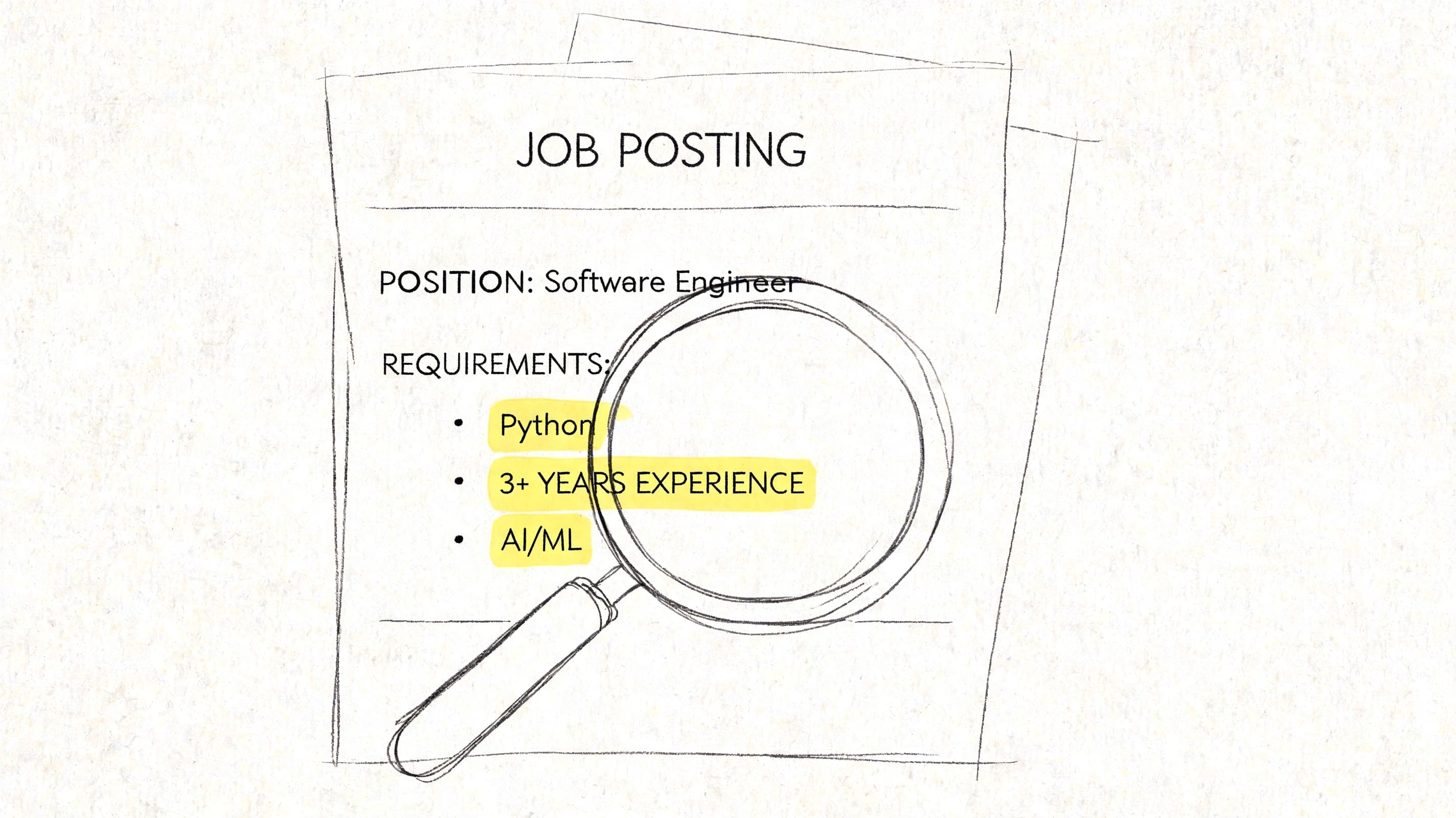
Read the advert like a filter, not a brochure
Most applicants read a role description like a summary of the job. Recruiters and ATS platforms use it differently. They treat it as a checklist.
That means every repeated term matters. If the advert mentions “project management”, “stakeholder engagement”, “Excel”, “budget tracking”, and “cross-functional collaboration”, those phrases aren't decoration. They are clues about what the employer expects to find in your CV.
Split the advert into four buckets:
- Hard skills like software, tools, certifications, platforms, licences, or technical methods.
- Soft skills like communication, leadership, prioritisation, problem solving, or collaboration.
- Scope words that show level, such as managed, led, supported, coordinated, analysed, delivered.
- Business priorities hidden in phrases like customer retention, policy development, compliance, reporting, quality, or growth.
Practical rule: If a phrase appears more than once in the advert, it deserves your attention.
A lot of candidates skip this step and jump straight into writing. That's where their CV turns generic. Generic CVs are easy to reject because they sound interchangeable.
Build a keyword checklist before you write
Create a rough two-column list. On the left, put the employer's language. On the right, put your matching evidence.
For example:
| Employer language | Your matching evidence |
|---|---|
| Stakeholder engagement | Liaised with suppliers, clients, internal teams |
| Data analysis | Produced weekly reports, tracked trends, built dashboards |
| Project coordination | Managed timelines, booked resources, updated status reports |
| CRM | Used Salesforce to log activity and follow-ups |
This forces you to answer the question recruiters care about. Not “what did you do?” but “where have you already shown the thing this role needs?”
If you lack a direct match, translate related experience accurately. A retail supervisor moving into operations might not have “vendor management” on paper, but they may have coordinated stock deliveries, handled supplier issues, and tracked inventory. That still counts when phrased clearly.
Use this checklist to decide:
- What goes in your profile summary
- Which skills appear in your skills section
- Which achievements deserve space
- What can be cut because it doesn't support the target role
If you want a more detailed walkthrough of the tailoring process, this guide on how to tailor your resume to a job description is a useful next read.
Turn the checklist into CV decisions
Now rank your findings. Don't give equal space to everything.
Put the most valuable matches in the places that get seen first:
- Top summary for your strongest alignment
- Skills section for exact hard-skill wording
- Recent experience bullets for proof in context
Your summary should echo the role without copying it. If the advert asks for someone who can manage projects, work with stakeholders, and improve reporting, your summary should sound like a credible answer to that requirement.
For example:
Operations coordinator with experience supporting cross-functional projects, maintaining stakeholder communication, and producing clear performance reports. Comfortable working across fast-moving teams and improving day-to-day processes.
That works because it reflects the role's language while staying grounded in experience.
If you're doing this manually, the process is slow but worth it. If you're using tools, this is the point where a job description analyser saves time. CV Anywhere's JD Fit Checker parses the advert, identifies missing keywords, and shows where your current CV doesn't align, which helps you tailor faster without guessing.
Don't copy the advert line for line. Recruiters spot that immediately. Lift the language, then attach it to real evidence from your work, studies, volunteering, placements, or side projects.
A job description is not just information. It's the answer sheet.
Choose the Right Resume Structure and Format
A strong candidate can still lose an interview because the CV is organised badly. Structure decides whether a recruiter sees your fit in seconds or has to work for it.
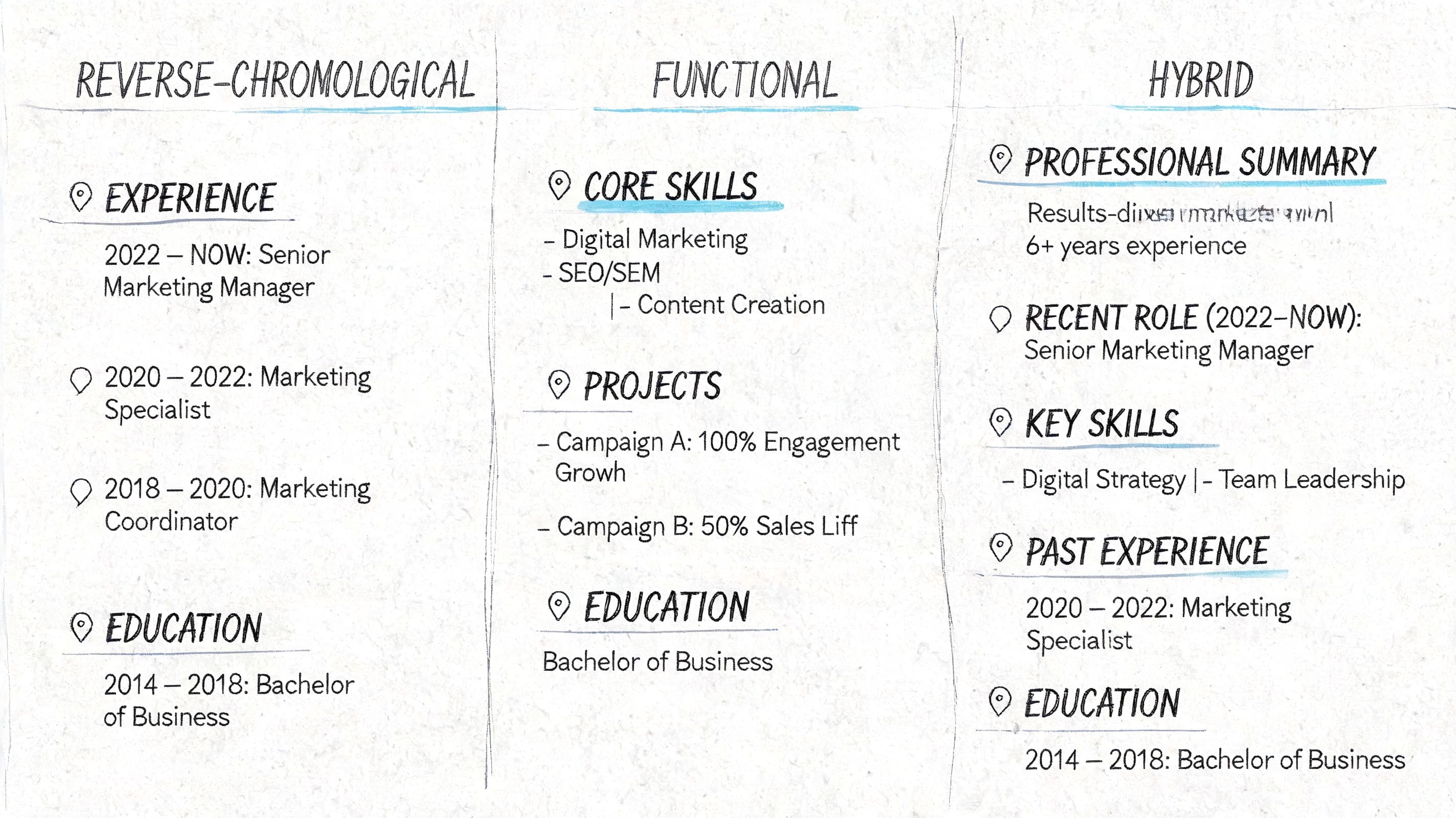
The three formats and when each works
There are three standard CV formats, but one is the right choice for most applicants.
| Format | Best for | Risk |
|---|---|---|
| Reverse chronological | Applicants with relevant work history | Very little risk if your recent experience supports the role |
| Functional | Career changers, returners, or applicants with limited direct experience | Can look like you are hiding dates, titles, or employers |
| Combination | Technical, specialist, or project-based candidates with strong skills and experience | Easy to overcrowd and stretch beyond two pages |
Reverse chronological puts your most recent role first. Recruiters expect it, ATS software reads it cleanly, and it shows career progression without extra effort from the reader.
Functional puts skills ahead of the timeline. That can help if your previous job titles do not match the role you want, but it creates a trust problem if the work history is thin or pushed too far down.
Combination keeps the timeline while giving more space to skills, projects, or technical tools. It works best when those skills are a genuine selling point, not filler.
After reviewing thousands of CVs, I can say this plainly. Reverse chronological is the safest default because it answers the first four recruiter questions fast. What do you do now? What did you do before? Does it relate to this role? Does the story hold together?
Choose the format that reduces doubt
Use reverse chronological unless you have a clear reason not to.
Functional CVs can help when you are changing direction, returning after time out, or trying to pull transferable skills into view. Even then, keep a proper employment section with employer names, dates, and role titles. If that context is missing, recruiters often assume the candidate is hiding something.
A combination format works well for people in fields like IT, engineering, consulting, design, and project delivery, where tools, methods, and specialist strengths matter. The trade-off is space. If the top half of the page is crowded with skills blocks, certifications, and software lists, your actual work history loses impact.
A format should remove friction. It should not force the recruiter to decode your story.
For most applicants, this order works best:
- Name and contact details
- Professional summary
- Key skills
- Work experience
- Education
- Certifications, projects, or other relevant sections
That layout is also the easiest to tailor quickly. CV Anywhere's resume tools help you build this structure from a blank page, then adjust the section order based on the role instead of rebuilding the whole document each time. If you want a closer look at layout choices, this guide to resume format compares the options in more detail.
Format for readability first
Formatting is not decoration. It is usability.
Recruiters scan fast, ATS software parses directly, and both struggle with clever layouts. A clean CV usually beats a stylish one because it keeps the information in the right order and makes the evidence easy to find.
Use these rules:
- Stick to standard section headings such as Work Experience, Education, Skills, and Certifications
- Choose one readable font and keep sizes consistent
- Leave enough white space between sections and roles
- Use bullet points under each job instead of long paragraphs
- Save as PDF unless the employer asks for Word or another file type
- Use a clear file name such as Firstname-Lastname-Job-Title-CV
Avoid these common problems:
- Tables and text boxes that ATS software can misread
- Multiple columns that break reading order
- Icons, graphics, and rating bars that take up space without adding proof
- Headers and footers for key contact details because some systems ignore them
- Tiny font sizes used to squeeze in too much information
These details sound small. They are not. Poor formatting makes a strong candidate look careless, and a recruiter rarely gives the benefit of the doubt on a first pass.
If you want a faster starting point, some applicants use an AI resume builder to generate a basic structure, then refine the content manually. CV Anywhere is the smarter shortcut when you need more than a draft. It helps you choose the right layout, keep it ATS-friendly, and tailor the final version for a specific job instead of sending the same CV everywhere.
The right format will not rescue weak experience. It will make strong experience easier to trust.
Write High-Impact Bullet Points with Achievements
Bullet points decide whether your CV sounds credible or forgettable.

Recruiters scan experience fast. They already know the basic duties tied to common job titles. What they want to see is proof of performance, scope, judgment, and results.
A weak bullet reads like a copied job description. A strong bullet shows what changed because you were there.
Compare the difference:
- Handled customer enquiries and processed orders.
- Resolved customer enquiries, processed orders accurately, and kept daily operations running smoothly during busy trading periods.
The second version is stronger because it adds context and shows contribution. It still needs one more thing. Evidence.
The best bullets answer three questions:
- What did you do?
- How did you do it?
- What result came from it?
Where you have numbers, use them. Where you do not, use scale, speed, quality, ownership, or complexity. Earlier research cited in this article noted that measurable achievements are still underused on CVs. That creates an opening for candidates who write with proof instead of duties.
CV Anywhere speeds this part up. Instead of staring at a blank page, you can turn rough notes, old job descriptions, and target-role keywords into sharper achievement-led bullets, then refine them so they still sound like you.
A practical formula for stronger bullet points
Use one of these formulas:
Action + task + result
Action + task + context + result
Achieved X by doing Y, measured by Z
Examples:
- Improved weekly reporting accuracy by standardising spreadsheet checks and reducing manual inconsistencies.
- Coordinated project updates across internal teams, keeping deliverables on track and stakeholders informed.
- Increased sales by 22% over 12 months through targeted upselling and consistent customer follow-up.
That last example works because it is specific. It gives a timescale, a method, and a result.
You will not have a neat percentage for every role. That is normal. Good bullets can also prove value through:
- Volume handled
- Time saved
- Errors reduced
- Deadlines met
- Projects delivered
- Customers supported
- Systems introduced
- Teams trained
- Compliance maintained
- Feedback improved
Use numbers where they add credibility. Do not force them into lines where they do not mean much.
A good bullet sounds specific enough to be trusted and short enough to scan in seconds.
Before and after examples for different job seekers
Weak bullets usually fail for one reason. They describe activity without showing contribution. Rewrite them with that in mind.
Recent graduate
Before
- Helped with social media during internship
- Worked on university group projects
- Assisted with event planning
After
- Supported social media scheduling and content planning during internship, helping maintain a consistent posting calendar.
- Delivered group coursework projects to shared deadlines, presenting findings clearly and coordinating tasks across team members.
- Assisted with event planning logistics, including attendee communication, scheduling, and on-the-day support.
This works because it turns vague participation into concrete contribution. No exaggeration. Just better framing.
Mid-career professional seeking progression
Before
- Managed team members
- Responsible for reports
- Worked with different departments
After
- Supervised day-to-day team activity, delegated priorities, and supported delivery against deadlines.
- Produced regular performance reports for managers, improving visibility over workload, output, and operational issues.
- Coordinated with multiple departments to resolve process bottlenecks and keep projects moving.
This version signals a higher level of responsibility. It shows oversight, communication, and problem-solving.
Career changer
Before
- Worked in retail for several years
- Good with customers
- Handled busy shifts
After
- Managed high-volume customer interactions in a fast-paced retail setting, resolving issues calmly and maintaining service quality.
- Coordinated daily priorities across stock, tills, and floor operations, building transferable skills in workflow management and team support.
- Used customer feedback and sales activity to spot trends and improve product presentation.
That is how to reposition experience. You are not renaming the job. You are translating it into language that matches the target role.
CV Anywhere is useful here because career changers often undersell themselves. The tool helps surface transferable achievements from roles that look unrelated on paper, then aligns the wording with the next job you want.
Rewrites you can apply today
If a bullet starts with one of these phrases, it usually needs work:
- Responsible for
- Helped with
- Worked on
- Tasked with
- In charge of
Replace them with verbs that show action and ownership:
| Weak start | Better direction |
|---|---|
| Responsible for reports | Produced, analysed, streamlined, presented |
| Helped customers | Resolved, advised, supported, retained |
| Worked on projects | Coordinated, delivered, organised, implemented |
| Managed admin | Processed, maintained, scheduled, improved |
| Assisted team | Supported, trained, collaborated, escalated |
One question improves almost every bullet: What was different because I did this?
If you cannot answer it, the bullet is probably too generic.
I also tell clients to test each bullet without the company name. If it could sit on thousands of other CVs with no loss of meaning, rewrite it.
How to quantify work that does not look obviously measurable
Candidates in support, admin, education, care, or creative roles often assume they have no metrics. Usually they do. They just are not looking in the right places.
Use these angles:
- Frequency: daily, weekly, monthly
- Scale: multiple teams, large caseloads, high-volume enquiries
- Scope: end-to-end support, full ownership, cross-functional coordination
- Quality: accuracy, turnaround time, compliance, consistency
- Change: reduced delays, improved organisation, smoother handovers
Examples:
- Maintained accurate records and documentation for a busy administrative function.
- Supported onboarding for multiple new starters, coordinating paperwork, scheduling, and internal communication.
- Delivered clear customer follow-up in a high-volume service environment, helping maintain response standards.
These bullets do not rely on inflated metrics. They still show pace, complexity, and value.
If you want more models to work from, this guide to resume bullet point examples that turn duties into achievements gives you patterns you can adapt quickly.
Strong bullet points do more than improve the CV. They give you better interview stories, clearer proof for recruiters, and a faster way to tailor each application without rewriting everything from scratch.
Optimize for Both ATS Robots and Human Recruiters
A resume that reads well but fails ATS parsing gets filtered out. A resume that clears the ATS but makes a recruiter work to find your fit gets skipped. Strong applications do both.
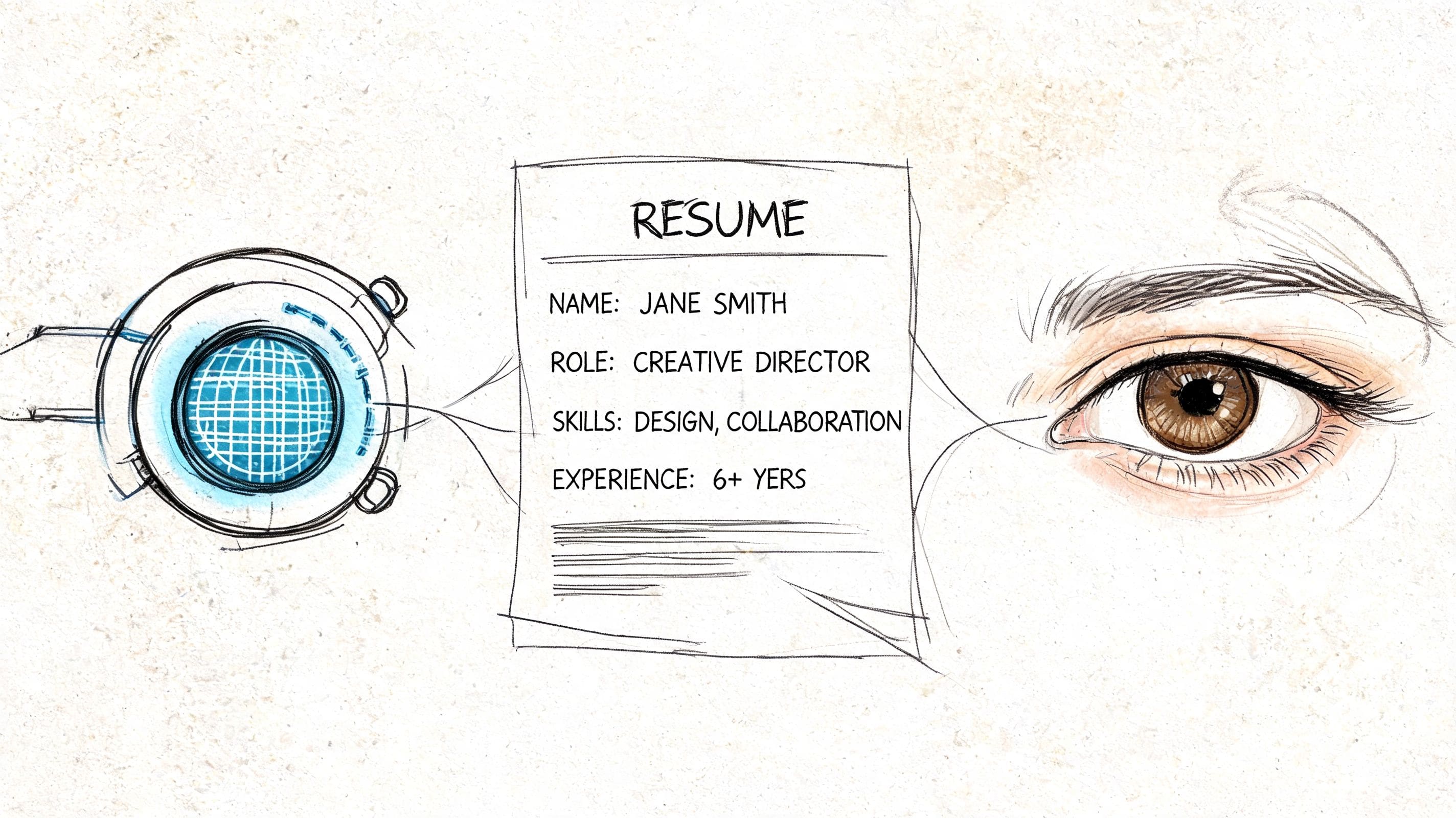
What the ATS needs to see
ATS software scans for relevance and structure. It looks for job-specific language, standard section labels, and content it can parse without friction.
Use the wording from the job description where it is accurate. If the role asks for Salesforce, include Salesforce. If it asks for stakeholder engagement, use that term if you have done that work. Do not swap in softer alternatives and expect the system to guess.
Place those terms where they carry weight:
- Summary for role alignment
- Skills section for tools, platforms, and technical skills
- Work experience for proof of use and context
Formatting matters here. Stick to standard headings such as Experience, Education, Skills, and Certifications. Use a single-column layout. Keep dates, employer names, and job titles easy to identify. Graphics, text boxes, and complex tables often create parsing errors.
CV Anywhere speeds this up. Instead of manually comparing your draft against the job ad line by line, you can use a structured ATS workflow and follow a clearer checklist in this guide on how to optimize your resume for ATS.
What the recruiter notices first
Once the resume reaches a person, the test changes. Recruiters scan fast and make early judgments based on fit, clarity, and presentation.
They usually check a few things first:
| They look for | What helps |
|---|---|
| Relevant recent experience | Clear job titles and dates |
| Fit for the role | A targeted summary and matching skills |
| Evidence of impact | Specific, achievement-based bullets |
| Professional presentation | Clean spacing, consistency, and error-free writing |
The first half of page one does most of the selling. Put your strongest matching evidence there. If you are changing careers or returning after a gap, make the target role obvious in the summary and back it up with transferable proof quickly.
Good formatting helps the human reader, but the goal is not decoration. The goal is speed. A recruiter should be able to answer three questions within seconds: What role is this person targeting? Have they done similar work? Is there enough evidence to justify an interview?
A final dual-check before you apply
Review the document twice before sending it. Read it once like software. Read it again like a busy recruiter with a full inbox.
ATS check
- Are the exact skills and terms from the job ad present where relevant?
- Are your headings standard and easy to parse?
- Is the file layout simple and single-column?
- Have you removed design elements that can confuse screening software?
Human check
- Does the opening summary match the role you want?
- Are your strongest qualifications visible near the top?
- Do the bullets show results, ownership, or business value?
- Is the formatting consistent across dates, spacing, tense, and punctuation?
- Have you caught spelling mistakes and awkward phrasing?
CV Anywhere works as a smart shortcut instead of a cosmetic add-on. It helps you tailor faster, check alignment before you apply, and avoid the common problem of sending a generic resume to a specific role.
One last practical point. The same discipline you use at application stage matters later if you receive an offer. Clear reading and careful review still matter when you are evaluating job offers for hidden clauses.
You do not need a flashy resume for most jobs. You need one that is easy for software to parse and easy for a recruiter to trust.
Final Checklist and Common Mistakes to Avoid
A good CV can still lose interviews because of avoidable errors. Most of them are small. Their effect isn't.
Common mistakes that sink good applications
These are the problems I see most often in weak applications.
Vague opening summary
“Hardworking individual seeking opportunities” says nothing. Replace it with a role-focused summary that names your experience, strengths, and target direction.Duty-heavy bullet points
Listing tasks makes you sound replaceable. Rewrite bullets to show outcomes, ownership, or business relevance.Unclear targeting
A CV that tries to suit five different roles usually suits none of them. Pick one target job and align the document to that.Messy formatting
Inconsistent dates, uneven spacing, random bolding, and overdesigned templates all create friction.Weak contact details
Use a professional email address and include the essentials only.Unexplained gaps or pivots
You don't need to apologise for them, but you do need to frame them clearly through projects, learning, freelance work, volunteering, or a concise explanation in your experience timeline.
A recruiter will forgive a missing flourish before they forgive confusion.
Another mistake happens after the CV stage. People focus so heavily on getting the application out that they neglect what happens if an offer arrives. When you reach that point, it helps to understand evaluating job offers for hidden clauses, especially if the contract includes restrictions, repayment terms, or vague wording around notice and bonuses.
Your pre-application checklist
Use this as a final pass before you hit apply.
Job advert analysed
You've pulled out the hard skills, soft skills, and repeated language from the role.Target role defined
The CV is written for one job family, not every possible opportunity.Summary rewritten
The opening lines match the role and reflect your strongest relevant experience.Skills section aligned
The wording mirrors the advert where truthful and relevant.Bullet points upgraded
Duties have been turned into actions, outcomes, and evidence.Formatting cleaned up
Headings are standard, spacing is consistent, and the layout is easy to scan.Spelling and grammar checked
Read it once to yourself and once out loud. You'll catch different errors.File named properly
Use your name and the role title.Tracked after sending
Record where you applied, the version you sent, the deadline, and the follow-up date.
This last step is where a lot of job searches become chaotic. Spreadsheets drift out of date. Emails get buried. Versions get mixed up. An application tracker solves that by keeping each role, CV version, status, reminder, and note in one place.
If you want a final external review before sending, a proper resume review checklist can help you catch issues you've gone blind to after too many edits.
The best CV isn't the prettiest one. It's the one that makes saying yes feel easy.
Frequently Asked Questions About Resume Writing
A good CV answers predictable recruiter questions fast. If your document leaves them guessing on length, format, or relevance, it creates friction you do not need.
How long should a CV be?
Use one page if you can show clear fit and evidence without forcing tiny margins or cutting important results. Two pages are fine for senior, technical, academic, or project-heavy roles where the extra space helps you prove depth. I tell clients to judge length by relevance, not by panic. CV Anywhere helps here because you can tailor one strong base CV into shorter or fuller versions for different roles instead of rewriting from scratch each time.
Should I include a photo on my CV? Usually, no. In most cases, a photo does not improve your chances and can distract from the information that gets assessed. If you want a fuller breakdown, this guide on a headshot on resume explains when it may come up.
What if I have no direct work experience?
Use evidence from coursework, placements, volunteering, society roles, freelance work, and part-time jobs. Recruiters still want proof that you can take responsibility, work with others, solve problems, and finish tasks properly. The mistake is writing these experiences like fillers. Write them like real work, with actions and outcomes. CV Anywhere speeds that up by helping you turn rough experience into role-matched bullet points built around the job description.
What's the difference between a CV and a resume?
In the UK, CV is the standard term for most job applications. In practice, many people use the two words to mean a similar document, but employers still notice local expectations. For UK roles, use UK spelling, keep the format clean, and focus on relevance over autobiography.
If you want to move from a blank document to a customized, organised application workflow faster, CV Anywhere combines CV building, job description fit checking, and application tracking in one place so you can write, adjust, and manage each application without juggling separate tools.
Tags
Related articles
How Can I Improve My CV? Get Interview Success in 2026
A stronger CV changes outcomes fast. In practice, the biggest gains usually come from making your evidence easier to spot, easier to trust, and easier for software to parse. If you're asking how can i...
Fix my CV: Get Hired in 2026
TL;DR: If you searched "fix my CV", start with three things: correct the basics, get the document ATS-safe, and tailor it to the job with quantified achievements. 77% of CVs are either under 475 words...
How to Make My CV Better: A Step-by-Step Guide
If you're searching "make my CV better", you probably already have a CV, you've sent it out, and the response has been weak or inconsistent. That usually means the problem isn't effort. It's positioni...
Best AI CV Generator: Your 2026 Guide to Creating an Interview-Winning CV
Table of Contents - How AI Transforms Your CV Writing - Step 1: Prepare Your Information for the AI - Step 2: Guide the AI with Smarter Prompts - Step 3: Optimise Your CV with a JD Fit Score - Step 4:...
Popular Articles
A stronger CV changes outcomes fast. In practice, the biggest gains usually come from making your evidence easier to spot, easier to trust, and easier for software to parse. If you're asking how can i...
TL;DR: If you searched "fix my CV", start with three things: correct the basics, get the document ATS-safe, and tailor it to the job with quantified achievements. 77% of CVs are either under 475 words...
If you're searching "make my CV better", you probably already have a CV, you've sent it out, and the response has been weak or inconsistent. That usually means the problem isn't effort. It's positioni...
Table of Contents - How AI Transforms Your CV Writing - Step 1: Prepare Your Information for the AI - Step 2: Guide the AI with Smarter Prompts - Step 3: Optimise Your CV with a JD Fit Score - Step 4:...