How to Make a CV in Minutes (A Step-by-Step Guide)
Need a professional CV fast? Learn how to make a CV in minutes with our timed walkthrough. Create an ATS-friendly document that gets you noticed.

If you need to make a CV in minutes, the fastest method is simple: prepare your core details first, build one clean draft in an ATS-friendly template, then tailor it to one job description before you send it. Writing from scratch, tweaking fonts, and guessing which skills matter wastes time. A better workflow gets you from blank page to a credible, job-ready CV in under 20 minutes, without turning it into a generic document that gets ignored.
The 5-Minute Prep Checklist Before You Start
Speed comes from preparation, not typing faster. If your dates, job titles, achievements, and target role are scattered across old files, LinkedIn, and memory, a "quick" CV turns into an hour of stop-start editing.
Treat this like mise en place in cooking. Get every ingredient ready before you open the builder.

Gather the non-negotiables
Open a note and paste in the basics first:
- Contact details. Full name, phone number, professional email, LinkedIn URL, town or city.
- Career history. Job title, employer, start month and year, end month and year.
- Education. Qualification, institution, graduation year.
- Skills. Software, technical skills, languages, and role-relevant strengths.
- One target job description. Save the exact advert you want to apply for.
If you need help choosing layout later, keep a tab open with practical CV templates and layout examples.
Pull out achievements before you start writing
This is the part most candidates skip, and it costs them interviews. Only 26% of resumes include at least five instances of measurable results, while 36% have zero. This is a critical error, as 54% of recruiters reject resumes that omit data-driven achievements, according to Cultivated Culture's resume statistics roundup.
That means your draft should not rely on bland lines like:
- "Responsible for customer service"
- "Worked in a fast-paced team"
- "Handled admin tasks"
Replace them with proof. Even if you don't have huge commercial wins, you can still quantify scope, speed, volume, or responsibility.
Use this quick conversion method
Take each duty and ask:
- What did I do?
- What changed because I did it?
- What can I measure?
Here's what that looks like in practice:
| Weak version | Better version |
|---|---|
| Helped with client onboarding | Supported onboarding for new clients and kept records accurate across multiple accounts |
| Managed inbox | Managed a high-volume shared inbox and prioritised urgent queries |
| Worked on social media | Scheduled content, tracked engagement trends, and supported campaign delivery |
You won't always have hard numbers. That's fine. Use clear evidence of scale and outcome where you can.
Practical rule: write down 3 to 5 achievement bullets before you touch the template. That one step saves the most time later.
Keep one job advert in front of you
Don't build a CV for "marketing jobs" or "office work" in general. Build it for one role. The advert tells you which keywords, tools, and priorities matter. Without it, you'll produce a broad CV that reads safely and lands weakly.
Your prep is done when you have:
- A clean contact block
- Accurate dates
- Three to five strong evidence-based bullets
- One target job description
- A short skills list linked to that role
That's enough to build quickly without losing quality.
Is your CV actually getting responses?
Your CV might be missing something important
Upload your CV → see its weakest areas → fix them, one by one.
Free. Takes less than 2 minutes.
The 10-Minute CV Build Walkthrough
A fast CV only works if the format helps someone scan it immediately. A 2018 eye-tracking study by TheLadders found recruiters spend an average of 7.4 seconds on their initial CV scan, which is why layout, hierarchy, and a sharp opening summary matter so much, as noted in Distinct Recruitment's breakdown of the study.
Start with a builder that keeps the document clean and structured. Don't open a blank Word file unless you enjoy formatting problems.

Minute 1 to 2
Pick a simple template
Use a template with:
- Clear section headings
- Single-column layout
- Readable font
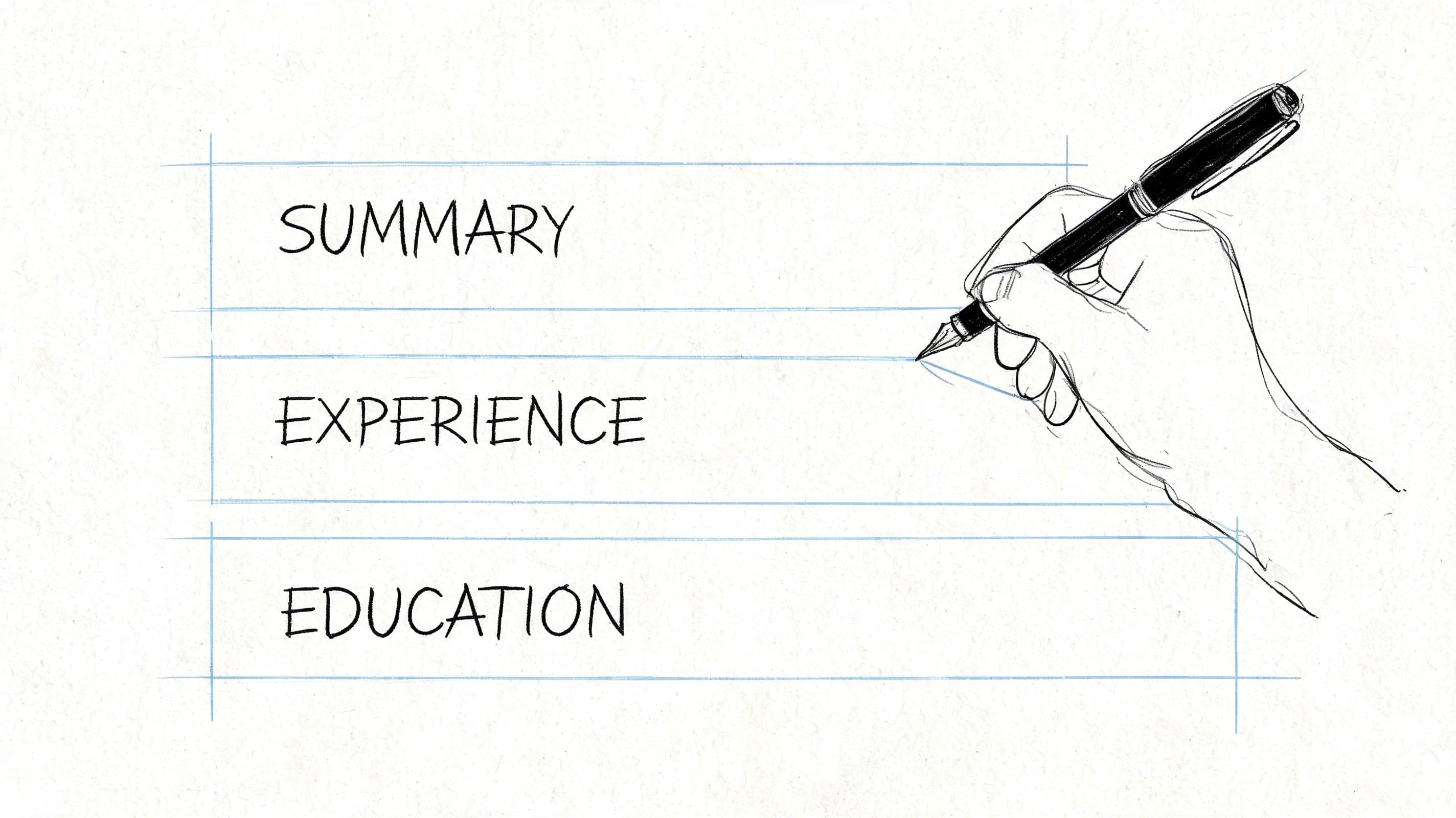
- Space for summary, experience, education, and skills
- No graphics, icons, text boxes, or decorative sidebars
If you want the quickest route, use a dedicated CV builder for ATS-friendly layouts.
The best template is rarely the prettiest one. It's the one that stays readable in PDF, on mobile, and inside employer systems.
Minute 3 to 4
Fill the header and summary first
Your header should take seconds. Name, contact details, LinkedIn, city. Nothing else.
Then write a short profile. Keep it tight. Three or four lines is enough. Focus on role, strengths, and relevance.
Use this prompt if you're drafting with AI:
Write a professional CV summary for a [job title] with experience in [industry/skill area]. Keep it concise, ATS-friendly, and tailored to this job description. Highlight strengths in [skills], [tools], and [type of work]. Use plain UK English.
Example summary for an operations coordinator role:
Organised operations professional with experience supporting scheduling, administration, and stakeholder communication. Strong track record in handling competing priorities, maintaining accurate records, and improving day-to-day workflow. Confident with internal systems, reporting, and cross-team coordination. Looking to bring reliable support and structured delivery to a busy operations team.
That works because it's specific without becoming bloated.
Minute 5 to 7
Build the experience section with proof
In this process, speed often hurts quality. People paste job duties and move on. Don't.
For each role, include:
- Job title
- Employer
- Dates
- Three to five bullets
Make the first bullet do the heavy lifting. Lead with the most relevant contribution for the role you want next.
Compare these:
| Weak bullet | Stronger bullet |
|---|---|
| Responsible for admin support | Coordinated day-to-day admin support across scheduling, records, and internal communication |
| Helped customers with issues | Resolved customer queries across phone and email while maintaining accurate account notes |
| Worked with team members | Worked across departments to keep tasks moving and deadlines visible |
If you have metrics, use them. If you don't, use scope and outcome. Don't force invented numbers into a CV just to sound impressive.
Minute 8
Add skills that support the target role
Your skills section should not be a personality list. Keep it practical.
Good examples:
- CRM systems
- Excel
- Diary management
- Stakeholder communication
- Reporting
- Customer support
- Project coordination
Bad examples:
- Hardworking
- Team player
- Good communicator
- Motivated
- Passionate
Those belong in how you write, not in a standalone skills list.
A fast build works best when you limit decisions. That's one reason people who struggle with focus often benefit from clear systems and external structure. If that's familiar, these proven adult time management skills are useful beyond job hunting too.
Minute 9 to 10
Finish education and final polish
Education should be brief unless you're a recent graduate. Add qualifications, institution, and year. If you're early-career, place it higher. If you've been working for a while, keep it after experience.
Before exporting, check this quick list:
- Does the summary match the target role?
- Are the first bullets in each role relevant?
- Have you removed obvious filler?
- Is the layout clean on one or two pages?
- Would a recruiter understand your value in a fast skim?
That's enough for a strong first draft. Don't keep polishing a generic version when a better use of time is tailoring it to the job.
The 3-Minute Tailoring with a JD Fit Checker
The biggest mistake in quick CV writing isn't speed. It's sending the same draft everywhere.
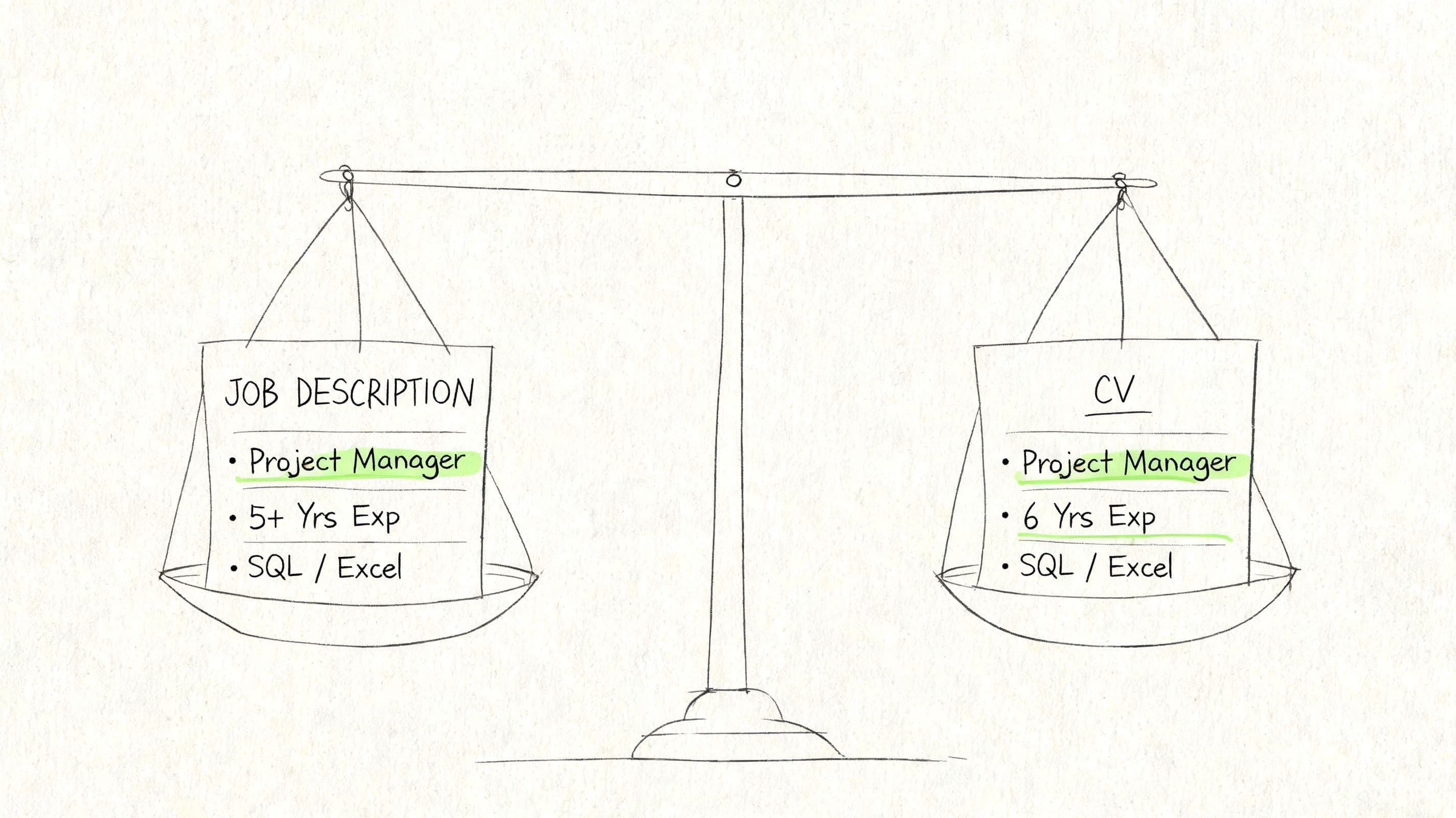
A generic CV might look "professional", but it often misses the exact language, tools, and priorities used in the advert. That matters because screening systems and human reviewers both look for relevance first.

Why this step matters more than extra polishing
Customised CVs with JD-matched keywords have 40% higher ATS compatibility and receive 2.3 times more interview callbacks compared to generic ones, yet only 23% of job seekers customise their CV after using a quick builder, according to ResumeGenius.
That gap is where most missed interviews happen. People build quickly, then stop too early.
How to use a JD Fit Checker properly
Paste the full advert into a JD Fit Checker that compares your CV against the job description. Then look for three things:
Missing keywords
If the role says stakeholder management, reporting, and scheduling, but your CV says liaison, data updates, and calendar support, you may be describing the same work in different language.
Swap in the employer's wording where it's honest and accurate.
Priority mismatch
Sometimes your CV includes the right experience, but it's buried. If the advert focuses on client delivery and your best client-facing bullet sits fourth under an old role, move it up.
Order affects impact.
Gaps you can close quickly
A fit checker usually highlights missing terms or weak alignment areas. Some gaps are real. Others are just phrasing issues.
Examples of fast fixes:
- Change "worked with senior staff" to "supported senior stakeholders"
- Change "prepared updates" to "produced reports"
- Move a software skill from the bottom of the CV into a top skills block
- Tighten your summary so it mirrors the role's language
Use exact employer terminology where it reflects your actual experience. Don't translate yourself into vague language when the advert already tells you what matters.
Keep tailoring honest
There's a line between alignment and fiction. Don't claim tools you haven't used or responsibilities you never held. Strong tailoring is mostly about selection, wording, and order.
If you work in a specialised field, niche matching tools can also help. For example, water-sector candidates may find a tool for water professional resume matching useful for checking fit against technical roles.
The fastest effective workflow is this:
| Task | What to do |
|---|---|
| Check match | Paste CV and job description into the checker |
| Review gaps | Look for missing role terms and priority skills |
| Make edits | Update summary, skills, and top bullets |
| Re-check | Confirm the CV now reflects the advert clearly |
Three minutes here usually beats another twenty spent rewriting lines that don't change your relevance.
Common Mistakes That Waste Time and Get You Rejected
Most rejection-worthy CV mistakes don't happen because candidates are lazy. They happen because people rush the wrong parts.
A quick CV can absolutely work. A careless one usually fails for predictable reasons.
Fancy formatting breaks practical CVs
Many candidates still assume a more designed CV looks more professional. In practice, decorative layouts often create problems. Keyword stuffing can cause ATS parse rates to drop below 10%, while using non-standard elements like tables or images can lead to outright rejection by 95% of systems, according to CV formatting guidance on ATS CV mistakes.
That means the sleek two-column template you found online may be doing real damage.
Avoid:
- Tables
- Text boxes
- Icons used as section markers
- Photos
- Heavy visual headers
- Multi-column skills bars
Use a plain structure and let the content carry the document.
Responsibility-heavy writing sounds safe but says little
These lines look normal and waste valuable space:
- Managed daily operations
- Responsible for office administration
- Helped support the team
They don't show level, outcome, or relevance. Employers read them and learn almost nothing.
A stronger version gives context. It shows what you handled, who you supported, or what moved because of your work.
Rushing the final check creates avoidable damage
Small mistakes have a compounding effect. Wrong dates raise questions. Mismatched tense looks messy. A summary aimed at one role and bullets aimed at another makes the CV feel recycled.
Think about your CV the way operations teams think about workflows. Tight systems reduce friction, handoff errors, and wasted effort. The same logic sits behind broader advice on how teams improve operational efficiency, and it applies surprisingly well to job applications too.
Clean structure beats clever design. Clear wording beats keyword dumping. A finished draft is not the same as a ready-to-send CV.
Use this rejection-prevention check
Before you apply, scan for:
- Formatting risk. Is the layout simple enough for ATS parsing?
- Language bloat. Have you stuffed in repeated keywords unnaturally?
- Role mismatch. Does the CV sound like the job you're applying for?
- File quality. Does the PDF preserve spacing and headings cleanly?
Most quick-CV failures come from trying to look polished instead of trying to be readable.
Next Steps: From CV to Interview
A finished CV is useful. A managed application process is what turns it into interviews.
Many candidates put all their effort into the document, then lose momentum once applications start stacking up. That's where a lot of good opportunities go cold.

Export once, then create versions
Save your finished CV as a PDF so your formatting stays stable. Keep a master editable version as well. Then create role-specific copies instead of overwriting the same file repeatedly.
Job seekers who create and track multiple customised versions of their CV land 28% more interviews, as highlighted by LiveCareer's discussion of multi-version CV management.
Name files clearly. For example:
- Firstname-Surname-Operations-Coordinator-CV
- Firstname-Surname-Project-Support-CV
- Firstname-Surname-Client-Services-CV
That sounds basic, but it stops confusion when interview invites start coming in.
Pair the CV with a simple application system
You don't need an elaborate spreadsheet. You do need one place to track:
- Role title
- Company
- Date applied
- Version used
- Follow-up date
- Interview stage
- Notes from the advert or recruiter
Without that, tailoring becomes disconnected from outcomes. You won't know which version got responses.
Don't stop at the document
A strong CV works better when it connects to the next stage cleanly.
Use this sequence:
| Stage | What to do next |
|---|---|
| CV ready | Export PDF and keep editable master copy |
| Application sent | Log the role and version used |
| Follow-up due | Add reminder and brief notes |
| Interview invite | Review the exact CV version submitted |
If you want support after the application stage, tools like an interview preparation coach for job seekers can help you carry the same consistency into interviews.
The advantage of making a CV in minutes isn't just speed. It's preserving enough time and focus to manage the full search properly.
Frequently Asked Questions About Making a Quick CV
Can a CV made in minutes still get interviews
Yes, if the speed comes from a good process rather than skipping the hard parts. A quick CV works when you prepare your facts first, use a clean format, and tailor the final version to a specific job. It fails when you rely on a generic template and send the same draft everywhere.
Should my CV be one page or two pages
For most UK job seekers, one or two pages is the practical range. If you're a recent graduate or early-career candidate, one page is often enough. If you have broader experience, two pages can work well as long as every line earns its place. Don't add a second page just to include old or irrelevant material.
What if I don't have impressive achievements with numbers
You probably have more usable evidence than you think. Not every role produces obvious headline metrics. Focus on scope, frequency, responsibility, complexity, and outcomes.
For example, instead of saying you "helped with administration", you might say you coordinated diaries, maintained accurate records, supported a busy shared inbox, or kept internal processes moving across teams.
Is an AI-written summary okay on a CV
Yes, if you edit it. AI is useful for speed, especially when you need a first draft fast. But it shouldn't stay generic. Check that it sounds like your experience, matches the advert, and avoids empty phrases.
What's the fastest way to improve a weak CV
Don't rewrite the whole thing. Fix the parts that change impact fastest:
- The summary
- The first bullet under each recent role
- The skills list
- The wording that matches the job advert
Those edits usually do more than another round of visual formatting.
If you want the quickest way to build, tailor, and manage job applications in one place, try CV Anywhere. It's designed for people who need a polished, ATS-friendly CV fast, then want a straightforward way to tailor it for real jobs and keep their applications organised.
Tags
Popular Articles
A practical guide to choosing a resume builder that saves time, improves formatting, and helps you land interviews faster.
A straightforward walkthrough of the resume format, sections, and writing choices that work best for US job applications.
Learn the structure, wording, and formatting expected in a UK CV so you can present your experience clearly and professionally.
Explore proven cover letter examples and templates you can adapt to write stronger applications and stand out to employers.
See why manual tracking systems break down and what to use instead to stay organised throughout a modern job search.