
The key to a winning resume resume in the US job market is creating a document that beats automated filters and impresses a human in seconds. The most effective approach is to build a one-page, ATS-friendly resume that uses a clean, single-column format with standard fonts like Calibri or Arial. Start with a powerful professional summary tailored with keywords from the job description, followed by sections for Skills, Work Experience (in reverse-chronological order), and Education. Focus every bullet point on quantifiable achievements using the STAR method (Situation, Task, Action, Result) to prove your value, not just list your duties. This strategy ensures your resume gets past the Applicant Tracking Systems (ATS) and lands you the interview.
Let's be honest: your resume's first reader is a robot. With the vast majority of US companies now using Applicant Tracking Systems, building a resume that speaks the algorithm's language isn't just a good idea—it's the only way to get your foot in the door in 2026. This is your practical guide to getting past the machine and into the hands of a hiring manager.
Crafting a Resume That Wins in 2026
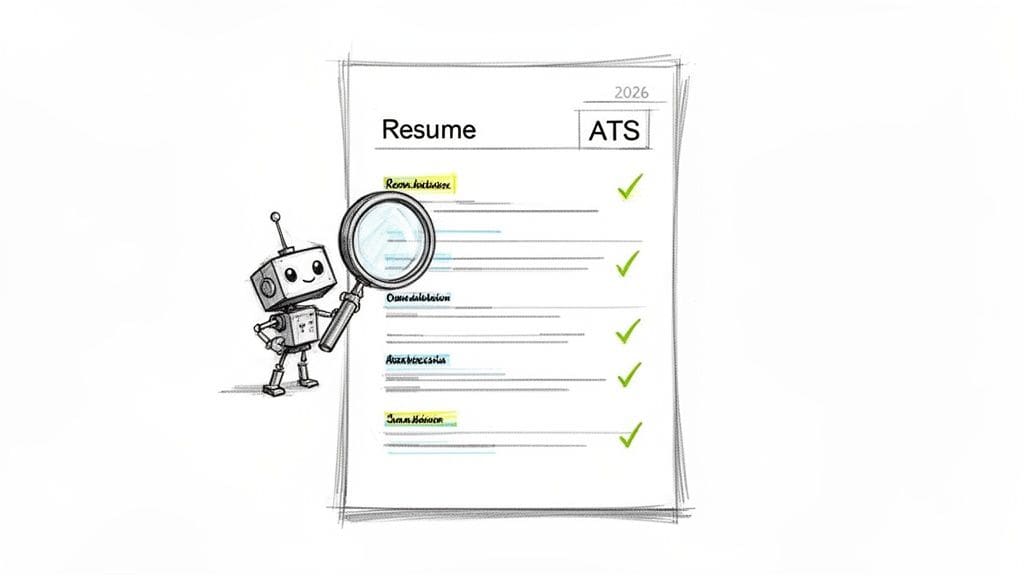
The job application game has completely changed. Not long ago, your resume went straight to a human who judged it on its merits. Today, it faces a digital gatekeeper first. If you fail that test, you're out before a person ever sees your name.
This screening is handled by Applicant Tracking Systems, or ATS. These are the software platforms that scan, parse, and rank every resume based on keywords, structure, and a match to the job description. If your resume isn't built for these systems, your qualifications might as well be invisible.
The New Gatekeepers of Hiring
Make no mistake, this is the new normal. By 2026, an estimated 83% of companies will use AI-driven Applicant Tracking Systems to filter candidates. What does that mean for you? It means resumes with fancy graphics, unusual fonts, or non-standard headings are automatically rejected at rates hitting 75% in major US markets. You can find more details about these resume changes coming in 2026 and see just how critical this is.
This isn't about just dodging errors; it's about being strategic. A winning resume today is designed for a dual audience: first the algorithm, then the human.
Your resume has two jobs: First, get past the machine. Second, impress the human. You can't do the second job if you fail the first.
To help you visualize what works and what doesn't, here's a quick comparison of the two main resume styles.
ATS-Friendly vs. Creative Resume Formatting
This table breaks down why a clean, simple format is your best bet for getting past the initial digital screening, while a highly creative one often gets stuck in the filter.
| Feature | ATS-Friendly (Recommended) | Creative (Use with Caution) |
|---|---|---|
| Layout | Single-column, linear flow. | Multi-column, complex layouts. |
| Fonts | Standard, web-safe fonts (e.g., Arial, Calibri, Georgia). | Stylized or custom fonts. |
| Graphics | None. No photos, charts, or icons. | Often includes headshots, skill bars, and logos. |
| Headings | Standard titles ("Work Experience," "Skills"). | Vague or unique headings ("My Journey"). |
| File Type | .docx or .pdf (text-based). | Often image-based PDFs, which are unreadable. |
The takeaway is clear: for most corporate roles, stick to the ATS-friendly column. Save the creative resume for in-person networking or when a job description in a creative field specifically asks for it.
Moving Beyond Generic Advice
This guide goes beyond the usual tired advice. We're not just going to tell you to "use keywords." We'll show you how to pinpoint the right ones and weave them into your story so it sounds natural. Think of your resume as a marketing document, and you're the product.
We'll focus on the three pillars of a successful resume:
- Structure: How to organize your resume so a machine can read it perfectly.
- Keywords: How to align your skills and experience with the exact language in the job post.
- Content: How to craft a compelling summary and achievement-focused bullet points that get results.
Of course, your professional brand extends beyond a single document. While you should never put a photo on a US resume, your online presence is fair game. A guide to achieving a professional headshot for resume success on your LinkedIn profile is a crucial piece of the puzzle.
We'll also dig into how you can use an AI-powered tool like CV Anywhere's Smart CV Builder to get a real advantage. And for a deeper dive on layout, check out our guide on the modern format for a resume.
Is your resume actually getting responses?
Your resume might be missing something important
Upload your resume → see its weakest areas → fix them, one by one.
Free. Takes less than 2 minutes.
Building Your Resume's Unshakeable Foundation
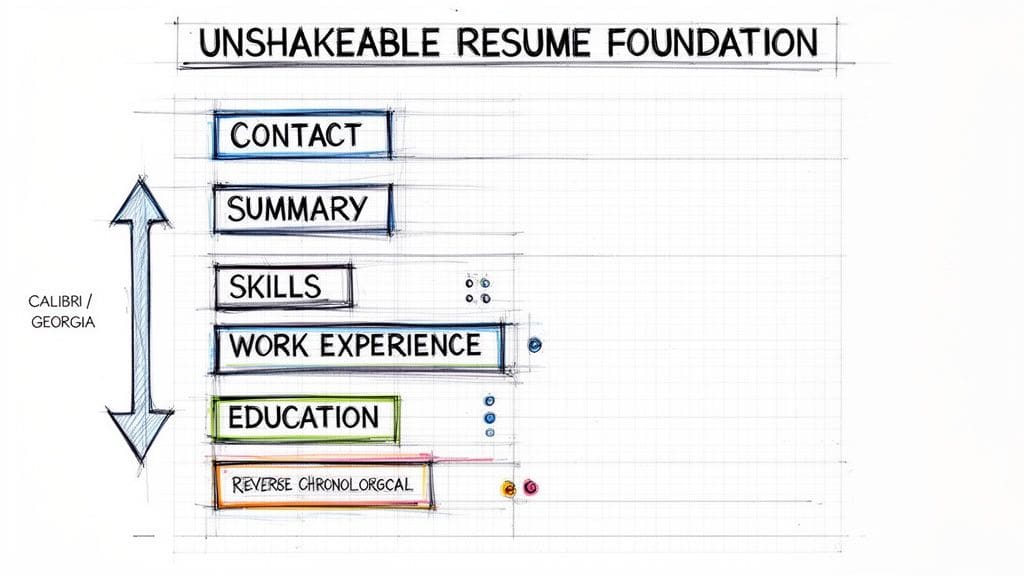
Before you spend hours polishing bullet points and quantifying every win, we need to lay the groundwork. Think of it like building a house—if the foundation is cracked, the whole structure will fail. A modern resume resume must first get past the bots, and that means its architecture has to be clean, predictable, and scannable.
The unshakable foundation for any ATS-friendly resume follows a specific order: Contact Info, Professional Summary, Skills, Work Experience, and Education. Getting this structure right isn't just a suggestion; it's the price of entry. This simple blueprint ensures the content you've worked so hard on actually gets parsed correctly and seen by a human.
Choosing Your Core Building Materials
The materials you choose matter. And on a resume, that starts with something as fundamental as your font.
You need to stick with universally recognized, web-safe fonts. These render cleanly on any system, every time. Your safest bets are:
- Calibri: A clean, modern default that's easy on the eyes.
- Georgia: A classic serif font that's exceptionally readable on screens.
- Arial: The standard, no-fuss sans-serif option that never fails.
- Times New Roman: The old-school traditional choice. While some find it a bit dated, it's still 100% safe for any ATS.
Whatever you do, stay away from script, decorative, or custom-downloaded fonts. They might look unique, but they are a leading cause of parsing errors, making your resume a garbled mess for the very systems you need to impress.
The Reverse-Chronological Blueprint
For the vast majority of professionals, the reverse-chronological format is the only game in town. It means you list your most recent job first and work your way backward.
Why is this so important? Because both recruiters and the ATS are wired to look for a clear career story. This format instantly shows them what you've been doing lately, which is what they care about most. It's the industry standard, and trying to get creative here only causes confusion.
Your resume format should answer the recruiter's most urgent question: "What is this person's most recent and relevant experience?" A reverse-chronological layout does this instantly.
Here's another structural trap to avoid: don't use your word processor's built-in header and footer sections. It's tempting to place your contact info there, but many older ATS programs are programmed to skip those areas completely. To play it safe, all your content—name, email, phone number, and LinkedIn URL—must live in the main body of the document. If you're looking for a deeper dive on what to include, you can learn more about the essential components of a resume in our detailed guide.
Structuring Content for Readability
Once your core structure is set, how you present the information inside each section is just as critical. Dense paragraphs are the enemy of both human and machine readers. Your job is to make your content as scannable as humanly possible.
Clean, concise bullet points are always better than long, narrative paragraphs describing your duties. Each bullet should kick off with a strong action verb and focus on a specific accomplishment or result. This approach makes your impact easier to digest for a human skimmer and allows the ATS to pull out keywords and metrics far more effectively.
Think of your resume resume as a quick-reference guide, not a novel. It needs to deliver key information in seconds. An Applicant Tracking System is designed to extract structured data from predictable fields, which is why a clean, simple layout is your most powerful tool.
Using AI to Write a Summary That Gets Noticed
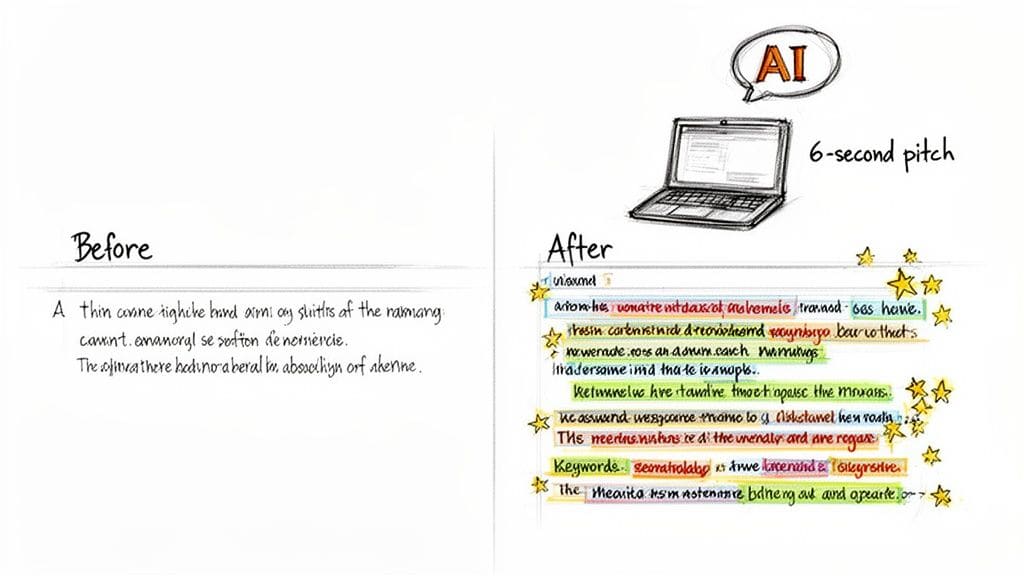
Your resume summary is your six-second pitch to a recruiter. Think of AI not as a ghostwriter, but as a very clever collaborator. Instead of asking it to "write a summary for me," your job is to feed it the right ingredients—your raw career data and specific instructions—to create a powerful, keyword-rich narrative that still sounds like you.
This partnership turns a generic statement into a story that proves your value right from the start.
The reality is, AI is already a standard part of the job hunt. A recent study found that 68% of job seekers now use AI to help build or polish their resumes. And while 84% of them say it makes the search easier, it also means the competition is better prepared than ever. A generic resume, even one touched by AI, will just get lost in the noise.
Prompting AI for a Powerful First Draft
The secret to getting a great summary from AI is all in the prompt. Don't just give it your job title and hope for the best. You need to provide the raw materials.
Before you start, pull together these three things:
- The Job Description: Copy and paste the entire text for the role you want. This gives the AI the specific keywords and context it needs.
- Your Raw Experience: Jot down 5-7 of your proudest achievements, complete with numbers and metrics. Don't worry about perfect sentences yet; just get the facts down.
- Your Core Strengths: List 3-4 of your most relevant hard and soft skills for this specific job.
Now, combine them into a detailed prompt. Instead of a vague request, you're giving the AI a clear recipe.
Example AI Prompt: "Act as a professional resume writer. Create a 3-4 sentence professional summary for a [Your Job Title] applying for the role of [Target Job Title] at [Company Name]. Weave in the top keywords from this job description: [Paste Job Description]. Base the summary on my key achievements: [Paste Your 5-7 Achievements] and highlight these skills: [Paste Your 3-4 Skills]. Write in a confident and professional tone, focusing on quantifiable results."
This kind of specific instruction forces the AI to move past clichés and produce a targeted first draft. If you want to see how this fits into the bigger picture, you can learn how to use AI to write a resume from start to finish with our full guide.
From Generic to Genuine: A Real-World Example
Let's look at this in action. Here's a perfectly honest but forgettable summary from a recent marketing graduate.
Before AI Collaboration: "Recent marketing graduate with experience in social media and content creation. Eager to apply my skills in a fast-paced environment and contribute to a growing team. A quick learner who is passionate about digital marketing."
It's fine, but it doesn't prove anything. Now, let's feed the AI a detailed prompt using the graduate's internship results and a target job description for a "Digital Marketing Coordinator." The AI gives us a solid draft, which we then polish to sound more human.
After AI Collaboration and Human Editing: "Dynamic marketing professional with a B.A. in Marketing and hands-on experience driving a 40% increase in social media engagement for a B2C startup. Proven ability to craft compelling content that grew a brand's Instagram following by 2,500 in three months. Seeking to apply expertise in SEO, content strategy, and data analysis to boost brand visibility and ROI."
This version is specific, packed with numbers, and uses keywords like "SEO" and "content strategy" that were pulled straight from the job description. It transforms the candidate from a hopeful graduate into a results-driven professional.
Refining the AI's Output
The AI's first version is just a starting point. Your job is to make it yours.
Read it out loud. Does it actually sound like something you would say? Cut any corporate jargon or buzzwords that feel unnatural. The goal is to find that perfect balance where the AI provides the keyword-optimized structure, but you provide the authenticity.
This final human touch is what separates a good resume from a great one. It ensures that when a recruiter reads your six-second pitch, they hear a confident professional, not a machine.
Tailoring Your Experience for Every Opportunity
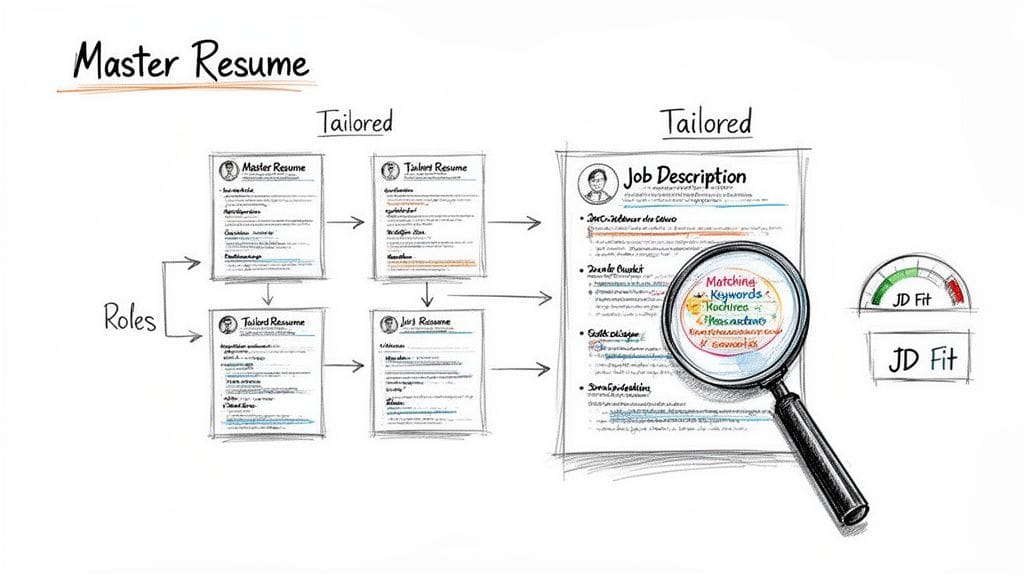
Sending the same generic resume for every job you apply to is the single biggest mistake you can make in your job search. The fastest way to get past the automated screeners and grab a recruiter's attention is to tailor your resume for each specific role.
This doesn't mean you have to rewrite your entire career history every time. The smart approach is to build a "Master Resume" first and then strategically adapt it for each opportunity. This one document will become the foundation for every custom resume you send out.
The Power of a Master Resume
Your Master Resume is your secret weapon for applying quickly and consistently. It's a comprehensive, private document where you log every detail of your professional life—every job, project, skill, and measurable achievement—without worrying about page length or relevance.
Think of it this way:
- It saves you from the headache of trying to recall project details from five years ago under pressure.
- It allows you to quickly pull the most relevant experiences for any given job.
- It ensures all your key achievements are documented with hard numbers, ready to be deployed.
This approach transforms tailoring from a chore into a focused copy-and-paste exercise. You're no longer starting from scratch; you're just selecting the best ingredients for the recipe.
Your Master Resume is the 'all-you-can-eat buffet' of your career. For each application, you simply build a plate with the specific items the hiring manager ordered.
This strategy is more critical than ever. The hiring landscape in 2026 is fiercely competitive, with 52% of employees considering a job change and over half actively searching for new roles. With hiring timelines stretching to an average of 44 days in the US and remote jobs attracting three times more applicants, a perfectly tailored submission isn't a bonus—it's a requirement.
Using a JD Fit Checker to Pinpoint Keywords
Once your Master Resume is ready, the next move is to dissect the job description (JD) you're targeting. This is where tools like CV Anywhere's JD Fit Checker become essential. These tools instantly compare your resume against a job description and give you a match score.
But this score isn't just a number; it's a road map. It shows you exactly which critical keywords and skills are missing from your resume, taking the guesswork out of customization.
For instance, the job description might repeat "stakeholder management" five times, while your resume just says "worked with clients." A JD Fit Checker will flag this gap, prompting you to update your language to match what both the ATS and the recruiter are scanning for.
To make this practical, here's how you can break down a job description to find the keywords that matter.
Decoding a Job Description for Keywords
| Keyword Type | Example from Job Description | Where to Add in Your Resume |
|---|---|---|
| Hard Skills/Tools | "Proficient in Salesforce CRM" | Skills section, and in a bullet point describing a relevant achievement. |
| Soft Skills | "Strong cross-functional collaboration" | Professional Summary, and woven into STAR method bullet points. |
| Responsibilities | "Develop and execute go-to-market strategies" | Experience section, phrased as an accomplishment with a measurable result. |
| Qualifications | "PMP certification required" | Certifications/Education section, and mentioned in the Professional Summary. |
By systematically identifying these terms, you can ensure your resume speaks the same language as the employer, dramatically increasing your chances of getting noticed.
From Duties to Impact With the STAR Method
Just listing your job duties is a surefire way to get overlooked. Recruiters don't want to know what you were supposed to do; they want to know what you accomplished.
The STAR method is a simple but powerful framework for turning your responsibilities into compelling, metric-driven success stories.
STAR stands for:
- Situation: Briefly set the scene. What was the context?
- Task: What was your specific responsibility or goal?
- Action: What specific steps did you take? Use strong action verbs.
- Result: What was the outcome? Quantify it with numbers whenever you can.
Let's see it in action.
Before (Duty-Focused): "Responsible for managing the company's social media accounts."
After (STAR Method): "[Situation] Tasked with increasing a stagnant social media presence, [Task] I developed and executed a new content strategy. [Action] By analyzing audience data to post at peak times and creating engaging video content, [Result] I grew organic engagement by 45% and increased follower count by 10,000 in six months."
The "After" version provides context, demonstrates initiative, and proves your value with undeniable data. You should sprinkle these STAR-driven bullet points throughout your experience section to make an unforgettable impression.
You can find even more practical tips in our dedicated article on how to tailor your resume to the job description. By combining a Master Resume with precise keyword matching and impact-driven bullet points, you create a document that is built to win.
The Final Polish That Makes All the Difference
You've done the heavy lifting—structuring, writing, and tailoring your resume. It's tempting to hit "send" right now, but this final step is where good resumes become great ones.
A single, careless mistake can undo all your hard work. This is your pre-flight check, the last chance to ensure your professional story is presented flawlessly. It's more than just a quick spell-check; it's about transforming a solid draft into an interview-winning document.
Practical Proofreading That Actually Works
Nothing kills your credibility faster than a typo. While running a spell-checker is a decent first step, it's not nearly enough. It won't catch common mix-ups like "lead" vs. "led" or "manger" instead of "manager."
You need a multi-layered approach to catch every error.
Read It Aloud: This is the single most effective proofreading trick I know. Reading your resume out loud forces your brain to slow down and process each word, revealing awkward phrasing and typos your eyes would normally skim over.
Use Advanced Tools: Go beyond your word processor's basic checker. A tool like Grammarly can catch complex grammatical mistakes, tone inconsistencies, and punctuation errors that other programs miss. Think of it as a second set of digital eyes.
Change the Scenery: Print it out. Read it on your phone. Simply changing the format helps your brain see the document fresh, revealing mistakes you've become blind to on your computer screen.
Ask a Trusted Friend: A fresh pair of eyes will almost always spot an error you missed. Ask a detail-oriented friend or mentor to give it one last look. For a more formal check, learning how a professional resume review can offer extra insight is invaluable.
Choosing the Right File Format and Name
How you save your file is the final handshake you give a recruiter before they even open it. Getting this small detail right maintains your professional image from the start.
The only file format you should ever use is PDF (.pdf). Period. A PDF preserves your formatting perfectly across all devices, ensuring what you see is exactly what the hiring manager sees. Sending a .docx file is a gamble—it can scramble your layout and makes you look less polished.
Your file name is just as important. A generic name like "Resume.pdf" is a nightmare for a recruiter managing hundreds of applications.
Professional File Name Formula: FirstName-LastName-Resume.pdf
Example: Jane-Doe-Resume.pdf
This simple format makes your resume easy for a hiring manager to find and identify. It's a small detail that signals you're organized and considerate.
Syncing Your Resume with Your LinkedIn Profile
Make no mistake: recruiters will look you up on LinkedIn. In fact, more than 90% of them use the platform to source and vet candidates in the US. A major inconsistency between your resume and your LinkedIn profile is a huge red flag.
Before you hit submit, do a quick side-by-side comparison.
- Dates of Employment: Your start and end months and years for every job must match exactly.
- Job Titles and Companies: The titles and company names have to be identical. No exceptions.
- Key Responsibilities: Your LinkedIn profile can offer more detail, but the core responsibilities and key achievements must align perfectly with what's on your resume.
This consistency builds trust and reinforces your professional brand. A synced-up profile shows you're detail-oriented and have a cohesive career story. Think of LinkedIn as the expanded, more social version of the story your resume tells.
Common Questions About Modern Resume Writing
Resume advice is everywhere, and a lot of it is outdated or just plain wrong. When everyone has an opinion, it's tough to know what actually works in the 2026 US job market. Let's cut through the noise and give you clear, field-tested answers to the questions we hear from job seekers every day.
We'll tackle everything from the ideal resume length to handling tricky subjects like employment gaps. These are the details that can make or break your shot at an interview, so getting them right is non-negotiable.
How Long Should My Resume Be in 2026?
For most professionals, the one-page resume is still the gold standard. It's not just a tradition; it's a strategic choice. A single page forces you to be ruthless with your editing, focusing only on your most relevant and powerful achievements.
Recruiters spend an average of just 30 seconds on their first scan, so you have to make your case quickly.
However, a two-page resume is perfectly fine—and sometimes necessary—if you have over 10-15 years of deep, directly relevant experience. This usually applies to senior leaders, academics, or specialists in fields like medicine or engineering who have long lists of projects or publications. Just never, ever go over two pages.
How Do I Address an Employment Gap?
Own it. Briefly and confidently. Trying to hide an employment gap often looks more suspicious than just explaining it. If you leave a void on your resume, you're inviting recruiters to fill in the blanks with their own (usually incorrect) assumptions.
Instead, list the time with a simple, honest description. Here are a few professional ways to frame it:
- Professional Development & Skill Building (2025-2026): Perfect if you were taking courses or getting certifications.
- Family Care & Household Management (2025-2026): A completely valid reason for a career break that is increasingly understood.
- Sabbatical for Travel & Personal Growth (2025-2026): Shows intentionality and a global perspective.
The key is to state the reason and move on. Don't apologize for it. The vast majority of your resume's real estate should be dedicated to your skills and accomplishments.
Should I Include a Photo on My Resume in the US?
For any job based in the United States, the answer is a firm no.
Including a photo opens the door to unconscious bias, something most US companies are actively trying to eliminate from their hiring process. On top of that, many Applicant Tracking Systems (ATS) can't parse images correctly. This can cause a file error and get your application automatically rejected before a human ever sees it.
Let your experience and skills do the talking.
Where Should I Put Certifications or My Portfolio Link?
Your portfolio link, GitHub profile, or professional website is your digital handshake. It should go right at the top in your contact information section, along with your name, email, phone number, and LinkedIn URL. Make it incredibly easy for an interested recruiter to see your work.
As for certifications, where you put them depends on how many you have.
If you have three or more certifications, give them their own dedicated "Certifications" or "Licenses & Certifications" section. If you only have one or two that are highly relevant to the job, you can list them under your "Education" section to save space.
If you're looking for expert help with your career journey, it's useful to understand who provides that guidance. Learning how to become a career coach can give you insight into the skills and processes that professionals use to help people navigate their job search, allowing you to better assess the advice you receive.
Ready to stop guessing and start building a resume that gets results? The CV Anywhere platform gives you all the tools you need. Use our Smart CV Builder to create an ATS-friendly resume, check your keyword match with the JD Fit Checker, and organize your entire search with the Application Tracker. Start for free at CV Anywhere and take control of your career journey.