Top 12 AI CV Maker Free Tools for UK Job Seekers in 2026
Discover the top 12 AI CV maker free tools for UK job seekers. Build an ATS-friendly CV, get more interviews, and manage your job search with our expert guide.

The best ai cv maker free tool for most UK job seekers is CV Anywhere, offering an all-in-one platform that combines an ATS-friendly builder, job description analysis, and an application tracker. In the competitive 2026 UK job market, using a quality AI CV maker is essential for creating a professional, keyword-optimised CV designed to pass through Applicant Tracking Systems (ATS) and capture the attention of hiring managers. These platforms use artificial intelligence to recommend impactful phrasing, align your experience with specific roles, and guarantee your formatting is clean and modern, directly improving your interview prospects.
Finding the right tool can be a challenge. Many platforms advertise as "free" but hide crucial features like PDF downloads behind a paywall. This guide cuts through the noise, offering an honest breakdown of the 12 best options for UK professionals. We will directly compare each ai cv maker free platform, analysing their true costs, limitations, and unique features.
Inside, you will find:
- A detailed review of each tool with direct links and screenshots.
- Honest assessments of what is genuinely free versus what requires payment.
- Practical scenarios outlining who each builder is best for, from recent graduates to career changers.
- Quick-start guides to help you get your CV started in minutes.
Our goal is to give you a clear, straightforward resource to choose the right platform, build a standout CV, and speed up your job search today. Let's get started.
1. CV Anywhere
Best for an integrated job application workflow.
CV Anywhere stands out as a powerful, all-in-one ai cv maker free solution designed to manage the entire job application process, not just CV creation. Its primary strength lies in unifying critical job-seeking tasks into a single, organised workspace. This integrated approach helps you build an ATS-optimised CV, analyse its fit for specific roles, track applications, and even rehearse for interviews, saving significant time and boosting your confidence.
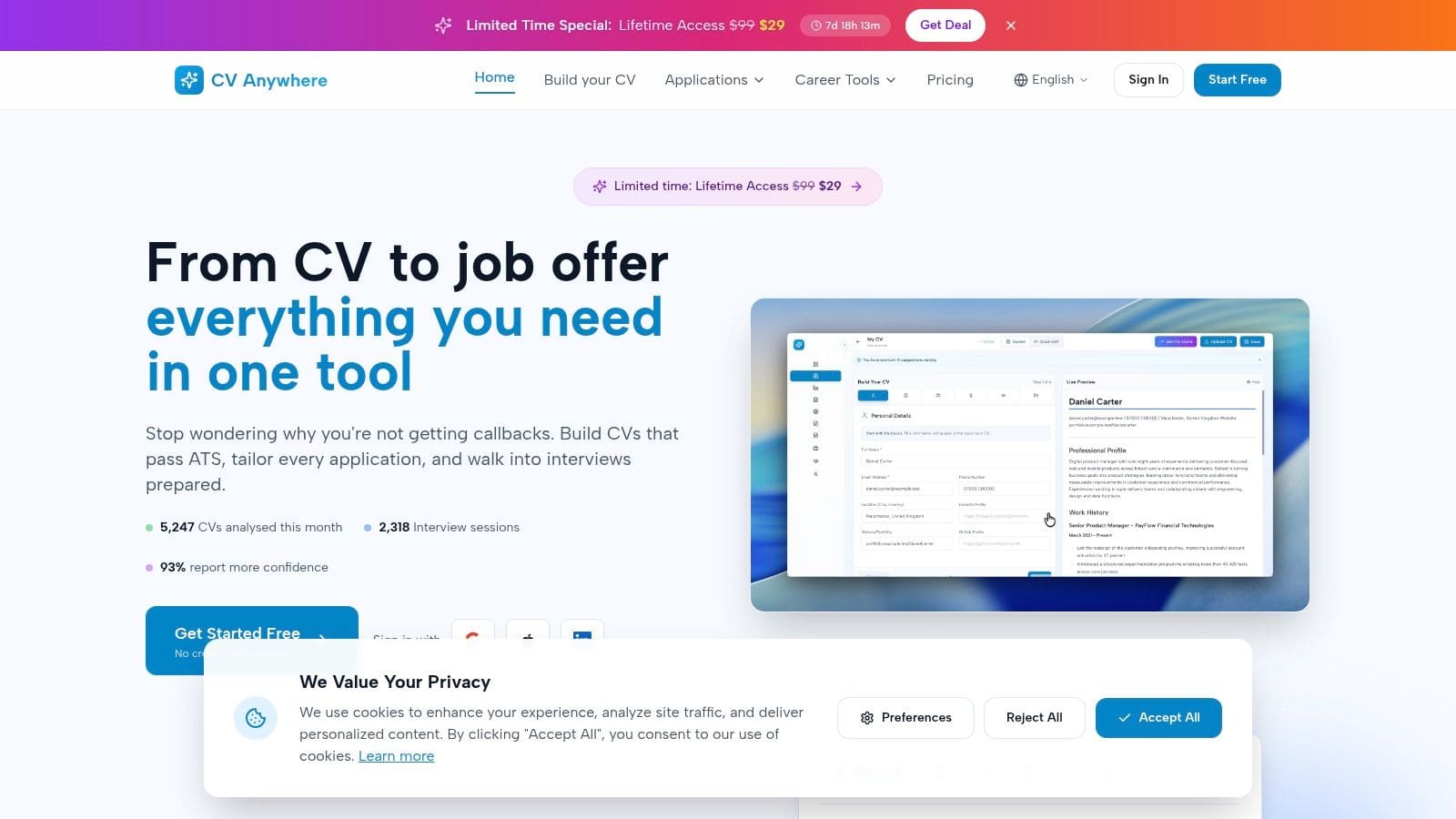
Unlike tools that only focus on document creation, CV Anywhere guides you from the initial draft to the final negotiation. The platform's Smart CV Builder ensures your document is parsed correctly by applicant tracking systems, a crucial first step. Its most notable feature is the JD Fit Checker, which scores your CV against any job description, pinpointing gaps and suggesting tailored improvements. This allows for rapid, effective customisation for each application you submit.
Real-World Impact: Users report that the platform's unified workflow saves them hours each week. Instead of juggling spreadsheets, documents, and email threads, the built-in Application Tracker centralises every opportunity, keeping you organised and on top of your follow-ups.
Key Features and User Experience
The user interface is clean and intuitive, making it accessible for everyone from recent graduates to seasoned professionals. The AI-driven tools, including the career coach "Ava", provide practical support like interview practice, negotiation scripts, and side-by-side offer comparisons. These features prepare you for the entire hiring journey.
- Pros:
- End-to-End Workflow: Combines CV building, job description analysis, application tracking, and interview preparation in one place.
- AI-Driven Personalisation: Delivers match scores and AI-enhanced summaries to improve your chances of securing an interview.
- Time-Saving Organisation: The centralised Application Tracker eliminates the need for manual tracking with spreadsheets.
- Cons:
- Paid Features: Advanced tools like unlimited interview coaching and offer comparison require a subscription.
- Human Oversight Needed: AI suggestions are a strong starting point but should be reviewed and refined for your specific industry.
Pricing and Access
CV Anywhere offers a flexible pricing model. The Free tier provides access to the core CV builder and JD Fit Checker, making it an excellent ai cv maker free option to get started. For more advanced needs, the Next Move plan is priced at £9/month, while a limited-time Lifetime deal (~£99) unlocks all features permanently.
Learn more about what to look for in a free AI CV builder and see how CV Anywhere's tools can give you a competitive edge.
Website: https://cvanywhere.com
Build a CV that actually gets interviews
Start from your current CV — or from scratch — with step-by-step guidance so you do not get stuck.
Free. No blank page. No templates to wrestle with.
2. Teal Resume Builder (Teal HQ)
Teal positions itself as more than just an AI CV maker; it's a complete job search management system. Its real power lies in its ability to help you quickly tailor your CV for specific roles. The free plan is exceptionally generous, offering unlimited CVs, downloads, and AI-generated suggestions for summaries and bullet points, making it a standout free tool for active job seekers.
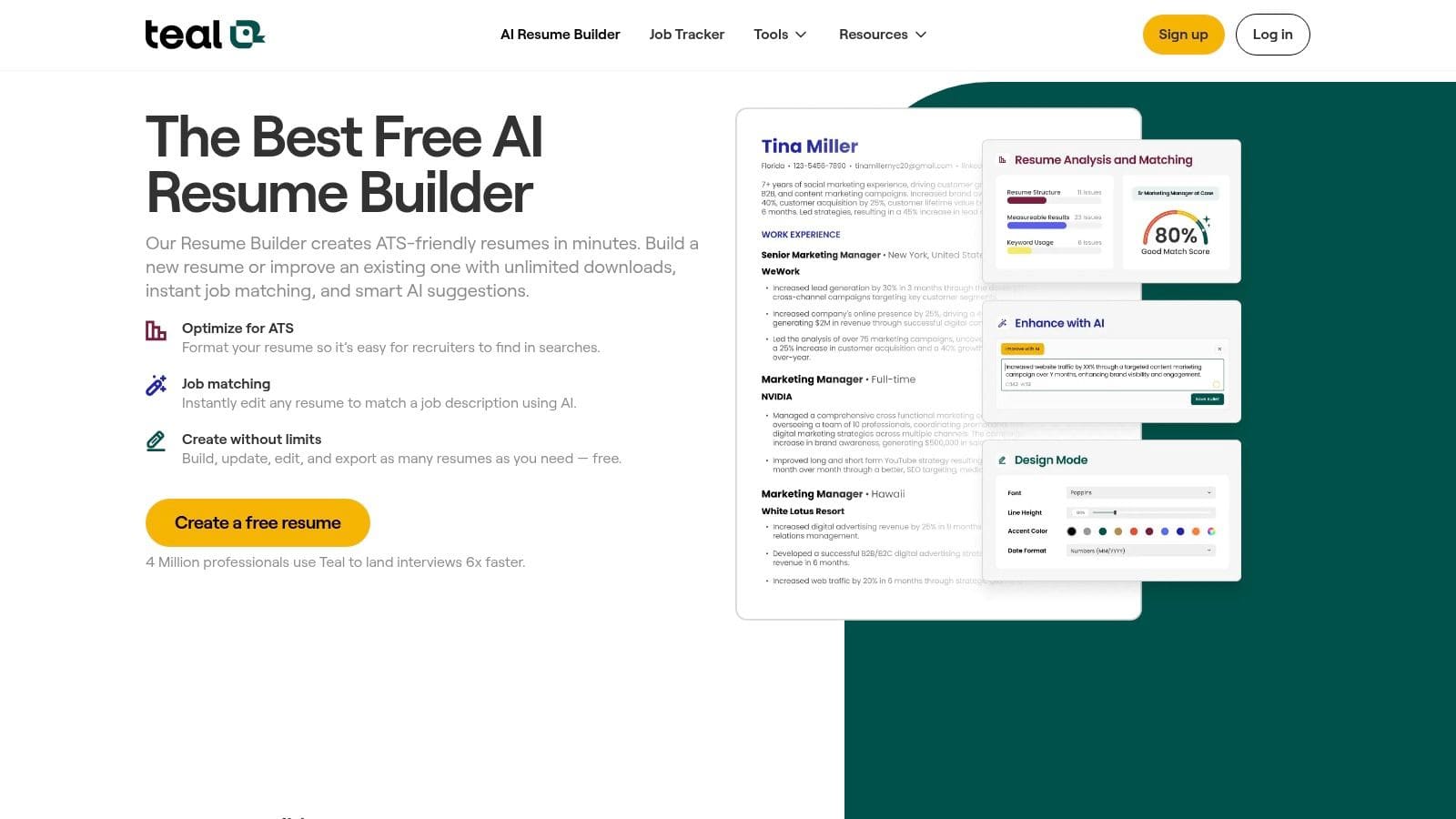
What makes Teal unique is its integration with a job tracker. The Chrome extension allows you to save job descriptions directly from sites like LinkedIn, automatically pulling key skills and requirements into your Teal workspace. This allows the AI to give you highly relevant suggestions for optimising your CV for that specific application, ensuring it's ATS-friendly.
Our Take: For the job seeker applying to multiple roles, Teal is a must-have. Its ability to create and manage numerous CV versions without a paywall is a significant advantage over competitors.
Key Features & Considerations
- Pricing: The free tier is robust. Teal+ (a paid subscription) unlocks advanced company insights, unlimited keyword analysis, and email templates.
- Best For: Job hunters who need to organise their applications and create tailored CVs for each role without paying a subscription.
- Limitation: The CV templates are functional and ATS-focused rather than creatively designed. If you need a highly visual or graphic CV, you might find the aesthetic options limited.
- Pro Tip: Use the "Targeting Mode" to see which keywords from a saved job description are missing from your CV. Methodically adding these will significantly boost your ATS score.
Explore the Teal Resume Builder here.
3. Canva Resume Builder
While primarily known as a graphic design platform, Canva has become a powerful contender as a free CV maker thanks to its intuitive drag-and-drop editor and integrated AI writing assistant. Its strength lies in producing visually striking, professionally designed CVs that stand out, especially in creative fields. The free plan is incredibly generous, providing access to a vast library of templates and the "Magic Write" AI tool to help you rephrase and refine your content.
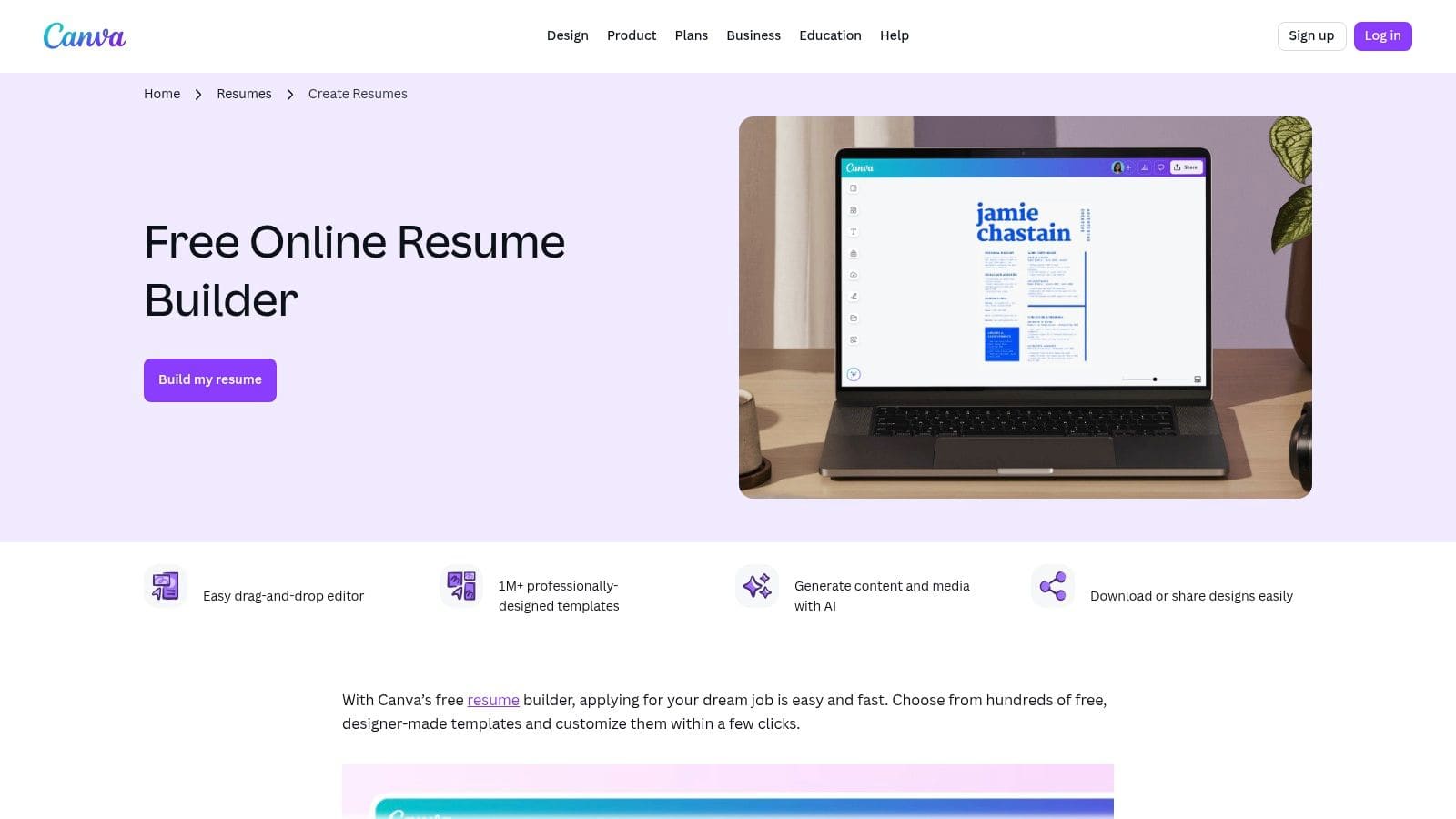
Canva's approach is different from dedicated CV builders. It prioritises design flexibility, allowing you to create a document that truly reflects your personal brand. You can easily add a professional headshot, change colour schemes to match a portfolio, and download a pixel-perfect PDF. The "Magic Write" AI, while not CV-specific, is excellent for overcoming writer's block or finding more impactful ways to describe your accomplishments.
Our Take: For roles where a bit of visual flair is an asset, Canva is unmatched. It's the perfect tool for creating a CV that looks like it was professionally designed, without the associated cost or complexity.
Key Features & Considerations
- Pricing: The free tier is superb, offering many templates and 50 lifetime "Magic Write" credits. Canva Pro (paid) unlocks premium templates, more AI features, and unlimited asset access.
- Best For: Creatives, marketers, and anyone in a role where visual presentation matters. Also great for recent graduates who want a polished, modern-looking first CV.
- Limitation: You must be careful with heavily graphic templates. Columns, images, and non-standard fonts can confuse older Applicant Tracking Systems (ATS). Stick to cleaner, more traditional layouts if applying to large corporations.
- Pro Tip: After finalising your design, always download a copy as a 'PDF (Standard)' and run it through a free ATS checker to ensure all the text is readable and correctly parsed.
Explore the Canva Resume Builder here.
4. Rezi
Rezi is an AI-driven CV builder with a laser focus on passing through Applicant Tracking Systems (ATS). It prioritises ATS compatibility and keyword optimisation above all else, providing a "Rezi Score" that gives you real-time feedback on how well your CV aligns with a target job description. While the free plan has some limitations, it provides a solid foundation for crafting a highly targeted, machine-readable document.
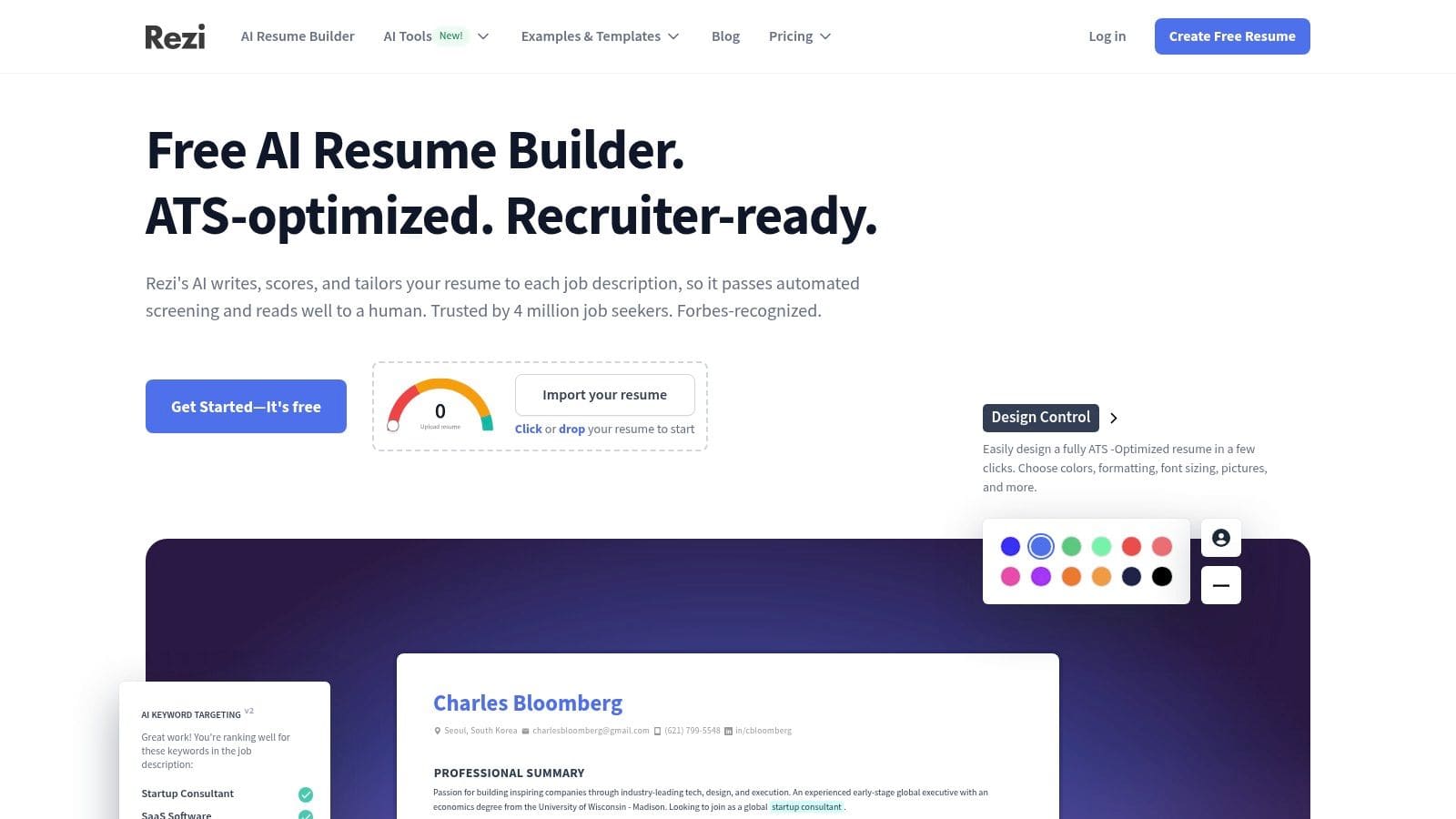
What sets Rezi apart is its analytical approach. The platform guides you to dissect job adverts, identify crucial keywords, and integrate them into your CV. Its AI writer assists in rephrasing bullet points to be more impactful and keyword-rich. This makes it an excellent ai cv maker free tool for anyone applying to large corporations where ATS screening is the first hurdle.
Our Take: Rezi is the perfect tool for the data-driven job seeker who wants to 'beat the system'. If your primary concern is getting past automated filters, Rezi's focused feature set is invaluable.
Key Features & Considerations
- Pricing: The free plan includes one CV, one cover letter, basic AI writer access, and limited keyword targeting. Paid plans unlock unlimited documents, advanced AI credits, and full feature access.
- Best For: Technical applicants, new graduates, and anyone applying for roles at large companies that rely heavily on ATS software.
- Limitation: The free tier is restrictive; you may quickly hit a paywall for AI credits or when trying to access premium templates. The design options are intentionally minimal to ensure ATS compliance.
- Pro Tip: Pay close attention to the Rezi Score. Treat it like a game where the goal is to get your score as high as possible by addressing every suggestion the platform makes, from missing keywords to formatting errors.
Explore the Rezi AI Resume Builder here.
5. Kickresume
Kickresume is a polished and user-friendly platform that integrates a powerful GPT-4 based AI writer, making it an excellent ai cv maker free choice for those who value design and simplicity. Its strength lies in providing a guided experience, complete with clean, professional templates and the ability to generate entire CV sections or rewrite existing text with AI assistance. The free plan is quite functional, allowing you to build and download a complete CV as long as you stick to the clearly marked free elements.
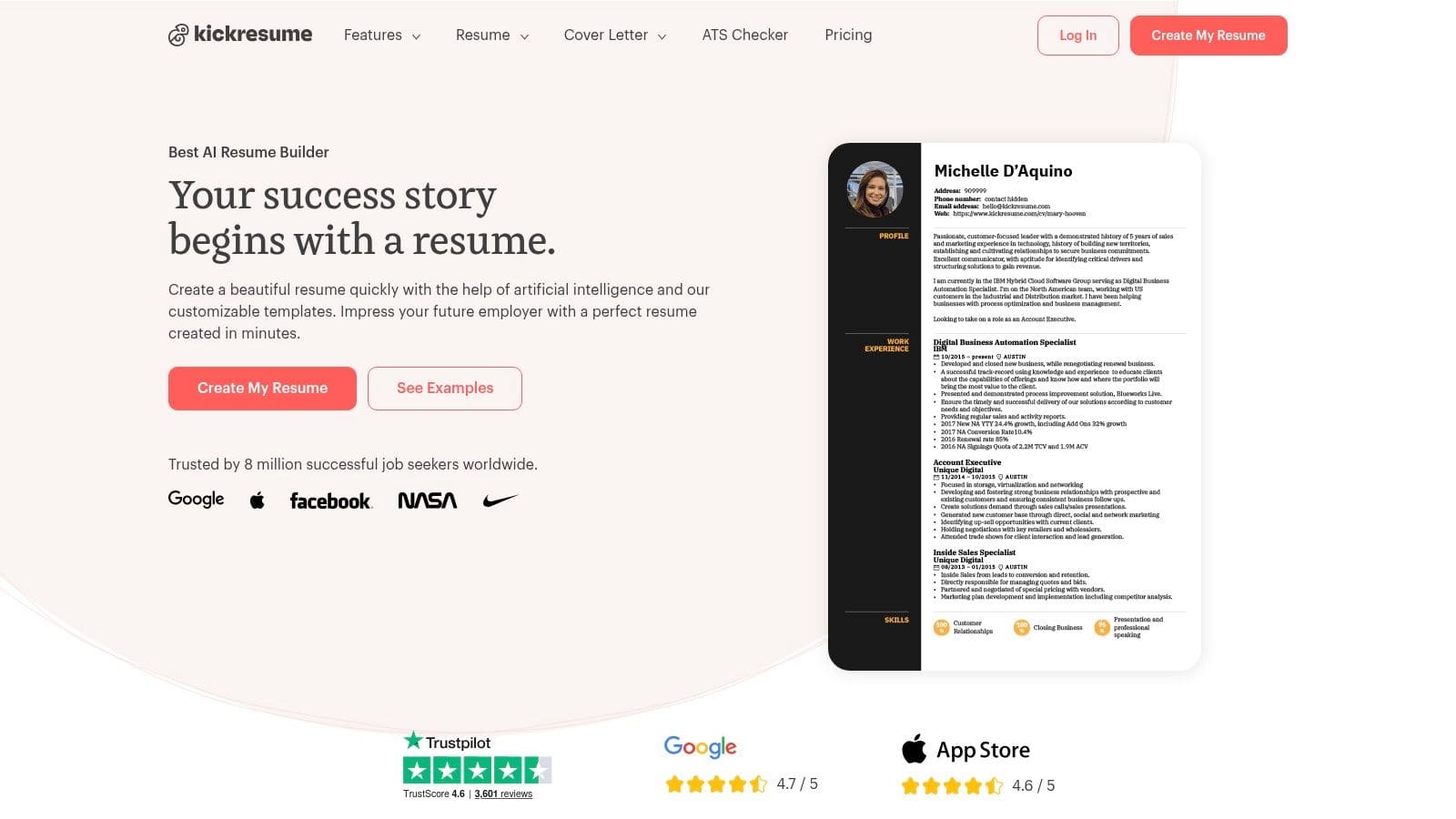
What sets Kickresume apart is its straightforward approach and transparency. The interface clearly distinguishes between free and premium features, so you never waste time building a document you can't download. Beyond the CV, the tool also supports matching cover letters and even helps you create a personal portfolio website, offering a more complete personal branding package than many competitors.
Our Take: For first-time CV writers or anyone needing a clean, professionally designed document without a steep learning curve, Kickresume is a top contender. The clear free vs. paid labelling is a refreshing change.
Key Features & Considerations
- Pricing: The free plan allows for 4 CV/cover letter downloads from a selection of free templates. Premium subscriptions unlock all templates, unlimited AI credits, and advanced features like the portfolio website builder.
- Best For: Students, recent graduates, and professionals who prioritise a modern aesthetic and want a simple, guided process for creating their CV and cover letter.
- Limitation: Many of the most visually striking templates and advanced AI customisation options are reserved for paying subscribers. The free AI credits are also limited.
- Pro Tip: Use the LinkedIn import feature to quickly populate the basic structure of your CV. Then, use your free AI credits strategically to rewrite and enhance your work experience bullet points for maximum impact.
6. FlowCV
FlowCV stands out for its straightforward and transparent approach to CV building. It offers your first CV completely free, forever, with unlimited PDF downloads and no watermarks, which is a refreshingly honest policy in a market often filled with surprise paywalls. This makes it an excellent ai cv maker free option for anyone needing one high-quality, professional document without the pressure of a subscription.
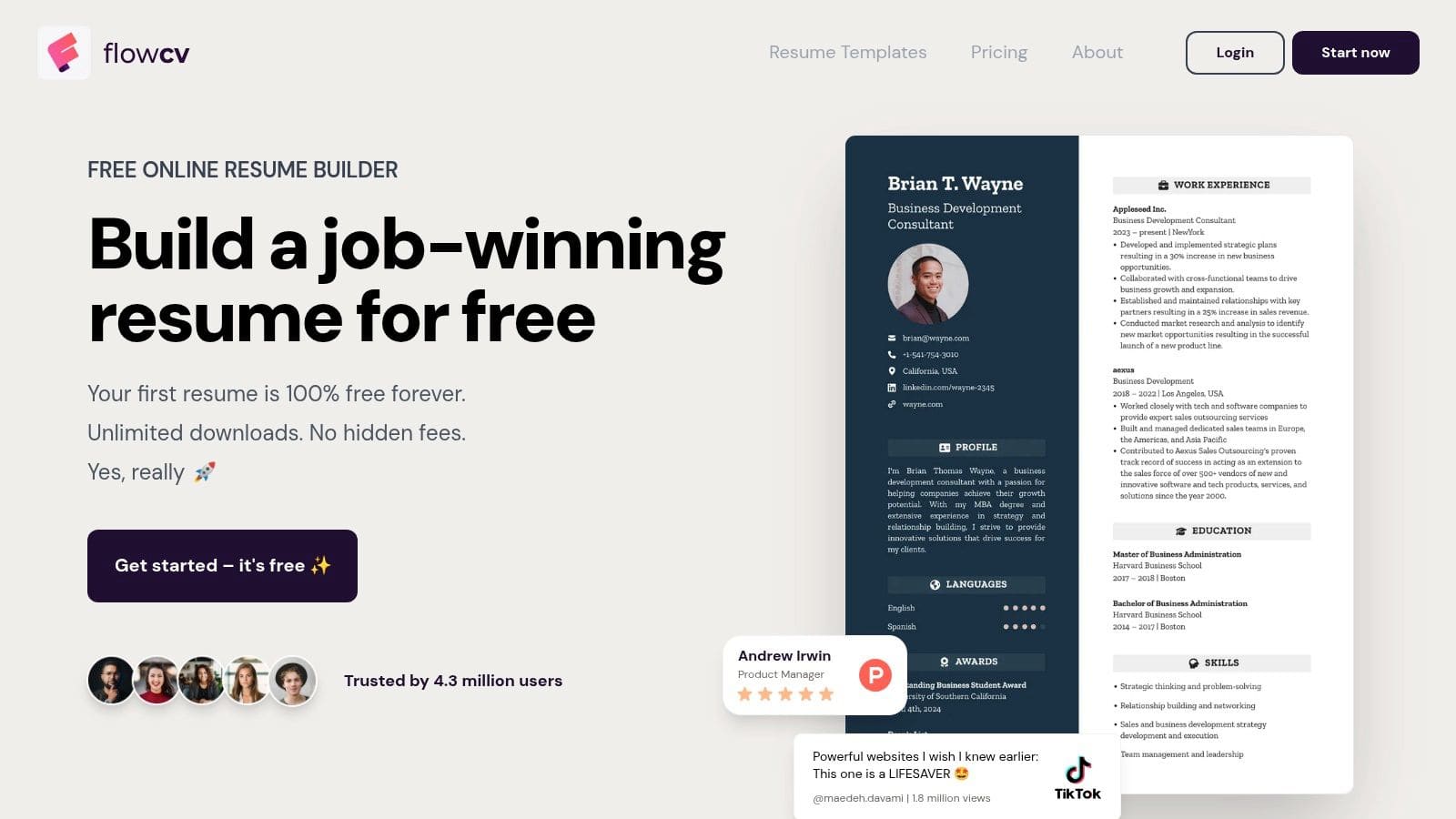
The platform focuses on clean, ATS-friendly templates that are simple yet customisable. While its AI features are less prominent than some competitors, it provides a solid foundation for building an effective CV. FlowCV is also privacy-forward and GDPR-compliant, ensuring your personal data is handled securely, a key consideration for many job seekers today.
Our Take: If you need to create one great CV without cost or complications, FlowCV is a top choice. Its no-nonsense free tier and focus on clean, effective design are perfect for job seekers who value simplicity and privacy.
Key Features & Considerations
- Pricing: The first CV is free with all core features. The Pro plan unlocks multiple CV versions, cover letters, and premium templates.
- Best For: Individuals creating their first professional CV or those who only need one primary version and prioritise a clean, ATS-optimised layout.
- Limitation: The AI writing assistance is not as deep as other specialised tools. Creating more than one CV requires upgrading to the Pro version.
- Pro Tip: Use the content formatting options to your advantage. Customise line height, font size, and margins to ensure your CV is readable and fits perfectly onto one page.
Explore the FlowCV Resume Builder here.
7. Novorésumé
Novorésumé is a long-standing CV builder, particularly popular in the UK and EU, known for its professionally designed and ATS-safe layouts. While not a fully-fledged ai cv maker free tool in the sense of generative writing, it uses smart prompts and a guided structure to help you build a high-quality document. The free plan is quite restrictive but sufficient for crafting a single, one-page CV, making it a reliable choice for graduates or professionals needing a concise application.
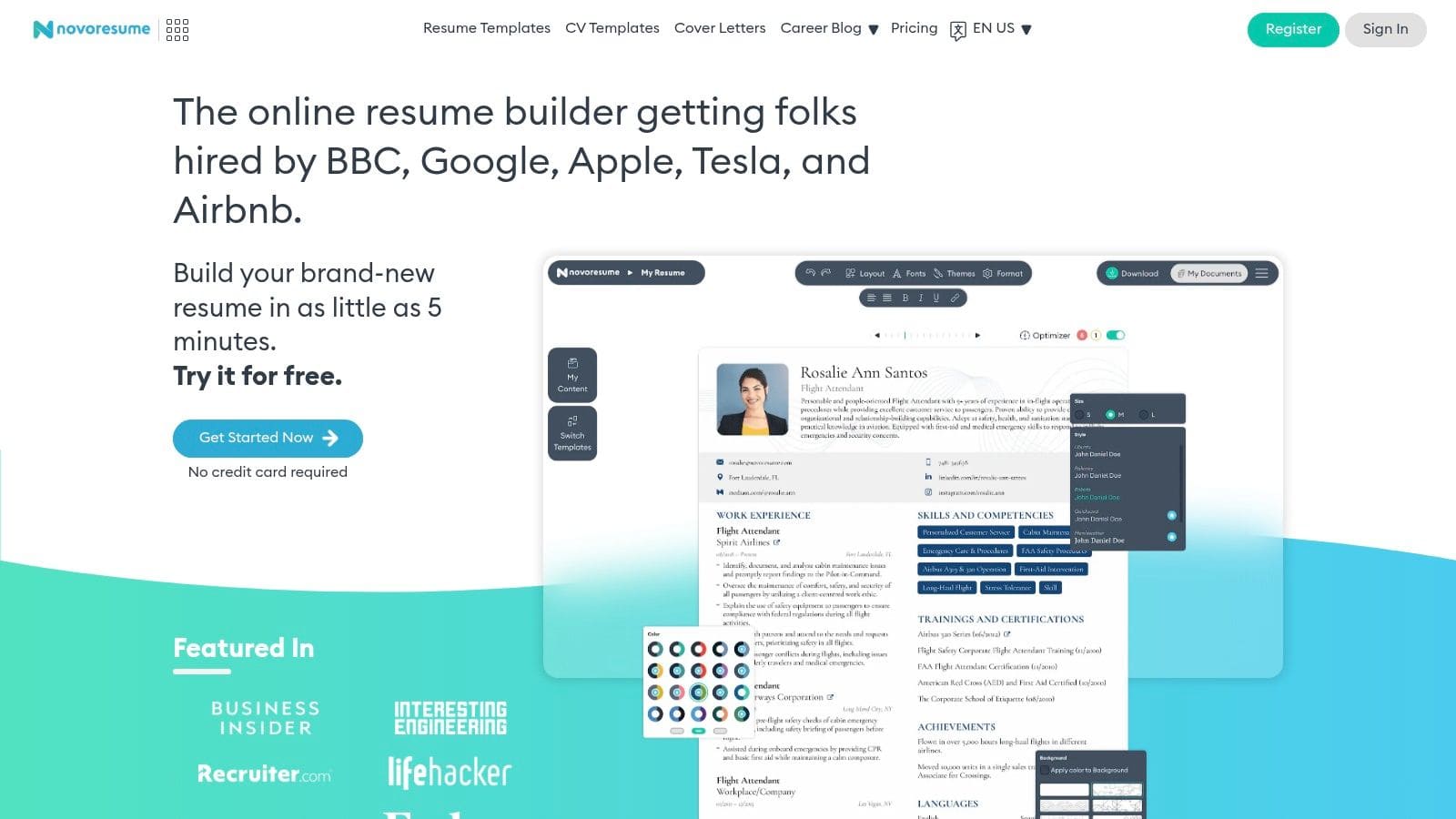
The platform's strength lies in its predefined templates. These are created with input from recruiters to ensure clarity and scannability, both for human eyes and applicant tracking systems. The builder guides you through each section, offering content suggestions and layout options that prevent common formatting mistakes. This structured approach helps produce a polished, professional CV quickly without the risk of over-designing it.
Our Take: Novorésumé is the go-to for a fast, no-fuss, professional-looking one-page CV. If you value proven design over extensive AI features and only need one document, its free offering is excellent.
Key Features & Considerations
- Pricing: The free plan includes one single-page CV with standard templates and PDF downloads. The Premium subscription unlocks multi-page documents, advanced templates, custom layouts, and a cover letter builder.
- Best For: Students, recent graduates, or professionals in fields where a concise, one-page CV is the standard.
- Limitation: The free tier is very limited. You cannot create a CV longer than one page, and many of the more visually appealing templates and customisation options are locked behind the paywall.
- Pro Tip: Maximise your single page by using the predefined sections wisely. Prioritise experience and skills over lengthy personal summaries to ensure all critical information fits within the one-page constraint.
Explore the Novorésumé builder here.
8. Enhancv
Enhancv strikes an excellent balance between modern design and ATS-compliance. It offers a guided building experience with an AI assistant that helps refine bullet points and summaries, making it a strong contender for those who want a polished, professional-looking CV without sacrificing machine-readability. This ai cv maker free version provides a good feel for the tool's capabilities, though its best features are often tied to its premium plans.
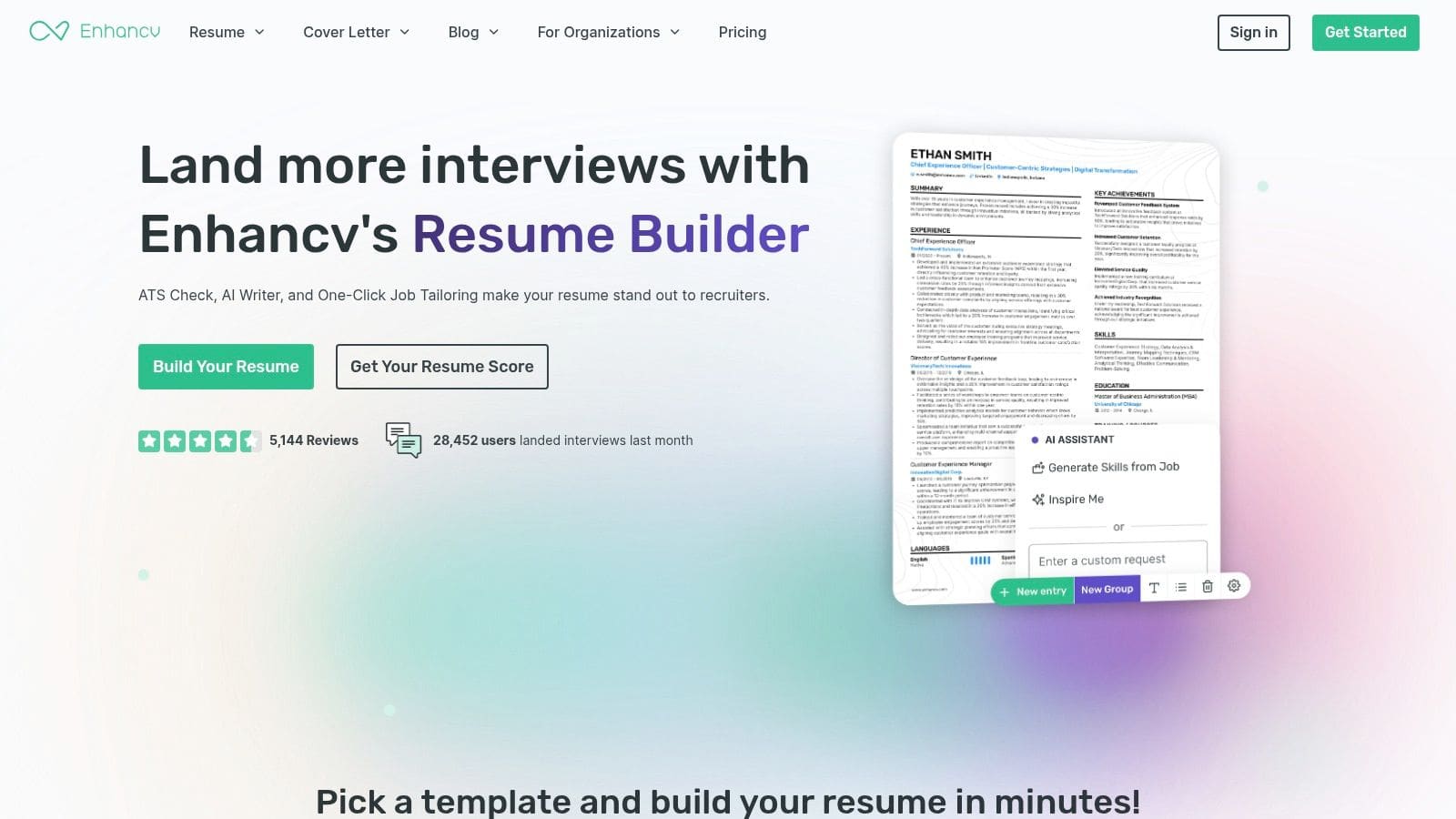
The platform's strength is its integrated resume checker. As you build your CV, the tool provides real-time feedback on formatting, content clarity, and potential ATS issues. This built-in proofreading and optimisation process helps you catch mistakes and improve your document on the fly. Its templates are varied, catering to both traditional professional fields and more creative industries.
Our Take: Enhancv is ideal for users who appreciate design but still need their CV to pass through applicant tracking systems. The guided feedback is genuinely helpful for improving content quality.
Key Features & Considerations
- Pricing: A free plan with basic features is available. The full suite of AI tools, unlimited content sections, and premium templates are unlocked with a Pro subscription, often starting with a 7-day trial.
- Best For: Professionals who want a visually appealing CV that remains ATS-friendly and appreciate real-time editing suggestions.
- Limitation: The free version feels restrictive, and many advanced features, including full AI tailoring and downloads without a watermark, require upgrading. The trial-to-paid flow can be a bit aggressive.
- Pro Tip: Use the free version to structure your content and get initial feedback. If you decide to upgrade for a short period, prepare all your information beforehand to maximise the trial or one-month subscription.
Explore the Enhancv CV builder here.
9. Resume.io
Resume.io is a popular and straightforward CV builder known for its speed and user-friendly interface. While many of its premium templates require a subscription, it offers a clear, no-cost path to get a functional document. The free plan allows you to download your finished CV as a simple TXT file or as a PDF using one specific template, making this a useful ai cv maker free tool for anyone needing a basic, ATS-friendly CV without hassle.
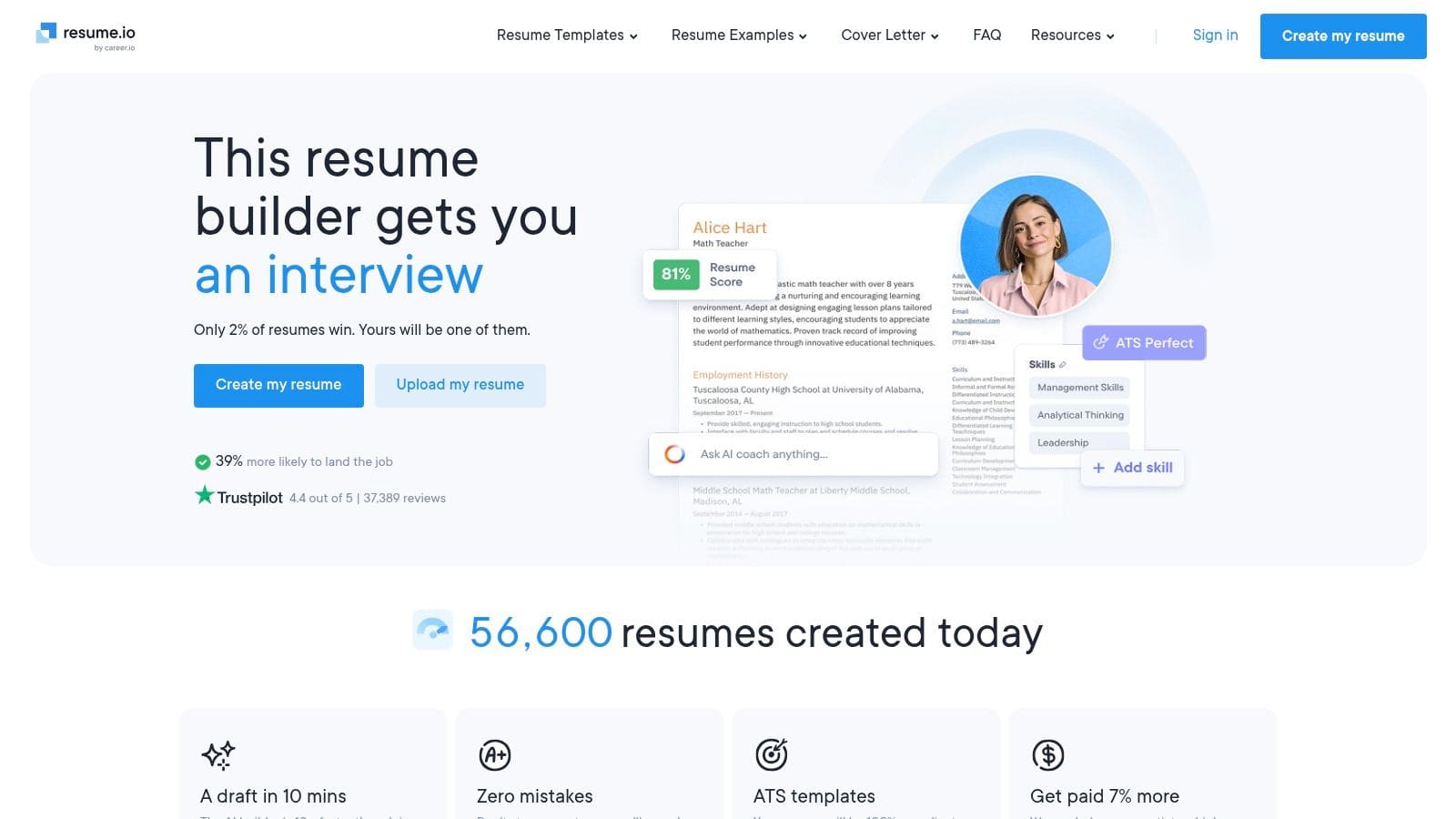
The platform guides you through each section with simple prompts and formatting guardrails, ensuring a clean and organised layout. Its AI assistance offers basic content suggestions to help you articulate your experience, which is helpful for overcoming writer's block. The main draw for free users is the ability to quickly create and export a document that is ready for online application systems.
Our Take: Resume.io is excellent for a quick-and-dirty CV. If you need an ATS-compliant document immediately and aren't concerned with fancy designs, its free download option is one of the most direct available.
Key Features & Considerations
- Pricing: The free plan includes TXT downloads and a PDF download of the 'Vancouver' template. A 7-day trial (£2.95) unlocks all features, which then renews to a monthly subscription.
- Best For: Individuals who need to produce a standard, ATS-optimised CV very quickly and value a simple, guided editing experience.
- Limitation: The free offering is quite restrictive. Access to the full range of professional templates and download formats is locked behind a paywall, limiting your creative options.
- Pro Tip: If you just need the text for an online application form, use the free TXT download. It provides a clean, unformatted version of your CV content that you can easily copy and paste into any field.
10. Wonsulting ResumAI
Wonsulting's ResumAI is part of a larger career services ecosystem founded by professionals from top tech companies. This AI CV maker free tool is designed to help you rephrase and strengthen your achievements, focusing on generating impactful, quantified bullet points that capture recruiters' attention. It offers a free entry point to get started on improving your existing CV content.
The tool works by taking your current experience and suggesting alternative, more powerful phrasing. By asking for your target role and company, it provides suggestions aimed at aligning your CV with what specific employers are looking for. This makes it a great supplementary tool for refining your content before placing it into your final CV template.
Our Take: ResumAI excels at one specific thing: improving your bullet points. If you struggle to articulate your accomplishments with metrics and strong action verbs, this is a fantastic tool to overcome that writer's block.
Key Features & Considerations
- Pricing: A limited number of free generations are available to test the service. The Pro plan unlocks unlimited AI generations, access to their NetworkAI (networking email generator), and other career tools.
- Best For: Individuals who have a CV structure but need help making their experience sound more professional and results-oriented.
- Limitation: It is more of a content generation assistant than a complete, all-in-one CV builder. You will need to use its output within a separate CV document or builder, as it doesn't offer extensive layout or template customisation.
- Pro Tip: Be as specific as possible when inputting your initial bullet point. Instead of "Managed a team," try "Managed a team of 5 to increase sales by 10%." The more detail you give the AI, the better and more quantified the suggestions will be.
Explore Wonsulting ResumAI here.
11. VisualCV
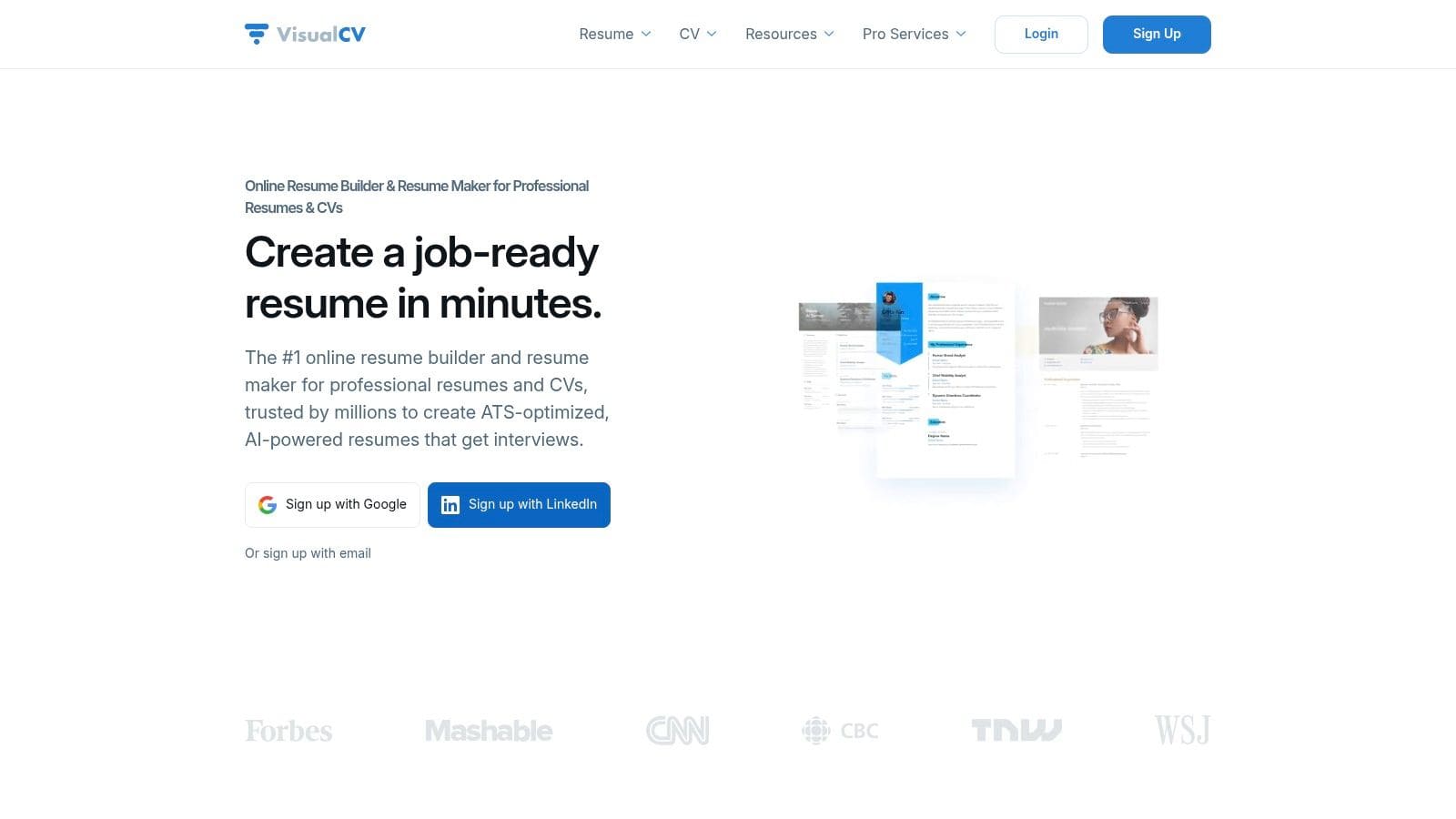
VisualCV focuses on providing professionals with a polished and organised approach to CV management. While it incorporates some AI writing assistance, its core strength lies in its clean interface, professional templates, and robust version control system. The free plan allows you to create one CV using a limited selection of templates, making it a good starting point for those wanting to create a strong, foundational document before exploring more advanced features.
What distinguishes VisualCV is its emphasis on managing and tracking different CV versions for various job applications. On paid tiers, you can create unlimited CVs and cover letters, clone existing ones for quick tailoring, and even get analytics on who has viewed or downloaded your online CV. This makes it a great tool for the organised job seeker who wants to monitor their application engagement.
Our Take: VisualCV is ideal for professionals who prioritise presentation and document management over extensive AI-powered writing. Its clean templates create a great impression.
Key Features & Considerations
- Pricing: The free plan is limited to one CV with basic templates and VisualCV branding. The Pro plan unlocks all templates, unlimited CVs/downloads, and analytics.
- Best For: Individuals who need to maintain multiple, distinct versions of their CV for different career paths or job types and value a professional aesthetic.
- Limitation: The free tier is quite restrictive, especially regarding exports and template choice. The AI writing features are not as prominent or powerful as some dedicated ai cv maker free competitors.
- Pro Tip: Use your single free CV to create a comprehensive "master" version. You can then manually copy and paste sections into new documents to tailor them for applications, even without a Pro account.
12. Indeed Flex – AI Resume Builder/Enhancer
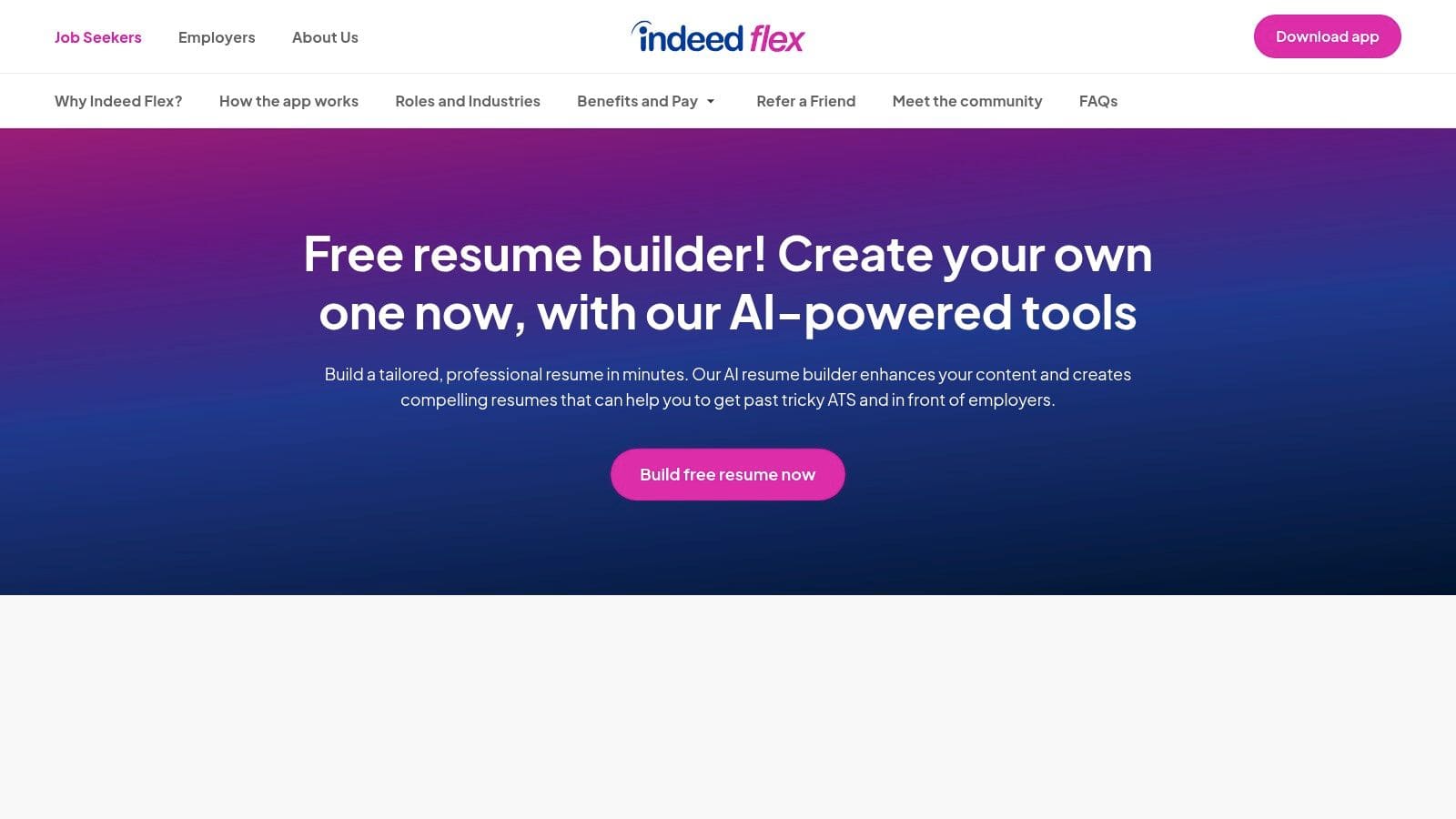
Indeed Flex offers a highly specific and practical tool that functions more as an AI CV enhancer than a full builder from scratch. It's designed for one core purpose: quickly rewriting your existing CV to align perfectly with a specific job description you're targeting. This free AI CV maker is brilliant for last-minute applications, allowing you to upload your CV and a job spec, and then receiving an optimised, ATS-friendly PDF in moments.
The process is incredibly straightforward. You provide your current CV (or import from LinkedIn) and paste the job description you're applying for. The AI then gets to work, identifying key skills and responsibilities from the role and rephrasing your experience to match that language. The output is a clean, ATS-readable PDF designed to pass through automated screening systems without a hitch.
Our Take: This isn't the tool for creating a CV from the ground up, but it is an exceptional, free utility for tailoring. For job seekers who already have a solid CV but need to make fast, effective adjustments for multiple applications, it's a time-saving gem.
Key Features & Considerations
- Pricing: The AI CV generator is completely free to use.
- Best For: Applicants needing to quickly optimise an existing CV for a specific job application to improve its ATS performance.
- Limitation: It's an enhancer, not a creator. You have minimal control over the final template, design, or layout, as the focus is purely on content alignment and ATS compatibility.
- Pro Tip: After generating the CV, review it carefully. The AI provides a great foundation, but you should always add your personal touch and verify that the rephrased points accurately reflect your achievements.
Explore the Indeed Flex AI Resume Generator here.
12 Free AI CV Makers: Comparison
| Product | Core features | UX / Quality (★) | Value & Pricing (💰) | Target audience (👥) | Unique selling points (✨) |
|---|---|---|---|---|---|
| 🏆 CV Anywhere | Smart CV Builder, JD Fit Checker, Application Tracker, Interview & AI Career Coach | ★★★★☆ — 93% users more confident | 💰 Free / Next Move $9/mo / Lifetime ≈ $99 | 👥 Grads, career changers, experienced pros, civil servants, recruiters | ✨ End-to-end AI workflow + ATS-friendly CVs, job-match scoring, centralized app management |
| Teal Resume Builder | AI bullets & summaries, unlimited versions, job tracker, Chrome extension | ★★★★☆ — well-reviewed for tracking | 💰 Strong free tier; Teal+ for advanced insights | 👥 Job seekers tailoring many apps | ✨ Unlimited free PDFs/versions, integrated job capture |
| Canva Resume Builder | Magic Write AI, extensive templates, one-click PDF & share links | ★★★★☆ — polished visual output | 💰 Free tier; Pro for assets & advanced AI | 👥 Visual/portfolio CVs, creatives | ✨ Design-first templates + easy branding controls |
| Rezi | AI writer, ATS optimisation, keyword suggestions, Rezi Score | ★★★★☆ — ATS-focused results | 💰 Free with limits; paid for full features | 👥 Applicants for ATS-strict roles | ✨ Keyword targeting + role-alignment scoring |
| Kickresume | GPT-4 AI writer, templates, cover letters, LinkedIn import | ★★★★☆ — user-friendly for beginners | 💰 Free exports with free elements; premium templates paid | 👥 First-time CV writers, job changers | ✨ Easy LinkedIn import, integrated cover letters |
| FlowCV | First CV free forever, clean ATS-friendly templates, GDPR-friendly | ★★★★☆ — simple + privacy-forward | 💰 First resume free; Pro for multiple CVs | 👥 Privacy-conscious users, UK candidates | ✨ Unlimited free PDF downloads (no watermark) |
| Novorésumé | Predefined ATS-safe layouts, content prompts, one-page support | ★★★★☆ — reliable & concise | 💰 Free one-page CV; paid for multi-page/features | 👥 Grads, EU/UK candidates needing concise CVs | ✨ One-page optimized templates & guidance |
| Enhancv | AI assistant, resume checker, job tailoring aids, creative templates | ★★★★☆ — guided editing feedback | 💰 Trial / paid plans for full access | 👥 Professionals balancing design & ATS-readability | ✨ Built-in resume checker with improvement tips |
| Resume.io | Template library, basic AI prompts, quick TXT/PDF export (Vancouver) | ★★★☆☆ — very fast for basics | 💰 Free TXT or Vancouver PDF; paid for more templates | 👥 Users needing quick, basic ATS CVs | ✨ Fast export path for no-fuss CVs |
| Wonsulting ResumAI | AI bullet & resume generation, role-tailoring, part of career suite | ★★★☆☆ — brand-backed AI help | 💰 Free entry; subscription for heavy use | 👥 Role-focused applicants wanting quantified bullets | ✨ Wonsulting-backed phrasing & quantification guidance |
| VisualCV | Version control, template gallery, online CV links & analytics | ★★★★☆ — professional multi-version support | 💰 Free to start; Pro for exports & analytics | 👥 Professionals managing multiple role versions | ✨ Versioning + shareable CV links with analytics |
| Indeed Flex – AI Resume Builder | Upload CV + JD, AI aligns content, ATS-readable PDF, LinkedIn import | ★★★☆☆ — fast tailoring for ATS | 💰 Free | 👥 Last-minute applicants, quick tailoring needs | ✨ Free JD alignment producing ATS-ready PDFs |
Your Next Step: From AI-Built CV to Job Offer
Navigating the competitive UK job market requires more than just a list of your past roles. As we have explored, the right ai cv maker free tool is your partner in this process, helping you craft a document that speaks directly to both hiring managers and the Applicant Tracking Systems (ATS) that precede them. We've dissected a dozen of the top contenders in 2026, from the design-forward Canva and Novorésumé to the data-driven precision of Rezi and Wonsulting. The central lesson is clear: these platforms offer a significant advantage, moving beyond simple templates to provide strategic, job-specific optimisations.
The tools we've reviewed serve different needs. Kickresume and Enhancv are excellent for those in creative fields who need to balance ATS compatibility with visual flair. Teal and FlowCV provide fantastic free tiers for organising your job search and building multiple CV variations. However, the most effective approach involves integrating your CV creation with your application strategy. This is where a unified platform shows its true value. Instead of building a CV on one site and tracking jobs in a separate spreadsheet, a solution like CV Anywhere brings it all together.
Making the Right Choice for Your Career
So, how do you select the best ai cv maker free platform from this extensive list? Your decision should be guided by your specific career situation.
- For Recent Graduates and Early-Career Professionals: Your primary challenge is translating academic achievements and limited experience into compelling, skills-focused points. Look for tools like CV Anywhere or Rezi, which excel at suggesting impactful bullet points and identifying relevant keywords from job descriptions. Their free tiers are often generous enough to get you started.
- For Experienced Professionals and Career Changers: You need to showcase a rich history while ensuring it's relevant to your target role. A tool like Teal is excellent for storing a "master resume" and then tailoring versions for each application. The ability to analyse your CV against specific job descriptions is critical to repositioning your skills for a new industry.
- For Civil Servants or those in Formal Sectors: Clarity, compliance, and conservative formatting are key. Tools such as Resume.io or VisualCV offer professional, ATS-friendly templates that project competence without unnecessary frills. Their AI writing assistants can help you articulate complex project outcomes in the formal language required.
From Digital Document to Real-World Interview
Remember, the CV is a key that unlocks a door; it is not the destination itself. An AI-generated document can get your foot in the door by passing the initial screening, but your personal story, preparation, and passion are what will secure the job offer. Once your AI-crafted CV is polished and ready, mastering the art of effectively uploading a resume that gets seen on various job portals is the next practical hurdle. Ensuring the formatting holds and the file is correctly parsed is a small but crucial step.
Ultimately, your goal is to transition from the screen to a face-to-face (or video) conversation. Use these AI tools to handle the heavy lifting of optimisation and formatting. This frees up your valuable time and mental energy to focus on what truly matters: researching the company, preparing for interview questions, and articulating why you are the best candidate for the role. The power of an ai cv maker free platform lies in its ability to give you that opportunity.
Ready to stop manually tweaking your CV for every application? CV Anywhere offers a powerful free tier that lets you build an ATS-optimised CV, check its compatibility against any job description with the JD Fit Checker, and manage your applications in one place. Start building your smarter CV with CV Anywhere today and take the first step towards landing your next role with confidence.
Tags
Related articles
Your Guide to the Best CV Generator Online Free for the UK Job Market
Using a top-tier CV generator online free is the single best way to create a professional, ATS-friendly CV that gets you noticed in the competitive UK job market. The best free tools offer professiona...
The Best Free CV Generator for the UK 2026 Job Market
In the crowded UK job market, the best free CV generator is one that creates a professional, ATS-friendly CV in minutes, helping you get past automated filters and in front of a real person. These too...
Best Free CV Generator UK: Your Guide to Landing More Interviews
Looking for the best free CV generator to boost your UK job search in 2026? The most effective free tools provide clean, ATS-friendly templates, AI-powered writing suggestions, and allow you to downlo...
Master Your UK Job Search With a CV AI
In the fast-paced UK job market of 2026, using a CV AI is the single most effective way to ensure your application gets noticed. A CV AI is an intelligent tool that analyses job descriptions to find t...
Popular Articles
Using a top-tier CV generator online free is the single best way to create a professional, ATS-friendly CV that gets you noticed in the competitive UK job market. The best free tools offer professiona...
In the crowded UK job market, the best free CV generator is one that creates a professional, ATS-friendly CV in minutes, helping you get past automated filters and in front of a real person. These too...
Looking for the best free CV generator to boost your UK job search in 2026? The most effective free tools provide clean, ATS-friendly templates, AI-powered writing suggestions, and allow you to downlo...
In the fast-paced UK job market of 2026, using a CV AI is the single most effective way to ensure your application gets noticed. A CV AI is an intelligent tool that analyses job descriptions to find t...