So, how do you write a CV? The answer is to write a targeted, two-page sales pitch that is specifically tailored to the job you want. To do this effectively, you need a clean, professional format, a powerful opening summary to hook the recruiter, and bullet points that provide evidence of your achievements, not just a list of your duties. This approach is crucial for getting noticed in the competitive UK job market. Mastering this is the key to creating a document that secures interviews.
This guide provides a blueprint for how to write a CV that wins over both recruitment software and hiring managers. Let's be blunt: writing a great CV today means pleasing two very different audiences. First, you have the software – the Applicant Tracking System (ATS). Then you have the human recruiter who, if you're lucky, gets to see what the software approves.
Your Blueprint for a Job-Winning UK CV in 2026
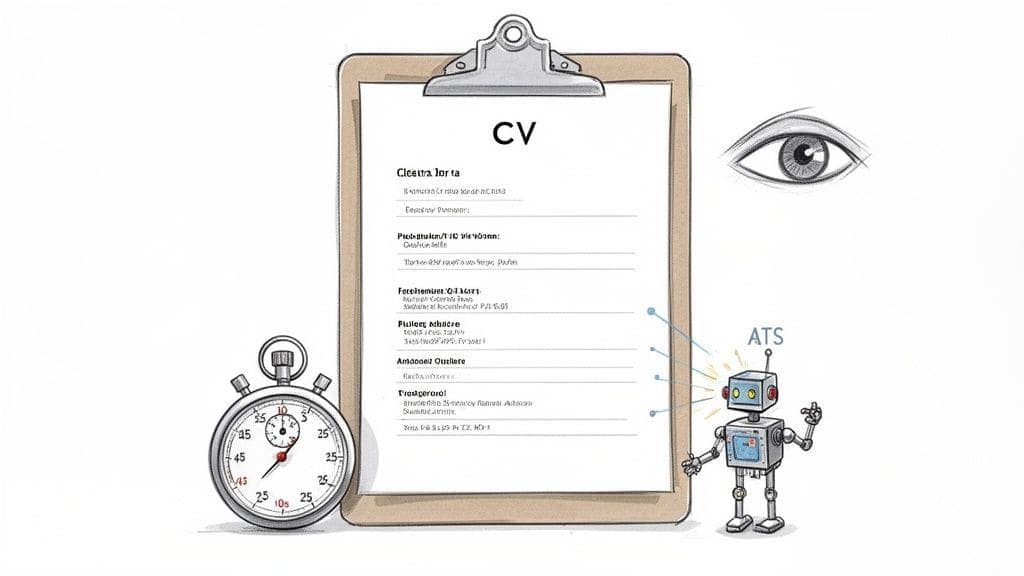
Your CV isn't just a record of your past. It's a targeted marketing tool designed to win you one thing: an interview.
The first hurdle is purely digital. In the UK job market, it's a fact that over 90% of medium-to-large companies now use an ATS to do the initial sift. This software scans for keywords from the job description and expects to see standard section headings. Get the formatting wrong, and your application is rejected before a person ever lays eyes on it. This makes your CV's structure just as critical as its content.
Winning Over the Human Reader
Once you've made it past the bots, your CV has a shockingly short window – often just 7 to 10 seconds – to grab a recruiter's attention. This is where a clear story and immediate proof of your competence become make-or-break. They need to see, at a glance, that you are the solution to their problem.
This is precisely why the old "one-size-fits-all" CV is dead. A generic document just gets lost in the pile. Your approach has to be far more strategic:
- Create a strong hook: Your personal statement must act as a punchy, 2-3 sentence summary of why you're the right person for the job.
- Show, don't just tell: Use bullet points with numbers and metrics to prove the impact you made in your previous roles.
- Keep it relevant: Ruthlessly edit your content to align directly with the skills and duties listed in the job description.
A great CV doesn't just list what you've done; it builds a compelling case for why you are the best candidate for what the employer needs right now. It connects your past achievements to their future success.
If you're just starting out or changing careers, this might sound daunting. But understanding how to write a CV with no experience follows the exact same logic. You just have to shift your focus to transferable skills, academic projects, and relevant volunteer work to show your potential.
In the end, mastering the art of CV writing comes down to one thing: proving your value, whether you have a decade of experience behind you or are just taking your first step into the workforce.
Build a CV that actually gets interviews
Start from your current CV — or from scratch — with step-by-step guidance so you do not get stuck.
Free. No blank page. No templates to wrestle with.
Choosing the Right Format to Tell Your Story
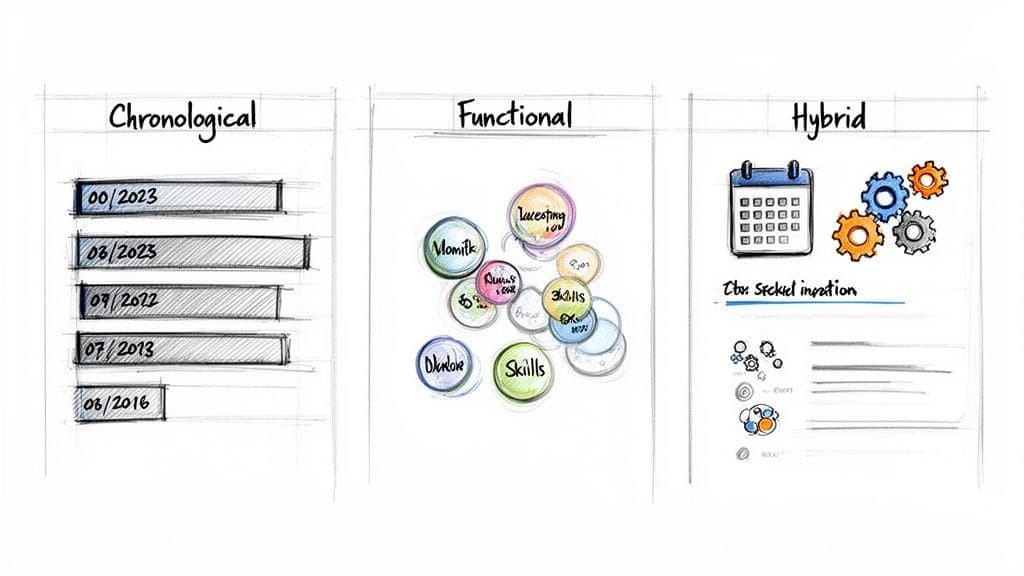
Before you even think about writing, you need a blueprint. The format you pick is the frame for your entire career story, shaping how a recruiter reads—and judges—your experience. It's the single most important choice you'll make.
For most professionals in the UK, the reverse-chronological CV is the gold standard. It's a clean, logical narrative that hiring managers know and trust. But knowing how do you write a CV that truly works means understanding when to stick to the rules and when it's smart to break them.
The right layout makes your strengths impossible to miss while strategically downplaying any less-than-perfect parts of your history, like a career change or an employment gap.
The Reverse-Chronological CV: The UK Standard
For over 95% of job seekers in the UK, the reverse-chronological format is the only one you'll ever need. It's what recruiters expect, and it's the format that Applicant Tracking Systems (ATS) can read most reliably.
It's your best bet if you:
- Have a solid, steady career history in the same field.
- Want to show clear progression, promotions, and increasing responsibility.
- Are applying for roles that are a natural next step from your previous job.
This format puts a spotlight on a clear career trajectory, making it the default choice for anyone with a consistent work history. It tells a simple story: here's where I am now, and here's how I got here.
When to Consider a Functional or Hybrid CV
While the chronological format rules, it's not for everyone. In certain situations, an alternative format gives you more control over the story you're telling, especially if your path hasn't been a straight line.
The Functional (Skills-Based) CV
This format pushes your work history into the background and puts your skills front and centre. Instead of a detailed timeline of jobs, your CV is built around key skill areas like "Digital Marketing," "Project Management," or "Client Relations."
A functional CV might be the right move if:
- You have noticeable gaps in your employment history.
- You're making a significant career change to a new industry.
- Your most relevant experience is from freelance, volunteer, or project-based work.
The Hybrid (Combination) CV
The hybrid CV offers a neat compromise. It kicks off with a powerful skills summary to grab attention, immediately followed by a more condensed reverse-chronological work history.
This is an excellent option for:
- Recent graduates who have strong skills but limited formal work experience.
- Professionals re-entering the workforce after an extended break.
Your CV format isn't just a template; it's a strategic choice. Selecting the right one ensures that a recruiter's first glance captures your most relevant qualifications, not your career's complexities.
Essential Formatting Rules for 2026
No matter which layout you go with, some rules are non-negotiable in today's job market. Getting these right is crucial for looking professional and making sure your CV gets past the first hurdle of automated screening software. For some great examples of these principles in practice, take a look at these UK CV templates and examples.
- Length: Keep it to one or two pages. One page is perfect for early-career professionals, while two pages is fine if you have more than ten years of relevant experience. Anything more is too much.
- Font: Use a clean, professional font like Calibri, Arial, or Georgia. Keep the size between 10 and 12 points. Your number one goal here is readability.
- Simplicity: Avoid graphics, columns, and photos. These things can confuse ATS software and lead to an instant rejection before a human ever sees your CV. Clean margins and clear, simple headings are your best friends.
Crafting Your Professional Summary and Skills Section
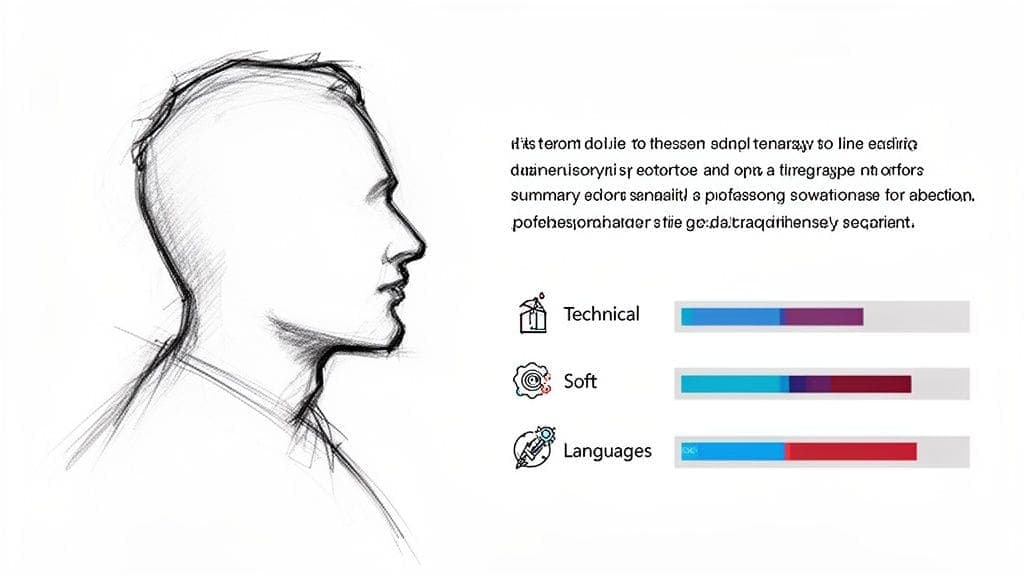
Let's be blunt: you have about ten seconds to make an impression. That's it. Your Professional Summary, sitting right at the top of your CV, is your one shot to stop a recruiter from hitting 'next'. This isn't the place for a vague objective; it's a powerful 3-4 sentence pitch that tells them who you are, what you've achieved, and why you're the solution to their problem.
Think of it as the trailer for your career. A great summary immediately answers the recruiter's only real question: "Why should I care about this candidate?" It connects the dots between your best work and their biggest needs.
Right below it, the Skills section delivers the hard evidence. This part has become more than just a list; it's a vital keyword map for Applicant Tracking Systems (ATS) and a quick-scan cheat sheet for human reviewers.
Writing an Irresistible Professional Summary
The sole purpose of your summary is to get them to read your Work Experience. It's a hook, designed to summarise your biggest wins and hint at the value you can deliver.
Forget empty phrases like "hard-working team player." They mean nothing. Instead, lead with your professional title and years of experience. Follow up with 2-3 of your most impressive achievements or core skills, and close with a sharp sentence about your career goals that directly mirrors the role you're after.
Here's how that looks for different career stages:
Recent Graduate: "A motivated and detail-oriented Marketing graduate from the University of Manchester with a First-Class Honours degree. Proven ability to create engaging social media campaigns through a successful final-year project that increased a local charity's online engagement by 30%. Eager to apply academic knowledge and fresh creative skills to an entry-level Social Media Coordinator role."
Mid-Career Professional: "An accomplished Senior Project Manager with over eight years of experience leading cross-functional teams in the UK financial technology sector. Specialises in agile methodologies, successfully delivering complex software projects on time and 15% under budget. Seeking to leverage expertise in stakeholder management and risk mitigation to drive high-impact projects at a forward-thinking organisation."
If you're struggling to nail this down, our detailed guide can help you learn more about how to write a professional summary that truly stands out.
Building a Powerful and Targeted Skills Section
Your Skills section is prime real estate, not an afterthought. It needs to be a clean, scannable list that perfectly mirrors the language in the job description. This is a non-negotiable part of writing a CV for the modern job market, where skills-based hiring is on the rise.
In fact, the UK hiring landscape is shifting fast. A recent report reveals that by 2026, 41% of employers plan to move away from traditional CV-first hiring, partly because AI-generated applications are making credentials less reliable. What this means for you is that loading your CV with clear, demonstrable skills is more critical than ever.
To build an effective section, group your skills into logical categories. This simple structure helps recruiters find exactly what they're looking for in seconds.
Your Skills section should be a direct echo of the job description. If they ask for 'stakeholder management,' use those exact words. Don't assume they'll connect the dots from a different phrase.
A good structure might look like this:
Technical Skills:
- Software: Microsoft Office Suite (Advanced), Salesforce (Proficient), Adobe Creative Cloud (Intermediate)
- Programming Languages: Python, SQL
- Tools: Google Analytics, SEMrush, Jira
Soft Skills:
- Leadership & Team Management
- Communication & Presentation
- Problem-Solving & Critical Thinking
- Stakeholder Engagement
Languages:
- English (Native)
- Spanish (Professional Working Proficiency)
By organising your skills this way, you create a section that is both easy for a human to scan and perfectly optimised for the ATS bots filtering applications. It's a simple but powerful technique to improve your chances of getting noticed.
Detailing Your Work Experience with Real Impact
If your summary got them to nod and your skills list got them interested, your work experience section is where you close the deal. This is the core of your CV, the place you prove you don't just have the tools, but you know exactly how to use them to get results.
Think of it this way: anyone can list their job description. What sets top candidates apart—especially in a crowded UK job market—is the ability to tell a story of impact. It's the difference between saying you were responsible for something and proving you were brilliant at it.
Your mission here is to shift from passive duties to active, measurable achievements. This means grabbing strong action verbs, giving a little context, and, crucially, adding numbers that show the scale of your success.
The Power of Quantifiable Achievements
Phrases like "managed," "handled," or "responsible for" are CV-killers. They're flat, passive, and tell a recruiter nothing about what you actually did. They signal you're just copying and pasting your old job spec.
Let's get real about the hiring climate. With a £6.6 billion skill shortage looming and 37% of employers finding it tough to fill roles, recruiters are under immense pressure. They're not looking for seat-warmers; they're hunting for people who can deliver value from day one.
And don't forget the robots. An estimated 70% of large companies use Applicant Tracking Systems (ATS) to filter CVs. These systems are programmed to look for keywords and, increasingly, for metrics. Quantified achievements aren't just for impressing people; they're for passing the first automated test.
This is why turning a bland duty like 'Handled customer queries' into a sharp achievement like 'Reduced customer complaint escalations by 30% within six months' is a game-changer. One is a task. The other is a result that saved the company time, money, and reputation.
Using the STAR Method to Build Your Bullet Points
A simple but powerful way to frame your achievements is the STAR method. It's a narrative tool that helps you build a mini-story for each bullet point, making your claims clear and credible.
- Situation: Briefly set the scene. What was the challenge or context?
- Task: What was your specific goal or responsibility in that situation?
- Action: What specific steps did you personally take to tackle the task?
- Result: What was the measurable outcome of your actions?
You don't write "Situation:" or "Task:" on your CV, of course. But thinking through this structure forces you to connect your actions to a tangible result. For a deeper dive, our guide on how to write about your work experience on a CV breaks this down even further.
Every bullet point should answer the hiring manager's silent question: "So what?" By showing the result, you're giving them a clear, compelling answer.
The examples below show how to rephrase common job duties into achievements that pop. Notice how each "After" version adds context, action, and a number to prove its worth.
Transforming Duties into Achievements
| Standard Duty (Before) | Impactful Achievement (After) | Why It Works |
|---|---|---|
| Managed social media accounts. | Grew social media engagement by 45% across Instagram and LinkedIn in six months by launching a new user-generated content strategy. | It shows a specific metric (45%), a timeframe (six months), and explains the how (the new strategy). |
| Responsible for financial reporting. | Redesigned the monthly financial reporting process using new software, cutting report generation time by 20% and eliminating data entry errors. | This quantifies the efficiency gain (20%), explains the method (new software), and adds a quality outcome (no errors). |
| Organised patient appointments. | Improved patient scheduling efficiency by 15% by rolling out a digital booking system, reducing admin for a team of five nurses. | It provides a clear number (15%), explains the action (digital system), and shows the wider team benefit. |
These transformations are what separate a CV that gets a polite "no" from one that gets you an interview. Your work history stops being a list of things you had to do and becomes a powerful portfolio of things you successfully achieved.
How to Tailor Your CV and Beat the Bots
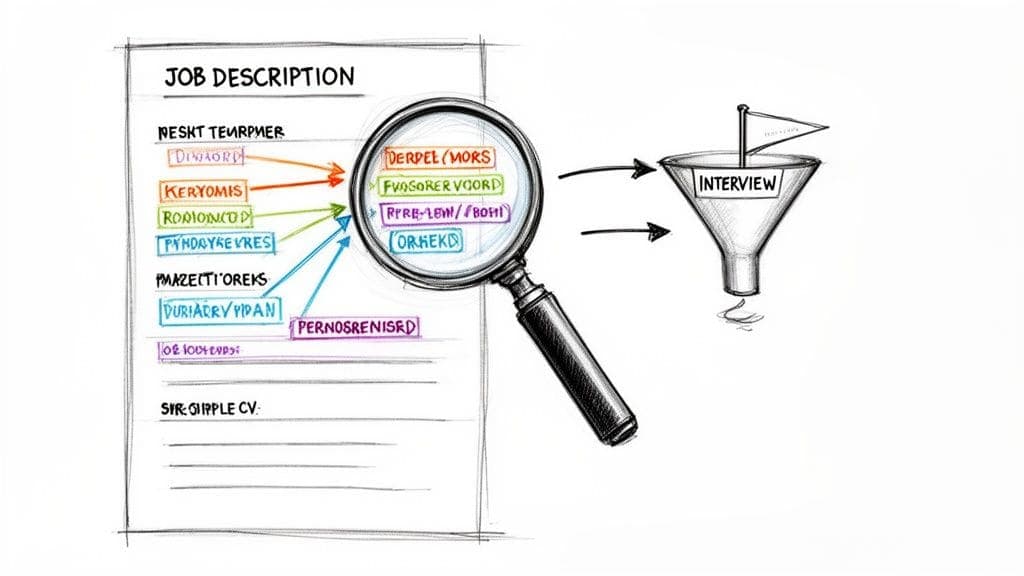
Let's be blunt: sending a generic, one-size-fits-all CV is the fastest way to get your application ignored. To land an interview in 2026, you have to customise your CV for every single role you apply for.
This means dissecting the job description to find the most important skills, then weaving them into your Professional Summary, Skills, and Work Experience sections. It's the single most effective way to beat the bots and capture a recruiter's attention.
The hard truth is that your CV's first reader is almost never human. It's an Applicant Tracking System (ATS), software designed to scan and filter applications based on how well they match the job advert. If your CV doesn't contain the right keywords or uses complex formatting the bot can't read, it's discarded before a person ever sees it.
This is why simplicity is your greatest asset. Fancy fonts, columns, graphics, or tables might look impressive, but they're notorious for confusing ATS software. Stick to a clean, single-column layout with standard fonts like Arial or Calibri to make sure your hard work is actually readable by the systems doing the initial sift.
Deconstructing the Job Description
Before you write a single word, your first job is to become an expert on the role you want. Open the job description, read it through, and start highlighting the key requirements and responsibilities. Your goal is to pinpoint the 5-7 most critical keywords and skills they're looking for.
Pay close attention to words and phrases that appear repeatedly or are listed under headings like "Must-Haves" or "Essential Requirements." These are the exact terms the ATS will be scanning for and the skills a recruiter will be searching for.
Your keyword list might include:
- Hard Skills: "SQL," "financial modelling," "Google Analytics," "agile project management."
- Soft Skills: "stakeholder engagement," "cross-functional collaboration," "team leadership."
- Qualifications: "PRINCE2 certified," "CIMA qualified."
Once you have this list, your mission is to strategically place these exact phrases throughout your CV. This shows both the recruiter—and the bot—that you are a direct match for their needs.
Embedding Keywords Naturally
Now it's time to integrate those keywords. The trick is to make them feel natural, not just stuffed in for the sake of it.
Professional Summary: Add 1-2 of your most important keywords here. If the job demands "stakeholder engagement," your summary might read, "A results-driven project manager with extensive experience in stakeholder engagement..."
Skills Section: This is your keyword goldmine. List the exact technical and soft skills you identified from the job description. If they ask for "Salesforce," you write "Salesforce." Don't get creative.
Work Experience: This is where you bring the keywords to life with proof. Instead of just listing a skill, use it in an achievement-focused bullet point. For example: "Led a cross-functional team to implement a new CRM system, improving stakeholder engagement and data accuracy."
Tailoring your CV isn't just about appeasing software; it's about speaking the recruiter's language. It proves you've read their requirements and are genuinely interested in solving their specific problems.
This customisation is fundamental to a successful job search. For more guidance on making sure your document is optimised, learn how to create an ATS-friendly CV for the UK.
Beyond tailoring your CV, it's also crucial to understand what employers see when they Google you. A polished online presence ensures that when a human recruiter does their own due diligence, what they find reinforces the professional image you've created. After all, even the best-tailored CV can be undermined by a questionable digital footprint.
You've poured hours into crafting your CV, getting every bullet point just right. Don't let a simple typo or a broken link sabotage all that hard work. The final check is your last line of defence. It's what separates a good CV from one that actually gets you the interview.
This isn't just a quick scan for spelling mistakes. It's a full audit to ensure everything is polished, professional, and works exactly as it should. A tiny error can signal a lack of attention to detail—a quality no recruiter wants to see. Think of this as the final polish that makes your professionalism shine.
The Deep-Dive Proofread
A standard spell-checker is a good first pass, but it's nowhere near enough. It won't catch context errors (like writing "manger" instead of "manage") or notice that you've used three different date formats. It's time to put on your detective hat and scrutinise your own work with fresh eyes.
Here are a few pro-level tricks to catch mistakes you'd otherwise miss:
- Read It Backwards: Seriously. Start with the last word of your CV and read it backwards, one word at a time. This simple trick forces your brain to focus on individual words instead of sentence flow, making typos pop right out.
- Use a Text-to-Speech Tool: Hearing your CV read aloud is a game-changer. Your ears will immediately catch awkward phrasing, clunky sentences, and grammatical mistakes that your eyes just skim over. Most modern word processors have this feature built-in.
- Check for Consistency: Are all your dates in the same format (e.g., "May 2026," not a mix of "May '26" and "05/2026")? Are your verb tenses correct? Past roles need past tense verbs, while your current role can use the present tense.
A CV with zero errors communicates more than just good grammar. It tells a recruiter you are meticulous, professional, and care about the quality of your work. It's a powerful, silent signal of your competence.
Final Functionality and File Naming
Your CV is more than just text on a page; it's an interactive document. Links have to work, and contact details must be flawless. A dead hyperlink to your portfolio is a major red flag for a recruiter who's trying to learn more about you.
Before you even think about attaching that file, run through this final checklist:
- Contact Details: Double-check your phone number and email address. A single wrong digit could mean a missed interview call. It happens more than you'd think.
- Hyperlink Test: Click on every single link. Does your email link pop open a new message? Does your LinkedIn URL go straight to your profile? No broken portfolio links?
- File Format: Always, always save and send your CV as a PDF. It locks in your formatting, ensuring it looks exactly as you intended, no matter what device the recruiter uses. A Word doc can look perfect on your screen and be a jumbled mess on theirs.
Finally, give your file a professional name. A document called "CV.pdf" or "Resume.docx" looks lazy and gets lost easily. Use a clear, logical format like YourName-CV-JobTitle.pdf (for example, "JaneDoe-CV-ProjectManager.pdf"). This small detail shows you're organised and makes the recruiter's life easier.
For one last check against industry best practices, running it through a professional resume review guide can help you spot anything you might have overlooked.
Frequently Asked Questions About Writing a UK CV
As you get your CV ready to send, a few common questions always seem to surface. Here are some quick, no-nonsense answers to the queries we hear most often from job seekers.
What Is the Difference Between a CV and a Resume?
In the UK, we use the term "CV" (short for Curriculum Vitae) for all job applications. It's the standard one or two-page document that outlines your experience, skills, and qualifications.
You might hear the term "resume" used in the US or Canada, where it refers to the same short document. Over there, a "CV" is a much longer, multi-page academic document used in research and university settings. For UK job hunting, you only need to think about creating a standard two-page CV.
How Long Should a UK CV Be?
Stick to a maximum of two pages of A4 paper. That's the golden rule.
If you're a recent graduate or have under ten years of relevant experience, a sharp, focused one-page CV is often even more effective. Recruiters are incredibly busy, so every single word needs to earn its place. Brevity and relevance are your best friends.
Should I Put a Photo on My CV?
No. In the UK, it is standard practice not to include a photograph on your CV. Adding one can look unprofessional and, in some cases, might even lead to your application being discarded.
This practice helps employers focus squarely on your skills and experience, avoiding any unconscious bias during the screening stage.
Remember, your CV's only job is to prove you are qualified for the role. Information that doesn't support that goal—like a photo, your date of birth, or marital status—is just clutter and should be left out.
Do I Need a Different CV for Every Job?
Yes. One hundred percent, yes. This is probably the most important habit to get into if you want your job applications to actually get you interviews.
Sending out a generic, one-size-fits-all CV is one of the biggest mistakes you can make. You must tailor your CV for each role by carefully reading the job description. Weave the specific keywords and required skills from the ad into your professional summary, skills list, and work experience bullet points.
This targeted approach does two things. First, it helps you get past the Applicant Tracking Systems (ATS) that filter applications. Second, it shows the hiring manager you've done your homework and are genuinely interested in their job, not just any job. It takes a few extra minutes, but it massively increases your chances of being shortlisted.
Feeling confident about your CV is the first step, but what about managing all your applications? CV Anywhere offers a smarter way to organise your job search. Use our JD Fit Checker to instantly see how well your CV matches a job, and keep all your applications, interviews, and follow-ups in one clean dashboard. Stop juggling spreadsheets and start landing interviews. Explore how CV Anywhere can streamline your job hunt today.