You're probably here because you need a quick CV today, not a week from now. The fastest way to write one that still holds up is simple: build from a master CV, keep the format clean, rewrite a few bullets to match the job, and send a polished PDF. That's the difference between a rushed document and a smart one.
A quick CV should be short, targeted, and easy to scan. Below is the workflow I'd use for a UK job seeker who wants speed without sending something generic.
The Foundation: A Time-Saving Master CV
Starting from a blank page for every application wastes time. That's the slow route, and it usually produces a weaker CV because you forget projects, metrics, and useful wording under pressure.
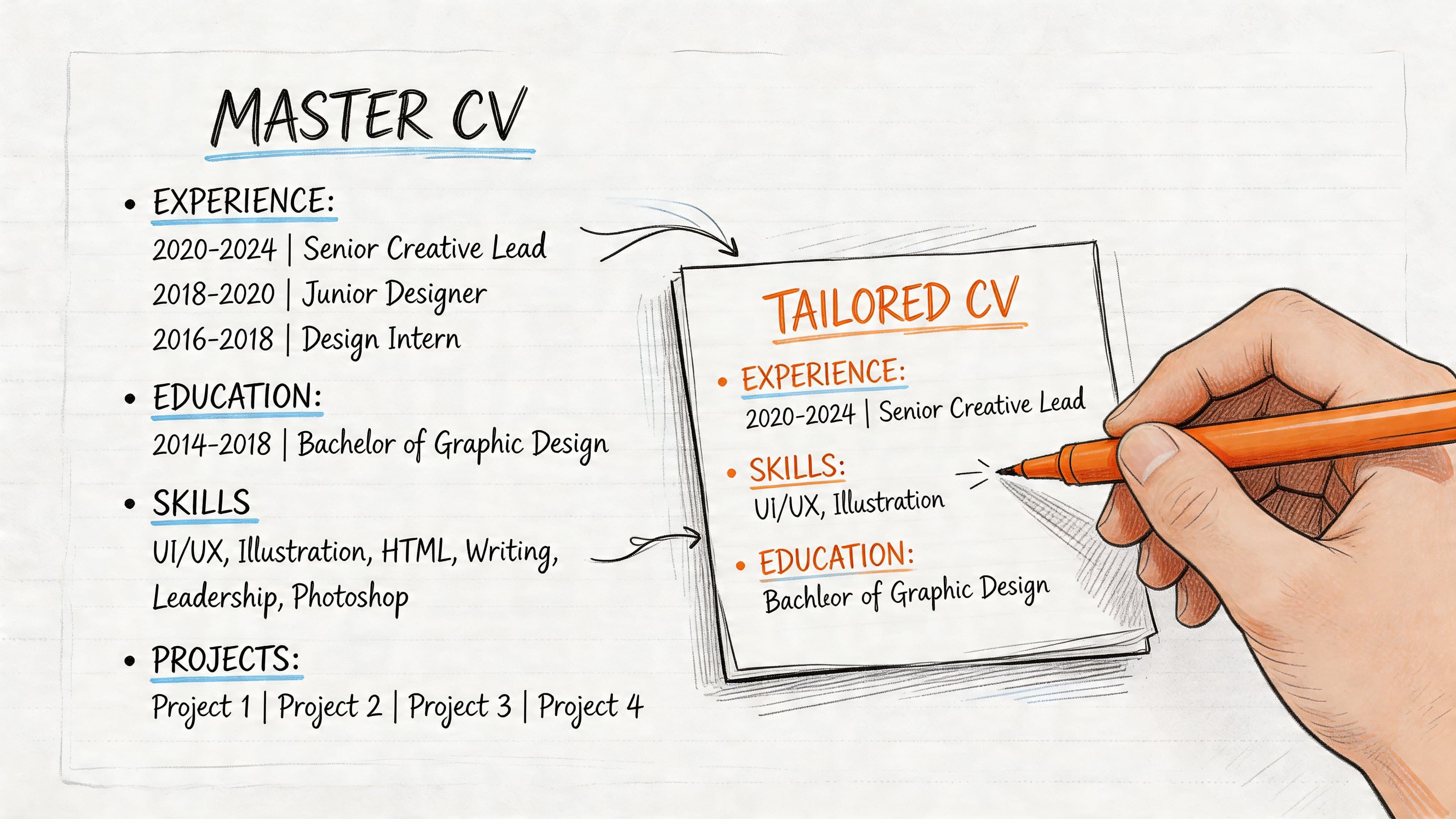
A master CV fixes that. It's one long private document that acts as your source of truth. It isn't the version you send. It's the version you mine.
What goes into a master CV
Include everything that might become useful later:
- Full work history with job titles, employers, dates, and locations
- Responsibilities written plainly, before you sharpen them into stronger bullets
- Projects and wins that show ownership, problem-solving, or delivery
- Tools and systems you've used
- Skills clusters such as stakeholder management, reporting, admin, customer service, compliance, project delivery, or data analysis
- Evidence like outcomes, feedback themes, workload scale, or measurable results
If you're changing careers, add transferable material too. Committee work, volunteering, internal projects, coursework, and short-term assignments often become valuable proof once they're framed properly.
The method that actually saves time
The strongest quick CV workflow I've seen is the 2026 Quick CV Method. It uses a master document, then turns that into a targeted CV in 15 to 20 minutes by pulling relevant content and rewriting bullets with the Action verb + task + result formula. According to CV Anywhere's guide to the Quick CV Method, this approach can improve ATS pass rates from under 25% to over 75%.
Practical rule: Your master CV should be comprehensive. Your submitted CV should be selective.
That means your process looks like this:
Update the master CV regularly
Add new achievements while they're fresh. Quarterly works well.Read the job description properly
Pull out the repeated skills, systems, and responsibilities.Copy only the relevant material
Don't drag everything across. Choose the parts that support this job.Rewrite bullets for relevance
Start with a strong verb, describe the task, then show the result.Save a separate customised version Keep the file clearly named so you know what you sent where.
If you want a fuller framework for UK formatting and content standards, this complete guide to UK CVs is the logical next read.
Is your CV actually getting responses?
Your CV might be missing something important
Upload your CV → see its weakest areas → fix them, one by one.
Free. Takes less than 2 minutes.
Essential Structure for an ATS-Friendly CV
A quick CV only works if the structure helps both the recruiter and the software reading it. Recruiters spend 5 to 10 seconds on an initial review, and nearly half of CVs longer than two pages are discarded immediately, according to Twin Employment's CV statistics roundup. That's why a concise, well-structured one-page format is often the safest default for early-career candidates and many mid-level roles.
The structure to use
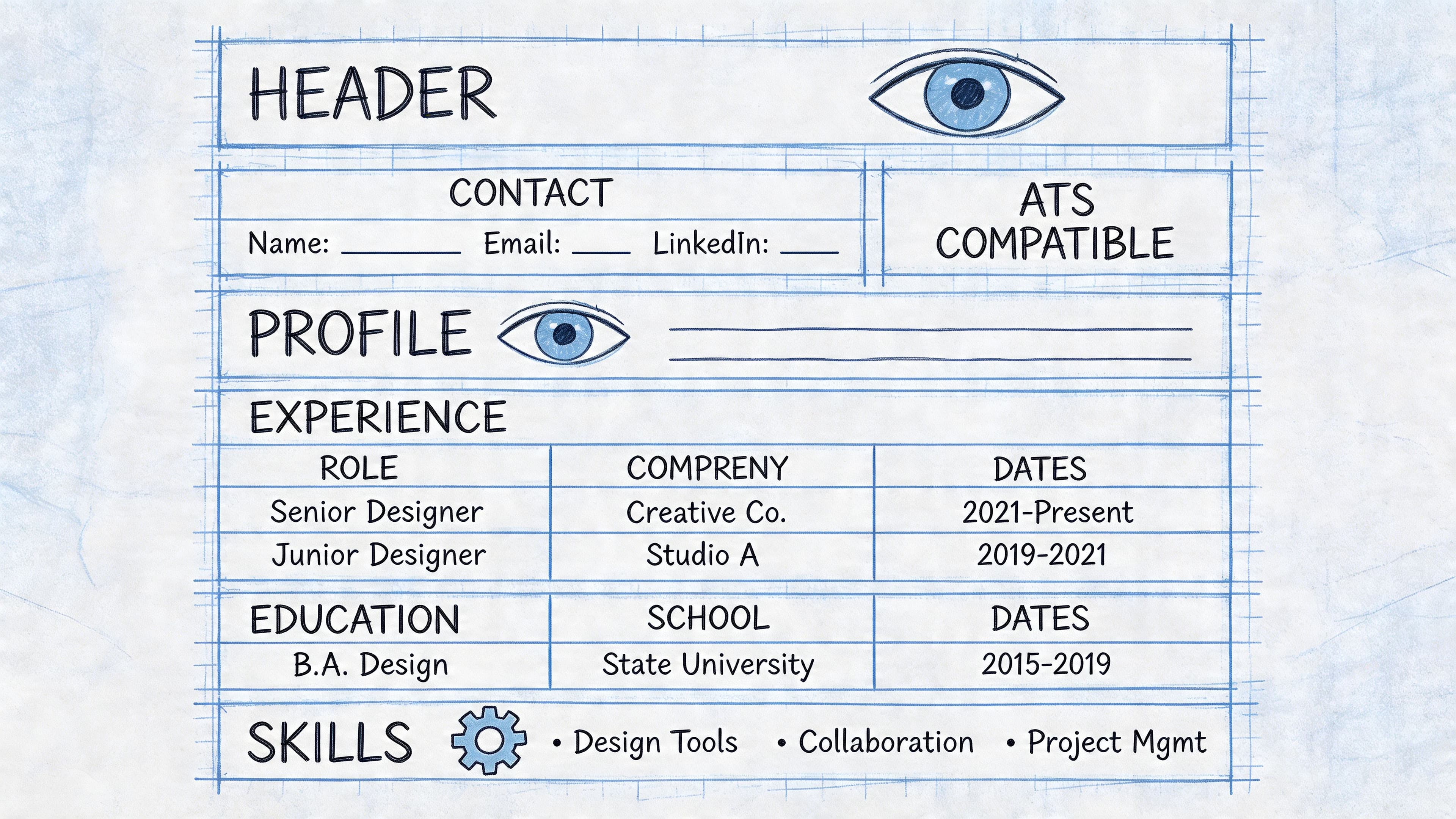
Keep your quick CV in this order:
| Section | What to include | What to avoid |
|---|---|---|
| Contact details | Name, phone, professional email, LinkedIn if relevant, town/city | Full address, photo, extra personal details |
| Profile | A short summary tailored to the role | Generic claims that could fit anyone |
| Work experience | Reverse chronological roles with focused bullet points | Dense paragraphs and irrelevant duties |
| Skills | Role-relevant hard skills and practical strengths | Long lists with no connection to the job |
| Education | Degree, institution, key qualifications | Excess detail if you're already experienced |
Formatting choices that help
ATS-friendly doesn't mean ugly. It means readable.
Use:
- Clear headings such as Profile, Experience, Skills, Education
- Standard fonts and consistent spacing
- Simple bullet points
- Reverse chronological order for work history
- Plain section layout without text boxes or decorative elements
Skip:
- Photos
- Tables
- Columns if they complicate readability
- Icons and graphics
- Headers or footers packed with key information
A fancy CV can look impressive on your screen and still fail when an ATS tries to parse it.
The best quick CV is usually plain, sharp, and easy to skim. If you need a more detailed breakdown of formatting choices that won't trip up screening systems, this ATS-friendly CV guide for the UK is the right internal resource to pair with this article.
Writing Impactful Content Fast
Most weak CVs don't fail because the person lacks experience. They fail because the writing hides the value. The quickest fix is to stop listing duties and start writing evidence-led bullets.
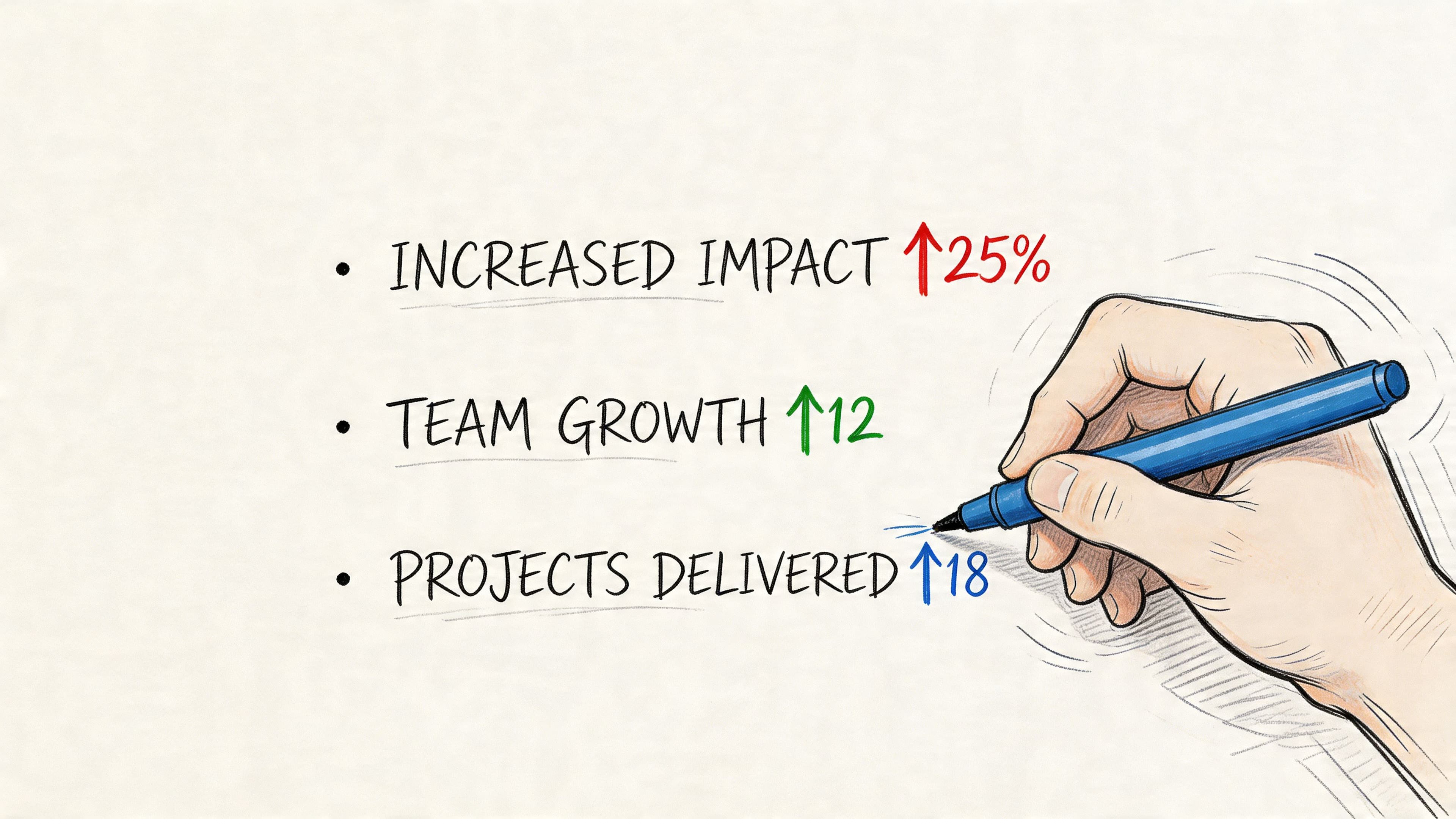
There's a clear opening here. 36% of CVs contain no quantifiable data, and only 26% of candidates include at least five metrics, based on Cultivated Culture's resume statistics analysis. If you can add real numbers from your own work, you immediately look more concrete.
Use the bullet formula
Write each bullet in this pattern:
Action verb + task + result
That gives you a sentence with movement and value, not just a job description.
Compare these:
- Weak: Responsible for customer enquiries
Better: Resolved customer enquiries across phone and email channels, improving response consistency for the support team
- Weak: Helped with reporting
Better: Produced weekly reporting packs for managers, making performance trends easier to review
- Weak: Worked on onboarding
- Better: Led onboarding administration for new starters, improving handover consistency across teams
Where to find metrics quickly
Not every result needs to be dramatic. You're looking for evidence, not theatre.
Try these prompts:
- Volume. How many clients, cases, tickets, reports, calls, shifts, products, or team members?
- Speed. Did you shorten turnaround time or keep work moving under pressure?
- Quality. Did you reduce errors, improve consistency, or maintain standards?
- Scope. Were you the key contact, trainer, owner, or coordinator?
- Frequency. Daily, weekly, monthly, per shift, per campaign?
If you struggle to phrase achievements clearly, it can help to sharpen your writing process first. A useful outside reference is Mastering How To Write Articles: A Quick Guide For Creators, especially for tightening sentences and removing vague wording. The same discipline improves CV bullets.
A fast profile template
Your profile should sound targeted, not inflated. Keep it short.
Try this structure:
- Who you are
- What you do well
- What you're aiming for
Example:
Early-career operations professional with experience in administration, reporting, and cross-team coordination. Strong at organising workflows, handling competing priorities, and producing accurate work in fast-moving environments. Now seeking a role where process improvement and stakeholder support matter.
If you want more examples and formulas, this guide on writing a professional summary is worth bookmarking.
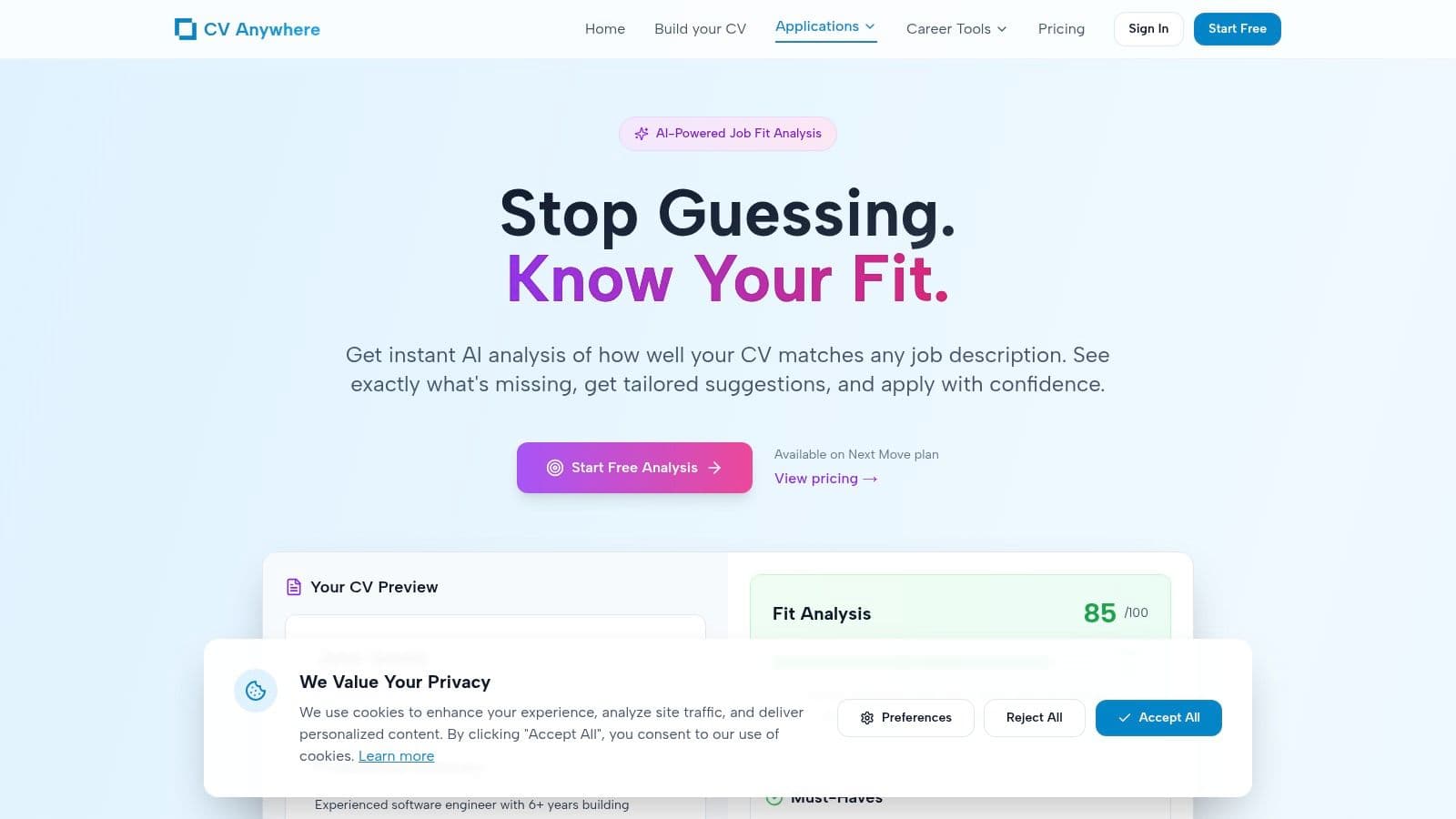
Tailor in Minutes with a JD Fit Checker
Tailoring is where most applicants slow down. They know it matters, but they either guess at the keywords or rewrite far too much. A better approach is to compare your CV directly against the job description and fix the obvious gaps first.
AI-assisted tailoring tools are useful here because they cut the detective work. According to QuickCV.io's overview of AI-powered ATS tailoring, these workflows can produce a job-specific CV in approximately 10 minutes, help raise an ATS match score to over 85%, and users report 2.5x more interviews in competitive markets.
How to use a JD Fit Checker properly
The process is simple if you stay disciplined:
Paste in the job description
Use the full advert, not just the title and a few duties.Review the missing language
Look for repeated terms, tools, qualifications, and responsibilities.Match from your master CV
Pull in the experience you already have. Don't invent overlap that isn't there.Rewrite selected bullets
Replace broad wording with language closer to the job advert, while keeping it truthful.Check the profile and skills section
These are often the quickest places to improve alignment.
What good tailoring looks like
Good tailoring is specific. It doesn't sound robotic.
If the job asks for:
- stakeholder communication
- reporting
- process improvement
- Excel
then your CV should reflect those exact themes where they apply. Don't leave them buried under vague phrases like "worked with different teams" or "supported admin functions".
Tailoring isn't about stuffing in keywords. It's about making relevant experience easier to find.
That's why a tool such as the JD Fit Checker works well in a quick CV workflow. It shows where your CV is thin, so you spend your time fixing the right lines instead of rewriting the whole document.
A practical trade-off matters here. If you over-tailor every section, you lose speed and often damage readability. For most applications, the strongest return comes from editing the profile, key skills, and a handful of bullets in your most relevant roles.
Finalise and Track Your Application
A quick CV still needs a careful finish. Small mistakes at the end undo good work done earlier.
First, save the final version as a PDF unless the employer asks for another format. That protects layout, spacing, and bullet alignment. It also stops accidental edits after the file leaves your device.
What to check before sending
Use this short final pass:
- File name that makes sense to an employer
- Professional email address
- Correct employer and job title
- Consistent dates
- No tracked changes or stray highlights
- PDF export checked on mobile and desktop
For career changers and recent graduates, the profile section deserves extra care. A customised profile can boost interview rates by 2.5x, and AI-enhanced summary generators paired with trackers can increase job-match scores by 35% for these audiences, as noted in ISACA-linked research on the profile section.
Why tracking matters
Most job searches fall apart in the follow-up, not the writing. People send multiple versions of their CV, forget which one went where, and then struggle to prepare when a recruiter replies.
A dedicated tracker fixes that. Store:
- the company
- role title
- application date
- status
- notes
- the exact CV version sent
That's far cleaner than juggling folders, browser tabs, and spreadsheets. If you want one place to manage that workflow, this job application tracker is the obvious internal tool to use.
Quick CV Questions Answered
Should a UK CV include a photo
No. For most UK roles, a photo adds no hiring value and can create avoidable bias concerns. Keep the focus on your skills, evidence, and fit for the role.
Can a quick CV be two pages
Sometimes, yes. If you have enough relevant experience to justify the space, two pages can work. The test isn't length on its own. The test is whether every line earns its place. If page two is mostly filler, cut it.
What if I have career gaps
Don't panic and don't try to hide them with messy formatting. Use a strong profile, a clean reverse chronological structure, and bullets that show transferable value. If a gap is relevant to explain, do it briefly and calmly in your wider application materials.
Can a quick CV really compete with one that took days
Yes, if the process is strong. A rushed CV built from scratch is weak. A quick CV built from a solid master document and fine-tuned correctly is often better because it stays focused and avoids clutter.
What's the fastest part to improve if time is very short
Edit these first:
- profile
- top skills
- most relevant recent role
- file formatting
Those changes usually make the biggest difference fastest. If you have extra time after that, improve older roles and tighten wording throughout.
If you want to turn this into a repeatable system, CV Anywhere is built for exactly that. You can create a polished CV from a master version, check job-description fit, and track every application in one place, which makes writing a quick CV far less stressful and far more consistent.