A quick CV builder works fastest when you stop writing each application from scratch. The most effective process is to keep a master CV, choose an ATS-friendly template, generate a strong summary with AI, tailor it to the job description with a JD fit checker, then export a clean PDF.
If you're staring at a blank screen because you need to apply today, that's the workflow to use. It cuts the job down into a sequence you can repeat, instead of a writing task you have to reinvent every time. The point isn't just speed. It's producing a CV that reads clearly to recruiters and parses cleanly in automated systems.
The Master CV Strategy: Build Your Foundation Once
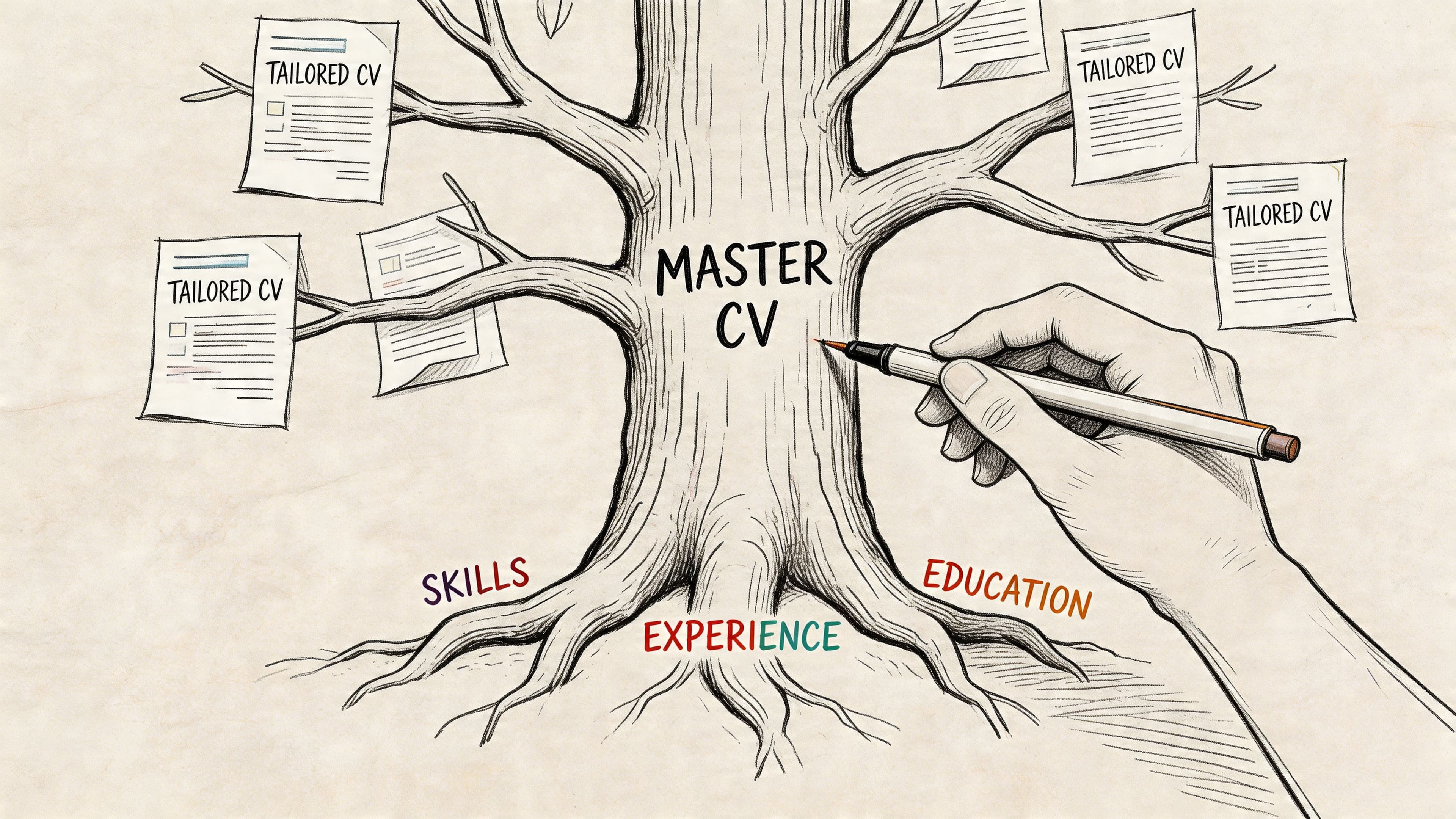
Users often misuse a quick CV builder by treating it like a blank document. That slows everything down. The faster approach is to build one master CV that stores your full work history, projects, skills, achievements, certifications, and stronger bullet points in one place, then pull from it for each application.
The method is simple. Keep one master source file, then create customised versions from that base. The Quick CV Method for faster tailoring states that this approach lets users customise each CV in 15-20 minutes per CV and can improve ATS pass rates from under 25% to over 75%.
What goes into a master CV
Your master CV isn't meant to be sent out as-is. It's your working file. Think of it as your professional inventory.
Include:
- Every role you've held: Job title, employer, dates, location, and your raw responsibilities.
- Achievement bullets: Strong versions and rough versions. Keep both if needed.
- Skills by category: Software, technical tools, languages, methods, industry knowledge.
- Projects and side work: Freelance work, volunteering, coursework, portfolio items, internal initiatives.
- Proof points: Awards, promotions, positive outcomes, completed training, published work.
A reverse chronological structure works best because it's easy to scan and easy to adapt. Recruiters in the UK expect clarity first. Fancy structure rarely beats straightforward structure.
Practical rule: Write the master CV longer than your final CV. Edit for relevance later, not memory now.
How to write bullets that are easy to reuse
The strongest reusable bullet format is action verb + task + result. That formula gives you enough detail to sound credible without forcing you to rewrite from nothing each time.
Examples:
- Led onboarding for new client accounts, improving handover consistency across teams.
- Managed invoice queries across multiple suppliers, resolving discrepancies and maintaining payment accuracy.
- Supported customer complaints handling, helping the team maintain clear response records and follow-up actions.
If you have a measurable result, include it. If you don't, write the operational outcome clearly. A clean, useful bullet beats a vague one stuffed with filler.
Here's the difference:
| Weak bullet | Stronger bullet |
|---|---|
| Responsible for admin support | Provided administrative support across scheduling, records, and document preparation for daily operations |
| Helped with recruitment | Screened applicants, coordinated interviews, and maintained candidate records for the hiring team |
| Worked on reports | Prepared weekly reports for managers, improving visibility of open issues and deadlines |
If your online presence supports your applications, it's also worth taking time to craft a powerful digital brand so your LinkedIn and public profiles reinforce the same story your CV tells.
Why this foundation saves time later
Speed comes from selection, not improvisation. When the builder asks for experience, summary inputs, or role-specific achievements, you're no longer guessing what to write. You're choosing from material you've already written and improved.
That also makes consistency easier. Dates match. Job titles stay the same. Your strongest phrasing doesn't get lost in rushed rewrites. If your bullets need tightening before you build your next version, use this guide on how to improve your CV.
Build a CV that actually gets interviews
Start from your current CV — or from scratch — with step-by-step guidance so you do not get stuck.
Free. No blank page. No templates to wrestle with.
Choose a Template and Draft an AI-Powered Summary
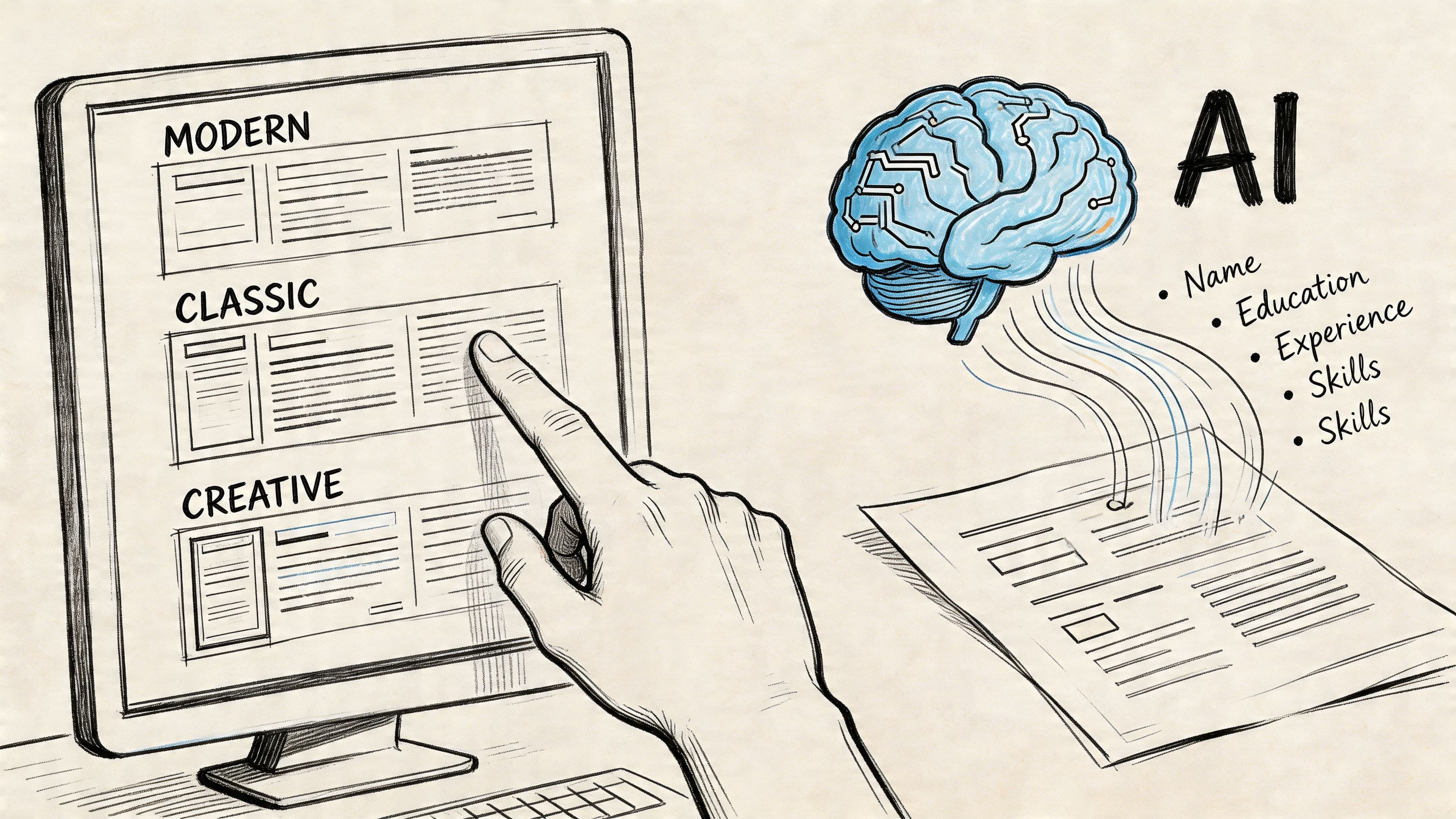
Once your master CV exists, the next decision matters more than commonly understood. Pick a template that a recruiter can read quickly and an ATS can parse cleanly. If the layout fights the software, your content won't get a fair chance.
The broader market is moving in this direction. The AI-powered resume builders market outlook says these tools can boost interview chances by up to 42% and produce application-ready content in under 5 minutes, which is why more job seekers now use them for the first draft phase.
What a good template looks like
For most UK roles, the safest option is a simple single-column CV with clear section headings. That means no graphics, no text boxes, no icons carrying key information, and no decorative sidebars holding your skills or contact details.
Use a template with these features:
- Clear section order: Contact details, profile, skills, experience, education, extra sections if relevant.
- Standard fonts: Readable and conventional.
- Consistent spacing: Enough white space to scan quickly.
- Straightforward hierarchy: Job titles and employers easy to identify at a glance.
A creative-looking layout can be fine for a portfolio page. It often isn't the best format for a submitted CV.
Recruiters don't reject a CV because it looks plain. They reject it because it hides the useful information.
Use AI for the summary, not for your whole personality
The summary is where a quick CV builder can save real time. Most candidates either over-write this section or fill it with generic claims like "hard-working team player". AI helps when you give it the right raw material.
Feed the builder:
- Your target role
- Your years or level of experience
- Two or three relevant strengths
- One or two achievements or outcomes
- A few terms pulled from the job description
Then edit what it gives you.
Example input:
- Operations coordinator
- Experience in scheduling, reporting, and stakeholder support
- Strong at organising workflows and maintaining accurate records
- Interested in fast-paced support role
Weak summary:
Hard-working professional with good communication skills seeking a challenging opportunity.
Stronger AI-assisted summary:
Organised operations professional with experience supporting reporting, scheduling, and cross-team coordination. Strong at maintaining accurate records, managing competing priorities, and producing clear administrative support for busy teams.
That second version is still simple, but it gives a recruiter something concrete to work with. It sounds like a person who has direct experience in the job.
The trade-off most people miss
AI is excellent at producing a usable starting point. It is not good enough to be trusted blindly. A fast draft can still be flat, repetitive, or too broad. The job is to use the tool to accelerate first-pass writing, then tighten tone and specificity yourself.
If your profile section tends to be weak or generic, use a dedicated guide on how to write a professional summary before finalising that opening paragraph.
Tailor Your CV in Minutes with a JD Fit Checker
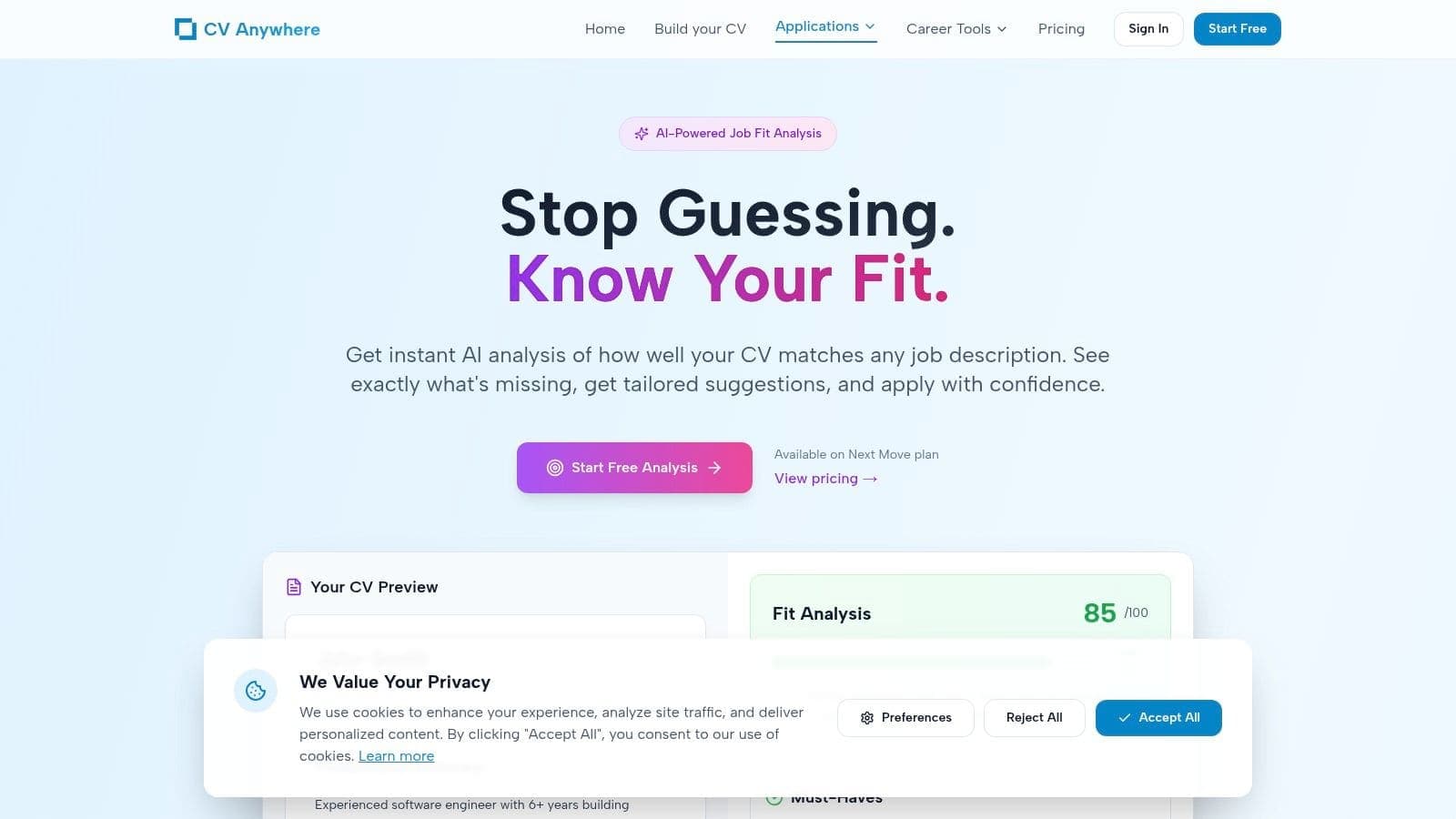
A quick CV builder is more than a typing shortcut. Its primary benefit is turning a broad CV into one that matches a specific vacancy without spending an hour rewriting every section.
Builders that include AI scoring and job-description matching can do much of the diagnostic work for you. According to QuickCV's ATS checker and AI coaching overview, advanced builders can raise ATS compatibility so 98% of generated resumes pass filters, and they improve bullet phrasing by suggesting stronger wording such as changing "coordinated reporting" to "Optimised weekly reporting, reducing delays by 30%".
How the workflow looks in practice
Start with your base CV from the master document. Then take the job advert and paste the full description into a JD checker such as the JD Fit Checker. The tool compares your CV against the vacancy and flags missing or weak alignment points.
The useful part isn't the score by itself. It's the gap list. It shows where your language is too generic, where a skill is implied but not stated, and where the employer's priorities aren't reflected clearly enough.
A fast workflow looks like this:
- Paste the job description: Use the full advert, not just the title.
- Review the gaps: Look for missing tools, responsibilities, keywords, and seniority cues.
- Pull from your master CV: Add relevant bullets you already wrote but didn't include in the first draft.
- Rephrase weak bullets: Match the employer's language where it's truthful and natural.
- Check the opening summary and skills section: These usually need the quickest high-value edits.
- Export only when the language and structure are both clean.
A before-and-after example
Say you're applying for an operations support role. Your original bullet says:
Coordinated reporting for weekly team updates.
A JD checker may flag that as too vague if the role asks for reporting accuracy, stakeholder communication, and process improvement. A stronger version could become:
Prepared weekly operational reports for internal stakeholders, improving clarity on open actions and team priorities.
The content isn't fabricated. It's reframed around what matters to the employer.
Here's another example.
| Generic version | Tailored version |
|---|---|
| Assisted with customer enquiries | Resolved customer enquiries across email and phone while maintaining accurate case notes and follow-up records |
| Helped with scheduling | Managed interview and meeting scheduling across multiple calendars, reducing booking issues and improving coordination |
| Worked with data | Maintained and updated internal records to support accurate reporting and day-to-day team decisions |
What works and what doesn't
What works is alignment. You don't need to mirror every phrase in the advert, but you do need to show clear overlap between your evidence and the employer's needs.
What doesn't work:
- Keyword stuffing: Repeating terms without context makes the CV sound mechanical.
- Over-editing every line: Focus first on summary, skills, latest role, and the bullets most relevant to the vacancy.
- Ignoring obvious gaps: If the JD asks for stakeholder communication and your CV never says you worked with people outside your own team, fix that.
- Changing facts: Tailoring means selecting and reframing truthfully, not inflating scope.
A strong tailored CV doesn't read like a search engine result. It reads like the right candidate speaking the employer's language.
The best use of a JD fit checker is speed with judgement. Let the tool highlight the gaps. You decide which experience proves the match.
Export, Share and Track Your Applications Intelligently
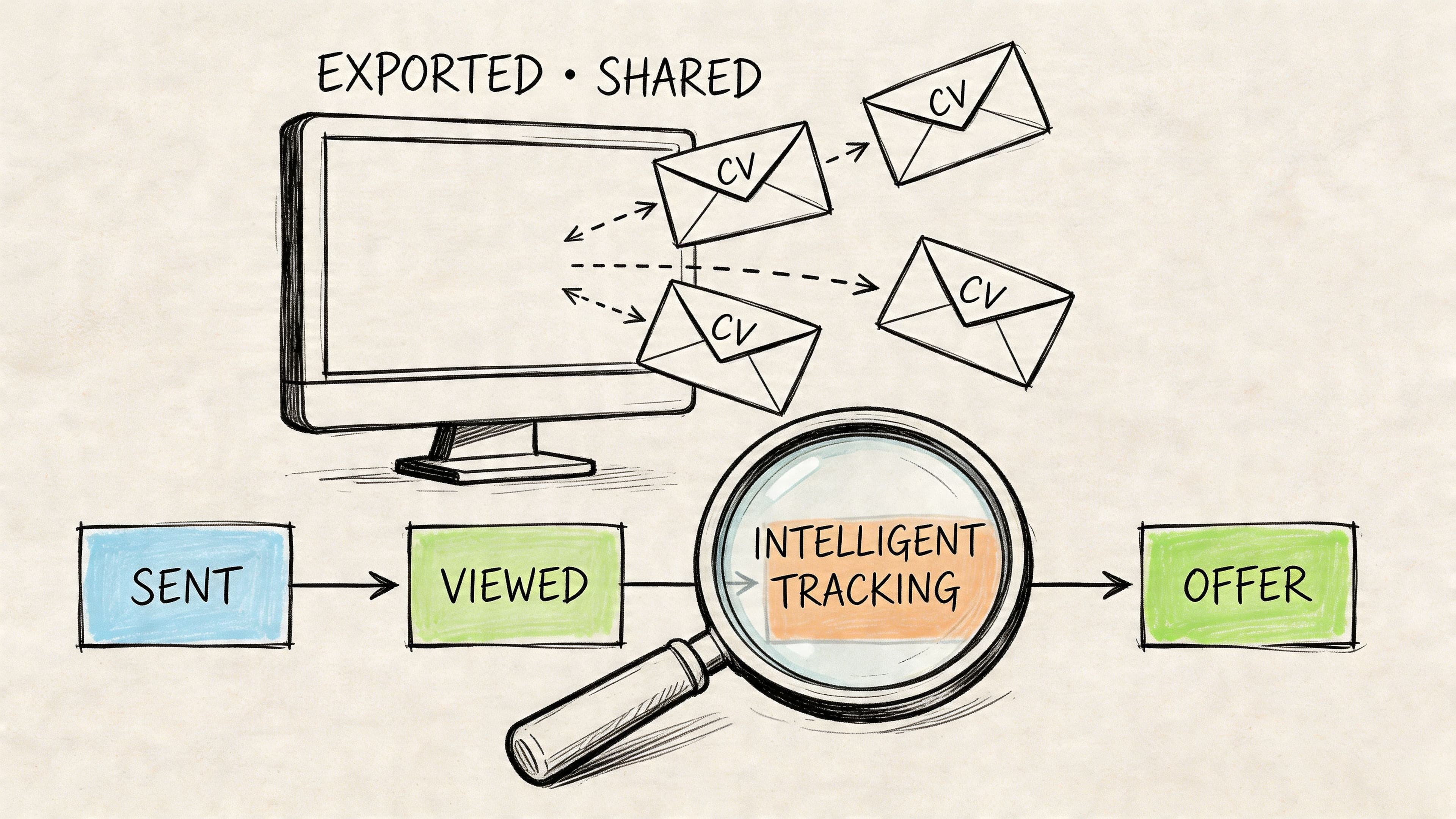
A quick CV builder solves only half the problem if it stops at document creation. Once you've prepared the CV, you need a clean export, a reliable way to share it, and a system for remembering what you've sent.
Many job searches often break down. A 2025 Indeed survey referenced in this application tracking discussion found that 73% of applicants lose over 5 hours weekly to disorganised tracking, 55% miss follow-ups, and missed organisation can reduce interview conversion rates by 30%. That's why a fast builder without tracking often creates a new problem after solving the old one.
Export the right file the first time
For most applications, export to PDF unless the employer specifically asks for Word. PDF protects spacing, headings, and line breaks. That's important when you've already spent time cleaning the layout.
Before you send anything, check:
- File name: Use your name and the role if helpful.
- Formatting: No broken bullet points, split headings, or odd page breaks.
- Contact details: Correct phone number, email, and link fields.
- Version match: Make sure the final file matches the vacancy you are applying for.
A live CV page can also be useful when you're networking, applying through direct outreach, or sharing your profile with recruiters who want a quick overview before downloading anything.
Why tracking matters more than most candidates think
Once you start applying to several roles at once, memory stops being reliable. You need to know which CV version went to which employer, when you applied, whether you followed up, and what happened next.
A tracker should let you log:
- Role and employer
- Date applied
- Status
- Follow-up reminder
- Notes from calls or emails
- The CV version used
That's the difference between an organised search and a pile of tabs, screenshots, and forgotten emails. If your roles involve structured application rounds, public sector timelines, or internship deadlines, a more formal process helps even more. For example, this practical guide to applications shows why recording requirements and follow-up points early matters when the process has several stages.
One workflow from CV to follow-up
The cleanest setup is one where building, tailoring, and tracking happen in the same system. That avoids version confusion and makes follow-up easier. Tools such as CV Anywhere's application tracker combine CV management with status tracking, reminders, and notes so you can connect each application to the exact version you sent.
The CV gets you into the process. Organisation keeps you in it.
Quick CV Focus Areas for Your Career Level
A quick CV builder saves time for almost everyone, but the strongest version depends on what stage you're at. That's one reason these tools are seeing wider adoption. The resume building tool market report notes that millions of job seekers, especially recent graduates and career changers, are using these tools to approach a market where over 75% of resumes are rejected by ATS.
Early-career candidates
If you have limited experience, don't apologise for it. Build around evidence of potential.
Graduate and early-career blueprint
Start with a tight profile, then lead with education, internships, projects, coursework, placements, part-time work, and transferable skills. Show responsibility, reliability, and examples of follow-through.
Focus on:
- Relevant coursework or projects: Especially if they mirror the role.
- Work ethic signals: Deadlines, teamwork, customer-facing tasks, admin support.
- Tools and skills: Software, research, communication, data handling, writing.
Career changers
The mistake here is over-explaining the old career and under-explaining the bridge to the new one.
Translate your previous experience into the language of the role you want next. Don't expect the recruiter to do that work for you.
Prioritise:
- Transferable skills first: Operations, analysis, client handling, teaching, writing, coordination.
- Relevant achievements: Even if they came from another sector.
- A clear summary: State the new direction plainly.
Mid-career and senior professionals
At this level, the risk isn't lack of content. It's too much content. Your quick CV should show judgement.
Experienced professional blueprint
Open with scope and specialism. Then show leadership, delivery, and decision-making through selected achievements, not a full autobiography.
Keep your CV focused on:
- Recent roles with the most relevance
- Commercial or operational impact
- Leadership and cross-functional influence
- Selective older history
If you want to benchmark your structure against role-specific formats, review these good CV examples by job type.
Frequently Asked Questions About Quick CV Builders
Are quick CV builders good enough for serious job applications
Yes, if you use them properly. The tool should speed up drafting, tailoring, and formatting. It shouldn't replace judgement. Weak input still produces weak output, so your master CV and your edits matter.
Should my CV be one page or two pages in the UK
For many UK applicants, two pages is acceptable if the content is relevant and easy to scan. Early-career candidates can often stay on one page. Experienced professionals usually need more space, but every line should earn its place.
Is a PDF always the best format
Usually, yes. PDF preserves the layout you've checked. If an employer asks for Word, send Word. Follow the application instructions exactly.
Can AI write the whole CV for me
It can produce a strong draft quickly, but you still need to verify tone, accuracy, and relevance. AI is most useful for summaries, bullet rewrites, and identifying wording gaps against a job description.
What's the biggest mistake people make with a quick CV builder
They use speed as an excuse to send generic applications. Fast doesn't mean careless. The best workflow is still selective: solid master CV, clean template, AI-assisted draft, job-specific tailoring, then organised tracking.
If you want one place to build a polished CV, check it against a job description, and keep your applications organised, CV Anywhere is built for that full workflow. Start with the builder, tailor with the JD Fit Checker, and track each application so your job search stays fast and controlled.