
The fastest and most effective way to build a professional resume for the US job market is with a quick free resume builder. These platforms provide recruiter-approved, ATS-friendly templates, leverage AI to write compelling content, and offer real-time feedback to ensure you stand out. A top-tier builder like CV Anywhere allows you to create a polished, job-winning document in minutes, a task that could otherwise take hours of frustrating work in a standard word processor. This is the secret to getting past screening software and into the hands of a hiring manager.
In today's competitive landscape, leveraging a smart tool isn't just an advantage; it's essential. This guide will walk you through how to use a quick free resume builder US job seekers can rely on to craft a resume that gets results in 2026.
Craft Your Resume in Minutes, Not Hours
The days of staring at a blank page, wrestling with margins and fonts, are over. A modern quick free resume builder has turned a once-dreaded task into a simple, effective part of any job search. Instead of getting bogged down in the mechanics, you can focus on what really matters: showing a hiring manager why you're the right person for the job.
These platforms are built for speed. With features like professionally designed templates and AI-powered content suggestions, you can assemble a powerful resume in well under an hour. This isn't just a niche trend; the global resume builder market is expected to grow from $8.86 billion in 2025 to $9.52 billion in 2026. Job seekers are voting with their feet, embracing tools that deliver better results, faster.
Before we dive into how to use these tools, it helps to see the stark difference between the old way and the new way.
Manual Resume Writing vs. AI Resume Builder
This table breaks down the practical differences between building a resume by hand and using a modern, quick free resume builder.
| Feature | Manual Resume Building | Quick Free Resume Builder |
|---|---|---|
| Time Investment | 4-8 hours on average, often more | Under 1 hour for a polished first draft |
| Formatting | Manual, tedious, and prone to errors | Automated, consistent, and professionally designed templates |
| ATS Compatibility | Uncertain; easily broken by tables, columns, or images | Built-in, tested, and optimized for major ATS software |
| Content Quality | Relies solely on your own writing skills | AI-powered suggestions and pre-written phrases for inspiration |
| Professional Polish | Hard to achieve consistency in fonts, spacing, and layout | Guaranteed clean, modern look that impresses recruiters |
| Tailoring for Jobs | Time-consuming; requires duplicating and reformatting files | Easy; duplicate and edit in minutes to target specific roles |
| Cost | "Free" but with a high cost in time and frustration | Robust free versions available; premium options for a small fee |
The bottom line is clear: a dedicated builder saves you hours of tedious work while producing a higher-quality, more effective document.
Key Benefits of Using a Builder
The advantages go far beyond just saving time. A well-designed builder helps you create a better, more strategic document that wins interviews.
- Bypass Writer's Block: AI-powered prompts offer instant ideas for your professional summary and help you turn flat duties into achievement-focused bullet points.
- Guarantee ATS-Friendliness: Vetted templates are designed to pass cleanly through Applicant Tracking Systems, which over 75% of companies in the US now use to screen candidates.
- Achieve Instant Polish: All the tricky formatting—consistent spacing, clean layouts, and professional fonts—is handled for you, making your resume look sharp and professional.
By automating the tedious parts of resume building, these tools free you up to focus on strategy. This is where you gain a real competitive edge—spending your time tailoring content for each job, not fixing spacing issues.
Ultimately, using a quick free resume builder isn't just about speed; it's about producing a superior document that dramatically boosts your chances of getting noticed. Before you jump in, it helps to have a clear plan for your content. You can get a head start by checking out our detailed guide on creating a resume outline.
Build a resume that actually gets interviews
Start from your current resume — or from scratch — with step-by-step guidance so you do not get stuck.
Free. No blank page. No templates to wrestle with.
Pick a Template That Actually Gets You Noticed
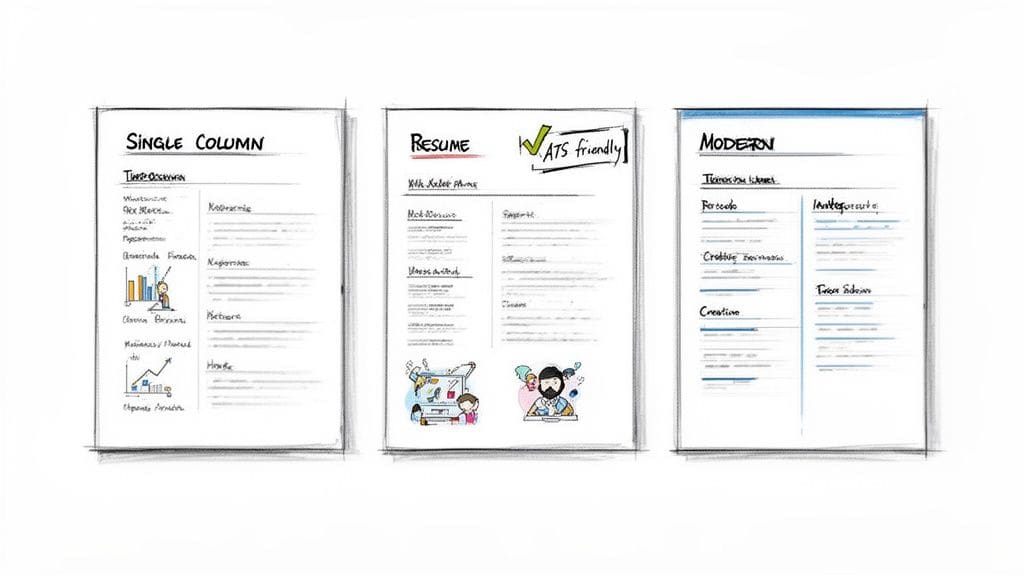
Your resume's design is your first impression. Think of it as the handshake before you even enter the room. With a quick free resume builder, you have a whole library of professional designs ready to go, but the trick is picking one that works for you, not against you.
The right choice comes down to your industry and the specific role you're after. A clean, single-column template is almost always a safe bet for a corporate finance job in the US. It's professional, easy for a human to scan, and sails right through the Applicant Tracking Systems (ATS).
But what if you're in a creative field? A modern, two-column design might be perfect for a marketing role where a little visual personality is expected. Here's the catch, though: not all creative templates are built to be read by the software that will see your resume first.
Balance Looks With ATS-Friendliness
The whole point of a quick free resume builder is to navigate the tricky realities of the modern job hunt. A staggering 99% of Fortune 500 companies use ATS, and those systems automatically reject around 75% of resumes because of simple formatting errors.
This makes choosing a proven, ATS-friendly template non-negotiable.
So how do you spot a safe choice? Look for these simple signs:
- A Clear Visual Flow: The design should guide the recruiter's eye naturally from your name to your most recent experience without any guesswork.
- Standard, Readable Fonts: Stick to the classics like Helvetica, Arial, or Garamond. Fancy, scripted fonts are a recipe for parsing errors.
- Simple Structure: This is the big one. Avoid tables, text boxes, and flashy graphics. Single-column layouts are almost always your safest bet.
The best templates don't just look good—they're engineered for performance. They ensure your qualifications are read correctly by the software, giving you the best chance to impress the human on the other side.
If you're targeting a specific niche, it's worth spending time exploring different professional resume templates to see what works. Ultimately, you need a design that supports your content without overshadowing it. For a deeper look, check out our guide on how to choose the right resume template for any job you're applying for.
Letting AI Write Your Most Powerful Content
Staring at a blank page is the fastest way to kill your resume-writing momentum. We've all been there. A builder with built-in AI turns that blank page into a launchpad, helping you draft compelling summaries and achievement-focused bullet points that actually sell your skills.
The goal isn't just to list your old job duties. It's to show the impact you made. AI is brilliant at helping you frame your experience in a way that proves your value, especially for that all-important professional summary at the top of the page.
From Duties to Achievements
The real magic happens when you shift from describing what you did to what you achieved. This is where a great resume separates itself from a good one, and it's something AI writers are surprisingly good at. For a great example of this in action, check out Saply AI's platform for resume writing.
Let's look at a "before and after" for a social media manager role. It's a classic example.
- Before AI: "Managed social media accounts."
- After AI: "Boosted social media engagement by 45% by executing a data-driven content strategy across Instagram and TikTok."
The second version is a world apart. It's specific, it includes a powerful metric (45%), and it's loaded with relevant keywords like "data-driven content strategy." It doesn't just list a task; it tells a story of success. This is exactly what US recruiters want to see.
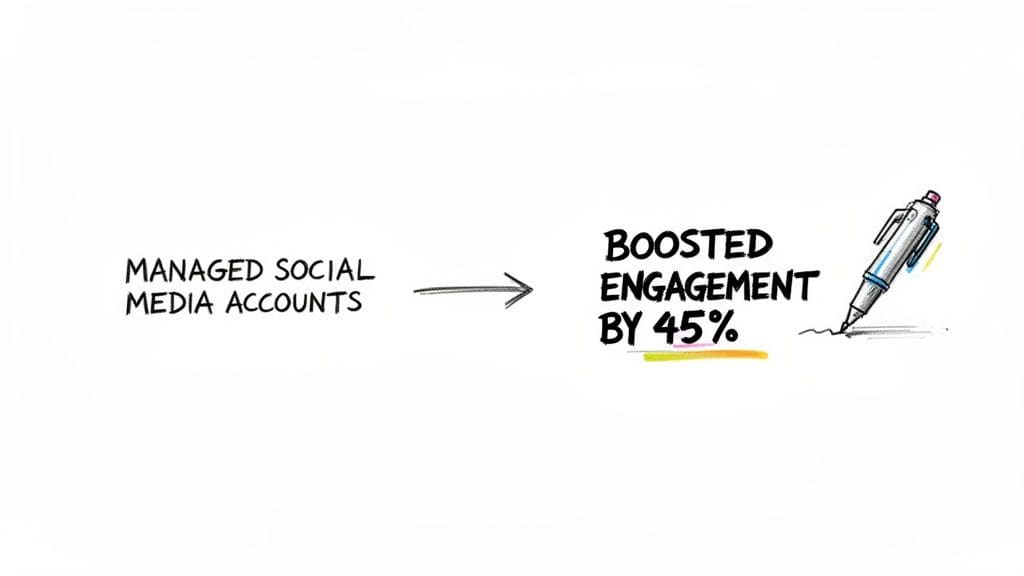
This simple switch from passive duties to active, measurable results is what catches a hiring manager's eye. It proves you don't just show up—you deliver.
Using AI as Your Smart Assistant
Think of the AI in a resume builder less as an author and more as a clever writing partner. The idea isn't to have it write everything for you, but to use it to generate solid first drafts and get you past writer's block.
The goal is to use AI to generate strong first drafts and then add your own context and voice. Review the suggestions, pick the ones that best reflect your experience, and tweak them to sound authentic to you.
This way, you get the benefit of polished, professional phrasing without sacrificing your unique voice. Your final resume will sound both professional and genuinely like you, which is the perfect combination. If you're curious about how else AI can help your job search, take a look at our full guide on using a free AI resume builder to improve your content.
Tailor Your Resume to Any Job in Seconds
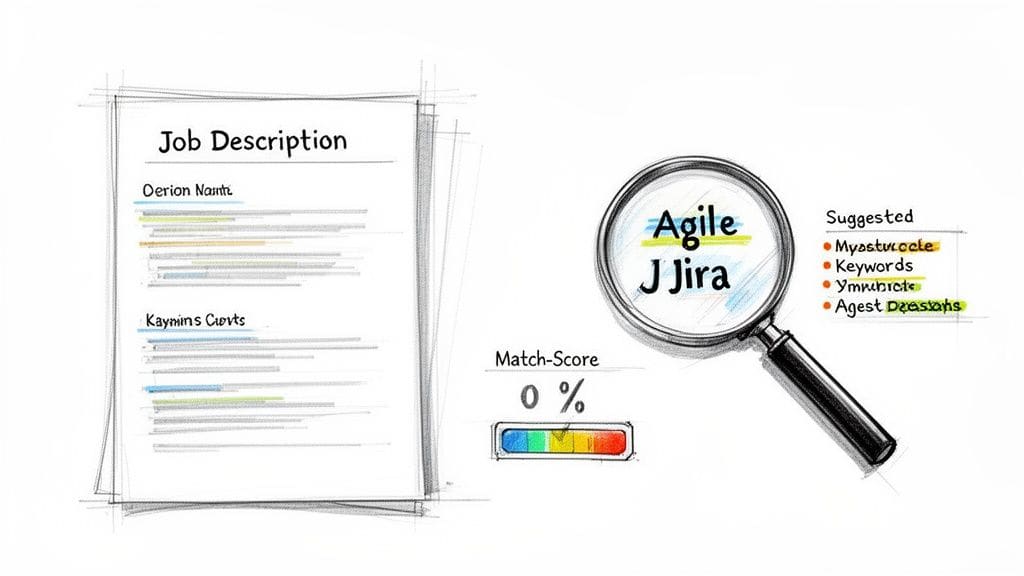
Let's be blunt: a generic resume is an ignored resume. If you want to land more interviews, the single most important thing you can do is tailor your resume for each specific job. This is where a builder gives you a serious edge, especially with a built-in Job Description (JD) Fit Checker that scores your resume against the role in real time.
This feature analyzes the job posting, gives you a match score, and—most importantly—shows you exactly which keywords and skills are missing. It's no longer a guessing game. You get a clear, actionable roadmap to connect your experience with what the employer actually wants to see.
From Mismatch to Perfect Match
Imagine you're a project manager applying for a role at a tech company. You know you have the right experience, but your resume is full of general statements.
- The job description is looking for: 'Agile methodology' and 'Jira.'
- Your resume currently says: "Managed project timelines and deliverables."
- The JD Fit Checker flags this: You get a low match score, highlighting those specific missing keywords.
Armed with this insight, you can immediately tweak your experience bullet point to read: "Managed project timelines and deliverables using Agile methodology and Jira to track progress." That tiny change makes a massive difference, boosting your relevance for both the Applicant Tracking System (ATS) and the recruiter who reads it next.
The goal isn't to dishonestly stuff keywords. It's to ensure the language on your resume accurately reflects the skills you have that are most relevant to that specific job.
Make Every Application Count
With job hunting getting more competitive—think an estimated 3.5 billion online job searches happening each year by 2026—getting past the ATS is a must. A good builder can help you instantly fix up to 85% of common formatting and keyword mistakes that get other people automatically rejected.
We've put together a full guide on this process, so for a deeper dive, check out our walkthrough on how to tailor a resume to a job description for best results. The right tools don't just make the process faster; studies show that AI-driven features can help you close perceived skill gaps by as much as 50%, just by helping you frame your existing experience more effectively. You can discover more insights on the resume tool market to see the full picture.
Finalizing and Sharing Your Resume Like a Pro
You've built your resume and packed it with great content. Now comes the final, crucial step: getting it into the right hands, in the right format. Don't let a simple technical mistake undermine all your hard work.
The non-negotiable standard for sending your resume is as a PDF. This format is the universal language of applications. It locks in your formatting, so what you see on your screen is exactly what the recruiter sees on theirs, whether they're on a Mac, a PC, or a tablet.
Most builders will let you download a PDF with a single click. But before you hit that button, pause and do one last quality check.
- Proofread out loud. Seriously. Reading your resume aloud forces you to slow down and catch the typos and awkward phrases your eyes might otherwise skim over.
- Triple-check your contact details. Is your phone number right? Your email professional? Your LinkedIn URL correct and active? A single digit off can mean a missed opportunity.
- Scan for consistency. Are all your dates formatted the same way? Are your job titles consistent? Small details like this signal professionalism and attention to detail.
Beyond the PDF: The Modern Sharing Edge
While the PDF is your go-to for formal applications, today's best builders give you another asset: a unique, shareable link to a live web version of your resume.
This isn't just a gimmick. It's a smart way to present yourself in the digital age. You can pop this link into your email signature, your LinkedIn bio, or your online portfolio. It offers a clean, mobile-friendly, and always up-to-date view of your credentials. We touch on how this kind of dynamic document works with your professional profiles in our guide on exporting your LinkedIn resume data.
A shareable link shows you're tech-savvy and makes it incredibly easy for recruiters and networking contacts to see your qualifications instantly on any device.
Having both a flawless PDF for uploads and a sleek web link for networking means you're ready for any situation. It ensures your final delivery is just as polished as the resume itself.
Answering Your Top Resume Builder Questions
It's smart to have questions before you trust a new tool with your career. We get it. But let's be direct: a modern quick free resume builder is one of the single best tools you can have for a US job search in 2026.
These platforms are built to solve the exact problems—like getting past Applicant Tracking Systems or just staring at a blank page—that get good candidates ignored.
Let's walk through the three biggest questions professionals ask when they're thinking about switching from a good old-fashioned word processor.
Can a Free Builder Really Create a Professional Resume?
Yes, absolutely. The old idea that "free" means "low quality" is completely outdated when it comes to resume tools. Today's top free builders give you access to professionally designed, ATS-vetted templates that are often miles ahead of what most of us can knock together in Word.
For instance, a platform like CV Anywhere for free resume creation provides the same clean, structured layouts that recruiters actually want to see. When you pair that with an AI writing assistant that helps you turn your duties into measurable achievements, the final resume doesn't just compete with expensive services—it often beats them. It's about working smarter, not just spending more.
Today's best free builders aren't just template libraries; they are intelligent platforms engineered to solve specific job search problems. They give you the structure, content assistance, and technical compliance needed to compete effectively.
How Can I Stand Out if Everyone Is Using Templates?
This is a great question, and the answer comes down to two words: customization and tailoring. A template is your foundation, not the finished building. Using one doesn't make your resume generic; it just makes sure the foundation is solid so you can focus on your content—which is what really gets you hired.
Here's how you make that template uniquely yours:
- Use AI for Ideas, Not as a Crutch: Let the AI writer generate a few achievement-focused bullet points for each of your roles. Then, you step in. Hand-pick the best ones and edit them so they sound like you and reflect your specific accomplishments.
- Tailor for Every Single Application: This is the game-changer. Once you have a strong draft, use a JD Fit Checker to scan the job description. The tool will show you which keywords and skills you're missing. Weaving them in makes your resume feel like it was custom-built for that role, a step most other applicants simply don't take.
Are Online Resume Builders Safe to Use?
Reputable builders absolutely prioritize your privacy and security. Any trustworthy builder will have a clear, easy-to-find privacy policy that explains exactly how your data is stored and handled.
Think of it this way: these platforms are professional tools built for one reason—to help you land a job. They treat your personal information with that same professional standard. The key is to always stick with a well-known platform that has plenty of positive reviews and transparent policies.
Ready to build a resume that opens doors? The CV Anywhere Smart CV Builder combines ATS-friendly templates, AI-powered writing, and a JD Fit Checker to help you craft a job-winning resume in minutes. Get started for free today.