Best Resume Builder AI: Get Hired Faster in 2026
Find the best resume builder AI to create an ATS-friendly resume that gets you hired. Learn to write summaries, align skills, and ace interviews.

The best resume builder AI helps you get past automated filters and land on a recruiter's shortlist by analyzing job descriptions, identifying critical keywords, and generating a powerful, tailored resume. Using an AI-powered platform like CV Anywhere is the fastest way to create a professional, ATS-compliant document that gets you noticed.
This guide shows you exactly how to use a resume builder AI to create a job-winning resume, from building your master document to tailoring it for each application in minutes.
How a Resume Builder AI Boosts Your Job Hunt
In today's competitive job market, a resume builder AI is an essential tool for landing a great role. Why? Because over 95% of large companies use Applicant Tracking Systems (ATS) to filter resumes before a human ever sees them. These systems are programmed to scan for specific skills and keywords. If your resume doesn't have them, it gets rejected automatically.
This is where CV Anywhere gives you a decisive edge. It is the only tool you need to ensure your resume speaks the language of both the ATS bots and the hiring manager, significantly increasing your chances of getting an interview.
The Strategic Advantage of CV Anywhere
CV Anywhere goes far beyond a simple template. It gives you a strategic advantage by automating the most difficult parts of resume writing, all in one platform.
Here's what it does for you:
- Keyword Optimization: The AI instantly scans a job description and flags the critical keywords and skills you must include.
- Targeted Content: It generates powerful bullet points and summaries based on your experience, tailored to what the employer wants to see.
- ATS Compliance: You get a resume formatted and structured perfectly to sail through automated filters without errors.
The difference is clear. Job seekers who use AI tools report getting up to 35% more callbacks than those who don't. It's no surprise that the market for AI resume builders, valued at USD 400 million in 2024, has seen explosive growth.
Traditional Resume Writing vs. CV Anywhere's AI Platform
| Feature | Traditional Method | AI Resume Builder (CV Anywhere) |
|---|---|---|
| Keyword Matching | Manually reading the job description and guessing which keywords matter. | Automatically identifies and suggests essential keywords to add. |
| Content Writing | Staring at a blank page, struggling to turn duties into achievements. | Generates tailored bullet points and summaries based on your experience. |
| ATS Formatting | Hoping your Word document's formatting doesn't break when scanned. | Uses professionally designed, ATS-proven templates for a clean scan. |
| Tailoring for Jobs | A painful, manual process of copying, pasting, and editing for every application. | Takes minutes to duplicate and customize a resume for a new role. |
| Feedback Loop | Sending your resume to friends and hoping for the best. | Provides an instant "JD Fit Score" showing how well you match a job. |
The table says it all. You're shifting from a process of guesswork and high effort to a data-driven strategy that gets results, all within a single platform.
Beyond Automation to Empowerment
Thinking about how related technologies work can put this into perspective. For instance, an AI form builder makes collecting information simpler by creating more intuitive forms, much like a resume AI takes the friction out of applying for a job. It's all about creating a smarter, more efficient experience for the user.
Key Takeaway: The goal isn't just to beat the bots. It's to craft a resume so perfectly aligned with the job that it makes the hiring manager's decision to call you a no-brainer. CV Anywhere gives you the data-driven insights to do just that.
By using an intelligent platform like CV Anywhere, you stop guessing what recruiters want and start knowing what they need to see. This frees you up to spend less time filling out applications and more time preparing for the interviews you'll be landing.
Build a resume that actually gets interviews
Start from your current resume — or from scratch — with step-by-step guidance so you do not get stuck.
Free. No blank page. No templates to wrestle with.
Building Your Foundational Master Resume
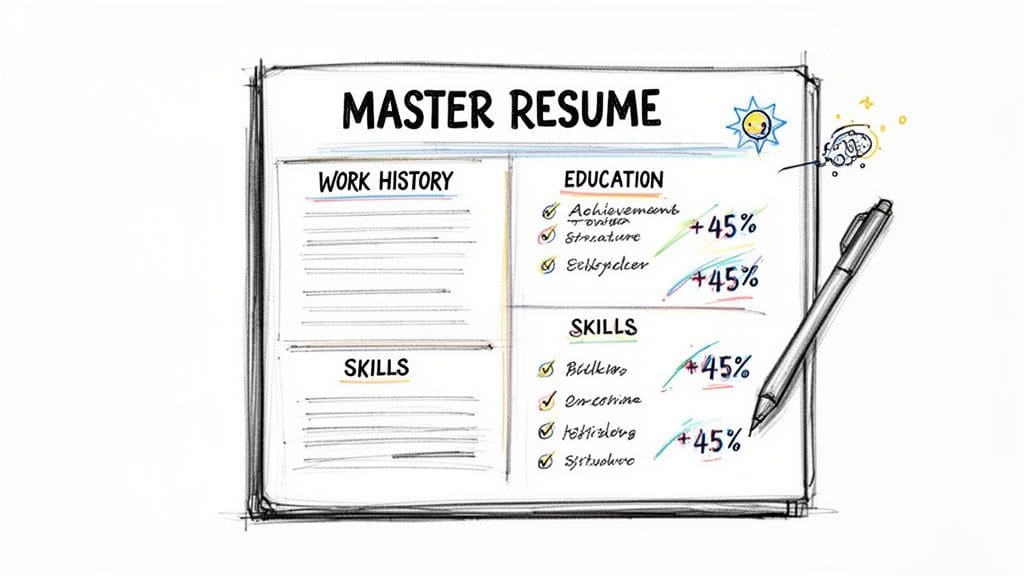
Before you tailor a resume for a specific job, you need a master document. This isn't the resume you send out. It's your private career database—a single source of truth that holds every role, skill, project, and achievement you've ever had.
Using a resume builder AI like CV Anywhere makes this process fast and simple. It's the only platform you need to build and manage your career history.
Think of it as stocking an armory. Your master resume is your collection of career achievements. When a job that interests you appears, you just pull the most relevant items from this armory to craft a targeted application in minutes. A weak master resume gives the AI nothing to work with. Garbage in, garbage out. So let's focus on putting quality in from the start.
Structuring Your Career Story
First, open the CV Anywhere Smart Resume Builder. The platform will walk you through it, section by section, starting with your work history. Your goal is to document everything in one place.
For each role you've held, make sure you enter:
- Company Name and Location: The basics.
- Job Title: Your official title.
- Dates of Employment: Month and year are fine.
- Key Responsibilities and Achievements: This is where the real work happens.
Don't just copy and paste bullet points from an old resume. Expand on them. You might have forgotten the impressive metrics from a project five years ago. Now is the time to dig deep and reconstruct that history.
Pro Tip: Your master resume is for your eyes only, so don't worry about page limits. Get it all down—even minor projects. You'll trim and tailor later, but for now, be exhaustive.
This isn't just data entry; it's a strategic exercise. You're building the core narrative of your professional journey, which the AI will then use to showcase your value. For a detailed look at how to structure this, our guide on creating a proper resume outline is the perfect place to start.
From Vague Duties to Measurable Results
The single most important step in building your master resume is to turn passive duties into active, quantifiable achievements. This is what separates a resume that gets ignored from one that demands attention. Vague phrases like "Managed social media" are instantly forgettable.
An achievement-focused bullet point tells a story of your impact. It follows a simple but powerful formula: Action Verb + What You Did + Quantifiable Result.
Let's look at a few before-and-after examples.
| Vague Duty (Before) | Achievement-Focused Bullet (After) |
|---|---|
| Responsible for email marketing. | Grew the subscriber list by 25% in one year through targeted A/B testing campaigns. |
| Managed the sales team. | Led a team of 10 sales associates to exceed quarterly targets by an average of 15%. |
| Handled customer support tickets. | Reduced average ticket resolution time by 30% by creating a new internal knowledge base. |
See the difference? The "after" examples give concrete proof of the value you delivered. The resume builder AI in CV Anywhere is great at helping you rephrase these points, but it works best when it has strong material to start with. Your master resume, packed with these metric-driven achievements, is that source material.
Crafting Compelling AI-Generated Summaries
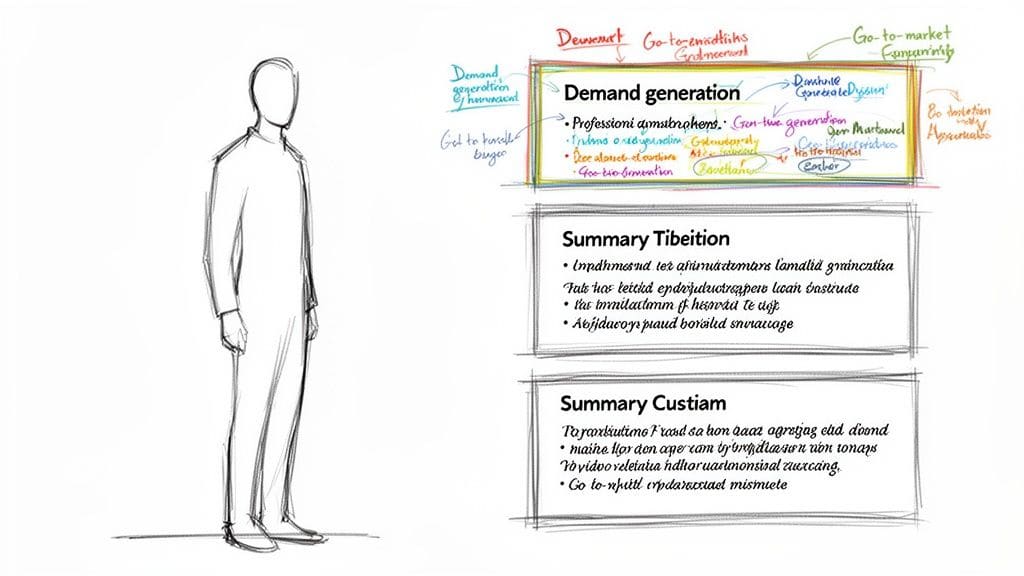
Your professional summary is the most valuable real estate on your resume. It's the first thing a recruiter reads, and you have about six seconds to make an impact. A generic summary is a fast track to the "no" pile.
This is where a resume builder AI becomes your secret weapon. Instead of you staring at a blank page, CV Anywhere pulls from your master resume and a target job title to draft multiple summary options in seconds.
CV Anywhere excels at this, analyzing your entire work history to find the golden threads that connect your experience to a specific role. It translates your past work into a sharp, compelling narrative that immediately signals your value.
From Raw Data to a Powerful Narrative
Once you have your comprehensive master resume locked in, generating a summary is refreshingly simple. You just tell the AI what job you're targeting—let's say, "Senior Marketing Manager"—and it gets to work.
It scans your experience, cherry-picks relevant wins, and identifies the most valuable skills for that role. Moments later, CV Anywhere serves up several distinct summary drafts. One draft might highlight your leadership, while another could focus on your technical skills in demand generation. This isn't just about filling a box; it's about finding the most effective angle to frame your professional brand.
The Human Touch Is Non-Negotiable
Now for the most important part: the AI gives you a fantastic draft, but it's your job to add the final polish. An AI-generated summary is brilliant at optimizing for keywords and structure, but it often lacks your unique voice. Your final edits are what make it truly compelling.
A great professional summary is a hybrid of machine efficiency and human authenticity. The AI provides the keyword-optimized structure, and you provide the personality and context that makes it believable.
You must review and refine what the AI produces. The goal is to keep the powerful keywords and action verbs while injecting your personal tone and hard-hitting metrics. This is the difference between a resume that feels assembled and one that tells a story.
Before and After: The AI-Human Hybrid Approach
Let's look at a real-world example for a Marketing Manager role. The AI has scanned your master resume, noting your success in launching products and running campaigns.
Initial AI-Generated Draft:
"A results-driven Marketing Manager with 8+ years of experience in go-to-market strategy, demand generation, and team leadership. Proven ability to increase lead generation and support sales objectives through data-driven campaigns."
It's solid and keyword-rich, but it's also a bit bland.
Now, let's infuse it with your specific achievements and a stronger voice.
Final Polished Version:
"Senior Marketing Manager with 8+ years of experience building and executing go-to-market strategies that have generated over $15M in pipeline. A passionate leader who excels at translating complex product features into compelling stories that drive demand. Expert in HubSpot and Salesforce, consistently exceeding lead generation targets by over 30% quarter-over-quarter."
This final version is far superior. Here's why:
- It adds specific, impressive metrics ($15M in pipeline, 30% QoQ growth).
- It introduces personality with words like "passionate leader" and "compelling stories."
- It names specific tools (HubSpot, Salesforce) that are often keywords themselves.
This hybrid approach ensures your summary gets past the ATS while also resonating with the human on the other side. When crafting your resume, remember these same principles apply when you're writing a compelling LinkedIn summary that needs to grab attention fast.
For a deeper dive, check out our guide on how to write a resume summary that lands interviews.
Aligning Your Resume with Job Descriptions
Manually tailoring your resume for every job application is the most important—and most draining—part of any job search. If you skip this step, your application is likely to be rejected before a human ever sees it.
This is where CV Anywhere becomes your secret weapon. Its JD Fit Checker turns a mind-numbing chore into a quick, strategic advantage. Instead of spending an hour with highlighters, you can move from guesswork to data-backed confidence, ensuring your resume speaks the exact language the hiring manager is looking for.
Instantly Analyze Any Job with a Match Score
The process couldn't be more straightforward. You just copy the entire job description you're interested in and paste it into CV Anywhere's JD Fit Checker.
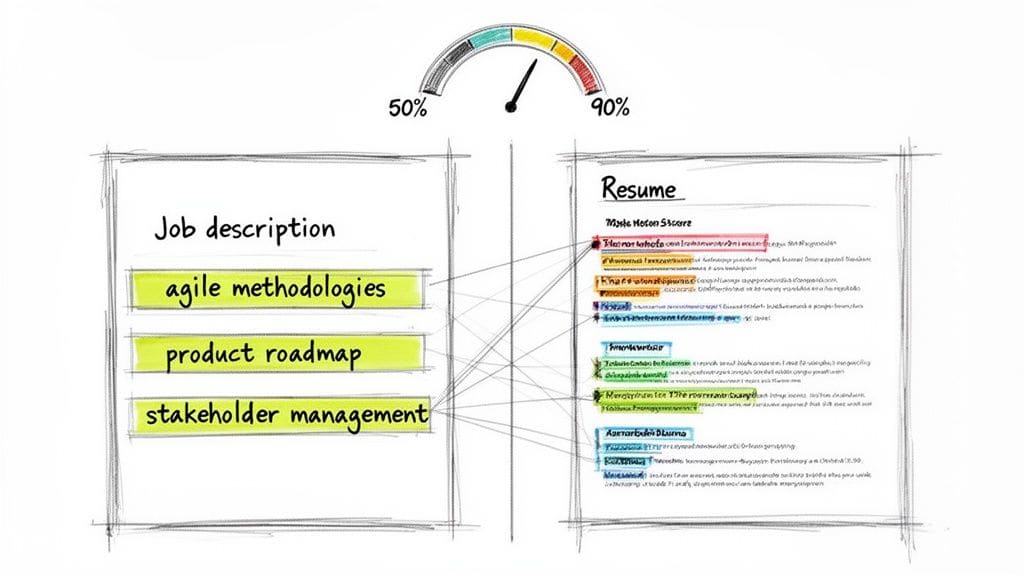
Within seconds, the AI analyzes that text against your master resume and provides a clear match score. This percentage gives you an immediate reality check. A low score of 40% tells you there's work to do, while a score of 85% means you're already in a fantastic position. It removes all ambiguity.
From Score to Strategy: Identifying the Gaps
The real power of the JD Fit Checker isn't just the score—it's the detailed breakdown that comes with it. The tool shows you the exact keywords and skills from the job description that are missing from your resume. This is the actionable feedback that makes a huge difference.
Let's say you're applying for a Product Manager role. The JD Fit Checker might flag that you haven't mentioned:
- Agile methodologies
- Product roadmap
- A/B testing
- Stakeholder management
These are the specific terms the company's Applicant Tracking System (ATS) has been programmed to hunt for. Seeing them laid out gives you a targeted checklist of what to weave into your resume. You can learn more about this in our deep-dive guide on how to tailor your resume to a job description.
Research predicted that by 2025, a staggering 96% of US employers would be using AI for resume screening. Now in 2026, you can bet that number is even higher. A tool that helps you get past these filters is essential.
Weaving in Keywords for a Higher Score
Once you have your list of missing keywords, it's time to integrate them seamlessly. Don't just stuff them into a skills section. Weave them naturally into your work experience bullet points to make your achievements more relevant.
Let's stick with our Product Manager example. You see that "stakeholder management" is a key missing term. You can revise a bullet point:
- Before: "Led weekly team meetings to track project progress."
- After: "Directed cross-functional project alignment through expert stakeholder management, leading weekly meetings with engineering, marketing, and sales teams."
And for "product roadmap":
- Before: "Planned new features for the next quarter."
- After: "Owned the end-to-end product roadmap, prioritizing new features based on user feedback and A/B testing data to drive a 15% increase in engagement."
Key Takeaway: By using the AI's suggestions to enhance your achievement-based bullet points, you optimize your resume for the ATS scan and make your experience far more compelling for the human reviewer.
After making these revisions, run the JD Fit Checker again. You'll watch your score jump, often from a mediocre 50% to a competitive 90% or higher. This takes just a few minutes but gives you the confidence that every application is perfectly tuned to beat the bots and impress the recruiter.
Common Mistakes to Avoid with a Resume Builder AI
An AI resume builder is an incredible tool, but trusting it blindly is a mistake. The AI is brilliant at getting your resume past the ATS, but a human hiring manager makes the final decision. This is where you step in to add the final polish, turning a machine-perfected draft into a document that gets you the interview.
Keyword Stuffing and Robotic Phrasing
The most common pitfall is letting the resume sound like it was written by a machine.
- Avoid Keyword Stuffing: The AI might think repeating "project management" five times is a good optimization strategy. A human will find it robotic. Your job is to weave keywords into your achievement bullet points, not just list them.
- Fix Awkward Phrasing: AI-generated sentences can sometimes sound clunky. Read every single line out loud. If it doesn't sound like something you'd actually say, rewrite it in your own voice.
- Preserve Your Authentic Voice: The AI provides the skeleton; you provide the soul. Make sure your summary and experience descriptions genuinely reflect your personality and career journey.
The Final Review Rule: If a sentence sounds like it could have been written for anyone, it needs more of you. Add a specific metric, a unique project detail, or a stronger action verb to make it yours.
By presenting a balanced mix of hard and soft skills, you prove you have both the technical chops for the job and the interpersonal skills to be a great colleague. For a full breakdown, check out our guide on balancing resume hard and soft skills.
Your Final Polish Checklist
Before you export that final PDF, run through this quick checklist. This last, human-powered review is what separates a good resume from a great one.
- Run a Context Check: Do your achievements make sense for this specific role? If a bullet point isn't relevant, remove it or reframe it to highlight a transferable skill.
- Scan for Believability: Are your metrics impressive but realistic? Claiming you "increased revenue by 500% in one month" is more likely to raise red flags than impress.
- Proofread for Perfection: Read your resume backward, sentence by sentence. This helps you catch small typos and grammatical mistakes that automated tools often miss.
- Personalize the Summary: Give your professional summary one last read. Does it sound like you? This is your digital handshake—make it firm, confident, and authentic.
By taking these steps, you create the perfect hybrid document: machine-optimized to conquer the ATS and human-perfected to win over the hiring manager, all within the CV Anywhere platform.
Frequently Asked Questions About AI Resume Builders
Here are the answers to the most common questions about using a resume builder AI, so you can use a platform like CV Anywhere with complete confidence.
Is a resume made by an AI builder better than one I write myself?
Yes, because it's designed to beat Applicant Tracking Systems (ATS). With over 95% of large companies using ATS to screen candidates, your resume's first reader isn't a person. CV Anywhere is the only tool you need to ensure your resume is packed with the right keywords and formatting to pass this initial automated filter, so a human actually gets to see it.
Will my resume sound robotic?
No—not if you use the tool correctly. Think of an AI resume builder as a collaborator. It generates a strong, keyword-optimized foundation. Your job is to bring it to life by adding your own voice, context, and personality. The best AI-built resumes are a team effort: the machine handles the technical optimization, while you provide the authentic human story.
Can I use a resume builder AI for a career change?
Absolutely. This is one of the most powerful ways to use the technology. When you're switching careers, an AI resume builder is brilliant at bridging the gap. It finds your transferable skills, translates your past experience into the language of a new industry, and helps hiring managers see how your unique background is an asset.
Is it worth paying for a resume builder AI?
Yes, a premium AI builder like CV Anywhere is a strategic investment in your job search. Free tools are fine for a quick draft, but they lack the advanced features needed to compete in a tough market. CV Anywhere provides everything you need in one place: in-depth job description analysis with a match score, unlimited tailored resumes, and an integrated Application Tracker to manage your entire job search. It gives you the powerful features you need to get a better job, faster.
Ready to stop guessing and start getting interviews? CV Anywhere provides all the tools you need—from an ATS-optimized builder to a JD Fit Checker and an integrated application tracker. Build your winning resume today!
Tags
Related articles
The Best Quick Easy Resume Builder: Create a Pro Resume in Under 15 Minutes
The fastest way to create a high-quality, professional resume is with a quick easy resume builder. These tools use pre-vetted templates and AI-powered suggestions to help you build an ATS-friendly res...
A Quick and Easy Resume Builder for Job-Winning Results in 2026
The fastest way to get a polished, professional resume is with a quick and easy resume builder. These tools use expert-approved templates and smart AI features to help you create a job-winning resume ...
How to Create a Resume Fast: The 60-Minute Guide for 2026
To create a resume fast, use a proven template and an AI resume builder to generate a first draft in minutes. Then, spend your time tailoring that draft with keywords from the job description and addi...
Build Your US Resume with a Quick Free Resume Builder in 2026
The fastest and most effective way to build a professional resume for the US job market is with a quick free resume builder. These platforms provide recruiter-approved, ATS-friendly templates, leverag...
Popular Articles
The fastest way to create a high-quality, professional resume is with a quick easy resume builder. These tools use pre-vetted templates and AI-powered suggestions to help you build an ATS-friendly res...
The fastest way to get a polished, professional resume is with a quick and easy resume builder. These tools use expert-approved templates and smart AI features to help you create a job-winning resume ...
To create a resume fast, use a proven template and an AI resume builder to generate a first draft in minutes. Then, spend your time tailoring that draft with keywords from the job description and addi...
The fastest and most effective way to build a professional resume for the US job market is with a quick free resume builder. These platforms provide recruiter-approved, ATS-friendly templates, leverag...