To get an interview in 2026, your resume must be written for two audiences: an automated screening bot (ATS) and a human recruiter who will only spend 10 seconds reviewing it. The best way to satisfy both is to use a reverse-chronological resume format with clear headings, ATS-friendly keywords from the job description, and achievement-focused bullet points.
This guide provides a step-by-step process with examples to build a resume that passes the bots and impresses recruiters, landing you more interviews.
Crafting a Resume for the Modern Job Market
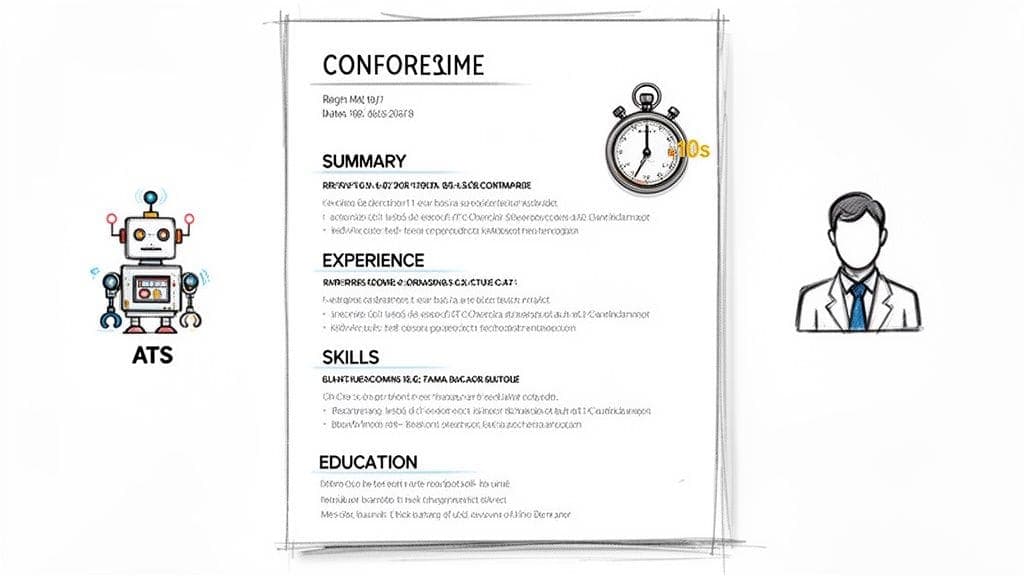
Think of your resume as your personal marketing document, not your life story. Its only job is to communicate your value so convincingly that the hiring manager has to call you for an interview. It's a highlight reel, designed to pass two critical tests.
First, you're writing for technology. The Applicant Tracking System (ATS) is your initial gatekeeper, scanning for specific keywords and formatting to determine if you're a match. If your resume isn't structured for this software, a person may never see it.
Second, you must impress a human. Once past the ATS, a hiring manager needs immediate proof that you can solve their problems. This is where your accomplishments—backed by clear, measurable results—do the heavy lifting.
The Best Resume Format: Reverse-Chronological
Your first big decision is choosing a format. While there are a few options, the reverse-chronological format is the undisputed standard in the US job market. It lists your work experience from most recent to oldest, making it easy for recruiters to see your career progression.
| Format Type | Best For | Why It Works |
|---|---|---|
| Reverse-Chronological | Nearly everyone, especially professionals with a steady work history. | It's the easiest to scan and clearly shows career growth. Recruiters and ATS bots prefer it. |
| Functional | Career changers or those with significant gaps in employment. | Focuses on skills rather than a timeline. Use with caution: many recruiters find it suspicious. |
| Combination (Hybrid) | Highly skilled professionals or career changers with relevant skills. | Blends formats, starting with a strong skills summary. Can be effective but is harder to format for ATS. |
For the vast majority of job seekers, the reverse-chronological format is the safest and most powerful choice. It lays out your career path in a logical, easy-to-follow story that recruiters know and understand. They can quickly see your most recent—and most relevant—experience right at the top. This is exactly what a busy hiring manager wants.
For a deeper dive into getting this layout right, check out our guide on creating a modern format for your resume.
Is your resume actually getting responses?
Your resume might be missing something important
Upload your resume → see its weakest areas → fix them, one by one.
Free. Takes less than 2 minutes.
How to Build Each Resume Section for Maximum Impact
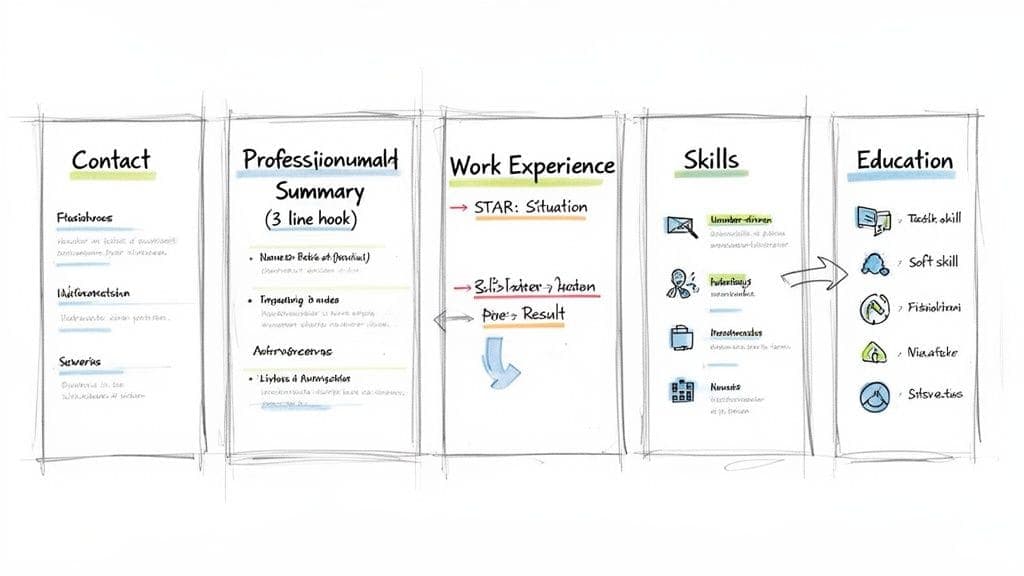
A powerful resume is more than a list of jobs. Each section works together to build a compelling case for why you deserve an interview. Here's how to craft the essential sections of a modern resume: Contact Information, Professional Summary, Work Experience, Skills, and Education.
1. Contact Information
This section seems obvious, but errors here are common and fatal. If a hiring manager can't easily contact you, the rest of your resume is worthless. Place this information at the very top.
Include these four essential items:
- Full Name: Use a slightly larger, bolded font to make it stand out.
- Phone Number: Your mobile number.
- Professional Email Address: Use a standard format like
FirstName.LastName@email.com. - LinkedIn Profile URL: Customize your URL to remove the random numbers at the end for a cleaner look.
2. The Professional Summary
This is your 10-second elevator pitch. In 3–4 sentences, you must grab the recruiter's attention and convince them to keep reading. A great summary tells them who you are, what problems you solve, and what you've achieved.
Weak Example:
"Experienced professional seeking a challenging new role."
Strong Example:
"Results-driven Digital Marketing Manager with over 8 years of experience leading SEO and PPC campaigns for B2B tech companies. Proven success in increasing organic traffic by 150% and reducing cost-per-acquisition by 30%. Eager to apply expertise in data analysis and campaign optimization to drive growth at a mission-focused organization."
The strong example is packed with specifics, metrics, and value-oriented language that immediately resonates with a hiring manager.
3. Work Experience
This is the core of your resume. Your goal is not to list job duties but to showcase accomplishments. The best way to do this is with the STAR method (Situation, Task, Action, Result), which turns a boring responsibility into a compelling achievement.
Don't just say this:
- Responsible for managing social media accounts.
Instead, show your impact:
- Led a complete overhaul of the company's social media strategy (Action), resulting in a *45% increase in audience engagement and 20% growth* in followers within six months (Result).
Quantify your achievements whenever possible. Use percentages, dollar amounts, or time saved to provide the concrete proof recruiters need.
4. The Skills Section
Your skills section is critical for passing ATS filters. It should be a clean, scannable list of your most relevant abilities, pulled directly from the job description.
Organize your skills into clear categories:
- Technical Skills: List specific software, programming languages, and tools (e.g., Python, SQL, Salesforce, Adobe Creative Suite).
- Soft Skills: Include high-impact abilities like Leadership, Communication, Project Management, and Problem-Solving.
- Languages: State your proficiency clearly (e.g., Fluent, Proficient, Basic).
Pro Tip: Don't use generic skills. Read the job description carefully and mirror its language. If it asks for "data visualization," use that exact phrase.
For specialized training, consider a dedicated section for professional certifications to immediately validate your expertise.
5. Education
Where you place your education section depends on your experience. If you're a recent graduate, it belongs near the top. If you have a few years of experience, move it toward the bottom.
Include your degree, university, and graduation date. If you graduated more than 10 years ago, it's acceptable to omit the date. Only include your GPA if it was 3.5 or higher.
For a full breakdown of these sections, see our guide on the essential components of a resume.
Formatting Your Resume to Beat the Bots
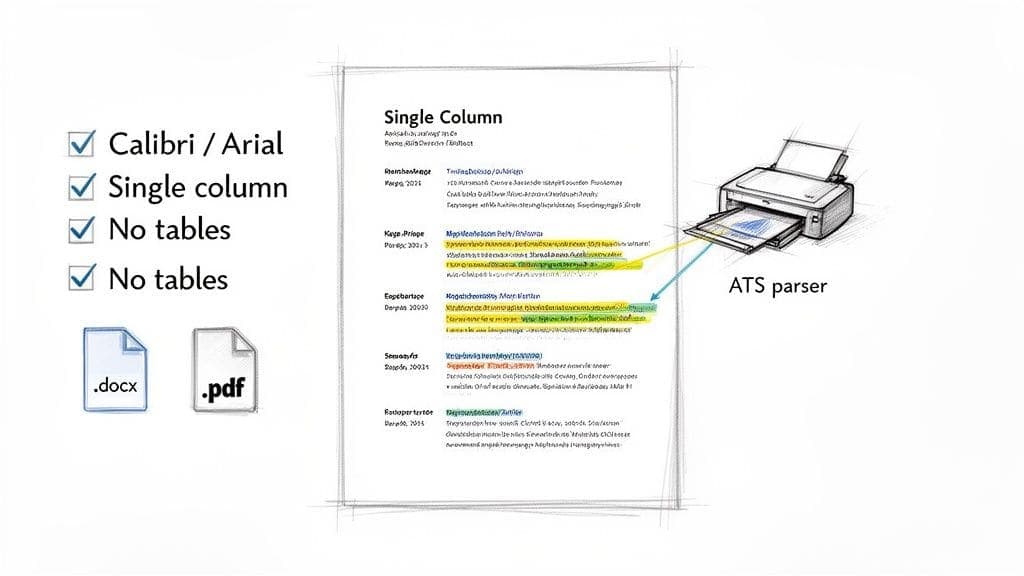
Before a human sees your resume, an ATS will scan it. If this software can't read your formatting, you'll be rejected automatically. Getting the formatting right is non-negotiable.
Core Principles of ATS-Friendly Formatting
The golden rule is simplicity. ATS software is not impressed by fancy graphics or complex layouts.
- Layout: Use a clean, single-column layout.
- Fonts: Stick to standard fonts like Calibri, Arial, Garamond, or Times New Roman, between 10 and 12 points.
- File Type: Save your resume as a .docx file. Some older ATS have trouble with PDFs, so .docx is the safest bet unless the job ad specifies PDF.
- Headings: Use standard headings like "Work Experience," "Education," and "Skills." Creative titles like "My Professional Journey" will confuse the ATS.
Common Formatting Mistakes to Avoid
Certain design choices are notorious for causing ATS errors. Avoid these at all costs:
- Tables and Columns: Multi-column layouts can cause the ATS to read information out of order.
- Headers and Footers: Information in headers or footers is often ignored. Keep all critical info, like contact details, in the main body.
- Images, Icons, and Graphics: These are unreadable to an ATS and just waste space.
Our comprehensive guide shows you exactly how to optimize your resume for ATS and ensure your application makes the cut.
How to Tailor Your Resume for Each Job Application
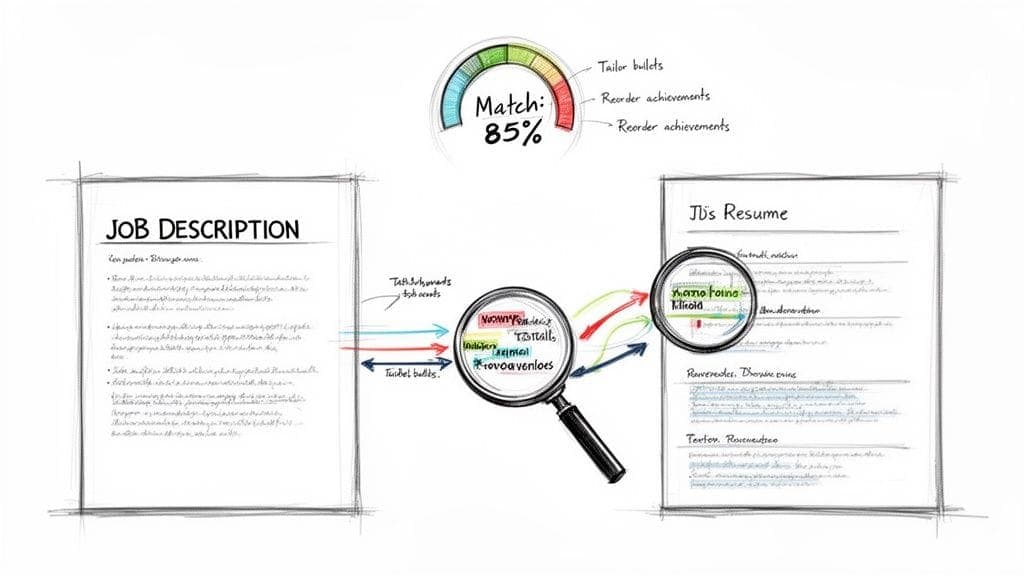
Sending a generic, one-size-fits-all resume is the fastest way to get rejected. Tailoring your resume isn't about rewriting the whole thing; it's about making strategic tweaks to show you are the perfect solution for a specific role.
How to Analyze a Job Description
Before touching your resume, dissect the job description. This is your cheat sheet.
Look for:
- Must-Have Requirements: Phrases like "required" or "must have."
- Key Responsibilities: The top 3-5 duties of the job.
- Keywords and Software: Note every tool, software, or methodology mentioned (e.g., Salesforce, Python, Agile).
- Company Culture Clues: Words like "fast-paced" or "collaborative."
Three High-Impact Edits to Make
Focus your energy on these three areas for the biggest impact:
- Professional Summary: Rewrite your 3-4 sentence summary to speak directly to the role. Mention the company's name and 1-2 key skills from the job description.
- Work Experience Bullet Points: Reorder your bullet points under your most recent role. Move achievements that directly match the job description's top responsibilities to the top of the list.
- Skills Section: Adjust your skills to match the exact terminology in the job post. If they ask for "Client Relationship Management," use that exact phrase, not "Customer Service."
This process is critical. For a step-by-step walkthrough, our article explains exactly how to tailor your resume to a job description.
Common Resume Mistakes That Cost You Interviews
Even the best candidates get rejected due to simple, avoidable errors. These blunders make a hiring manager move on in seconds.
Using Passive vs. Active Language
Passive language makes your achievements sound like a boring list of duties. Use strong action verbs to show ownership and impact.
- Passive (Weak): Was responsible for managing the quarterly marketing budget.
- Active (Strong): Managed a *$250,000 quarterly marketing budget, reallocating 15%* of funds to high-performing channels to boost ROI.
The second version uses a strong verb ("Managed") and backs it up with a number-driven result, proving your value.
Other Costly Errors to Avoid
Check your resume for these common mistakes:
- An Unprofessional Email: Your old
sk8rboi2009@email.comaddress has to go. Use a format likeFirstName.LastName@email.com. - A Resume That's Too Long: For anyone with under 10 years of experience, a one-page resume is the gold standard.
- A Generic File Name: Never submit a file named
resume.pdf. Use a clear format likeFirstName-LastName-Resume.pdf. - Typos and Grammatical Errors: Proofread your resume multiple times. A single typo can signal a lack of attention to detail.
For a deeper dive into technical blunders, check our guide on common ATS resume mistakes.
Frequently Asked Questions About Writing a Resume
Here are clear, practical answers to the most common questions we hear from job seekers.
How Long Should My Resume Be?
For most professionals with under 10 years of experience, a single page is best. It forces you to include only your most relevant and high-impact achievements. If you are a senior-level executive with a long, relevant career, a two-page resume is acceptable, but every point on that second page must add significant value.
Should I use a creative resume template?
No, unless you are in a creative field like graphic design. Creative resumes with graphics, unusual fonts, or multiple columns often fail when scanned by an Applicant Tracking System (ATS). The software can't parse the information correctly, leading to an automatic rejection. Stick with a clean, professional, single-column format.
How do I handle employment gaps on my resume?
Employment gaps are common and not a deal-breaker if handled correctly. Be honest and frame the gap positively. Never lie about employment dates. One simple strategy is to use years instead of months for employment dates (e.g., 2021–2023), which can visually cover shorter gaps. For longer gaps, you can add a single, confident line to explain it, such as "Professional Development (2023): Completed certifications in Project Management and Google Analytics."
Do I need a different resume for every application?
Yes, but you don't need to start from scratch. Create a master resume that includes all your experience and achievements. Then, for each application, create a copy and tailor it by tweaking your summary, reordering bullet points, and adjusting your skills section to match the specific job description. This targeted approach significantly increases your chances of getting an interview.
Ready to stop struggling with formatting and start landing interviews? With CV Anywhere, you can build an ATS-friendly resume, get instant feedback on how well it matches a job description, and track all your applications in one organized dashboard. Try CV Anywhere for free and build your interview-winning resume today.