How to Write a CV Quickly: A 60-Minute Guide
Need to write a CV quickly? Our step-by-step guide shows you how to create a polished, ATS-friendly CV in 15, 30, or 60 minutes. Get started now.

You’re probably here because a job has landed in your inbox and you need to write a CV quickly without sending something sloppy. The good news is that speed isn’t the problem. Bad priorities are. A fast CV works when you focus on the few parts recruiters and ATS software care about first, then add polish only if you still have time.
If you need a practical answer, use this rule. Start with a simple CV, pull keywords from the job description, update your latest role first, and make the top third of page one do the heavy lifting. That’s how you get a CV out in 15, 30, or 60 minutes without wasting time on formatting theatre.
Table of Contents
- The 5-Minute Triage Before You Write
- The 15-Minute Emergency CV Update
- The 30-Minute Polished Draft Workflow
- The 60-Minute Comprehensive Speed Run
- Quick Fixes For Common CV Mistakes
- Frequently Asked Questions
Build a CV that actually gets interviews
Start from your current CV — or from scratch — with step-by-step guidance so you do not get stuck.
Free. No blank page. No templates to wrestle with.
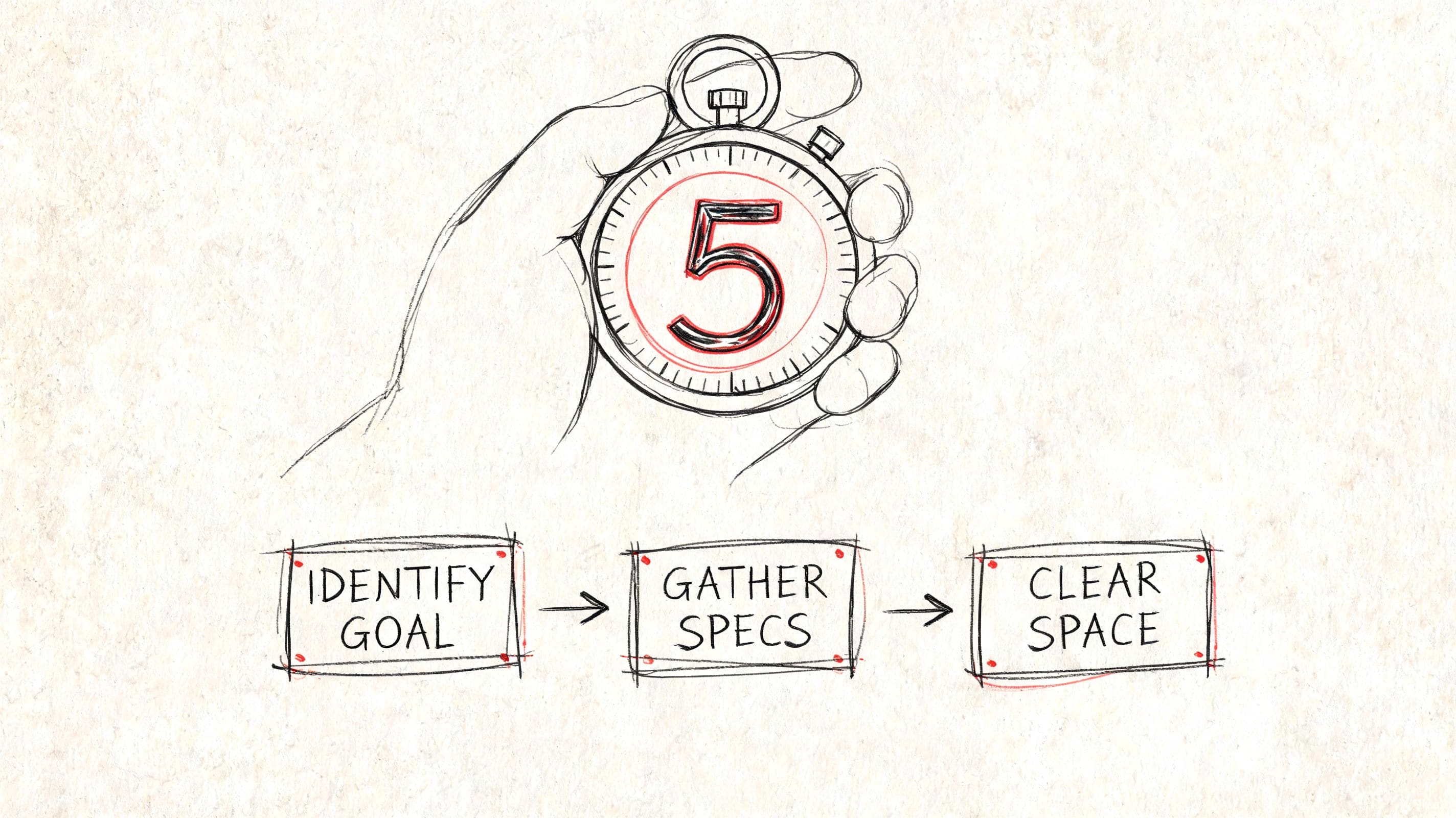
The 5-Minute Triage Before You Write
Job seekers often lose time before they write a single line. They hunt for an old CV, open five tabs, copy text from LinkedIn, then start tweaking fonts. That’s backwards. If you want to write a CV quickly, the fastest move is to remove decisions before the timer starts.
Recruiters report spending only 6 seconds on an initial CV scan, yet most advice doesn’t reconcile fast formatting with ATS compliance, which is exactly why rushed CVs often fail either the human check or the machine check, as noted by The Undercover Recruiter on simplifying a long CV while keeping it sophisticated.
Get the right documents open first
Open only four things:
- Your current CV. Even if it’s old, it gives you dates, titles, and structure.
- Two or three target job descriptions. Not ten. You’re looking for repeated wording, not endless variety.
- Your LinkedIn profile or work history notes. Useful for titles, dates, and projects.
- Any proof of outcomes. Performance reviews, appraisal notes, sales figures, project summaries, or training records.
That gives you enough to work fast without digging through old files mid-sprint.
Practical rule: If you stop to remember dates, systems, or achievements while writing, your prep was too thin.
I also recommend keeping one document as a master CV. This isn’t the version you send. It’s the full working record of your experience, projects, training, systems, and rough achievement bullets. The shorter customized version comes from that. If your current draft feels messy, a CV review checklist can help you spot weak sections quickly.
Choose a template that won’t fight you
A quick CV should be plain. That’s not a style compromise. It’s a speed advantage.
Use a layout with:
- Standard headings such as Profile, Experience, Education, Skills
- One-column structure so ATS tools can read it cleanly
- Simple fonts like Arial or Calibri
- Bullet points, not dense paragraphs
- No tables, text boxes, icons, or graphics
What doesn’t work when time is tight:
- Two-column Canva-style layouts
- Decorative skill bars
- Profile photos
- Fancy headers with split contact details
- Constant design edits
The actual trade-off is simple. A visually clever CV can slow you down and create parsing problems. A basic layout lets you move straight to the content that matters.
Set up your writing sprint properly
Before you begin, make your environment boring:
- Close unrelated tabs
- Put the job description beside your CV
- Set a visible timer
- Save the file with a proper name
- Pick the deadline version now, either emergency, polished, or full rebuild
That last point matters. A 15-minute CV and a 60-minute CV are not the same task. People run into trouble when they try to produce a premium draft on an emergency clock.
The 15-Minute Emergency CV Update
A 15-minute CV is not your ideal application. It’s your damage-control version. You use it when the deadline is close, the role is worth a shot, and your current CV is too old to send safely.
With recruiters spending as little as 5 to 10 seconds on a CV and with around 118 applicants per job in the UK, a 15-minute update has to focus on the information most likely to survive that first scan, according to Twin Employment’s UK CV statistics summary.
What to change immediately
Forget perfection. Fix the highest-risk gaps first.
Minute 1 to 3
Update your contact block.
- Name and mobile number
- Professional email address
- LinkedIn URL, if it’s current
- Location, if relevant for the role
Minute 4 to 7
Add or correct your most recent role.
Include:
- Job title
- Employer
- Dates
- A one-line scope statement if the title is vague
Minute 8 to 12
Write two or three bullet points for your latest role. Make them specific enough to sound credible. If you have hard numbers, use them. If you don’t, use outcomes, ownership, scale, or process improvement.
Examples:
- Managed inbox and diary coordination for a busy operations team, handling scheduling changes and urgent requests accurately.
- Supported onboarding for new starters by preparing documents, arranging systems access, and resolving first-week admin issues.
- Helped reduce delays in monthly reporting by improving file organisation and chasing missing inputs earlier.
Minute 13 to 15
Check dates, spelling, and file format. Then save and send.
If you need a clean starting point fast, use an urgent CV template built for last-minute applications.
What to ignore until later
This is where people burn time. In an emergency update, do not spend your final minutes on low-value edits.
Leave these alone unless they’re obviously broken:
- Older roles
- Education detail beyond basics
- Long personal summary rewrites
- Minor wording changes across the whole document
- Design tweaks
A rushed CV doesn’t fail because one old bullet is average. It fails because the latest role looks outdated, the contact details are wrong, or the first half-page says nothing useful.
If you’re a graduate or career changer, the same logic applies. Put your most relevant material nearest the top. That might be a placement, internship, volunteering project, coursework, or transferable experience from another sector. The urgent version only needs to be current, readable, and aligned enough to avoid immediate rejection.
The 30-Minute Polished Draft Workflow
Thirty minutes provides sufficient time to move beyond survival mode. Your CV begins to look intentional at this stage. You’re not just updating facts. You’re shaping the first page so it reads like a match for the role.
UK employers report that poor formatting is a top-three reason for rejecting a CV, and a 30-minute workflow should use an ATS-friendly structure to avoid the 40% of parsing errors caused by tables or graphics while aligning skills to the job description to beat the typical 51% ATS pass rate, according to this ATS-focused CV guidance video.
Fix the top third of page one
If time is limited, the top third of page one gets priority over everything else. That area usually decides whether a recruiter keeps reading.
Use that space for four things:
- Name and contact details
- A short profile
- Key skills
- Your latest and most relevant experience
Your profile should be short and pointed. Not a life story. Not a personality statement. Just a clear professional summary that mirrors the role.
Weak version:
“Hard-working professional with excellent communication skills looking for a new challenge.”
Stronger version:
“Operations administrator with experience supporting scheduling, reporting, and stakeholder coordination in fast-paced teams. Strong background in diary management, document control, and handling competing deadlines accurately.”
If you need help tightening this part, a guide on writing a better CV personal statement is the logical next step.
Use job description language without copying it badly
Tailoring often fails at this stage. Candidates either disregard the job description or insert phrases into the CV so transparently that the document reads like a stitched-together advert.
A faster approach is to scan the job description for repeated terms and sort them into three groups:
- Core skills such as stakeholder engagement, Excel, case management
- Core tasks such as reporting, scheduling, client support
- Required traits or standards such as accuracy, organisation, communication
Then update two areas only:
Your profile
Mirror the role language naturally. If the advert says “stakeholder engagement” and “co-ordination”, use those exact terms where truthful.
Your skills section
List the skills the role asks for. Keep it clean.
Example skills block:
- Stakeholder engagement
- Diary management
- Reporting and data entry
- Document control
- Customer support
- Microsoft Excel
- Case tracking
- Team co-ordination
Put the language recruiters expect in the places they expect to find it. That’s faster and safer than trying to force keywords into every bullet point.
Keep the formatting plain on purpose
When people have a little more time, they often make the CV worse by “improving” the design. Resist that urge.
Stick to:
- One column
- Clear section headings
- Consistent spacing
- Standard bullet points
- PDF or Word format if the employer asks for it
At 30 minutes, polish comes from cleaner prioritisation, not decoration.
The 60-Minute Comprehensive Speed Run
An hour is enough to produce a strong CV from scratch or do a serious rebuild. That’s the sweet spot for many candidates. You have time to think, but not enough time to drift.
In the UK market, 70% of applications fail due to generic CVs, and a 60-minute method that focuses on quantified achievements, with 60% of bullets aiming to include metrics and over 75% keyword density, can increase callbacks by up to 3x, according to Barclay Simpson’s CV mistakes research summary.
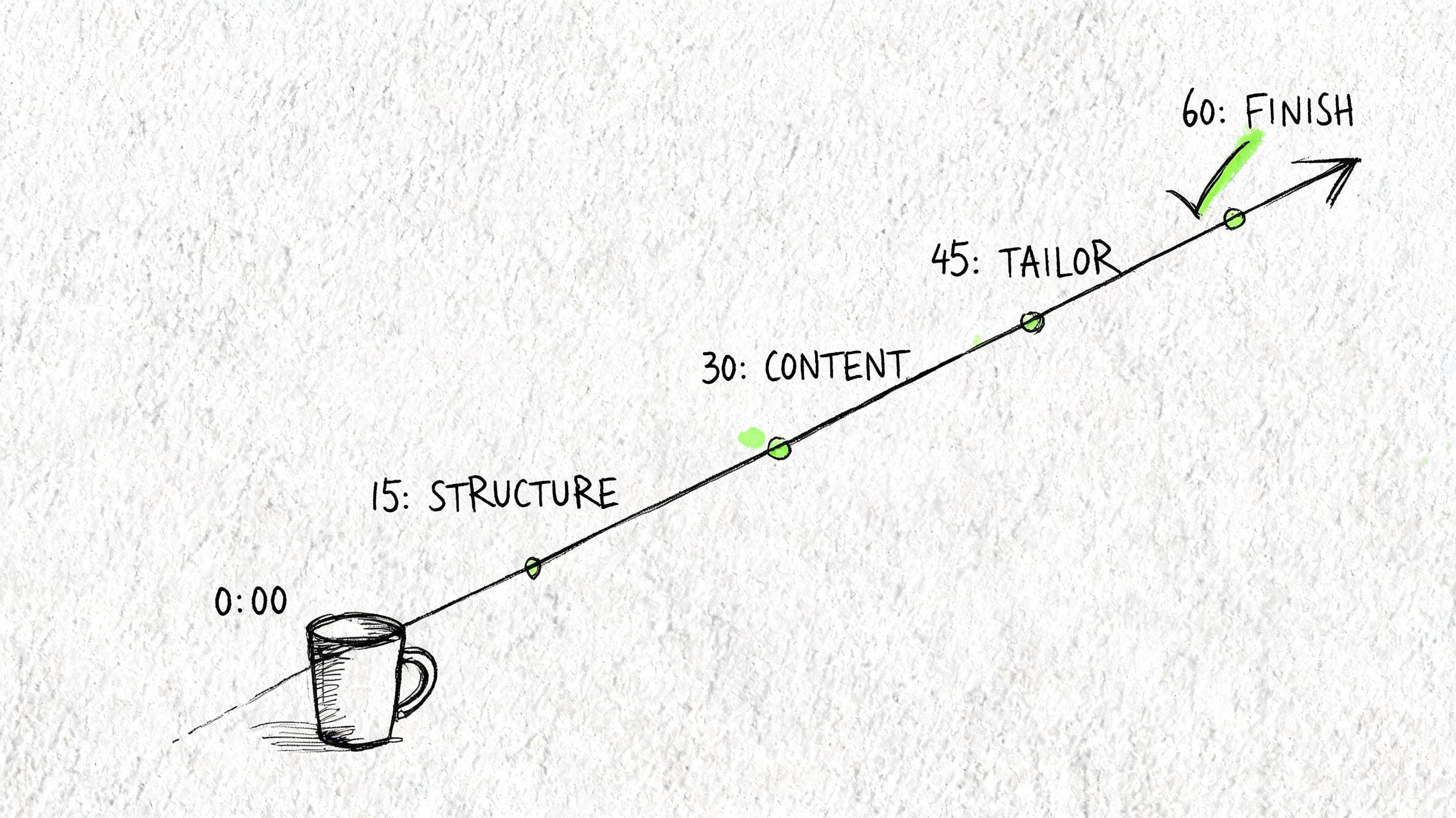
A one-hour schedule that actually works
Use the hour in blocks. Don’t freestyle it.
| Time block | What to do | What matters |
|---|---|---|
| 0 to 10 minutes | Gather old CV, target job description, LinkedIn, notes | Set direction before writing |
| 10 to 30 minutes | Draft experience bullets for recent and relevant roles | Focus on outcomes, not duties |
| 30 to 45 minutes | Write profile and skills section using job description language | Align the top of page one |
| 45 to 60 minutes | Proofread, shorten, format check, export | Remove friction before submission |
This works because each block has a job. When candidates struggle to write a CV quickly, it’s usually because they keep jumping between sections.
How to turn duties into achievements fast
The fastest useful formula is this:
Action + task + result
If you have numbers, use them. If you don’t, use one of these substitutes:
- speed
- accuracy
- volume
- ownership
- complexity
- customer impact
- process improvement
Examples of weak duty-based bullets:
- Responsible for answering customer emails
- Helped with monthly reports
- Worked with different teams
Faster improved versions:
- Handled customer email queries and escalations, resolving routine issues accurately and passing urgent cases to the right teams.
- Supported monthly reporting by gathering inputs, checking data, and preparing files on time for review.
- Co-ordinated with operations, finance, and customer support teams to keep day-to-day admin moving without delays.
If you do have measurable outcomes, use them. Don’t force them where they don’t exist. Invented numbers are easy to spot.
Where AI helps and where it hurts
AI is useful when you treat it as a drafter, not a truth machine. It’s good at speeding up first drafts, tightening wording, and suggesting stronger verbs. It’s dangerous when people copy its output without checking facts, dates, and tone.
Good uses of AI:
- Turning notes into bullet points
- Rewriting vague lines into cleaner language
- Extracting repeated keywords from a job description
- Producing summary options you can edit
Bad uses of AI:
- Making up achievements you never had
- Stuffing in every keyword from the advert
- Writing polished nonsense that doesn’t sound like your experience
- Creating identical bullets across every role
A safe prompt looks like this:
Rewrite these work notes into five CV bullet points for a UK administrative role. Keep the wording factual, concise, ATS-friendly, and based only on the information provided.
That last phrase matters. Based only on the information provided.
If you want AI support without losing control of the content, an AI CV writing guide can help you use these tools properly.
A quick example of a one-hour rewrite
Here’s how a vague line becomes usable in a single pass.
Before
“Responsible for supporting the team and helping with admin.”
After
“Supported a busy team with scheduling, document preparation, inbox handling, and follow-up tasks, helping keep day-to-day admin accurate and on time.”
Another example.
Before
“Worked on customer issues.”
After
“Handled customer queries across email and phone, resolved routine issues promptly, and escalated complex cases with clear notes for follow-up.”
That’s the standard to aim for in a one-hour speed run. Not literary brilliance. Clear proof that you did useful work and can do it again in a similar role.
Quick Fixes For Common CV Mistakes
A decent CV can still fail on avoidable mistakes. Most of them aren’t deep writing problems. They’re simple errors that create doubt, confuse ATS tools, or make the document look careless.
UK recruitment data shows that over 70% of CVs are rejected by ATS filters before a human sees them, and common errors such as going beyond two pages, writing in the third person, or using an unprofessional email address are easy to fix, with 43% of third-person CVs rejected and 76% ignored if the email address looks unprofessional, according to CV Help’s UK CV statistics. For a deeper diagnostic pass, this guide to ATS CV mistakes is the right companion piece.
Common CV Mistakes and How to Fix Them Fast
| Common Mistake | Why It's a Problem | The Quick Fix |
|---|---|---|
| Unprofessional email address | It undermines credibility before your experience is considered | Use a simple email based on your name |
| Third-person writing | It sounds awkward and gets rejected often | Write directly. Drop “John is” and start with the verb or outcome |
| CV longer than two pages | It suggests weak prioritisation | Cut old detail, shorten early roles, and keep relevant content |
| Keyword-free skills section | ATS tools may miss your match to the role | Add core terms from the job description that genuinely fit |
| Dense paragraphs | Recruiters can’t scan them quickly | Break experience into short bullets |
| Clichés like “team player” | They add no proof | Replace with evidence of collaboration or delivery |
| Dates that don’t line up | They create doubt fast | Check every role for month and year consistency |
| Fancy layout elements | They can break ATS parsing | Remove tables, graphics, text boxes, and visual rating bars |
A fast self-check helps:
- Read the first half-page only. If it doesn’t show role fit, rewrite that part first.
- Scan every bullet for proof. If it only describes a duty, sharpen it.
- Check contact details last. Small error, big consequence.
If a recruiter can’t tell what you do, what level you’re at, and what kind of role fits you within a quick scan, the CV still needs work.
Frequently Asked Questions
Is a 15-minute CV ever good enough
Yes, for an urgent application. No, for your best opportunity. A 15-minute draft is there to make your CV current, credible, and safe to submit. If the role matters, come back and do the 30-minute or 60-minute version.
What’s the fastest way to tailor a CV
Change the profile, skills section, and the top bullets in your most relevant role. That gives you the biggest return for the least effort.
Should I use AI to write a CV quickly
Yes, if you use it to draft and refine. No, if you let it invent achievements or write generic copy you wouldn’t say yourself. Always check the facts, dates, and wording.
How long should a UK CV be
Keep it concise. For most graduates and early-career candidates, one page is often enough. For more experienced applicants, two pages is usually the practical limit.
What makes future CV updates faster
A master CV. Keep one full working version with all roles, projects, systems, and rough achievement bullets. Then tailor from that document instead of rebuilding from scratch every time.
If you want a faster way to go from rough draft to customized application, CV Anywhere helps you build ATS-friendly CVs, check fit against job descriptions, and keep every application organised in one place. It’s built for the exact problem this guide solves. Writing quickly without sending a generic CV.
Tags
Related articles
Create a CV Fast: A 60-Minute UK Workflow
Need to create a CV fast because a role closes soon, you've got three tabs open, and your old CV still talks about the wrong job. The quickest way isn't typing faster. It's using a focused workflow th...
How to Make a CV in Minutes (A Step-by-Step Guide)
If you need to make a CV in minutes, the fastest method is simple: prepare your core details first, build one clean draft in an ATS-friendly template, then tailor it to one job description before you ...
How to Write a Quick CV (UK Guide & Template)
You're probably here because you need a quick CV today, not a week from now. The fastest way to write one that still holds up is simple: build from a master CV, keep the format clean, rewrite a few bu...
How to Make Quick CV: The 2026 Method
If you want to make quick CV documents that get interviews, stop trying to build one "perfect" file for every role. The faster method is to keep one strong master CV, then tailor a targeted version fo...
Popular Articles
Need to create a CV fast because a role closes soon, you've got three tabs open, and your old CV still talks about the wrong job. The quickest way isn't typing faster. It's using a focused workflow th...
If you need to make a CV in minutes, the fastest method is simple: prepare your core details first, build one clean draft in an ATS-friendly template, then tailor it to one job description before you ...
You're probably here because you need a quick CV today, not a week from now. The fastest way to write one that still holds up is simple: build from a master CV, keep the format clean, rewrite a few bu...
If you want to make quick CV documents that get interviews, stop trying to build one "perfect" file for every role. The faster method is to keep one strong master CV, then tailor a targeted version fo...