TL;DR: If you want to check my CV properly, review 7 essentials before you apply: formatting and layout, ATS compatibility, keyword alignment, quantified achievements, your professional profile, proofreading, and job-specific tailoring. Two checks matter immediately: recruiters spend about 10 seconds on an initial CV screen and focus heavily on the profile summary, and candidates typically include only 51% of the relevant keywords from a job description in their CV, which hurts visibility with both ATS and recruiters.
If you're staring at your CV and wondering whether it's good enough to send, that's usually a sign it needs a proper audit, not another quick skim. Most weak CVs aren't terrible. They're unclear, too generic, or missing the evidence that helps a recruiter say yes fast.
Use this quick-reference checklist before every application:
- Formatting & Layout: Is the CV easy to scan, clean, and professionally presented?
- ATS Compatibility: Can an Applicant Tracking System read it without breaking key sections?
- Keyword Alignment: Does it reflect the language used in the job description?
- Quantified Achievements: Have you shown outcomes, not just duties?
- Professional Profile: Does the opening summary make your value obvious in seconds?
- Proofreading: Have you checked grammar, tense, spelling, and consistency?
- Job-Specific Tailoring: Does this version fit this role, not just your general background?
The Pre-Flight Check for Your Career
A strong CV isn't a biography. It's a decision-making document. Its job is to help a recruiter or hiring manager quickly understand who you are, what you do well, and why you're worth interviewing.
That shift matters. Many job seekers review their CV like an English assignment, looking only for spelling mistakes or awkward wording. A proper audit is broader. You need to test whether your CV works for both the software that scans it and the humans who decide whether to keep reading.
What a proper CV check actually means
When people search check my CV, they usually want one of three things:
- confirmation that the document looks professional
- reassurance that it won't fail ATS screening
- guidance on whether it fits the role they're targeting
You need all three. A polished layout won't save a vague CV. Perfect grammar won't help if your profile says nothing specific. Good experience won't land well if the wording doesn't match the role.
Practical rule: Review your CV in the same order an employer experiences it. First the look, then the scan, then the fit, then the proof.
That order stops you wasting time perfecting sentences in a section that may need rewriting anyway.
The mindset that improves CVs fastest
The best self-audits are ruthless but simple. Ask one question line by line: Does this help someone shortlist me? If the answer is no, rewrite it, move it, or cut it.
A useful second opinion can help too, especially if you've been editing the same file for weeks. If you want broader advice on applications, interviews, and career planning, this collection of further career guidance is a sensible companion to a CV review.
For a more detailed look at how recruiters assess documents at a high level, CV Anywhere also has a useful guide to resume review. Even if you're applying in the UK and using a CV, the review principles still translate well.
Your audit standard
Use this article as a working checklist, not just a read-through. Open your CV in one tab, the job description in another, and review each section with intent.
A good CV tells a clear story. A great one tells the right story for the role in front of you.
Is your CV actually getting responses?
Your CV might be missing something important
Upload your CV → see its weakest areas → fix them, one by one.
Free. Takes less than 2 minutes.
Mastering Format and First Impressions
The fastest way to weaken a good career history is to make it hard to read. Formatting isn't decoration. It's usability.
Recruiters spend approximately 10 seconds on initial CV screening, and they often skip the work history to focus mainly on the profile summary. That summary should be a 4-6 bullet point elevator pitch highlighting your core value, according to TechieCV's guidance on profile summaries.
What a recruiter should see instantly
On first scan, your CV should answer these questions without effort:
- Who are you professionally: Your target role or specialism should be clear.
- What do you bring: Your strongest skills or domain experience should appear near the top.
- Where have you worked: Employers, titles, and dates should be easy to find.
- Why keep reading: Your profile and achievements should suggest credibility fast.
If a recruiter has to hunt for the basics, your CV feels harder than it should.
The layout choices that usually work
Most UK CVs perform best when they're clean, conventional, and restrained. That means:
- Use clear headings such as Profile, Experience, Education, Skills, and Certifications.
- Choose readable fonts such as Arial or Calibri.
- Keep spacing consistent so each section feels intentional, not crowded.
- Use bullet points well instead of long blocks of text.
- Make dates easy to scan with a consistent format throughout.
What doesn't work as well? Overdesigned templates, dense paragraphs, decorative icons, and layouts that push important content into narrow sidebars.
A CV can look modern without trying to look clever.
If a formatting choice makes reading slower, it isn't helping.
Building a profile summary that earns attention
This is the section too many candidates waste. They write broad claims such as "hardworking professional with excellent communication skills" and call it done. That language says almost nothing.
A useful profile summary is short, specific, and aligned with the role. Think of it as a recruiter-facing case for why you're relevant.
A stronger version usually includes:
- Your level: graduate, junior, mid-level, senior, manager
- Your function: operations, finance, software, project support, marketing
- Your core strengths: the few themes you want remembered
- Your context: sector knowledge, tools, or specialist domain
Example of a weak profile:
Motivated professional with strong organisational skills looking for a challenging opportunity.
Example of a stronger profile:
- Project coordinator with experience supporting cross-functional delivery in regulated environments
- Strong background in stakeholder communication, scheduling, and documentation
- Confident using Excel, PowerPoint, and workflow tools to keep projects on track
- Known for producing accurate reports and keeping priorities visible across teams
That second version is easier to believe because it's more concrete.
If you want a visual benchmark for presentation choices, how a CV should look is a helpful reference point before you start editing your own.
A quick format audit
Use this check before you send:
| Check | What to look for |
|---|---|
| Header | Name, phone, email, location, relevant links |
| Profile | Clear target role and strengths, easy to scan |
| Experience | Reverse chronological order, consistent bullets |
| Skills | Relevant, readable, not inflated |
| Education | Clear dates and qualifications |
| Overall read | Spacious, balanced, and easy on the eye |
A polished first impression doesn't guarantee interviews. But a poor first impression can stop your CV before its real strengths are noticed.
Optimising for a Flawless ATS Scan
A CV can look excellent on screen and still fail before a recruiter sees it. That's the ATS problem.
Applicant Tracking Systems don't read documents the way people do. They parse content into fields, identify headings, and look for relevance signals. If your formatting gets in the way, your experience may be misread, hidden, or ignored.
What ATS-friendly really means
An ATS-friendly CV is one a system can parse cleanly and categorise correctly. That usually means your content is in the expected places, with standard headings and simple structure.
The most common problems aren't dramatic. They're small formatting decisions that confuse the software:
- Tables for layout can scramble reading order
- Text boxes may be skipped or separated from the main content
- Columns can cause skills and dates to merge incorrectly
- Icons instead of words may remove useful context
- Creative section names can stop information being classified properly
For example, "Career Highlights" may work. "My Journey So Far" is riskier because the system may not understand that it contains work history.
The trade-off between style and compatibility
Candidates often over-correct when they hear "ATS-friendly" and assume the CV has to look plain to the point of lifeless. It doesn't.
You can still have hierarchy, spacing, and a professional visual style. The goal is to avoid structures that machines struggle with, not to make the document ugly.
A practical middle ground looks like this:
- standard headings
- straightforward bullet points
- clear chronology
- one-column structure
- consistent formatting
- file saved in a widely accepted format such as PDF when the employer allows it
If an application portal specifically asks for a different format, follow that instruction over any general rule.
A good ATS CV doesn't feel stripped down. It feels organised.
A clean ATS checklist
Run through this before uploading your document:
- Use standard headings such as Professional Profile, Work Experience, Education, and Skills.
- Keep one reading path so the software reads from top to bottom without confusion.
- Write out key terms rather than hiding them in graphics or abbreviations only.
- Avoid visual containers like text boxes, shapes, and tables for important content.
- Check your contact details are plain text and easy to extract.
- Name the file clearly with your name and role rather than something generic like FinalCVNewest2.
One more useful test is to copy your CV into a plain text document. If the order becomes messy or sections collapse into each other, an ATS may struggle too.
Where AI tools can help
Manual checking catches a lot, but it doesn't always reveal how your CV performs against a specific role. That's where dedicated review tools become useful. An ATS-focused checker can flag formatting issues, weak sections, and missing relevance signals faster than a human skim.
If you want a role-focused technical review, an ATS CV checker for UK applications can help you spot problems before you upload your document.
The key is to treat ATS optimisation as a clarity exercise, not a hack. You're not trying to trick a system. You're making your experience legible.
Aligning Your CV with the Job Description
Most applicants don't lose interviews because they're unqualified. They lose them because their CV doesn't clearly show the match.
Research analysing more than 125,000 resumes found that candidates include only 51% of the relevant keywords and skills from job descriptions. The gap is sharper for soft skills, where resumes showed a 28% match rate compared with 60% for hard skills, according to Cultivated Culture's resume statistics analysis. That's one reason qualified people get filtered out.
Read the job description like a recruiter
A job description isn't just an advert. It's a scoring guide.
When you're checking your CV against a role, split the advert into four buckets:
| Bucket | What to extract |
|---|---|
| Core skills | Software, tools, methods, technical skills |
| Responsibilities | The work they need done regularly |
| Evidence | Experience level, sector exposure, qualifications |
| Language cues | Repeated phrases, priorities, and behavioural terms |
Repeated language matters. If "stakeholder management" appears several times, your CV should probably say that phrase if it's true of your experience. If the role asks for "process improvement" and your CV only says "supported operations", you may be underselling a relevant strength.
A practical tailoring workflow
This is the quickest manual method I recommend:
- Highlight key requirements in the job advert. Focus on skills, tools, responsibilities, and must-haves.
- Compare them against your CV line by line.
- Mark three types of gaps:
- missing but true
- present but buried
- present but phrased differently
- Rewrite for alignment using the employer's language where accurate.
- Reorder content so the most relevant experience appears earlier within each section.
This doesn't mean copying the advert into your CV. It means translating your background into the language the employer already uses to define fit.
Example:
Job description says:
- customer onboarding
- cross-functional collaboration
- CRM accuracy
- process improvement
Weak CV bullet:
- Helped clients after sale and worked with internal teams
Stronger customised bullet:
- Supported customer onboarding, coordinated with cross-functional teams, and maintained accurate CRM records while improving internal handover processes
Same general experience. Better alignment.
What works and what doesn't
Here are the common trade-offs.
What works
- mirroring wording when it's honest
- moving relevant bullets higher
- adapting your profile for each role
- adding missing skills you have
- reflecting both technical and behavioural requirements
What doesn't
- stuffing keywords into a skills list with no evidence
- claiming tools you've barely used
- sending the same CV to every vacancy
- tailoring only the profile and ignoring experience bullets
If a skill matters enough to add, it matters enough to support with evidence somewhere else on the page.
Using AI and fit checkers sensibly
This is one area where AI can save real time. A JD Fit Checker can compare your CV with a job description, highlight gaps, and show whether your wording reflects the role closely enough. Used properly, it speeds up diagnosis.
One option is CV Anywhere, which offers a JD Fit Checker that analyses a CV against a pasted job description and flags match gaps, section issues, and suggestions. That's useful when you've adapted a draft and want a second pass based on the advert rather than instinct alone.
You can also do a manual review and then compare your version against an automated analysis. That combination tends to be stronger than relying on either method by itself.
If you want more detailed tactics for this step, how to tailor a resume to a job description covers the matching process in a practical way. The title uses resume terminology, but the tailoring principles apply directly to a UK CV.
A quick self-check for alignment
Before sending any application, ask:
- Does my profile reflect this exact role?
- Have I used the employer's language where truthful?
- Do my bullets prove the skills the advert asks for?
- Are the most relevant points easiest to find?
- Would someone reading this quickly see a clear fit?
If the answer is "sort of", keep editing. Generic CVs usually sound acceptable. Customised CVs sound convincing.
Showcasing Achievements with Metrics
Once your CV matches the role, the next question is simple. Can you prove impact?
Too many candidates stop at responsibilities. They write what they were meant to do, not what changed because they did it. That leaves the reader doing the interpretation work for you.
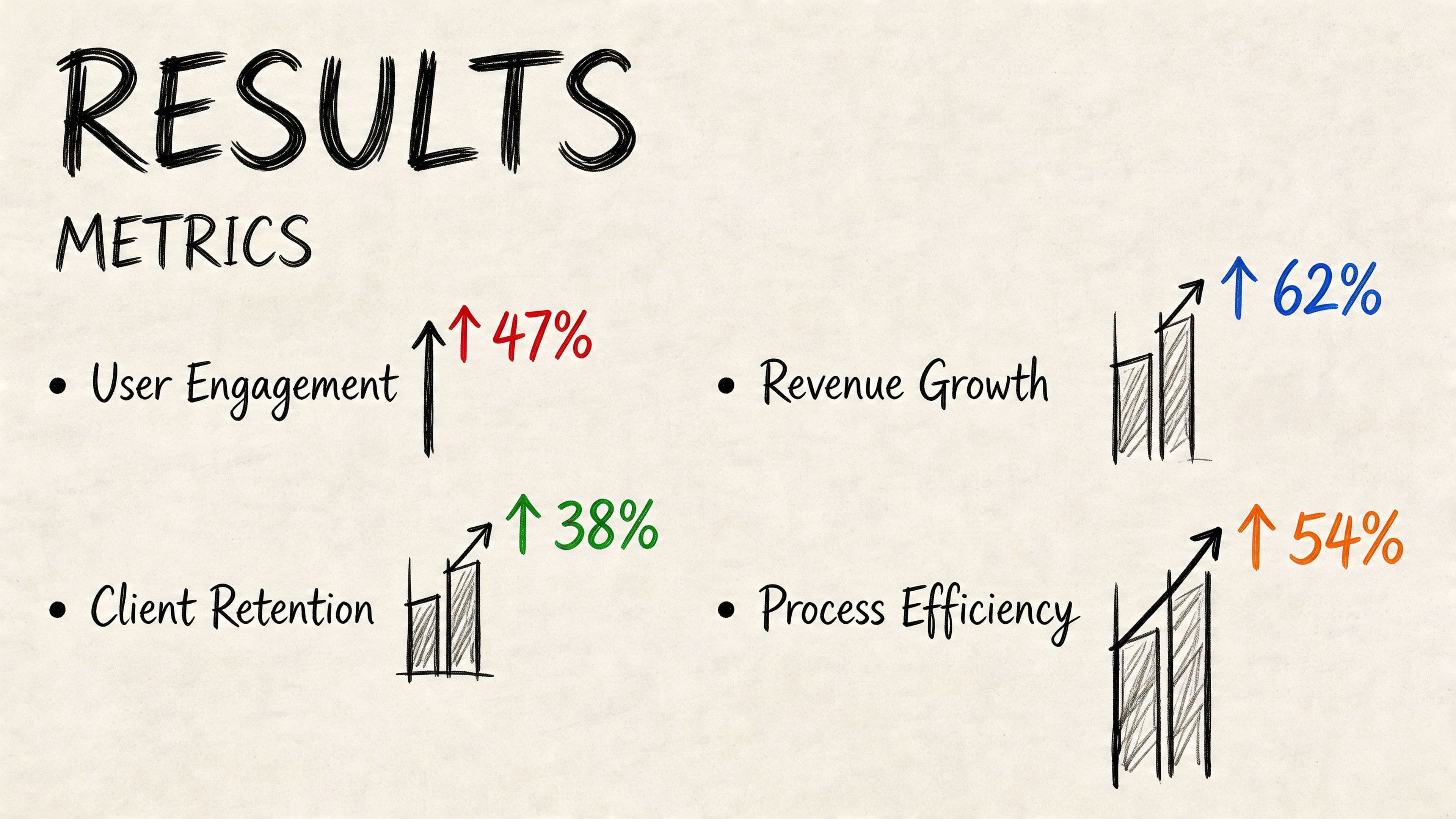
Research on technical resume writing shows that CVs with quantified achievements, structured using frameworks like the STAR method, provide tangible evidence of value. It also states that including at least one measurable improvement for each role increases hiring manager engagement, as outlined in Resume Assassin's guide to quantified technical resumes.
Why duty-based bullets fall flat
Consider these lines:
- Managed calendars and meetings
- Supported social media activity
- Worked on software releases
- Handled customer queries
None of them are false. They're just weak. They describe participation, not contribution.
Recruiters and hiring managers want to know what improved, what you influenced, what you owned, and what changed because you were there.
Use STAR without sounding robotic
The STAR method works well on a CV when you use it lightly:
- Situation: What was happening?
- Task: What were you responsible for?
- Action: What did you do?
- Result: What happened as a result?
You don't need to spell out each label in the bullet. You just need the logic behind it.
A good formula is:
Action + context + result
For example:
- Coordinated executive diaries across a busy operations team, reducing scheduling clashes and improving meeting preparation
- Reworked weekly reporting templates for senior stakeholders, improving clarity and reducing manual follow-up
- Supported product testing and defect logging during release cycles, helping the team identify critical issues before launch
Where you have real numbers, use them. Where you don't, stay specific in other ways. You can still describe scope, complexity, stakeholders, turnaround, ownership, or process improvement qualitatively.
Numbers help, but specificity matters just as much. "Reduced manual follow-up" is stronger than "responsible for reporting".
Before and after examples
Administration
Before
- Managed office administration and supported the team
After
- Managed day-to-day office administration, coordinated internal documentation, and improved record accuracy across shared systems
Marketing
Before
- Helped with email campaigns and social media
After
- Supported email campaign delivery and social content scheduling, using performance feedback to refine messaging and improve audience engagement
Tech
Before
- Worked on software bugs and feature releases
After
- Investigated software defects, collaborated with developers on fixes, and supported release readiness through structured testing and issue tracking
Customer service
Before
- Dealt with customer enquiries and complaints
After
- Resolved customer enquiries across multiple channels, handled complex complaints calmly, and helped improve escalation quality through clearer case notes
The pattern is consistent. The stronger bullet adds context, action, and effect.
How to find useful metrics without guessing
Never invent numbers. If you don't know them, go back and look.
Useful places to check include:
- Reports and dashboards you used in the role
- Past appraisals where outcomes were documented
- Emails or project notes that mention results
- Team leads or managers who may remember the impact
- Your own workload records such as volumes, turnaround times, or deliverables
If you still can't verify a number, don't force one. Write a precise non-numeric achievement instead.
A sharper work history review
Use this test on each bullet in your experience section:
| Weak bullet trait | Stronger replacement |
|---|---|
| Lists a duty only | Shows action plus outcome |
| Uses vague verbs | Uses precise verbs such as coordinated, delivered, improved, implemented |
| Sounds generic | Adds context, stakeholders, or business effect |
| Can't support the role | Links clearly to the target job |
| Feels inflated | Stays believable and discussable in interview |
One more rule matters. Only include achievements you can explain comfortably. If an interviewer asks how you improved a process, you should be able to talk through the problem, your choices, and the result with confidence.
That same principle applies to technical tools and systems. If it's on the CV, be ready to discuss how you used it in practice.
A realistic achievement rewrite exercise
Pick one role on your CV and do this:
- underline every bullet that begins with "responsible for", "helped", "supported", or "worked on"
- rewrite each one using a stronger action verb
- add one layer of context
- add a result or effect where you can verify it
- cut any bullet that doesn't support your target role
This is usually where a decent CV starts sounding credible. Tailoring gets you recognised. Achievements get you remembered.
If you need examples to model your own bullets on, these accomplishments for resume examples are useful for rewriting flat responsibilities into stronger evidence statements.
The Final Polish and Next Steps
The last review is where small errors stop being small. A typo in your contact details, inconsistent dates, or mixed tenses can make an otherwise strong CV feel careless.
Proofreading also isn't the same as editing. Editing improves clarity and structure. Proofreading catches surface-level errors before you send. If you want a clean explanation of that difference, this guide to copy editing vs proofreading is worth a quick read.
The final checks that matter
Run this review slowly, preferably aloud:
- Check spelling in names and titles. Company names, qualifications, and software tools are common problem areas.
- Check dates and chronology. Make sure there are no accidental overlaps or formatting mismatches.
- Check verb tense. Past roles should usually be in the past tense. Your current role can use present tense for ongoing work.
- Check punctuation and spacing. Inconsistent bullets and spacing make a CV look cobbled together.
- Check contact details. One wrong digit or letter can ruin an application.
Print-to-PDF and read it on your phone as well. Layout problems often become obvious on a different screen.
Read the CV once for meaning, once for consistency, and once for mistakes. Those are three different passes.
What to do after the CV is ready
A finished CV still needs a tidy process around it.
- Save role-specific versions with clear file names so you don't send the wrong draft.
- Keep a record of applications including role, company, version used, and follow-up date.
- Store links professionally if you have a portfolio, LinkedIn profile, or GitHub that supports your application.
- Prepare a short follow-up message for roles where a follow-up is appropriate.
Organisation matters more than people think. When applications start stacking up, a tracker prevents duplicated effort, missed deadlines, and muddled follow-ups.
A checked CV should leave you with confidence, not uncertainty. If you're still hesitating before every send, there is usually one section that still feels too generic. Find it and tighten it.
Frequently Asked Questions About Checking Your CV
How often should I update my CV
Update it whenever your responsibilities, skills, or achievements change in a meaningful way. Don't wait until you're actively job hunting. A CV is much easier to maintain when you're adding fresh detail from recent work rather than trying to reconstruct it months later.
Can I use colour on a UK CV
Yes, but use it sparingly. A subtle accent colour for headings can work. Heavy colour blocks, novelty designs, and low-contrast text usually hurt readability. If colour interferes with scanning or printing, remove it.
Should I use AI to write my CV
Use AI to review, compare, and suggest improvements. Don't let it replace your judgement. The best use of AI is to spot gaps, improve phrasing, and compare your CV against a job description. The worst use is copying generic wording that makes you sound like everyone else.
Is one CV enough for every job
No. You should keep a strong master CV, then tailor each application version. The profile, skills emphasis, and top experience bullets often need adjusting for different roles.
What is the quickest way to check my CV before sending it
Use a short final sequence:
- Scan the top third for profile clarity
- Check job-title alignment against the advert
- Review the first bullet under each role for relevance
- Proofread contact details and dates
- Save the correct version before uploading
If you want a faster way to move from draft CV to application-ready version, CV Anywhere brings together CV building, job-description fit checking, and application tracking in one place so you can review, tailor, and manage each application without juggling separate tools.