You're probably looking at an old CV, a job description, and a blank cursor, wondering whether an ai cv tool will help or just produce polished nonsense. The short answer is yes, it can help, if you use it as an editor, matcher, and formatter rather than a machine that invents your career story. A good ai cv workflow helps you customize faster, improve ATS readability, and turn vague experience into clearer evidence.
Adoption is moving quickly. The global market for AI-powered resume builders was valued at USD 400 million in 2024 and is projected to reach USD 1.8 billion by 2032, while 70% of job seekers now use generative AI tools for tasks like research and drafting application materials, according to Future Data Stats on AI-powered resume builders. That doesn't mean every AI-written CV is good. It means employers and candidates are both working in a hiring process where speed, relevance, and clean presentation matter more than ever.
What Is an AI CV and How Does It Work
An ai cv is a CV created or improved with artificial intelligence. In practice, that usually means software analyses your background, compares it with a job advert, suggests stronger wording, and formats the document so recruiter systems can read it properly.
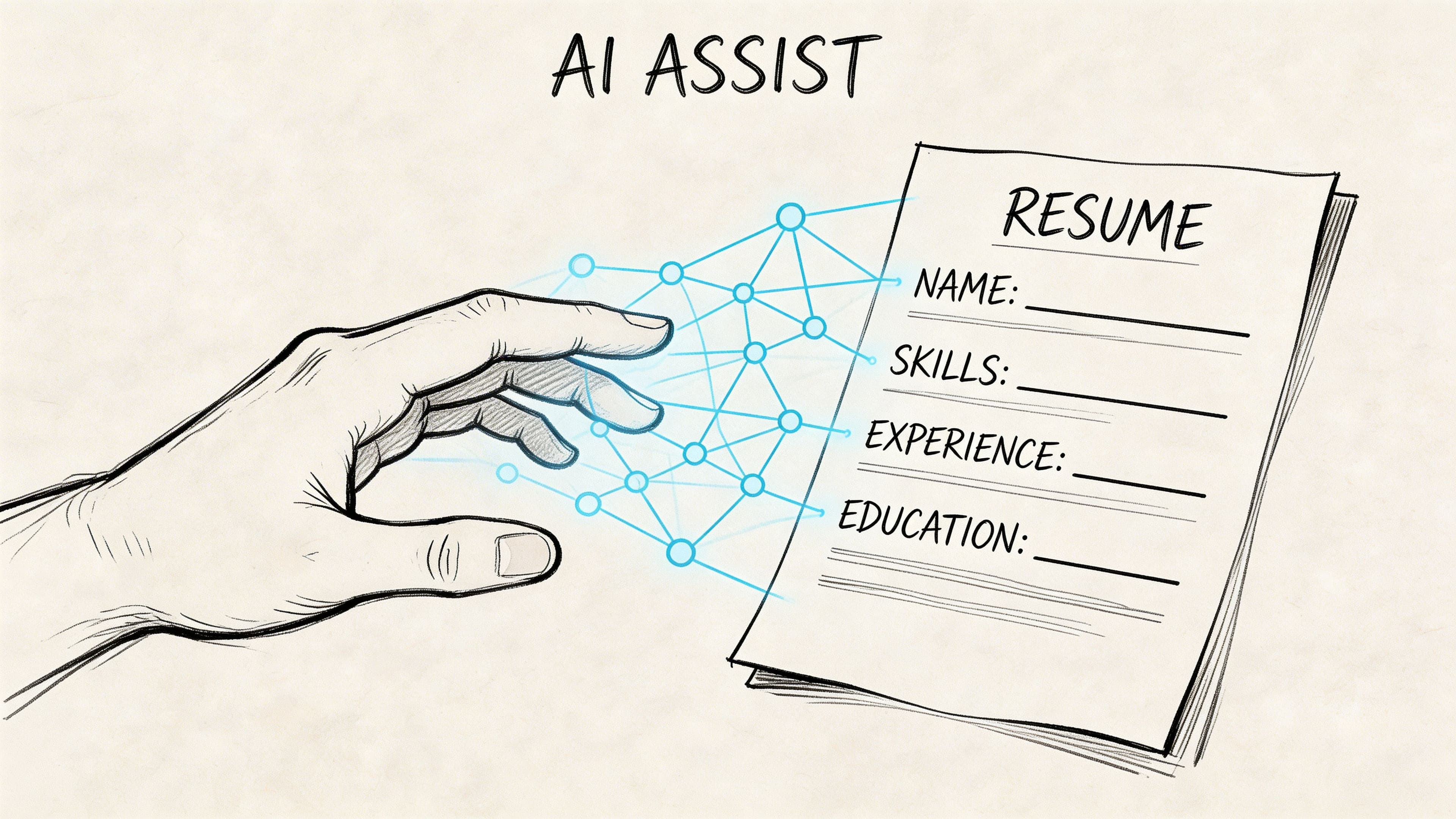
The useful way to think about it is simple. AI shouldn't replace your judgement. It should do the repetitive work that slows candidates down.
What the tool does
Most AI CV tools handle four jobs well:
- Reads the job advert: It spots recurring skills, tools, and phrases employers care about.
- Improves phrasing: It turns weak lines into clearer, action-focused bullet points.
- Checks structure: It helps you avoid layouts that confuse Applicant Tracking Systems.
- Speeds up tailoring: It gives you a faster first draft for each role.
A tool like CV generator support is useful when you already have solid experience but need help presenting it with more focus.
What it doesn't do well on its own
AI can't know whether a claim is true, whether a project really mattered, or whether a phrase sounds like you. That part still belongs to you.
Practical rule: If the AI writes something you can't prove in an interview, delete it or rewrite it.
The strongest AI CVs are human-led. The candidate provides the facts. The software improves clarity, relevance, and structure. That's why the best results come from treating AI like a career coach with editing speed, not like an autopilot.
Is your CV actually getting responses?
Your CV might be missing something important
Upload your CV → see its weakest areas → fix them, one by one.
Free. Takes less than 2 minutes.
How AI Supercharges Your CV Creation
Most candidates don't struggle because they lack experience. They struggle because they present that experience in a generic way. AI helps by tightening the link between what you've done and what the employer is scanning for.
Recruitment teams are already working with these systems at scale. AI adoption in recruitment has nearly doubled year over year from 26% to 43% heading into 2026, with up to 40% faster shortlisting and 46% better hiring outcomes reported for companies using AI in hiring, while LinkedIn sees over 11,000 applications per minute, according to HireTruffle's AI recruitment statistics roundup. For applicants, that changes the game. Your CV has to be easier to shortlist quickly.
ATS optimisation that matters
Many people hear "ATS optimisation" and assume it means stuffing in keywords. That's usually what ruins a CV.
What works is a cleaner method:
- Use recognisable headings: Experience, Education, Skills, Certifications.
- Mirror the job language: If the advert asks for stakeholder management, don't hide that under "liaison".
- Keep formatting simple: Fancy columns, text boxes, and graphic-heavy layouts often create parsing problems.
- Match the role directly: A project manager CV should foreground delivery, planning, reporting, and cross-functional coordination if those appear in the advert.
A strong ai cv builder acts like a technical proofreader. It doesn't just make the document sound better. It makes the content easier for systems and humans to interpret.
Better content, not just prettier wording
The second benefit is content generation. Here, AI can save time, but only when it starts from facts you provide.
Weak bullet:
- Responsible for client communications
Better AI-assisted version:
- Managed day-to-day client communications, coordinated updates across internal teams, and kept delivery expectations clear throughout active projects
That rewrite works because it adds specificity without inventing outcomes.
If you want to see a role-focused workflow, how to use AI to write a resume gives a useful model for turning raw experience into application-ready content.
Skill matching and gap spotting
The third advantage is comparison. AI is good at reading your current CV against a specific job advert and highlighting what's missing.
Sometimes the issue isn't that you lack the skill. It's that you buried it. A candidate may have worked with reporting dashboards, vendor management, and onboarding, but none of those terms appear clearly enough for a fast recruiter scan.
A good tool will flag gaps like:
| What the advert wants | What your draft says | Better move |
|---|---|---|
| Stakeholder management | Worked with teams | Name the stakeholders directly |
| Data analysis | Produced reports | Mention analysis, tools, and reporting context |
| Project delivery | Supported projects | Clarify ownership, timelines, and outputs |
A recruiter can't shortlist experience they can't see quickly.
Formatting that supports the content
Formatting matters because it affects readability before anyone judges your experience. Good AI tools keep spacing consistent, protect section hierarchy, and stop the CV from becoming a cluttered wall of text.
That's why practical features matter more than novelty. Tools such as JD fit analysis, summary generation, and ATS-friendly templates are useful because they help you make decisions faster. The value isn't the AI itself. The value is producing a sharper CV with less guesswork.
AI CV Examples From Start to Finish
The easiest way to judge an ai cv is to look at the before and after. Not every improvement is dramatic. The best ones are usually controlled, specific, and believable.
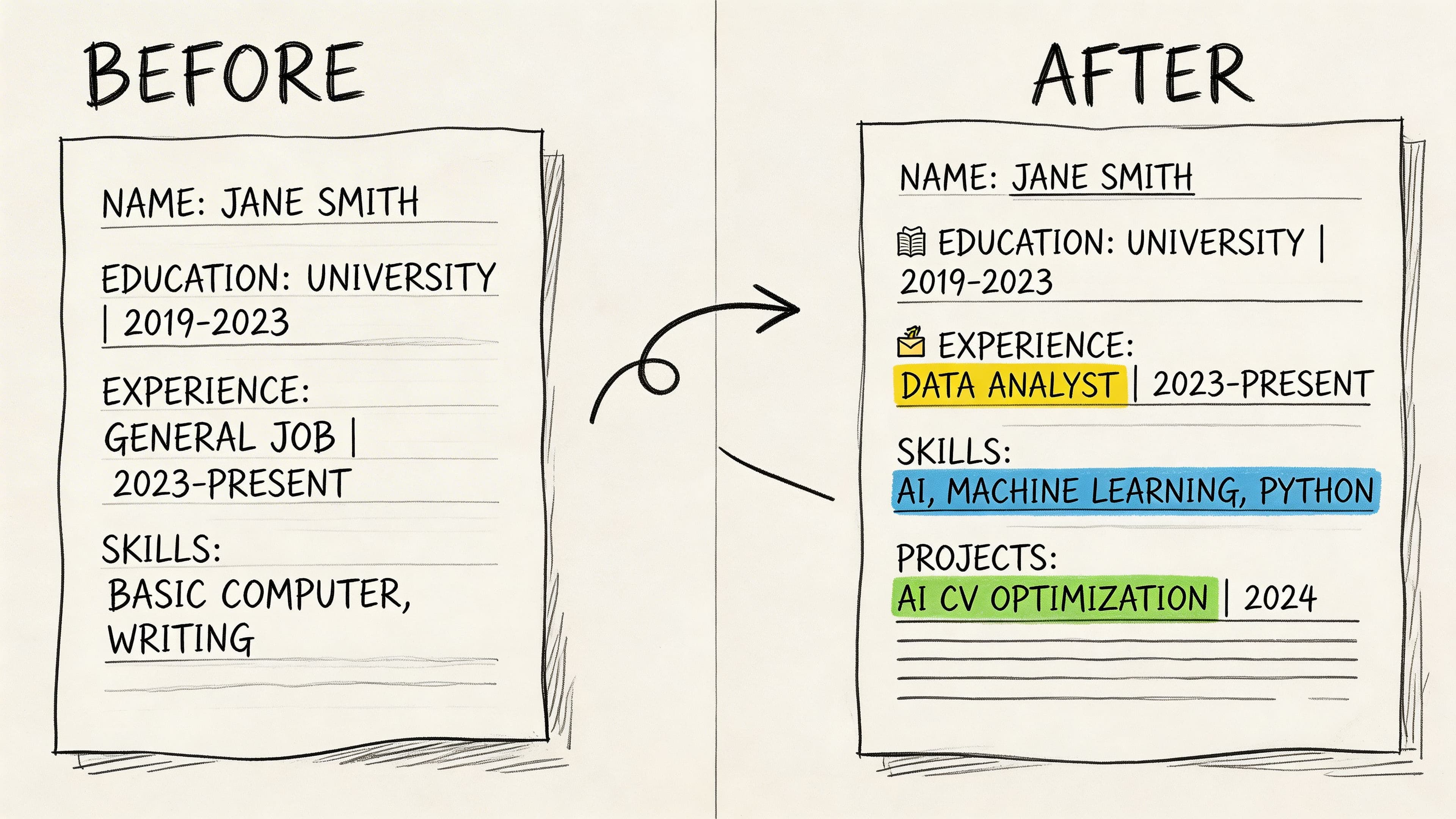
AI tools can also build skills graphs that map your competencies to employer needs, and candidates using AI-recommended work experience have seen 41% higher expressions of interest from employers, according to this overview of AI-powered skills graphs in hiring. In plain English, that means the software can spot relationships between skills that a basic keyword list misses.
Example one: professional summary
Before:
Recent graduate with strong communication skills and a passion for business. Looking for an opportunity to grow and contribute to a successful team.
After:
Business graduate with experience supporting client communication, research, and administrative workflows in fast-paced team environments. Strong in written communication, coordination, and producing accurate work to deadline, with a clear interest in operations and customer-facing roles.
Why this works:
- It removes filler like "passion".
- It replaces vague ambition with actual capability.
- It stays broad enough for early-career roles without sounding empty.
Example two: work experience bullet points
Before:
- Helped with social media
- Worked on projects with the team
- Spoke to customers
After:
- Supported social media scheduling and content coordination across active campaigns
- Collaborated with team members on project tasks, progress updates, and deadline tracking
- Handled customer queries professionally and escalated issues when needed
These are stronger because they clarify the type of work. They still avoid invented metrics.
Example three: career change positioning
A career changer often needs AI most, because transferable skills are harder to frame.
Before:
- Experienced teacher looking to move into corporate training
After:
- Training and education professional with experience designing lesson materials, presenting complex information clearly, and supporting diverse learners. Well suited to corporate training, onboarding, and learning support roles where communication and structured delivery matter.
That version builds a bridge between past experience and target role.
What a polished full application looks like
A strong ai cv doesn't stop at the document. The full package usually includes:
- A targeted CV: Customized for one job family, not every role at once
- A consistent online presence: If your LinkedIn photo is outdated or unprofessional, a tool like an ai headshot generator can help you create a cleaner profile image without arranging a full photo shoot
- A bank of adaptable examples: So you can reuse strong summaries and bullets rather than starting from zero
- A role-specific final check: Making sure language in the CV matches the role you're pursuing
For more role-based inspiration, the CV examples library is the kind of resource worth using when you need to compare your draft against real structures and phrasing patterns.
Understanding ATS Friendliness and Privacy Risks
The biggest misunderstanding about AI-written CVs is that recruiter software somehow detects AI authorship and rejects it. That's not how the screening process works.
Over 90% of companies use ATS tools, but these systems don't detect whether a CV was written by AI. They parse for document structure, keyword relevance, and match rate against the job description, as explained in Glocomms' guide to creating a strong tech resume for AI and hiring managers. So the question isn't "Was AI involved?" The pertinent question is "Can the system read this CV, and does it look relevant?"
What ATS-friendly really means
An ATS-friendly CV usually has:
- Simple headings: Standard section titles that software can label correctly
- Clean chronology: Dates, titles, and employers presented consistently
- Relevant terminology: Skills and responsibilities written in the language employers use
- Readable file structure: No visual tricks that break parsing
A generic AI draft can still fail. A carefully edited AI-assisted CV can perform perfectly well.
The privacy question candidates should ask
Privacy matters because your CV contains career history, contact details, and sometimes location, education, and salary information. Before using any AI CV tool, check whether the provider explains how data is handled and what controls you have over it.
If you want a simple benchmark for how to think about automation choices, this comparison of AI vs human workflows in document translation is useful because it shows the broader trade-off clearly. Automation is fast and scalable, but sensitive documents still need human oversight and clear handling rules.
The hallucination problem
The more serious risk is false content. AI can fabricate metrics, responsibilities, software knowledge, or qualifications if the prompt nudges it toward sounding impressive.
Use this audit checklist before you send any CV:
- Check every claim: Can you explain it in detail if asked at interview?
- Check every number: If a metric appears and you didn't provide it, remove it.
- Check every tool name: Don't let AI imply software proficiency you don't have.
- Check every date and title: Small errors damage credibility quickly.
- Check the tone: If it sounds inflated, recruiters will feel it.
For candidates who care about control over personal information, reviewing privacy controls for CV data is the sort of step that should happen before upload, not after.
How to Choose the Best AI CV Builder
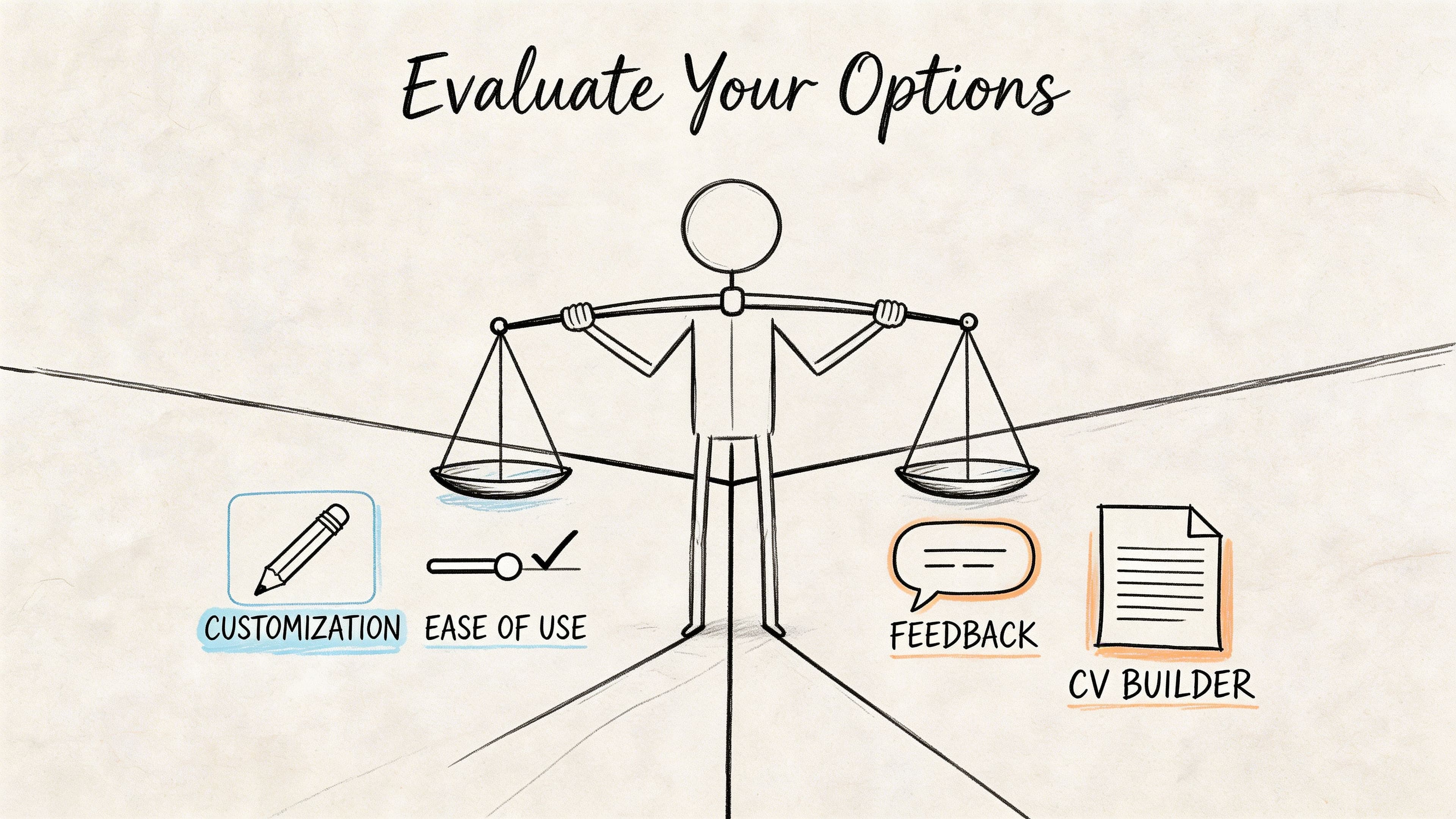
Not every AI CV builder is useful. Some are glorified text generators. Others help you make better decisions. The difference shows up in the quality of suggestions, the structure of the output, and how much control you keep.
One of the most important evaluation points is safety. The risk of AI hallucination, meaning fabricated metrics or invented information, is a critical but underreported problem, and any tool should give users a way to verify and audit what it generates, as discussed in Scale.jobs' article on why AI-built resumes aren't enough.
The shortlist criteria that matter
Use this framework when comparing tools:
| Criterion | What good looks like | Warning sign |
|---|---|---|
| Suggestion quality | Specific rewrites based on your experience | Generic buzzwords and empty claims |
| ATS output | Clean layout and standard headings | Design-heavy templates that prioritise looks over parsing |
| Editing control | You can accept, reject, and rewrite suggestions easily | Tool locks you into auto-generated copy |
| Job matching | Compares your CV against a live advert | Only offers generic writing help |
| Accuracy safeguards | Encourages verification before export | Produces polished text with no fact-check prompts |
What strong tools do differently
The better products don't just generate text. They help with decision-making.
Look for features such as:
- Job description analysis: This shows whether the tool can customize, not merely write.
- Structured template options: The output should be recruiter-friendly before it's visually impressive.
- Manual override everywhere: You should own every line.
- Application workflow support: Useful if you're applying to multiple roles and need consistency.
Among tools in this category, CV Anywhere fits this practical model because it combines an AI-assisted builder, job description fit checking, ATS-aware structure, and application tracking in one workflow rather than treating the CV as a standalone document.
The best AI CV builder doesn't sound the smartest. It helps you submit a more accurate, more relevant CV with less friction.
What to avoid
Three red flags come up often:
- Instant perfection promises: No tool can know your real impact without your input.
- Overwritten summaries: If every candidate sounds the same, recruiters notice.
- No verification layer: Fast generation without review controls is risky, especially for career changers.
Your First AI CV with CV Anywhere
Starting your first ai cv should feel simple. If the tool makes the process feel technical, it's doing too much and helping too little.
A practical first workflow
Start with your existing CV
Upload your current draft, even if it's messy. AI works better when it has raw material from your actual background.Pick a clean template
Choose a format with standard headings and straightforward structure. Don't chase visual flair at this stage.Generate a new summary
Use the AI to draft a profile section based on your target role. Then edit for truth, tone, and clarity.Rewrite your weakest bullet points first
Don't regenerate everything. Fix the vague lines that undersell your work.Run a job description check
Compare the CV against a live advert and look for missing language, buried skills, or unclear fit.Export only after a manual review
Read the whole CV aloud if needed. That's one of the fastest ways to catch inflated wording.
What to focus on in the first session
Keep your first build narrow. One CV for one job family is enough.
Good first targets include:
- Graduate roles: Strong for building a clearer summary from limited experience
- Career pivots: Useful for reframing transferable skills
- Mid-career updates: Good for tightening older bullet points and modernising structure
If you want a direct starting point, the CV builder workflow is designed around this order. Draft, improve, match, then export.
What success looks like
Your first AI-assisted CV doesn't need to be perfect. It needs to be:
- clearer than your old draft
- more relevant to the role
- easier for recruiters to scan
- fully accurate
That's enough to make the tool worthwhile.
AI CV Frequently Asked Questions
Can recruiters tell if I used AI on my CV
Not in the simplistic way many candidates fear. Recruiters and systems care far more about relevance, clarity, and structure than about whether AI assisted the draft.
If the CV is generic, bloated, or full of unnatural phrasing, that's what gets noticed. If it's specific and credible, the process usually focuses on quality.
Is it cheating to use an AI CV builder
No. It's closer to using spellcheck, grammar support, or a strong template.
The ethical line is not the use of AI. The ethical line is whether the content is true. Using software to organise and sharpen your experience is fine. Letting it invent expertise is not.
How much should I edit the AI's suggestions
Quite a lot. The AI should give you momentum, not final authority.
Edit heavily when:
- the wording sounds inflated
- the claim is broader than your actual work
- the phrasing is too generic
- the sentence includes tools, outcomes, or responsibilities you didn't provide
Should I use AI for every job application
Use it selectively. AI is most helpful when you need to customize at speed, improve weak wording, or adapt your CV for a different role.
It's less helpful when you already have a strong base CV and only need minor edits. In that case, the best use of AI may be checking alignment against the advert rather than rewriting everything.
What's the biggest mistake people make with an ai cv
They trust the first draft too much. The strongest candidates use AI to get to a better draft faster, then review every line like an editor.
Your name is on the CV. The final judgement should be yours too.
If you want to build an ai cv that's customized, ATS-friendly, and easier to manage across multiple applications, CV Anywhere gives you one place to write, refine, check job fit, and track what you've sent.