What Is a CV Generator? A Step-by-Step Guide for 2026

19 min read

Find out what a CV generator is, how AI-powered tools beat ATS, and how to choose the best one. Create a job-winning CV in minutes with our guide.

What Is a CV Generator? A Step-by-Step Guide for 2026

A cv generator is a tool that helps you turn rough career notes into a clean, structured CV quickly. If you're staring at an old Word file, copying bullet points from one version to another, or wondering whether your layout will survive an online application form, this guide is for you. You'll see what a cv generator does, how AI-powered versions help with ATS screening, what to watch out for, and how to use one in a practical job search workflow.

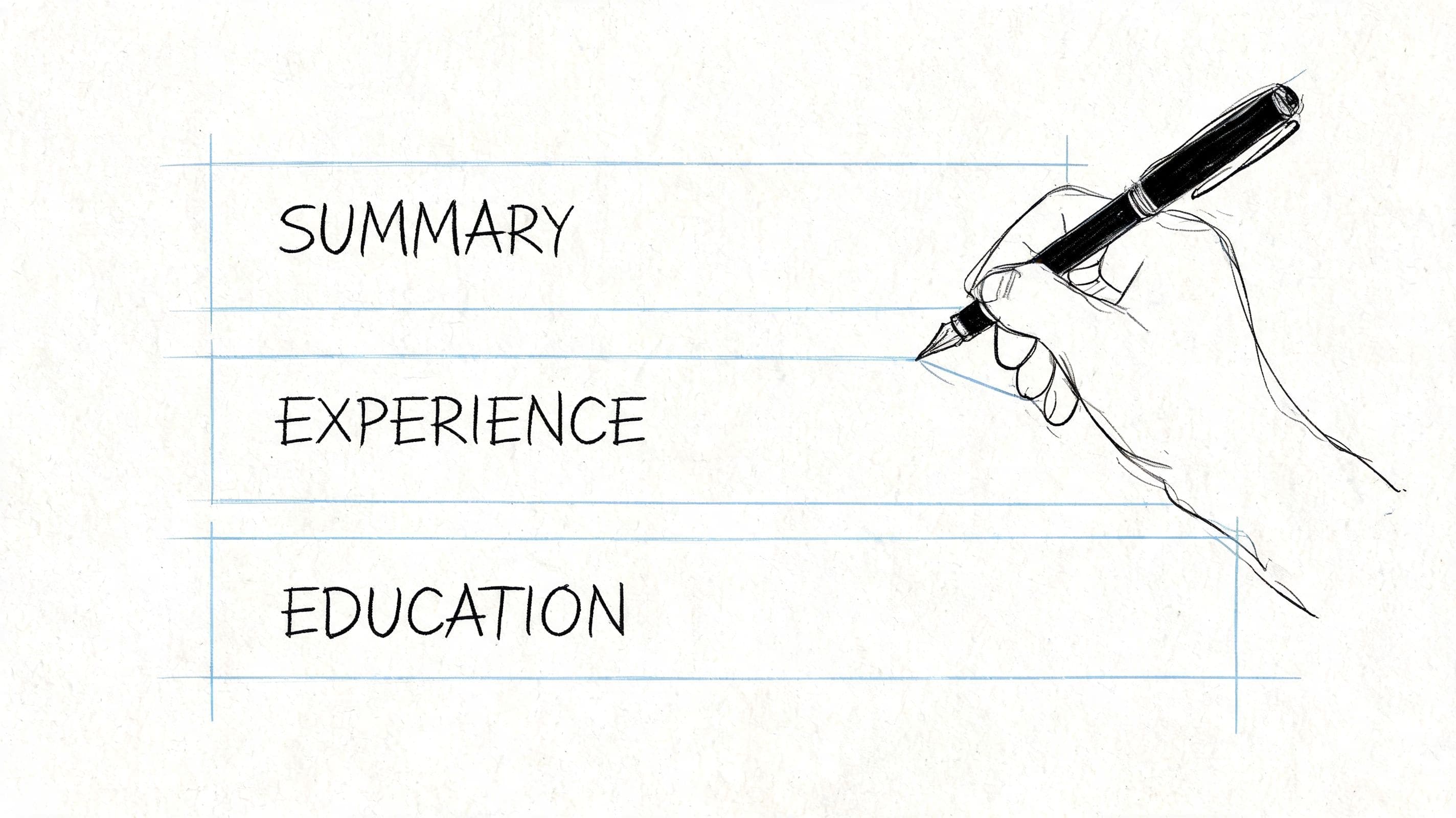
A cv generator takes the raw parts of your career history and organises them into a professional CV format. Instead of starting with a blank page, you answer prompts, fill in sections, and choose a layout that keeps your information readable.

Hand feeding raw career notes into a CV generator producing a structured professional CV document

That matters because writing a CV manually often turns into a formatting exercise. You start by updating one date, then a heading jumps to the next page, bullet spacing changes, and the whole document becomes harder to manage. A cv generator removes much of that friction.

The category is growing fast. The global CV generator and resume building tool market is projected to grow from USD 1.80 billion in 2026 to USD 3.10 billion by 2033, according to Coherent Market Insights' resume building tool market report. That projection reflects how common these tools have become for people who want polished documents without design skills.

What it replaces

If you've only ever built a CV in Word or Google Docs, the difference is simple. A word processor gives you a blank canvas. A cv generator gives you a guided system.

A good generator helps with:

  • Structure first so you don't forget key sections like profile, work history, education, and skills
  • Consistent formatting across headings, dates, spacing, and bullet points
  • Faster editing when you need a new version for a different role
  • Cleaner exports for online applications and PDF sharing

A CV should be hard to ignore, not hard to read.

What it doesn't do on its own

A cv generator doesn't magically make weak experience look strong. It also doesn't know which parts of your background matter most unless you guide it.

That's where many people get confused. They think the tool's job is to "write everything for me". In practice, the tool is much better at organising and shaping your information than inventing substance. You still need to supply accurate details, clear achievements, and relevant skills.

A simple example

Say you're applying for an operations assistant role in the UK.

Your raw notes might look like this:

  • Managed inbox
  • Booked meetings
  • Did reports
  • Helped team
  • Used Excel
  • Customer queries

A cv generator will push you to place those details in the right section and present them in a more readable way, such as:

  • Coordinated diaries, meeting bookings, and internal scheduling for the team
  • Prepared reports and maintained spreadsheet records in Excel
  • Responded to customer and stakeholder queries promptly and professionally

The improvement isn't just cosmetic. It's about making your experience easier for recruiters to scan.

Why job seekers use them

Many job seekers don't struggle because they have nothing to say. They struggle because they don't know how to package what they've done.

A cv generator helps by breaking the task into smaller decisions:

  1. Choose a layout
  2. Fill in each section
  3. Refine wording
  4. Export a clean version
  5. Create specific copies when needed

If you want to compare that with the US-style version of the same concept, CV Anywhere has a useful article on the resume generator side of the category.

You can also look at a practical resume builder tool to see how guided builders turn fragmented work history into a structured application document.

Free CV Builder

Ready to Build Your CV?

Create an ATS-friendly CV in minutes with our free AI builder

AI-powered formatting
ATS-optimized templates
Export to PDF
View Pricing
10,000+ CVs created this month

How Modern AI CV Generators Work

Older CV builders focused mainly on templates. Modern tools go further. They help shape content, improve keyword alignment, and format your CV so hiring software can read it properly.

Illustration of human brain connected to a CV document listing professional credentials and AI-assisted drafting

The key idea is simple. Many employers don't read your CV first. Software does.

According to KHR's breakdown of CV screening and ATS rejection rates, an estimated 75% of CVs are rejected by Applicant Tracking System software before ever reaching a human reviewer. That's why AI cv generators focus so heavily on formatting and keyword relevance.

How ATS reads your CV

Think of an ATS as a parser, not a person. It doesn't admire elegant phrasing. It scans for headings, dates, job titles, skills, and terms that match the job advert.

That means a CV can fail for reasons that have nothing to do with your ability. Common issues include:

  • Messy layout that software can't parse properly
  • Missing keywords from the job description
  • Unclear section headings that confuse the system
  • Graphics or unusual formatting that break readability

A strong cv generator builds around this reality. It uses layouts that are easy to scan and fields that map neatly to the way recruitment systems extract data.

Where AI helps

This is the part that sounds more mysterious than it is. In practice, AI features usually help in three areas.

Summary writing

Many people freeze when they reach the profile section at the top of the CV. AI can draft a starting summary based on your job title, experience, and goals.

For example, if you enter customer service experience, spreadsheet skills, and an interest in office support, the tool may produce a base summary that you can edit into your own voice.

Skills suggestions

A good generator can suggest skills that fit your target role. This is helpful when you know what you've done but aren't sure how employers describe it.

If a role asks for stakeholder communication, diary management, and reporting, the tool can help you reflect those themes in your CV rather than leaving them buried inside generic bullet points.

Job description matching

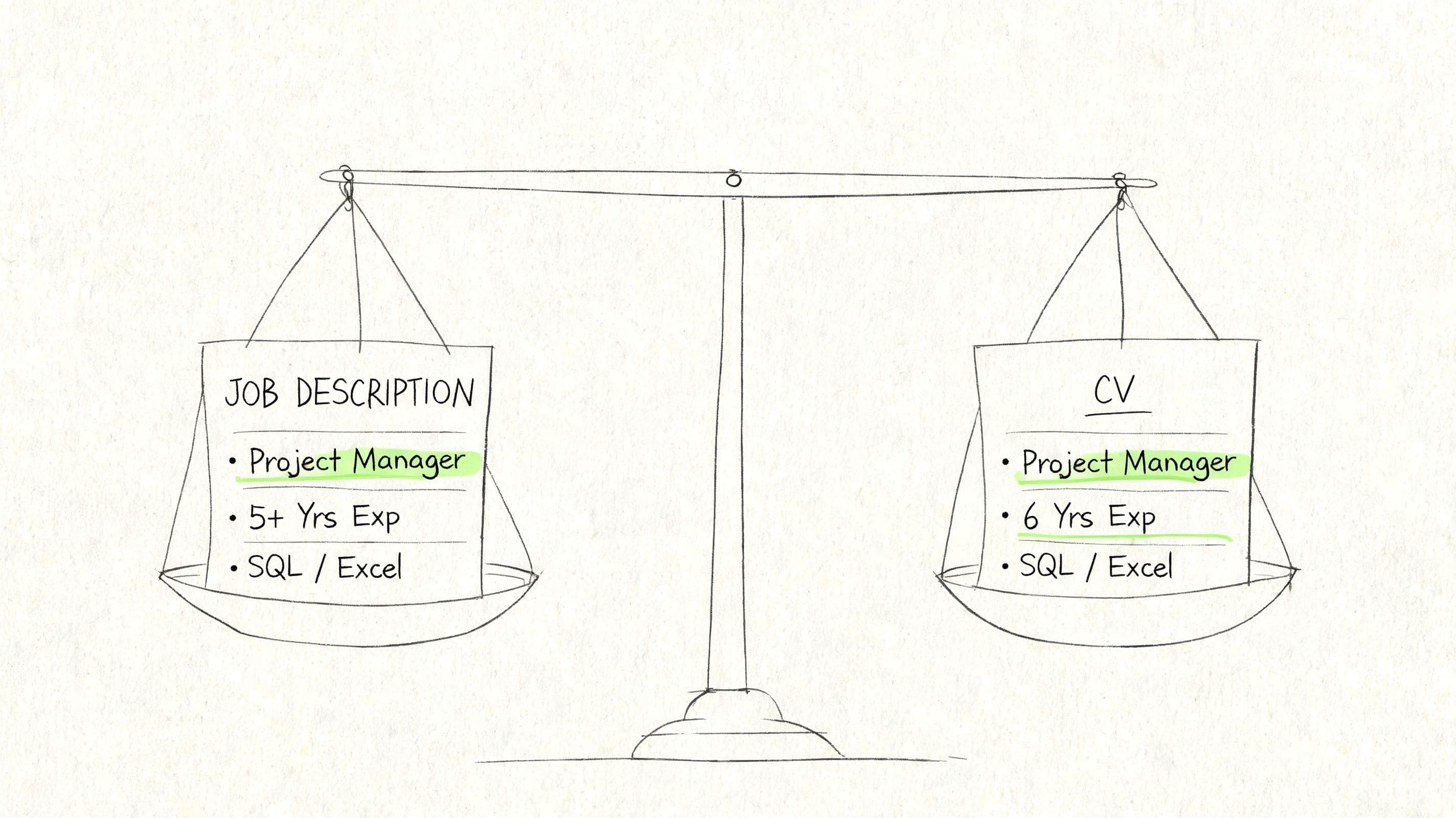
Some AI builders compare your draft CV against a vacancy and highlight gaps. That doesn't mean copying the advert word for word. It means checking whether your CV speaks the same language as the employer.

Practical rule: Use the job advert as a vocabulary guide. Keep your facts true, but reflect the employer's wording where it accurately matches your experience.

What AI can't do well without you

AI is useful when it has clear input. It's weak when your information is vague.

If you type "helped with admin stuff", the output will probably sound flat. If you enter specific tasks, tools, and outcomes, the result will be much stronger. The tool needs material to work with.

Here are the inputs that produce better drafts:

  • Specific job titles instead of broad labels
  • Named tools such as Excel, Salesforce, or Microsoft Teams
  • Clear responsibilities like scheduling, reporting, invoicing, or customer support
  • Real outcomes you can stand behind

If you want a broader look at AI-assisted drafting in job documents, CV Anywhere also has a guide on how to use AI to write a resume. The terminology there is US-focused, but the underlying workflow is similar.

Why this matters now

A modern cv generator isn't only a design tool. It's a translator between your experience and the systems that sit between you and a recruiter.

That doesn't mean stuffing your CV with buzzwords. It means making sure your experience is presented in a format that both software and people can understand quickly.

Benefits and Limitations of Using a CV Generator

A cv generator can save a lot of time and remove common mistakes. It can also produce bland results if you rely on it too heavily. Both things are true.

The biggest benefit is speed. Instead of rebuilding your document every time you apply, you start from a structured version and edit from there. That reduces friction, especially when you're applying for several roles and need customized versions.

Another major advantage is compatibility with hiring systems. According to GloComms' guide to AI-friendly tech resumes, over 90% of large companies use AI or ATS systems for pre-screening, and CVs with optimised, reverse-chronological formats and clear skills sections can rank 3 to 5 times higher in those systems. That's one reason so many builders default to clean, conventional layouts.

Where a cv generator helps most

Some job seekers benefit more than others.

Early-career applicants

If you've never written a professional CV before, prompts are valuable. They stop you from leaving out basics and help you present part-time work, placements, and university projects in a more credible way.

Career changers

Career changers often have useful experience but struggle to reframe it. A cv generator can help reorganise transferable skills so the CV feels targeted instead of scattered.

Busy professionals

If you're already employed, convenience matters. You want to update your CV, customize it, export it, and move on. A builder reduces the time spent wrestling with layout.

The best results usually come when you treat the tool as a fast first draft, then edit like a human recruiter will read it next.

Where people go wrong

The most common mistake is accepting the first draft without editing it.

AI-generated summaries can sound polished but generic. Skills lists can become bloated. Work history bullets can drift into vague corporate language. If you don't trim and personalise the content, your CV may look competent while saying very little.

Here are the main limitations to watch:

  • Generic phrasing when many users rely on similar prompts
  • Overstuffed skills sections that list terms without evidence
  • Weak customization if you create one CV and send it everywhere
  • Paywalls that lock useful exports or editing features behind a subscription
  • False confidence when a nice design hides weak content

A quick decision guide

Situation A cv generator helps A cv generator won't fix
You hate formatting It gives you a clean layout fast Weak examples of your work
You're short on time It speeds up drafting and editing Poor targeting for the role
You're unsure what to include It guides section order and structure Missing career clarity
You're applying online It improves ATS readability Inaccurate or exaggerated claims

If your main concern is budget, a useful next step is comparing what you can do with a free cv generator before paying for premium features.

The balanced view

A cv generator is worth using if you want a faster, cleaner, more organised process. It isn't a substitute for judgement.

You still need to ask the hard questions. Does this bullet show value? Does this summary sound like me? Does this version fit the job I'm applying for?

If you keep that mindset, the tool becomes a genuine advantage rather than a shortcut that weakens your application.

A Checklist for Choosing the Right CV Generator

Not every cv generator solves the same problem. Some are template libraries with a download button. Others help you customize content, compare your CV to a vacancy, and keep track of applications.

If you're choosing one, don't start with colours or fonts. Start with function.

The core features that matter

This short checklist will help you compare tools on the things that affect real applications.

Feature What to Look For Why It Matters
ATS compatibility Clean layout, standard headings, simple parsing Helps hiring systems read your CV correctly
Template quality Professional designs that don't rely on visual gimmicks Keeps your CV readable and credible
Customisation Easy editing of sections, order, wording, and layout Lets you customize without rebuilding from scratch
AI writing support Help with summaries, bullet points, and skills wording Reduces blank-page stress
Job description matching A way to compare your CV with a vacancy Helps you spot missing keywords and weak alignment
Export options PDF export and editable versions where possible Makes your CV usable across different application methods
Data privacy Clear policies on storage and account control Your personal career history is sensitive information
Pricing clarity Obvious free limits and paid features Avoids signing up and discovering basic actions are locked
Application tracking Notes, reminders, and status tracking in one place Keeps your job search organised

A stronger option usually covers more than document creation alone. If you want to see how an integrated platform positions those features, review the overview of CV Anywhere features.

Check whether it fits the UK market

This point is easy to miss. Many tools were built with a broad or US-first audience in mind, which can create awkward defaults for UK users.

According to ElegantCV's discussion of regional CV expectations, many generators offer generic ATS-friendly templates that ignore key regional differences. The article notes, for example, that some EU public sector roles favour photo-inclusive CVs, while US recruiters penalise them. For a UK job seeker, the practical lesson is simple. Pick a tool that lets you control those choices rather than forcing a one-size-fits-all format.

Questions to ask before you commit

Some tools look impressive during onboarding but become restrictive once you're inside. Test them with these questions.

Can I customize quickly?

You shouldn't need to duplicate the whole document for every vacancy. Good tools make it easy to create variants.

Does the content stay editable?

Auto-generated bullets are only useful if you can rewrite them easily.

Is the design plain enough?

A recruiter should notice your experience, not decorative sidebars.

Can I export without surprises?

Many users only discover download restrictions at the end.

Choose the tool that makes revision easy. A job search rarely fails because a template was too simple. It often fails because updating the CV feels like too much effort.

A practical scorecard

When comparing options, give each one a simple pass, maybe, or no against these criteria:

  • Easy to edit after generation
  • Good PDF output
  • Suitable for UK applications
  • Supports customized versions
  • Includes job match help
  • Keeps applications organised
  • Clear pricing
  • No gimmicky layouts

A cv generator should lower effort while improving quality. If it gives you a pretty document but creates friction everywhere else, it isn't the right tool.

How to Create an ATS-Friendly CV with CV Anywhere

The easiest way to understand an integrated cv generator is to follow the workflow from start to finish. Instead of thinking in separate tools, think in one sequence. Build the CV, customize it to a role, then track the application.

Hand touching tablet screen showing CV generator app with ATS-friendly layout and export options

Job hunting often breaks down between steps. People draft a CV in one place, save job adverts somewhere else, and track applications in a spreadsheet that quickly goes out of date. According to FlowCV's summary of tracking and application abandonment, a LinkedIn report found that 68% of recent graduates and career switchers abandon applications due to disorganised tracking. That's why the workflow is as important as the document.

Step one: start with the template, not the wording

Open the builder and choose an ATS-friendly format first. Don't overthink design at this stage. The aim is to use a clean structure with standard headings and strong readability.

If you're unsure which format to use, start with a reverse-chronological layout. For most applicants, it's the clearest option because it shows recent experience first.

If you want a starting point, an ATS-friendly resume template gives you a useful reference for the kind of layout hiring systems can process cleanly.

Step two: add your core information in plain language

Now fill in the raw facts.

That includes:

  • Contact details
  • Professional summary
  • Work history
  • Education
  • Skills
  • Certifications or training if relevant

Keep your first pass simple. Don't try to perfect every bullet yet.

For example, if you're an early-career marketing candidate, you might begin with notes like:

  • Social media scheduling
  • University campaign project
  • Canva and Excel
  • Email support
  • Event promotion

The builder's job is to help shape this into proper sections. Your job is to keep the facts clear and accurate.

Step three: use AI to draft, then edit for evidence

Once the basics are in place, use AI support for the hard-to-write sections. The summary is the usual place to start.

A rough AI draft might give you something like a general profile statement. That's useful, but it shouldn't be your final version. Tighten it by adding specifics.

A better edited summary sounds like this:

Early-career marketing and communications candidate with experience supporting digital campaigns, social media scheduling, and customer-facing administration. Comfortable working with Canva, Excel, and content planning tools, with a strong interest in brand communication and campaign coordination.

That version is still simple. But it says more than "motivated professional seeking opportunities".

Step four: tailor against the job description

Many CVs improve quickly here.

Paste in the vacancy and check where your draft is weak. If the role asks for campaign reporting, stakeholder communication, and content planning, your CV should reflect those themes if you have genuine experience in them.

Don't copy the advert blindly. Rework your existing experience to match the employer's language.

For instance:

Before

  • Helped with social media
  • Did admin tasks
  • Worked on university projects

After

  • Supported social media scheduling and basic content coordination
  • Assisted with administrative tasks, inbox organisation, and reporting support
  • Contributed to university marketing projects involving campaign planning and audience research

Step five: tighten the skills section

A lot of applicants treat the skills area like a dumping ground. That's a mistake.

Keep it focused on skills that matter for the target role. If you're applying for office support jobs, prioritise things like diary management, stakeholder communication, Microsoft Office, data entry, and reporting. If you're applying for digital roles, the list will look different.

A short, relevant list is stronger than a long, random one.

Step six: review the final CV like a recruiter

Before exporting, stop thinking like the writer and scan like the employer.

Check for:

  • Clear job titles
  • Easy-to-read dates
  • Strong section order
  • No unexplained gaps or duplicated wording
  • Consistent spelling and punctuation
  • No filler phrases that could apply to anyone

One final check: If someone read only the top half of page one, would they understand what kind of role you're suited for?

If the answer is no, improve the summary, skills, or most recent experience.

Step seven: save the role in your tracker

This is the step people skip, then regret later.

Once you've customized the CV, save the vacancy details, company name, date applied, status, and any notes. That keeps your search organised and makes follow-up easier. It also prevents the common problem of creating multiple CV versions and then forgetting which one you sent where.

A tidy process helps in later stages too. When an interview invite appears, you can quickly review the exact version of the CV that was sent for that application.

A simple workflow example

Here is what the full process looks like in practice:

  1. Choose a clean template
  2. Add your base career details
  3. Use AI to draft your summary and bullet points
  4. Paste in the job description
  5. Adjust wording to improve fit
  6. Export the customized CV
  7. Track the application and add notes

That sequence is why integrated tools are useful. They reduce the stop-start feeling that makes job applications harder than they need to be.

Frequently Asked Questions About CV Generators

Can recruiters tell if I used a cv generator?

Usually, they can't tell from the tool itself. What they notice is the quality of the final CV.

If the content sounds generic, repetitive, or oddly formal, a recruiter may suspect heavy AI use. If the CV is clear, specific, and written in your voice, the tool disappears into the background. That's the ideal outcome.

Are free cv generators useful?

Some are. A free cv generator can be enough if you only need a clean layout and a basic export.

The catch is often in the limits. You may get restricted templates, limited editing help, or download barriers at the end. Test the full workflow before investing time, especially the export process.

How often should I update my CV in a generator?

Update it whenever your evidence changes. That usually means after a new role, project, qualification, or meaningful responsibility.

You don't need to rewrite the whole document every week. Keep a strong base version current, then customize copies for specific roles when you apply.

Is a cv generator safe to use?

It can be, if the platform is transparent about account controls, stored information, and document access. You're uploading personal career data, so privacy matters.

Check whether the site explains how your information is stored and whether you can edit or remove your data. If those basics are unclear, be cautious.

Can a cv generator help with cover letters too?

Many do, especially AI-powered platforms. The strongest ones use your CV and the job advert together so the letter matches the application rather than sounding generic.

That said, the same rule applies. Use the generated draft as a starting point, then personalise it. Hiring managers respond better to a letter that sounds like a person wrote it for that role.

A good cv generator won't replace judgement. It gives you structure, speed, and a stronger starting point. The edge comes from how you refine the output and use it consistently across your job search.


If you want one place to build a polished CV, check how closely it matches a job description, and keep your applications organised, CV Anywhere brings those steps together in a single workflow. It's a practical option if you're tired of juggling documents, job adverts, and spreadsheets separately.

Tags

CVCV generatorATSjob searchcareer adviceAI toolsUK jobs

Popular Articles

1
Best Online Resume Builder: What Actually Matters in 2025

A practical guide to choosing a resume builder that saves time, improves formatting, and helps you land interviews faster.

2
How to Write a Resume (US Version)

A straightforward walkthrough of the resume format, sections, and writing choices that work best for US job applications.

3
How to Write a CV (UK Version)

Learn the structure, wording, and formatting expected in a UK CV so you can present your experience clearly and professionally.

4
Cover Letter Examples Sample: 8 Proven Templates to Land Interviews

Explore proven cover letter examples and templates you can adapt to write stronger applications and stand out to employers.

5
Why Most Job Seekers Quit Their Spreadsheets

See why manual tracking systems break down and what to use instead to stay organised throughout a modern job search.