You've probably done this already. You find a role that fits, tweak a few lines on your CV, send it off, then hear nothing. An ai cv checker helps you spot the gap between what you meant to say and what screening software reads.
That matters now because a large share of hiring starts with automated review, not a human recruiter scanning your CV first. Used properly, an AI checker can show missing skills, weak bullets, poor formatting, and low job-description alignment before you apply. The useful part isn't the score on its own. It's the edit path that follows.
Why an AI CV Checker is Essential for Your 2026 Job Hunt
The old approach was simple. Write one solid CV, apply widely, and trust that a recruiter would recognise good experience.
That's no longer how many hiring pipelines work.
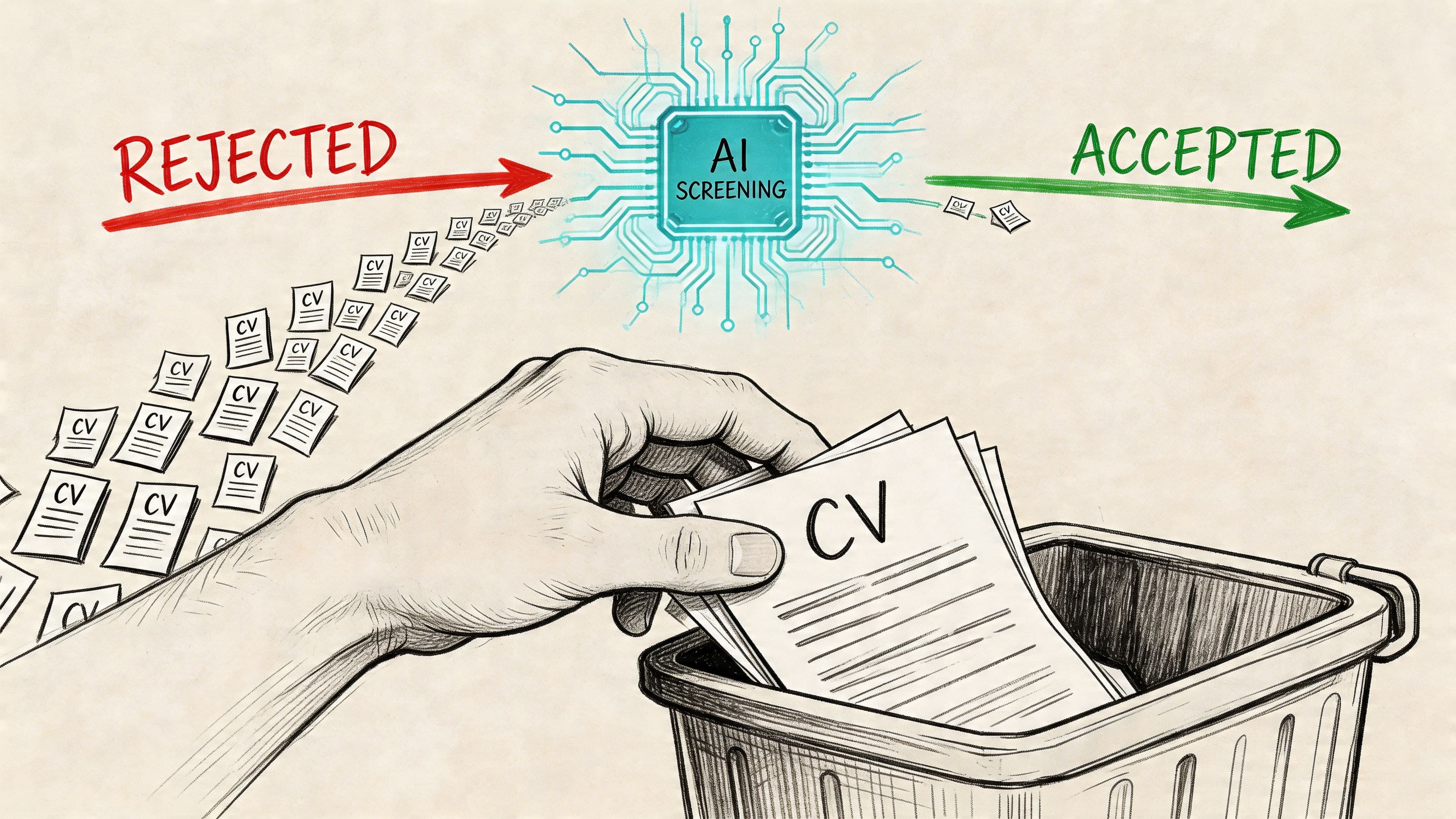
Resume screening is being automated at scale. By 2025, 83% of companies plan to use AI to review resumes, up from 48% currently, and 97.8% of Fortune 500 companies already rely on ATS systems according to The Interview Guys' roundup of AI resume screening adoption.
If your CV isn't easy for those systems to parse, classify, and match to a job description, strong experience can get buried.
What an ai cv checker actually solves
A good ai cv checker gives you a recruiter-side view of your document before you apply. That means you can catch issues like:
- Missing required terms that appear in the job advert but not in your CV
- Weak evidence where you've listed responsibilities instead of outcomes
- Formatting problems that can confuse applicant tracking systems
- Section imbalance where skills are listed, but work history doesn't prove them
- Generic summaries that don't match the target role
This is why job seekers who want more interviews need to think in two layers. First, pass the screen. Second, persuade the human.
Practical rule: A CV that reads well to a hiring manager but scores poorly against the role often loses early. A CV that scores well but reads like a keyword dump usually loses later.
Why one general CV isn't enough
A broad CV still has value as your master document. It does not work well as your final application version.
Most roles use different language for similar requirements. One employer asks for stakeholder management. Another wants cross-functional collaboration. A third emphasises client-facing delivery. An ai cv checker helps you see those differences quickly and adjust without rewriting from scratch.
For job seekers using CV Anywhere, the most useful starting point is its broader guidance on AI CV optimisation. That kind of workflow is what turns a decent CV into an application-specific one.
What works in practice
The candidates who get the most value from these tools usually do three things:
- They check against a real vacancy, not a guessed target role.
- They edit bullets inside work experience, not just the skills list.
- They keep separate versions for different applications.
That last point matters more than is often appreciated. An ai cv checker isn't just a proofreading tool. It's an application strategy tool.
Is your CV actually getting responses?
Your CV might be missing something important
Upload your CV → see its weakest areas → fix them, one by one.
Free. Takes less than 2 minutes.
How AI CV Checkers Actually Read Your CV
Most job seekers treat AI screening like a mystery box. That's a mistake. Once you understand the process, the fixes become much more obvious.
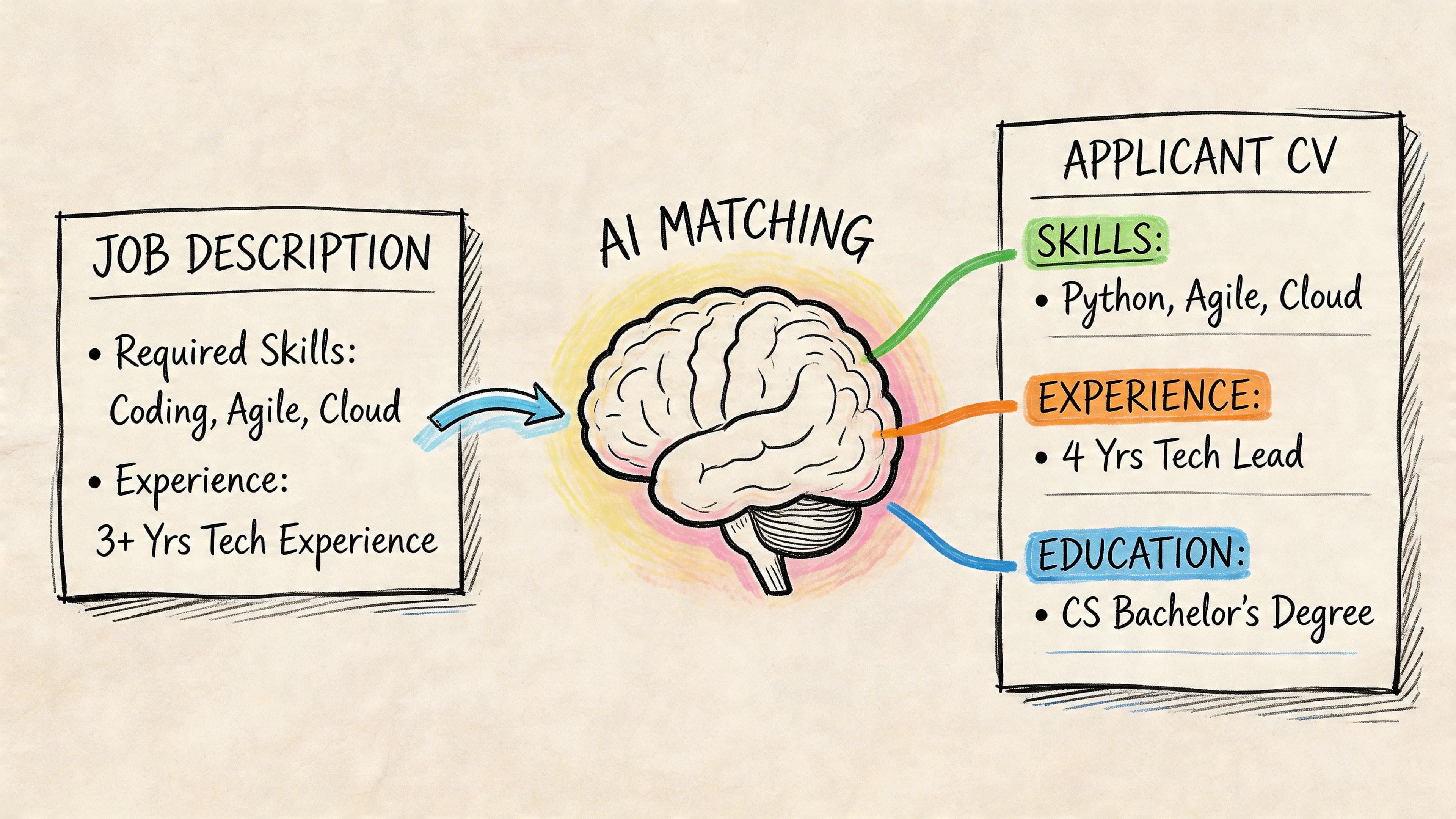
The short version is this. The system reads the job advert, reads your CV, compares both, and assigns relevance signals. According to HelloRecruiter's explanation of AI-powered resume scoring, the process includes job requirement analysis using NLP, resume feature extraction, and model prediction and scoring. That structured approach helps AI maintain 85-95% consistency, while human reviewers often show 60-70% agreement.
Stage one reads the job advert first
Before your CV is judged, the system often builds a rough map of the role.
It looks for signals such as:
- Required skills like Excel, Python, project management, or CRM
- Qualifications such as certifications, degrees, or licences
- Seniority cues including lead, manager, assistant, or junior
- Context words tied to industries, tools, and responsibilities
The score isn't created in a vacuum: your CV is being measured against a role-specific framework, not a universal standard.
Stage two extracts signals from your CV
The next step is not just keyword spotting. Better tools look at where and how terms appear.
A skill named once in a list is weaker than a skill shown inside a work-history bullet with context. For example, "project management" in a skills block is fine. "Managed project timelines, vendor coordination, and stakeholder updates" in your experience section is stronger.
Here's a simple comparison:
| CV content style | How AI often reads it |
|---|---|
| Skill listed once | Weak evidence |
| Skill shown in work history | Stronger evidence |
| Responsibility-only bullet | Lower persuasive value |
| Achievement with context | Higher relevance |
That's one reason modern screening tools are closer to a fast junior recruiter than an old keyword scanner. If you want a useful non-career example of this broader trend, this overview of an AI-powered candidate vetting engine shows how AI systems increasingly combine matching, ranking, and structured decision support rather than simple filtering.
Stage three scores, ranks, and comments
Once those signals are extracted, the tool produces a match score or category feedback. That can include missing keywords, weak sections, ATS formatting concerns, or suggestions to add clearer evidence.
The most useful checkers also point out where your strongest alignment sits. That helps you avoid pointless editing.
Don't chase every missing term. Fix the terms that are central to the role and support them with proof.
If you want a deeper look at ATS-specific parsing issues, CV Anywhere also has related guidance on its ATS resume checker article.
Running Your CV Through an AI Checker Step by Step
This is the part commonly overcomplicated. The workflow is straightforward if you use one real job advert and one current CV.
There's another practical reason to build this habit. Job seekers who use AI tools to help with applications complete 41% more applications on average, according to the Allit Club summary citing the Capterra Global Study. More applications alone won't solve poor fit, but faster tailoring does help.
Start with one target vacancy
Don't run your CV against a vague career goal like "marketing role" or "operations job".
Use a live advert. Copy the full text, especially:
- Core responsibilities
- Required skills
- Preferred skills
- Qualifications
- Software or systems mentioned
If the advert is thin, use the role description on the employer site rather than the shortened version on a job board.
Use your current CV, not an ideal future version
Paste in the CV you'd submit today. Don't pre-edit too much before the first scan. You want the checker to show the actual gaps.
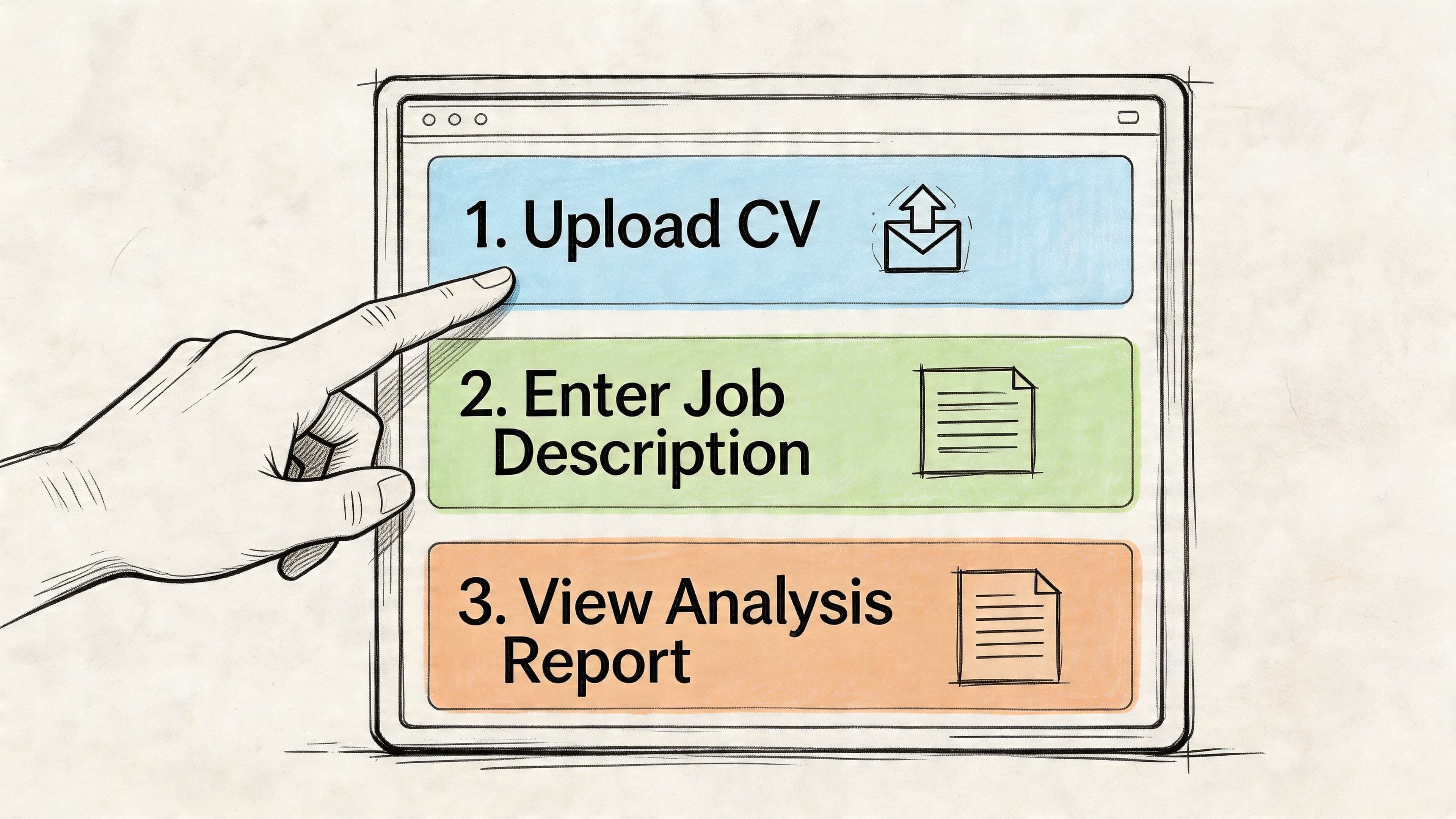
When using a job-description matching tool such as a JD Fit Checker, the basic flow looks like this:
Paste the job description Include enough text for the tool to detect repeated themes and must-have requirements.
Upload or paste your CV Use a clean version in Word or plain text if possible. If your formatting is complex, keep an editable source file.
Run the analysis Wait for the initial match score, section comments, and flagged gaps.
Read the full report before editing Many people jump straight to the missing-keywords list and ignore bigger structural issues.
How to read the dashboard properly
Most ai cv checker results are useful only if you know what each part means.
Overall match score
Treat this as a directional signal, not a verdict. It helps you decide whether the role is close, moderate, or far from your current positioning.
A lower score usually means one of three things:
- You're missing major required skills
- Your relevant experience isn't described in the employer's language
- The CV structure is making key information hard to detect
Missing keywords list
Candidates frequently misstep in this area. Not every missing phrase belongs in your CV.
Add a term only if one of these is true:
- You have the skill
- You've done similar work and can describe it accurately
- The term is a standard label for experience you already hold
Skip terms that would force you to misrepresent your background.
Section-by-section feedback
This is often the most valuable part of the scan.
Look for comments such as:
- Summary too generic
- Experience lacks measurable outcomes
- Skills not evidenced in work history
- Formatting may affect ATS readability
- Important requirement appears too late
A strong scan result usually comes from better phrasing and clearer evidence, not from adding more sections.
A simple first-pass workflow
If you want a repeatable process, use this checklist:
- Save the original before editing
- Rename the target version using employer and role
- Fix obvious ATS issues first such as tables, graphics, text boxes, or unusual headings
- Then address content gaps in summary, skills, and bullets
- Run a second scan after edits
- Stop once the CV is aligned and readable
The goal isn't perfection. It's relevance plus clarity.
From Recommendations to a Rebuilt High-Scoring CV
A scan only helps if you know how to turn feedback into better writing. At this stage, most candidates either under-edit or over-edit.

The biggest mistake is treating the report like a shopping list of keywords. Recruiter-side tools increasingly evaluate context, not just presence. As noted in Equip's analysis of AI screening versus manual CV screening, these systems use contextual NLP and a practical target is often an 80%+ match score built around experience-based language and quantified achievements.
Fix high-value gaps first
Not all edits matter equally. Prioritise in this order:
Hard skills and requirements
If the advert repeatedly mentions a platform, method, or function, deal with that first.
Examples:
- If the role asks for stakeholder management, show it in a bullet.
- If it asks for budget tracking, show where you handled budgets.
- If it asks for data analysis, name the analysis task and tool if relevant.
Job title translation
Sometimes your actual title hides relevant fit. You can keep your official title but add a clarifying descriptor if it's accurate.
Example:
- Operations Executive
- Operations Executive (Project Coordination and Reporting)
That helps both AI and humans understand the function quickly.
Summary rewrite
A generic profile wastes prime space. Your top summary should reflect the role you are targeting now, not every role you have ever held.
Turn keywords into proof
Score gains then become real interview gains.
Bad version:
- Responsible for project management and communication with internal teams
Better version:
- Coordinated project timelines, status updates, and cross-team communication across multiple internal stakeholders
The second version is better because the skill appears in context.
Now improve it again by adding evidence:
- Coordinated project timelines, status reporting, and cross-team communication for multiple concurrent internal initiatives, keeping delivery plans and stakeholder updates organised
That still avoids invented numbers, but it proves more.
Before and after examples
Here's the difference between low-signal and stronger edits:
| Before | After |
|---|---|
| Team player with strong communication skills | Communicated project updates, deadlines, and next steps clearly across internal teams and client contacts |
| Used Excel and reporting tools | Produced weekly Excel-based reports, maintained data accuracy, and flagged issues for follow-up |
| Managed social media | Planned content, scheduled posts, and tracked campaign performance across core social channels |
Don't ignore formatting feedback
Plenty of candidates focus only on wording and leave structural problems untouched.
Fix these early:
- Use standard headings such as Profile, Experience, Education, Skills
- Avoid text boxes and graphics if you're submitting through an ATS
- Keep dates and job titles clear
- Use consistent bullet formatting
- Save role-specific versions clearly
This is also the stage where one platform mention makes sense. If you want one workflow in one place, CV Anywhere combines CV building, job-description fit checking, and application tracking so you can tailor the document, save the version, and keep it attached to the role you applied for.
For more hands-on editing principles, a related read on resume review is worth opening alongside your draft.
What usually works: add the right words inside the right evidence, then simplify the layout so nothing blocks parsing.
The Human Element AI Checkers Miss
An ai cv checker is useful. It is not a final judge of your employability.
The score can help you improve alignment, but it can also push people into writing flatter, safer CVs that lose the person behind the application.
Career changers often get under-scored
This is the biggest blind spot I see.
Candidates with freelance work, return-to-work gaps, bootcamp training, volunteer leadership, portfolio work, or mixed-sector experience often have real value that AI tools don't describe well. As discussed in Resumly's piece on hidden workers and non-traditional backgrounds, these candidates may lack traditional credentials even when they have relevant skills.
That means the checker may tell you what's missing, but not how to translate what you already have.
Examples of translation work AI often misses:
Retail to customer success Handling complaints, expectations, and repeat interactions can map to client support and account care.
Admin to project support Scheduling, documentation, follow-up, and coordination often map to project operations.
Freelance to formal employment Client management, deadlines, scoping, revisions, and self-direction can all be highly relevant.
A lower score doesn't always mean weak fit. Sometimes it means your experience is real but badly labelled for the target role.
Privacy matters more than people think
Your CV contains personal data, employment history, location details, and sometimes phone numbers or full addresses.
Before uploading to any tool, check basics such as:
- Whether you trust the platform
- Whether you need to remove sensitive data
- Whether you're comfortable storing multiple customized versions there
You don't need to become paranoid. You do need to be selective.
A useful mental model comes from other fields where automation helps but doesn't fully replace human judgement. This comparison of human versus machine translation is a good parallel. Machines handle pattern recognition well. Humans handle nuance, intent, and ambiguity better.
Track versions or you'll lose control
The more seriously you tailor your CV, the more version management matters.
If you don't track which file went to which employer, you'll run into avoidable problems:
- You'll forget which summary you used
- You'll duplicate edits inconsistently
- You'll struggle to prepare for interviews
- You'll lose sight of which language got responses
That's why each tailored CV should be tied to a specific application record, along with notes about the role, the advert, and what you changed. For the human side of that equation, CV Anywhere's guide on what recruiters look for in resumes is the right reminder. The machine screen matters first. The human decision still matters most at the interview stage.
Frequently Asked Questions About AI CV Checkers
What is a good score on an ai cv checker
There isn't one universal magic number. In practice, a stronger result is one where the key requirements are clearly represented in your experience, your formatting is ATS-friendly, and the score reflects real fit rather than forced wording. Earlier in the article, I noted that some recruiter-side guidance treats 80%+ as a useful target when the content is role-specific and evidence-based.
Can I just add all the missing keywords
No. That usually backfires.
Keyword stuffing makes the CV less convincing to a recruiter and can weaken contextual scoring if the terms aren't supported by real experience. Add the terms you match, then place them inside bullets that prove you used those skills.
Are free AI CV checkers good enough
Some are useful for a first pass. They can catch obvious ATS and matching issues. The limitation is that free tools often provide shallower feedback, so you may need stronger judgement when deciding what to edit and what to ignore. If you want to compare basic options first, CV Anywhere has a related page on an ATS resume checker free.
What's the difference between an ATS checker and an AI CV analyser
A basic ATS checker usually focuses on format, parsing, and keyword presence. A more advanced AI analyser looks more closely at context, relevance, and how well your experience supports the role.
Should I use the same checked CV for every role
No. Keep a master CV, then create customized versions for each application. The same background can be framed differently depending on the employer's language, the priorities in the advert, and the level of the role.
If you want one place to build customized CVs, check job-description fit, and keep every application organised, CV Anywhere is built for that workflow. It helps you move from raw CV draft to tracked application without juggling separate documents, notes, and spreadsheets.