Quick CV Creator: A 5-Step Workflow for 2026
Use our quick CV creator guide to build an ATS-friendly CV fast. Follow a 5-step workflow for AI summaries, job tailoring, and getting more interviews.

You've found a role you want to apply for today, and your CV isn't ready. That's exactly where a quick cv creator helps, but speed only matters if the finished document is targeted, readable, and ATS-friendly. The fastest useful workflow is simple: gather the right raw material, build one strong master CV, tailor it to the job description, run final checks, then export it properly.
If you want a clean starting structure before you type a word, this resume outline guide is a useful reference. I also treat CV writing like a short project with a sequence and checkpoints, which is why even a simple project plan template can help you avoid last-minute chaos when you're applying under pressure.
Your Guide to a Job-Winning CV in Under an Hour
A quick cv creator works best when you stop treating it like a magic button and use it like a workflow. The difference between a rushed CV and a strong one usually comes down to order. If you gather your facts first, build one solid base version, and only then tailor it, you can move quickly without sending out weak applications.
The practical sequence is:
- Prep your inputs so the builder has clean career data.
- Generate a master CV with AI support.
- Tailor it to the target role using the job description.
- Check ATS and recruiter readability before you send it.
- Export and share it correctly in the format the employer expects.
Practical rule: A fast CV is only useful if it still sounds like you and fits the role you're applying for.
Ready to Build Your CV?
Create an ATS-friendly CV in minutes with our free AI builder
The 15-Minute Prep Your CV Needs
Time is often lost in the wrong place. People open a template too early, start fiddling with layout, then realise they don't have the information needed to fill the page properly. A quick cv creator is most efficient when you spend a short block of time collecting your content first.
Think of this as your career inventory. You're not writing polished copy yet. You're assembling facts the builder can turn into a strong draft.
Build one working document first
Open a blank document and dump in the essentials. Keep it messy. This isn't your final CV. It's the source file you'll use every time you apply for a role.
You want enough detail to write quickly later without having to remember dates, project names, software, or achievements from scratch.
| Information Category | What to Collect | Pro Tip |
|---|---|---|
| Contact details | Full name, mobile number, professional email, LinkedIn profile, location | Keep it simple: Use the same contact details across every application |
| Target role | The job title you're aiming for and a short note on the type of company | Stay focused: One clear target makes the AI output sharper |
| Work history | Job titles, employers, dates, responsibilities, tools used | Write facts first: Don't edit for style at this stage |
| Achievements | Specific outcomes, projects completed, process improvements, recognition | Prioritise impact: Use evidence over vague duty statements |
| Skills | Technical tools, systems, methods, languages, soft skills | Be selective: Include skills you can defend in interview |
| Education | Degrees, certifications, training, graduation dates if relevant | Match relevance: Put the most useful qualifications first |
| Job descriptions | A few relevant vacancies for similar roles | Spot patterns: Repeated wording often signals important keywords |
What to collect from each role
For every previous job, note down:
- The basics: employer, title, and dates
- Scope of the role: team, function, customers, projects, or area of responsibility
- Tools and methods: software, platforms, reporting tools, frameworks, or systems
- Evidence of contribution: results, process changes, ownership, delivery, improvements
- Standout examples: one or two bullet-worthy stories that show judgment or impact
Many candidates undersell themselves. They write "responsible for customer service" when they should be pulling out the sharper detail underneath it. A stronger raw note might be "handled escalated customer queries, updated records, and worked with operations to resolve recurring issues".
That still isn't polished CV language, but it gives the builder something useful to work with.
Pull job description language early
Before you generate anything, collect a small set of target job descriptions. Don't just skim them. Compare them.
You're looking for repeated language such as:
- Core skills: stakeholder management, data analysis, account support, compliance, scheduling
- Required tools: Excel, Salesforce, Workday, CRM systems, reporting dashboards
- Signals of seniority: independent working, mentoring, ownership, cross-functional coordination
- Expected outcomes: accuracy, delivery, client support, process improvement, commercial awareness
If the same phrase appears across multiple adverts, there's a good chance recruiters and ATS filters are looking for it.
That doesn't mean stuffing keywords into your CV. It means recognising the language employers use so you can describe your own experience in terms that match the market.
Prep mistakes that slow everything down
The biggest errors happen before writing starts:
- Starting from memory: You'll forget useful detail and write generic points.
- Using only one old CV: Older versions often hide good experience under outdated wording.
- Collecting duties without achievements: The result reads flat and interchangeable.
- Skipping job descriptions: You end up building a general CV that doesn't fit the vacancy.
A quick cv creator can format and improve wording fast. It can't rescue missing raw material. Give it good inputs and the rest of the process gets much easier.
Building Your Master CV with an AI Creator
Once your prep is done, you're ready to build a master CV. This is your full, strongest baseline version. It isn't tied to one vacancy yet, but it should be well structured, ATS-friendly, and close enough that tailoring becomes quick rather than painful.

This is where an AI builder earns its keep. According to SoundCV's guide to AI-powered CV creation, success rates can improve by 40-60% in passing ATS filters when using AI-powered CV creators versus manual creation, and these tools can prompt STAR-based phrasing that reduces generic content by up to 70%. That matters because the average weak CV doesn't fail on effort. It fails on clarity.
If you want to compare what a dedicated builder does differently from a blank document, this resume creator breakdown is a useful companion.
What the master CV should include
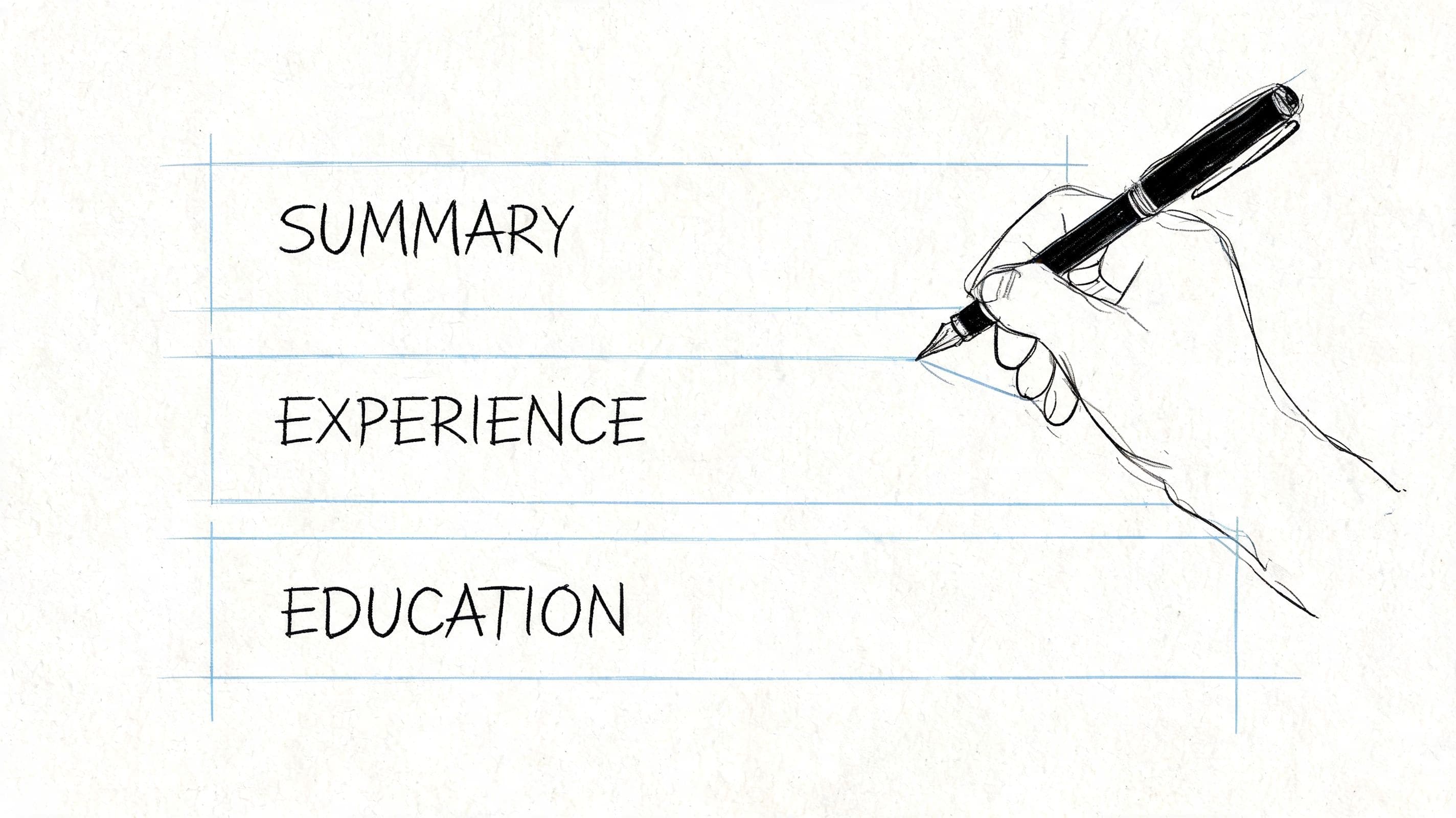
A strong master CV usually has:
- Professional profile: a short opening that states who you are, what you do, and where you add value
- Core skills section: grouped skills relevant to your target role
- Work experience: reverse chronological, focused on contribution and outcomes
- Education and certifications: concise and relevant
- Optional extras: languages, tools, portfolio links, or professional memberships when useful
The aim isn't decoration. It's to create a document that's easy to scan, easy to tailor, and easy for ATS software to parse.
Use AI where it saves time
The best use of AI in CV writing is not blind automation. It's assisted drafting.
Start by feeding the builder your structured role history, target job title, and skills. Then use AI features selectively:
- For the profile: Let the tool draft a first version, then edit it until it sounds credible and specific.
- For work history bullets: Use AI to tighten weak statements into action-plus-outcome phrasing.
- For skill extraction: Let the system suggest missing hard and soft skills based on your experience.
- For consistency: Use it to smooth tense, formatting, and structure across sections.
Here's the standard I use. If a sentence sounds like anyone could have written it, it isn't ready.
A weak line:
- Supported administrative tasks and worked with the team on daily operations
A better line:
- Coordinated daily administrative work, maintained accurate records, and supported team delivery across competing priorities
That second version is still simple, but it tells the recruiter more.
Write the profile last, not first
Many candidates get stuck at the top of the page. They try to write a perfect opening before they've built the body of the CV. That's backwards.
Draft the experience section first. Then look at what themes emerge. Your profile should summarise the evidence underneath it, not make claims the rest of the CV doesn't support.
A useful profile formula is:
- Current level or identity
- Area of expertise
- Relevant strengths
- Target direction
For example:
"Operations professional with experience supporting cross-functional teams, managing documentation, and improving day-to-day processes. Strong in coordination, stakeholder communication, and maintaining accuracy under pressure. Now seeking a role with greater ownership in project or programme support."
That's plain, but it works. It tells the reader what to expect.
"Build a broad master CV once. Tailor the language later. Don't rewrite your whole career for every vacancy."
What a good AI draft gets you
Your master CV should get you most of the way there. It won't be your final application version, and it shouldn't try to be. Its job is to give you a clean foundation that already has:
- Structured sections
- Clear bullet points
- Consistent language
- Relevant skills surfaced
- Readable formatting
That's enough to move into the most important part of the process: tailoring to the specific vacancy.
Closing the Gap with Smart JD Tailoring
Most quick CV tools are good at getting you from blank page to finished-looking document quickly. The problem starts after that. You still need to adapt the CV to the role you want, and that's where many candidates either give up or waste hours editing line by line.

That gap is real. As noted on QuickCV, most builders optimise for initial creation speed but don't operationalise ongoing customisation speed. For people applying to 20-50 roles, that creates a choice between sending a generic CV quickly or spending hours manually reworking each one. The smart move is to keep the speed, but add a repeatable tailoring step.
If you want a more detailed walkthrough of tailoring logic, this guide on how to tailor a resume to a job description is worth keeping open alongside your draft.
Tailoring is where interviews are won
Recruiters don't read your CV in a vacuum. They read it against a role. They're asking: does this person look relevant for this job, in this context, with these priorities?
A generic CV can still be polished and still miss that test.
The practical fix is simple:
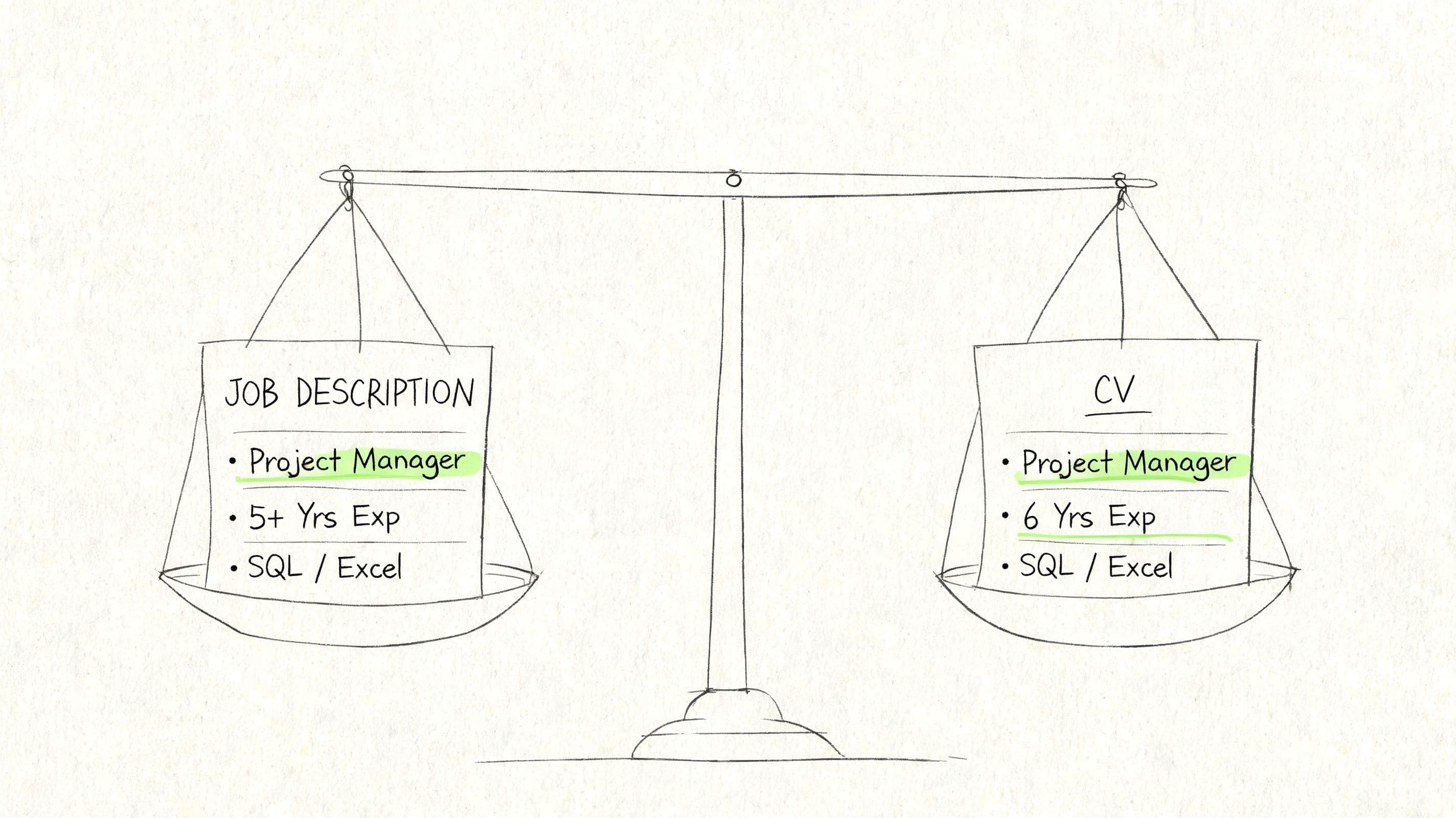
- Paste the target job description into a fit-check tool.
- Compare it against your master CV.
- Review the missing language or weak alignment.
- Update only the parts that affect relevance.
That gives you a targeted version, not a totally different CV.
What to change and what to leave alone
You do not need to rewrite every bullet point. Focus on the areas recruiters and ATS software are most likely to weight heavily:
Professional profile
Adjust the opening so it mirrors the role more closely. If the advert emphasises stakeholder support, reporting, and coordination, those concepts should appear naturally in your summary if they're true of your experience.
Skills section
Bring forward the tools, methods, and strengths that appear in the vacancy. Don't bury them under a broad generic list.
Work experience bullets
Swap out lower-value bullets for more relevant ones. If the role needs process improvement and reporting, lead with the parts of your experience that show those strengths.
Job title framing where appropriate
Sometimes your internal title doesn't communicate enough. If your title was unusual, use wording that clarifies the function while staying truthful.
How to act on the match score
A fit score is useful, but the score itself isn't the main value. The true value is the gap analysis.
Look for three kinds of gaps:
- Missing keywords: terms used in the advert that match your background but don't yet appear in the CV
- Buried relevance: strengths that exist in your experience but are hidden low down or phrased weakly
- Unbalanced emphasis: too much space given to tasks the target role doesn't care much about
For example, if the job description repeatedly mentions stakeholder communication and reporting, but your CV says "assisted with office tasks", you've got a phrasing problem, not necessarily an experience problem.
A stronger rewrite might be:
- Supported internal coordination, maintained reporting records, and communicated updates across teams
That version is closer to the language employers use, while staying honest.
Why integrated tailoring matters
This is one of the few points where a more connected toolset changes outcomes. A builder that handles drafting but not matching leaves you doing the hardest part manually. A platform such as CV Anywhere combines a CV builder with a JD Fit Checker so you can compare the master document against a target vacancy and update the gaps without bouncing between files.
That workflow is what makes a quick cv creator competitive rather than merely convenient.
Best use of tailoring: adjust your summary, skills, and top bullets first. Those changes usually do more than rewording every line on the page.
Finalising Your CV for ATS and Recruiters
At this stage, the content should be strong enough. Now the question is whether the document will survive both machine screening and human scanning. That final check catches the small formatting choices that undermine otherwise good applications.

According to QuickCV's ATS overview, modern CV analysis tools scan for over 250 ATS variants, and replacing tables with bullet lists can increase an ATS score by 15-20%. The same source notes that applicants who get their score above 90% can see up to 3x higher application progression rates. The lesson is straightforward. Good content still needs a format the system can read.
For a deeper checklist, keep this guide on how to optimize a resume for ATS nearby while you review the final version.
Run the ATS check first
ATS-friendly formatting is usually plain formatting. Problems often come from visual choices that look polished but break parsing.
Use this shortlist before exporting:
- Standard headings: Work Experience, Education, Skills, Professional Profile
- Simple fonts: stick to common, readable options such as Arial or similar sans serif fonts
- Bullet lists instead of tables: especially for skills and achievements
- Straightforward layout: avoid graphics, text boxes, and decorative elements in the main body
- Consistent chronology: keep dates, job titles, and employers easy to identify
If your builder provides an ATS score or parser feedback, use it. It's one of the fastest ways to spot hidden issues.
Then check it like a recruiter would
A recruiter won't study every line on first pass. They'll scan.
That means your CV needs to answer a few questions quickly:
- Who is this candidate?
- What kind of roles have they done?
- Do they look relevant for this vacancy?
- Is the document easy to trust?
A final recruiter-facing review should include:
| Check | What to Review | Why It Matters |
|---|---|---|
| Relevance | Top third of the CV matches the role | Recruiters decide quickly whether to keep reading |
| Readability | Clear spacing, clean bullet points, no clutter | Dense text gets skipped |
| Consistency | Dates, tense, punctuation, formatting style | Inconsistency suggests poor attention to detail |
| Accuracy | Company names, job titles, links, spelling | Small mistakes weaken credibility |
| Tone | Natural language, not robotic over-automation | AI wording should still sound human |
Don't let software have the last word. Read the CV aloud once. Awkward phrasing shows up immediately when you hear it.
Common last-minute mistakes
These are the issues I see most often right before submission:
- Fancy templates with columns: They can look neat and still parse badly.
- Overwritten summaries: Too many claims, not enough evidence.
- Keyword stuffing: Repeating terms unnaturally hurts readability.
- Unclear bullet points: Duties are listed, but impact is missing.
- Rushed proofreading: One typo in your email address can ruin the application.
A good final version feels calm on the page. It doesn't try to impress with layout tricks. It makes your relevance obvious.
Exporting and Sharing Your Application-Ready CV
Once the CV is ready, don't lose ground at the final step. Export choice matters because formatting errors often appear after the writing is done.
Use PDF as your default format unless the employer specifically asks for something else. It preserves spacing, fonts, and line breaks, and it avoids the unpleasant surprise of a Word file opening differently on another device. If you need a platform-specific version, this guide to exporting a LinkedIn resume is helpful when you're pulling material from multiple profiles or sources.
Choose the right output
Your safest options are:
- PDF for direct applications: clean, stable, and presentation-safe
- DOCX only when requested: some employers or forms still ask for editable files
- Online share link when appropriate: useful for networking, referrals, or mobile-friendly viewing
A shareable online CV can work well when you want a responsive version that's easy to send by email or message. It also helps if you update your information regularly and want one current version available without resending attachments.
Name the file properly
File naming is a small professionalism signal. Keep it clean and obvious.
Use a format like:
- FirstName-LastName-CV.pdf
- FirstName-LastName-CompanyName-CV.pdf
That's better than "finalCV2new.pdf".
If you're applying for structured public-sector or international roles, pay close attention to application instructions and document requirements. This guide on how to apply for World Bank jobs is a good example of how process-heavy employers often expect precision in submission, not just a strong CV.
Frequently Asked Questions About Quick CV Creation
Can I use the same master CV for every application
Use the same master CV, yes. Submit the exact same version everywhere, no. The master document is your base. The application version should reflect the specific role, especially in the profile, skills, and top experience bullets.
Is a one-page CV always better
Not always. Early-career candidates can often keep things tighter, but the better rule is relevance. If a second page contains useful evidence for the role, that's better than forcing everything into a cramped single page.
Do quick CV creators make applications sound robotic
They can if you accept every suggestion without editing. The fix is simple. Keep the structure and clarity the tool gives you, then rewrite any sentence that doesn't sound like something you'd say about your work.
Should I design my CV to stand out visually
Usually not for standard applications. A clean, readable, ATS-friendly format beats a visually clever CV in most hiring processes. Strong wording and relevance do more work than graphics.
What's the fastest part of the CV to tailor before sending
If you're short on time, update these first:
- Profile: match the role focus
- Skills section: surface the most relevant skills
- Top bullet points: lead with aligned evidence
- File name and submission details: avoid careless mistakes
If you want one place to build a polished CV, check it against a job description, and keep your applications organised, CV Anywhere brings those steps into a single workflow so you can move from draft to submission with less manual admin.
Tags
Popular Articles
A practical guide to choosing a resume builder that saves time, improves formatting, and helps you land interviews faster.
A straightforward walkthrough of the resume format, sections, and writing choices that work best for US job applications.
Learn the structure, wording, and formatting expected in a UK CV so you can present your experience clearly and professionally.
Explore proven cover letter examples and templates you can adapt to write stronger applications and stand out to employers.
See why manual tracking systems break down and what to use instead to stay organised throughout a modern job search.