Most advice about a chatgpt resume builder gets the first step wrong. It tells candidates to open ChatGPT and ask it to “write my CV”, which is exactly how generic, padded, inaccurate applications get produced. The better approach is simpler. Build a clear source document first, use ChatGPT section by section, then tailor and check the final CV before it goes anywhere near an application.
In the UK, AI use for work tasks has moved quickly into the mainstream. The Office for National Statistics reported that 19% of adults had used generative AI for work-related tasks by February to March 2024, up from 12% in September to November 2023, which helps explain why CV drafting has become a common entry point for these tools, as noted in CareerBldr's review of ChatGPT vs dedicated resume tools. That same shift raises the standard. If many candidates are using AI, the advantage doesn't come from using it at all. It comes from using it with better inputs, better prompts, and tighter judgement.
Prepare Your Inputs Before You Prompt
A strong CV doesn't start in ChatGPT. It starts in a document that contains the facts ChatGPT is allowed to work with.
That document should be treated as a Master CV Document. It is the raw material behind every customized version, and it stops the model from filling gaps with bland filler or invented claims.
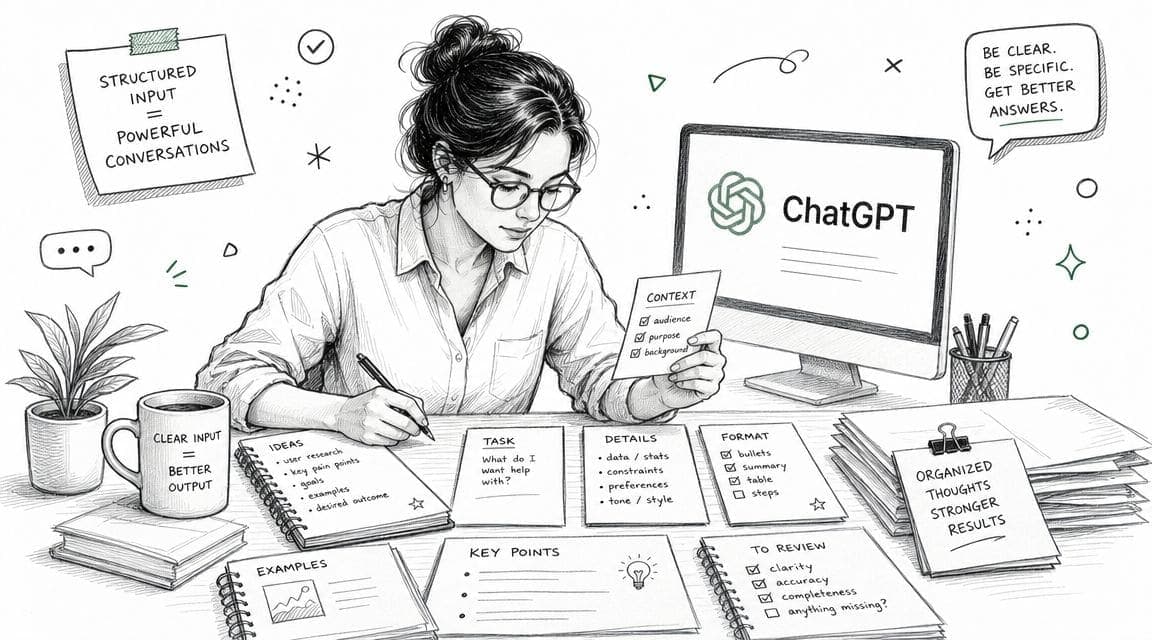
Build a master document before opening ChatGPT
Most weak AI-generated CVs share the same flaw. The candidate gave the model too little to work with.
A proper master document should include every factual input that might later appear in the final CV. Job titles, dates, employers, projects, systems used, training, awards, qualifications, responsibilities, outcomes, and evidence all belong here.
For anyone unsure what belongs in a standard application, this breakdown of core CV sections and components is a useful checklist.
Practical rule: If a detail can't be defended in an interview, it shouldn't be in the prompt.
What to collect
The easiest way to build the master document is by category rather than by job application. That keeps the source file reusable.
Career history Include employer name, job title, location if relevant, and start and end dates. Add the scope of each role in plain language before trying to make it sound impressive.
Responsibilities Write what the role involved. This is the factual layer. ChatGPT can improve wording later, but it can't recover missing detail.
Achievements and outcomes Add any measurable result available. Where hard numbers aren't available, include evidence such as reduced delays, improved handovers, supported audits, trained new starters, handled complaints, maintained records, or delivered work under tight deadlines.
Projects Include system migrations, process improvements, onboarding work, reports, campaigns, coursework, placements, or volunteer initiatives. These often become stronger bullets than routine duties.
Skills and tools List software, methods, frameworks, regulated processes, and technical tools. Keep this grounded in actual use, not aspiration.
Education and training Include degrees, diplomas, modules relevant to the target role, certifications, apprenticeships, and internal training.
Add evidence, not adjectives
Candidates often write “excellent communicator”, “hard-working”, or “results-driven” in the source file. Those aren't useful inputs. Evidence is useful.
Instead of:
- “Strong team player”
- “Highly organised”
- “Good under pressure”
Use:
- “Coordinated rota updates across departments”
- “Maintained accurate records and deadlines across parallel admin tasks”
- “Handled urgent customer requests during peak periods”
ChatGPT responds better to concrete material than to self-description. Teal's guidance on ChatGPT prompts for resumes emphasises that clear, specific prompts and measurable achievements produce more customized output, while vague prompts produce generic content.
A simple master document template
A practical structure looks like this:
| Section | What to include |
|---|---|
| Personal details | Name, phone, email, LinkedIn if used professionally |
| Target roles | Job titles being pursued |
| Profile notes | Sector, strengths, experience level |
| Employment history | Title, employer, dates, responsibilities, outcomes |
| Key projects | Project name, task, tools, result |
| Skills | Hard skills, systems, methods |
| Education | Degree, institution, dates, relevant modules |
| Certifications | Formal and in-house training |
| Extra evidence | Volunteering, languages, publications, civil service behaviours, portfolio links |
What doesn't work
A chatgpt resume builder fails when it's treated like a magician instead of a drafting assistant.
These starting prompts usually lead to poor output:
“Write me a professional CV” Too vague. The model fills space with clichés.
“Make my experience sound better” Better for whom, and for what role? It has no positioning.
“Create a CV for any job” Employers don't hire for “any job”. Generic positioning usually performs badly.
Human review and strategic prompting matter more now because many job seekers are using AI to produce polished, keyword-aligned application materials, which makes generic output easier to spot in a crowded field.
The input standard to aim for
Before prompting, the source document should pass three checks:
- It's complete enough to cover the likely target roles.
- It's factual enough that every line can be defended.
- It's specific enough that ChatGPT can draft without guessing.
Once those inputs are ready, the model becomes useful. Before that, it mostly amplifies vagueness.
Build a resume that actually gets interviews
Start from your current resume — or from scratch — with step-by-step guidance so you do not get stuck.
Free. No blank page. No templates to wrestle with.
Generate Core Resume Sections with Precise Prompts
A chatgpt resume builder gets weak fast when it is asked to write the whole CV at once. Strong results come from controlled drafting. Give ChatGPT one section, one objective, and clear source facts. That is the co-pilot model. You steer the direction, it speeds up the writing.
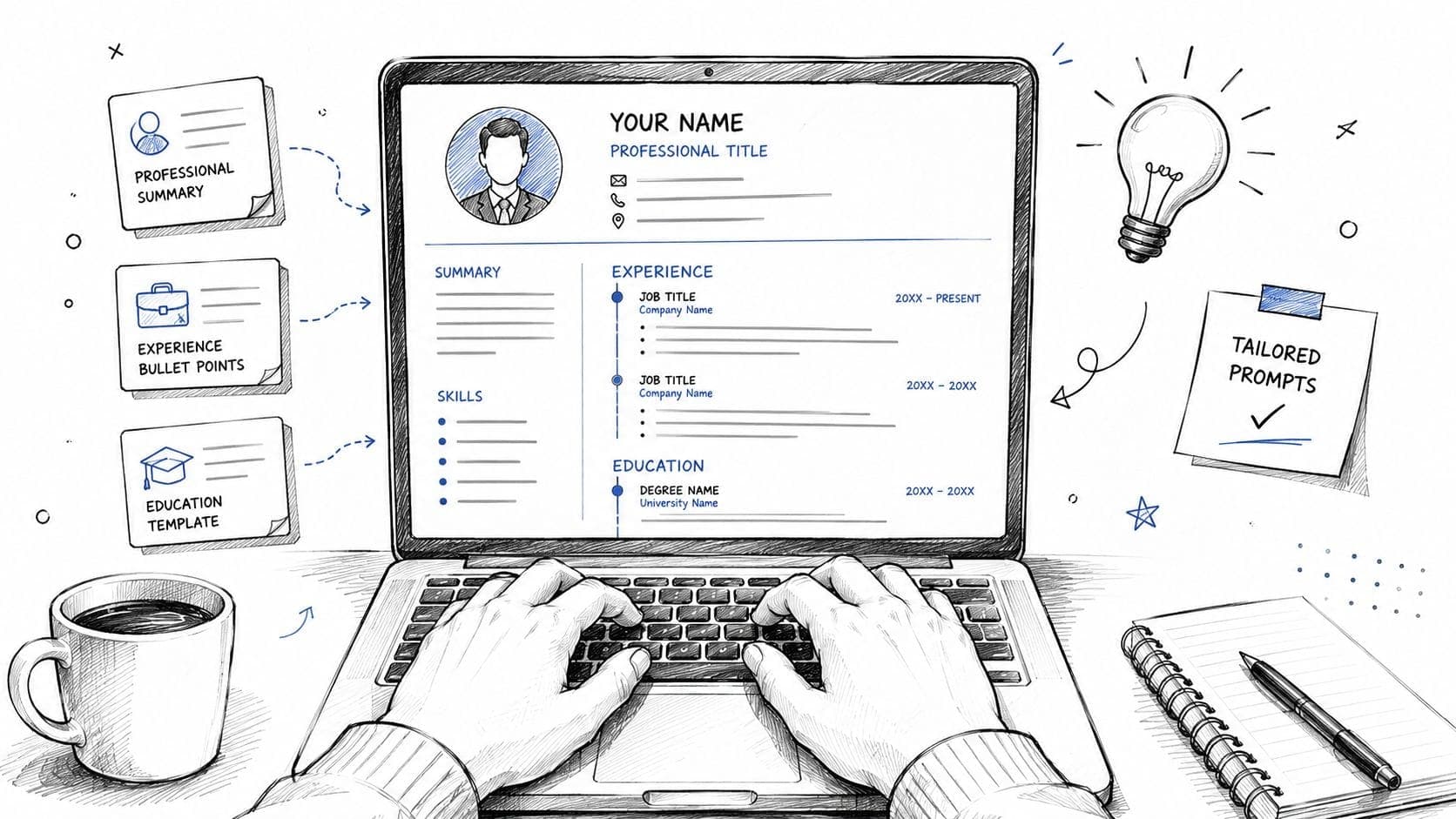
Teal outlines a sensible process: prepare your source material, draft section by section, improve bullet points with an impact structure, then review for ATS alignment. That approach is outlined in Teal's guide to strong ChatGPT resume prompts.
The trade-off is simple. Narrow prompts produce cleaner, more usable copy, but they require more input from you. Broad prompts feel faster, yet they usually create generic language you have to strip out later.
Start with the professional summary
The summary sets direction for the rest of the resume. If this section is vague, the rest of the draft usually follows it.
A strong summary prompt includes the target role, seniority, relevant strengths, and proof pulled from the candidate's history. Without those four pieces, ChatGPT fills the gaps with stock phrases.
For a good benchmark on structure and tone, review this guide on how to write a resume summary before prompting.
Prompt for entry-level candidates
Write a UK-style CV profile for an entry-level candidate applying for [job title].
Use these facts only: [paste education, placements, projects, skills, volunteering].
Keep it concise, avoid buzzwords, and focus on evidence, transferable skills, and suitability for the role.
Write 3 versions with different tones: formal, confident, and plain English.
Prompt for mid-career candidates
Write a CV profile for a candidate targeting [job title] in [sector].
Use these facts only: [paste role history, specialisms, achievements, tools].
Highlight experience level, domain knowledge, and strengths that match the target role.
Keep it natural and avoid vague phrases like “results-driven” or “dynamic professional”.
Limit to 4 lines.
Prompt for senior candidates
Draft a senior-level CV summary for [target role].
Use these inputs only: [paste scope of leadership, major responsibilities, strategic projects, stakeholder level, sector expertise].
Focus on leadership scope, operational or strategic impact, and relevance to the target position.
Produce 2 versions: one for private sector employers and one for public sector or civil service applications.
A practical note from coaching candidates: ask for multiple versions early, but do not ask for “the best one.” Ask for different positioning angles instead. One version can stress technical depth, another commercial impact, another leadership scope. That gives you options you can test against actual job descriptions.
Turn duties into evidence-based bullets
Here, resumes either get stronger or drift into fiction.
ChatGPT is good at tightening language and improving structure. It is not reliable for inventing outcomes, numbers, or seniority. The prompt has to block that behaviour directly. I recommend treating every bullet as a claim that may be challenged in an interview.
Use a repeatable pattern:
Action verb + task + context or method + outcome
If a metric exists, include it. If it does not, use a concrete result such as accuracy, turnaround time, compliance, service quality, or process support. “Responsible for” and “involved in” usually signal weak bullets and should be rewritten.
Prompt to rewrite duties into stronger bullets
Rewrite these job duties into CV bullet points for a UK application.
Use only the facts provided.
Make each bullet specific and outcome-focused.
Use this format where possible: Action Verb + Noun + Metric or Scope + Method + Outcome.
Do not invent numbers, revenue, percentages, or leadership responsibility.
Original duties: [paste duties]
Prompt using STAR logic
Turn the following work examples into 5 CV bullet points using STAR logic.
Keep each bullet concise and suitable for a reverse chronological CV.
Focus on the action taken and the result achieved.
If a number is missing, use qualitative evidence without inventing metrics.
Examples: [paste situations, tasks, actions, outcomes]
Before and after example
Raw input:
- Answered customer emails
- Updated internal records
- Helped with onboarding
- Supported managers with reports
Prompt output, after human editing:
- Responded to customer enquiries by email, resolving routine issues and escalating complex cases to the relevant team.
- Maintained accurate internal records to support reporting, compliance, and day-to-day case handling.
- Supported onboarding activity for new starters, preparing documentation and helping teams follow internal processes.
- Assisted managers with recurring reports by gathering information, checking accuracy, and meeting internal deadlines.
That example matters for one reason. It improves clarity without overstating the work. In practice, that is the standard to aim for.
Build clean skills and education sections
These sections should be easy to scan. ChatGPT can help organise them, but it should not decorate them.
Skills prompt
Organise these skills into a clean UK CV skills section for [job title].
Group similar tools and capabilities together.
Remove weak or duplicated items.
Keep only skills supported by the experience provided.
Skills list: [paste skills]
Education prompt
Rewrite this education information into a concise CV education section.
Prioritise the most relevant course content, modules, placements, dissertation topics, or projects for [job title].
Keep formatting clean and factual.
Details: [paste education]
For ATS purposes, keep naming consistent with the vacancy. If the job advert says “Microsoft Excel” and your draft says “advanced spreadsheets,” use the employer's wording if it is truthful. Save the creative phrasing for interviews, not for the core data fields of a resume.
Use iteration like an editor, not a spectator
Good prompting is revision. Draft, inspect, tighten, and rerun.
That principle applies well beyond resumes. The same pattern appears in guides on using AI to generate Instagram captions, where the output improves once the user gives clear constraints, examples, and tone guidance. Resume writing follows the same logic, but errors carry more risk because recruiters are judging fit, judgment, and credibility.
A useful sequence looks like this:
- Draft one section from source facts.
- Ask for two or three alternatives with different emphasis.
- Remove inflated wording and repeated claims.
- Add missing context from the original career history.
- Shorten until each line earns its space.
- Verify that every statement is accurate.
If you store customized versions in a system such as CV Anywhere, this workflow becomes faster over time. The model helps produce the wording, and your job search system keeps the approved versions ready for future applications.
Common prompt mistakes at this stage
Pasting too much unrelated background Extra detail often muddies the target role and weakens positioning.
Asking ChatGPT to make the candidate “sound more impressive” That instruction regularly produces exaggeration.
Trying to optimise for ATS before the content is right Keywords cannot rescue a vague or inaccurate draft.
Keeping the first draft because it looks polished Polished is not the same as convincing.
Used properly, ChatGPT writes faster than most candidates and edits more patiently than most candidates. It still needs direction, boundaries, and review. The best workflow is not one-click resume generation. It is a controlled process that turns raw career evidence into customized, ATS-friendly sections you can trust.
Adapt Prompts for Unique Career Situations
Linear careers are easy to write. Most careers aren't linear.
Graduates often have coursework, placements, part-time work, and volunteer evidence rather than a long employment record. Career changers may have solid experience that sounds irrelevant only because it's described in the wrong language. In both cases, the problem is usually framing, not substance.
Guidance often assumes candidates already have quantified achievements ready to drop into a CV. That leaves out many early-career and switching applicants. As highlighted in this video guidance on prompting ChatGPT for resumes, effective prompts can convert coursework, internships, and transferable skills into evidence-based bullets when the user provides detailed background information rather than asking the model to invent claims.
Scenario one for a career changer
A retail supervisor wants to move into office administration. The raw experience may look mismatched at first glance, but the underlying skills are often directly useful.
The source facts might include:
- rota planning
- handling complaints
- cash reconciliation
- training new staff
- maintaining records
- dealing with competing priorities
A weak approach is to ask ChatGPT to “rewrite this for admin jobs”. A stronger approach asks it to translate experience for a specific audience.
Prompt for career changers
Translate the following experience from [current field] into language suitable for a CV targeting [new field].
Focus on transferable skills, stakeholder communication, record-keeping, prioritisation, training, scheduling, compliance, and problem-solving where relevant.
Use only the facts provided and do not invent tools or achievements.
Experience: [paste duties and examples]
That prompt often surfaces the actual value:
- supervised shift operations
- maintained accurate records
- supported team onboarding
- handled customer issues professionally
- balanced multiple operational priorities
Those are not weak bullets. They were just hidden under the wrong framing.
The task isn't to disguise a career change. It's to make relevant evidence visible.
Scenario two for a recent graduate
A graduate applying for analyst, coordinator, policy, marketing, or operations roles may not have much formal work history. That doesn't mean the CV has to be thin.
Useful evidence can come from:
- dissertation or capstone work
- group projects
- internships
- society leadership
- part-time jobs
- volunteering
- presentations
- research assignments
Prompt for graduates with sparse experience
Create CV bullet points for a recent graduate applying for [job title].
Use evidence from coursework, university projects, internships, volunteer work, and part-time jobs.
Focus on responsibilities, methods, collaboration, research, communication, deadlines, and outputs.
Do not invent results or metrics.
Background information: [paste details]
A candidate who led a group project, analysed survey responses, presented findings, and coordinated deadlines already has material for solid bullets. The key is making the evidence concrete.
Scenario three for employment gaps or returners
Employment gaps cause anxiety, which leads many candidates to either hide them awkwardly or overexplain them. ChatGPT is useful here when the task is tightly defined.
Prompt for returners
Help rewrite this CV so a return to work is handled clearly and professionally.
Use a neutral tone.
Emphasise retained skills, recent training, volunteering, freelance work, caring responsibilities where the candidate wants them included, and readiness for the target role.
Avoid defensive wording.
Background: [paste relevant details]
This usually produces better wording than trying to improvise under pressure. The candidate still chooses what to disclose, but the draft becomes calmer and more employer-facing.
A quick mapping table
| Situation | Better evidence source | Better prompt goal |
|---|---|---|
| Career changer | Transferable tasks and responsibilities | Translate experience for a new audience |
| Graduate | Projects, coursework, placements | Turn academic work into work-like evidence |
| Returner | Training, volunteering, recent activity | Rebuild credibility and recency |
| Civil service applicant | Behaviours, examples, structured evidence | Reframe examples using competency language |
What not to let ChatGPT do
For non-traditional backgrounds, the temptation to “help it along” is strongest. That's where accuracy slips.
Avoid prompts that ask the model to:
- guess achievements
- add tools not used
- create metrics from thin air
- overstate leadership
- make academic projects sound like paid employment
The model should organise and sharpen reality. It shouldn't fabricate one.
Tailor and Optimize for Applicant Tracking Systems
A generic CV is rarely the right CV. Once the core draft exists, the next job is alignment.
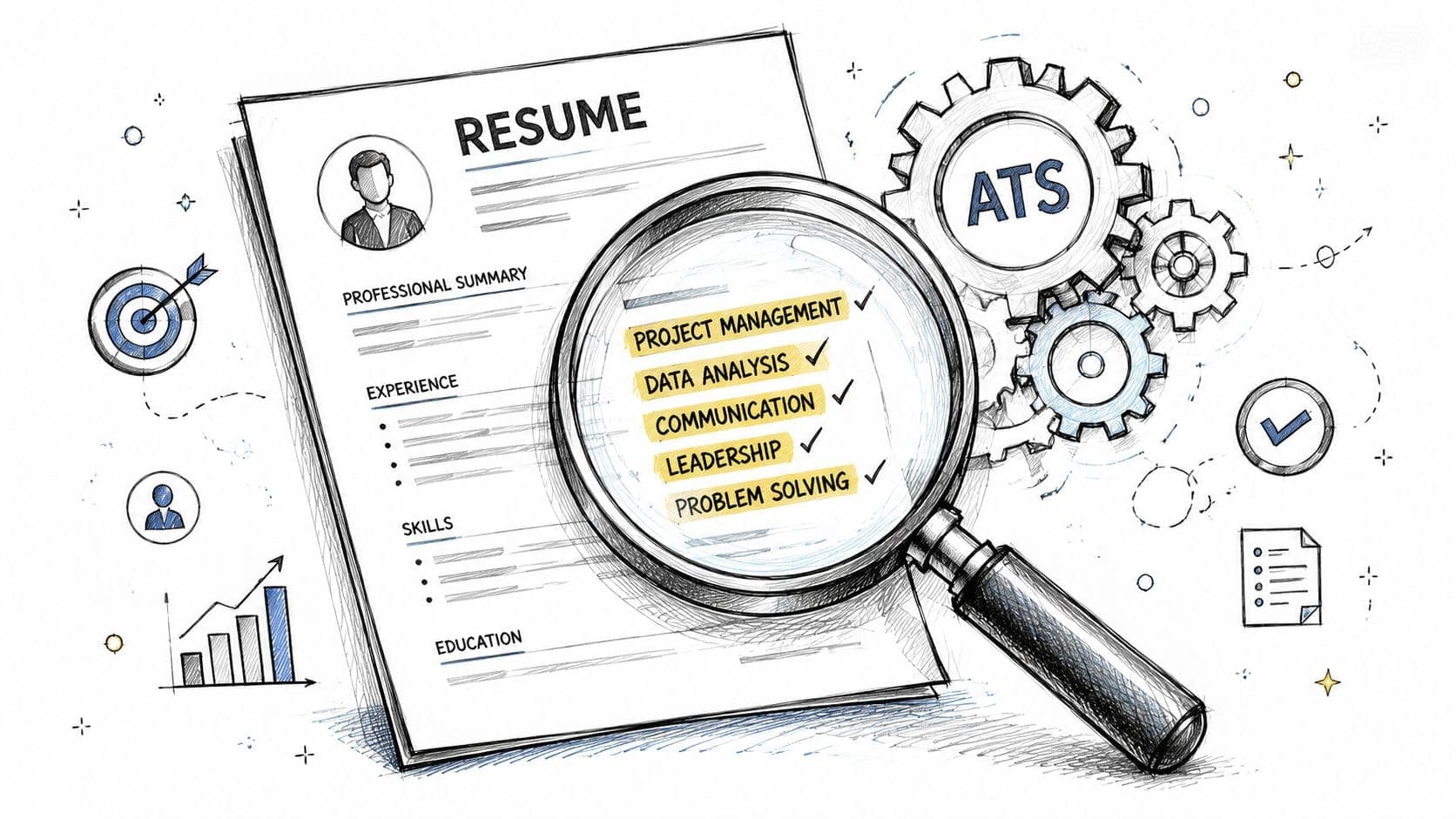
That means comparing the CV against the vacancy, adjusting language where the experience matches, and checking whether the document is easy for an applicant tracking system to parse.
Tailor against the job description
The practical way to do this is to paste both the job advert and the current CV draft into ChatGPT, then ask for a gap review before asking for rewrites.
Prompt for role alignment
Compare this CV against this job description for [job title].
Identify which required skills, responsibilities, and keywords are already evidenced, which are missing, and which bullets could be rewritten for closer alignment without changing the truth.
Then suggest targeted edits section by section.
CV: [paste CV]
Job description: [paste advert]
This usually produces three useful outputs:
- relevant keywords already present
- genuine gaps to address
- bullets that can be reframed using employer language
That last point matters. Employers don't just look for exact keyword matches. They look for familiar language tied to believable evidence.
Run an ATS check
An ATS-friendly CV is usually plain, structured, and easy to parse. It doesn't need elaborate design. It needs clean headings, consistent dates, standard section labels, and readable formatting.
This walkthrough on how to optimise a resume for ATS covers the formatting side in more depth.
Prompt for ATS review
Review this CV for ATS compatibility.
Check for standard headings, consistent date formatting, clean section order, keyword alignment with the job description, and wording that is specific rather than generic.
Flag anything that may confuse parsing or weaken relevance.
CV: [paste CV]
Job description: [paste advert]
Use ChatGPT for content alignment. Use a dedicated checker when a precise comparison is needed.
ChatGPT is useful for drafting and review, but it isn't a specialist scanner. A purpose-built fit checker can compare the document against a vacancy more systematically, highlight missing skills, and keep the tailoring process repeatable. One example is CV Anywhere, which includes a job description Fit Checker and an application workflow alongside CV creation.
A simple tailoring checklist
Match the title carefully If the target role is “Operations Coordinator”, the summary and experience should reflect relevant operations language where truthful.
Bring forward relevant evidence The most relevant bullets should appear earlier within each role, not buried at the bottom.
Use employer wording selectively Mirror the vacancy's language only where the experience supports it.
Keep headings standard “Experience”, “Education”, and “Skills” are safer than creative labels.
Check dates and formatting Inconsistent date styles can make even a good CV look rushed.
Finalize Your Resume and Integrate Your Job Search
The final version of a CV should feel tighter, clearer, and more personal than the AI draft. If it still sounds machine-written, it isn't ready.
The last pass is where candidates remove padded phrasing, verify every claim, and make sure the document still sounds like a real person applying for a real job.
Human review checklist
A useful review pass covers content, tone, and formatting.
Check factual accuracy Confirm dates, titles, tools, qualifications, and responsibilities. If a line feels hard to defend, rewrite it or cut it.
Remove AI wording Watch for phrases like “results-driven professional”, “dynamic individual”, “proven track record”, or “highly motivated team player”. These usually weaken the document.
Tighten long bullets If a bullet needs two readings, it's too long. Strip it back to action, context, and result.
Read it aloud If the wording sounds unnatural when spoken, it often reads the same way.
Check consistency Verb tense, punctuation, capitalisation, and date formatting should be uniform.
A strong CV sounds like the candidate on their best professional day, not like a chatbot trying to impress a recruiter.
Move from one file to a system
Once applications start multiplying, the writing process stops being the only problem. Organisation becomes the next one.
Candidates often end up with scattered files, duplicated CV versions, and no reliable record of which draft went to which employer. A tracker solves that operational mess. For application management, this guide to a job application tracker shows the logic clearly.
That kind of structure also helps when candidates are combining direct applications with recruiter outreach. Anyone using LinkedIn as part of the process may also find these insights on LinkedIn Recruiter Lite from LinkedFuse useful for understanding how recruiters search and work through candidates.
Final pre-send check
Before exporting the file, make sure:
- the CV is adapted for the specific role
- the wording still sounds human
- every claim can be supported
- the layout is plain and readable
- the saved filename is clear enough to identify later
A chatgpt resume builder is useful at the drafting stage. It becomes effective when the candidate also runs a review process and stores each customized version in an organised system.
Frequently Asked Questions About Using ChatGPT for Resumes
Is it acceptable to use ChatGPT for a CV?
Yes, if it's used as a drafting assistant rather than a fact generator. The safe approach is to supply real information, ask for rewrites or structure help, and then review everything manually. This practical guide on how to use AI to write a resume is useful for that wider workflow.
Should a full CV be pasted into ChatGPT?
Only if sensitive details have been considered first. Personal and confidential information should be handled carefully. Many candidates remove private identifiers, client names, or restricted details before prompting, then restore the final wording later in their own document.
Can ChatGPT format the final CV properly?
It can suggest structure and wording, but the final formatting still needs human control. A clean UK CV should use standard headings, consistent dates, readable spacing, and simple layout choices. ChatGPT is stronger at generating text than at producing a final, polished document ready for every application system.
Can recruiters tell when a CV was written with AI?
Sometimes they can tell when the language is generic, repetitive, or overloaded with buzzwords. The bigger issue isn't detection software. It's whether the CV sounds like every other polished but empty application. Specific detail and honest wording usually solve that problem.
Is ChatGPT enough on its own for job applications?
Not usually. It helps with drafting, rewriting, and customization, but a full job search also needs version control, application tracking, and vacancy matching. Candidates who apply to multiple roles usually benefit from combining AI drafting with a repeatable process for storing customized CVs and tracking submissions.
CV Anywhere helps candidates move from draft to application with an AI-powered CV builder, job description fit checking, and application tracking in one place. For anyone using ChatGPT as a co-pilot rather than a one-click solution, CV Anywhere is a practical next step for keeping customized CVs and active applications organised.