cv uk format: Mastering the UK CV to Land Interviews
Perfect your cv uk format with this practical guide covering layout, ATS styling, real examples, and a template to secure more interviews today.
cv uk format: Mastering the UK CV to Land Interviews
Quick Guide To cv uk format
Use this quick guide to cv uk format as your roadmap to structure each section with the right order, length, and styling.
UK recruiters often expect two pages of detail rather than the ultra-compact one-page resumes you see elsewhere. They want substance and clear signposts.
- Contact Details (Name, Phone, Email, LinkedIn) so you're reachable at a glance
- Personal Statement in 50–80 words that hooks attention with your top result
- Skills Summary of 5–8 bullet points packed with ATS-friendly keywords
- Work Experience in reverse order, 3–6 bullets per role rooted in numbers
- Education listing degrees, institutions, and dates in clear reverse chronology
"A clear cv uk format structure is your CV's backbone, guiding readers to your top achievements."
CV UK Format Overview
Before you dive in, here's a snapshot of each section's ideal length and styling tip.
 CV UK Format Overview table displaying recommended lengths and formatting guidelines for each CV section
| Section | Length | Key Tip |
|---|---|---|
| Contact Details | 1 line | Keep font size 12–14 pt |
| Personal Statement | 50–80 words | Showcase measurable success |
| Skills Summary | 5–8 items | Mirror keywords from the ad |
| Work Experience | 2 pages total | Lead with your most recent role |
| Education | 2–3 entries | List qualifications in reverse |
Use this table as a quick checklist to keep your CV clear, concise, and ATS-ready.
Is your CV actually getting responses?
Your CV might be missing something important
Upload your CV → see its weakest areas → fix them, one by one.
Free. Takes less than 2 minutes.
Understanding CV UK Format Sections
Your CV isn't just a list of facts—it's a narrative guiding recruiters through your career highlights. Every section needs to sit in the right order, acting as signposts so a hiring manager never feels lost.
Kick off with your contact details front and centre. In a single line, show your name, phone number, email and LinkedIn link. This compact view makes you instantly reachable.
Structuring Contact Details
Contact details are like the legend on a map—they orient anyone who reads your CV.
- One line for your name, phone and email
- Include city and postcode for location context
- Skip the full address to save space
- Use a professional email—no nicknames
Next, your personal statement takes the stage. Think of it as the trailer to your career blockbuster—concise, gripping and capped at 50–80 words.
Learn more about crafting a compelling statement in our article Check out our guide on crafting a personal statement.
Picture pitching your career to a film director: zero fluff, total impact. Focus on one or two key results.
- Keep bullets tight with 3–5 achievements
- Mirror keywords from your job advert
- Quantify impact (for example, saved £10,000 in costs)
Sequencing Work Experience
Arrange roles in reverse chronological order—it's like flipping back through a photo album, newest snapshots first. Each position should feature 3–6 bullets, all about outcomes.
Start with action verbs such as "Led" or "Managed." For example:
- Led a team to a 40% efficiency gain in Q4
- Managed a £200K budget to deliver a project ahead of schedule
Use consistent date formats (MM/YYYY or Month Year) so your timeline reads like clear milestones.
ATS-friendly order helps your CV land in front of human eyes—78% of UK recruiters rely on these systems
Preferred UK CV Length
In the UK, two pages hit the sweet spot. Surveys reveal 50% of company hiring managers favour this length—one page feels skimpy, anything over two pages looks verbose unless you're at executive level.
This space lets you chart career progress, highlight achievements and build out a strong skills section. Read the full research on UK CV length preferences UK HR statistics.
Screenshot of CV Structure
Clear headings and consistent styling make all the difference.
Boosting Skills Visibility
Think of your skills section as the toolbox you open at the right moment. List 5–8 core competencies and add a brief context.
- Hard skills: Java, SQL, Google Analytics
- Soft skills: Communication, teamwork, problem solving
Each skill should link directly to the job's requirements—this sharpens your ATS score and grabs the recruiter's eye.
Integrating Education Seamlessly
Education usually sits at the end—unless you're a recent graduate, then it moves higher. List degrees in reverse order, noting the institution, qualification and dates.
If relevant modules or grades strengthen your case, include 2–3 bullet points to highlight them.
Recruiters spend just 7 seconds scanning each CV, so clear structure wins every time
Putting It All Together
When contact details, a punchy personal statement, key skills, well-structured experience and education line up in that order, your CV hums like a well-oiled machine. Double-check for consistent fonts, spacing and bullet styles to please both ATS software and human eyes. A tidy, results-focused cv uk format will rise to the top in a competitive market.
Styling Guidelines for ATS Compatibility
When you start mapping out your CV for UK roles, think of it like drafting a clean blueprint. Every choice—from font to file type—needs to guide parsing software smoothly down the page.
Fonts matter. Calibri, Helvetica, and Lato are like well-trodden paths that ATS engines navigate without detours.
- Stick to web-safe options: Calibri, Helvetica or Arial.
- Avoid headers, footers, images, tables or anything too fancy.
- Save in .docx or as a text-based PDF to lock in your layout.
Choosing Key Design Elements
Treat your CV layout like a gallery exhibition, leading both algorithms and recruiters through each panel.
| Element | Recommended | To Avoid |
|---|---|---|
| Fonts | Calibri, Helvetica, Lato | Script, Serif, Decorative |
| File Format | .docx, Text-based PDF | Images, .jpg, .png |
| Layout | Single column, bullet lists | Tables, columns, graphics |
Simple headings—Work Experience, Education, Skills—act as signposts. Consistent spacing stops parsing engines from losing their place.
"A clear CV structure is your passport to human review after ATS approval"
Standard Headings and Spacing
Section titles tell the software where to focus.
Use 14–16 pt for headings and 11–12 pt for body text. Keep 1-inch margins on all sides so nothing gets clipped.
- Left-align every line; skip justified text.
- Apply single line spacing with a blank line between sections.
- Use numbered lists to highlight step-by-step achievements.
Keyword Integration
Keywords are the secret handshake between you and the ATS. Match phrases directly from the job advert to unlock the right filters.
Pull in exact terms like project management or stakeholder engagement. If you use an acronym, spell it out too: "ERP (Enterprise Resource Planning)."
- Read the job description carefully.
- Jot down the top keywords.
- Weave them into your sentences—don't hide them in a block.
Here's a look at how an ATS parses your CV.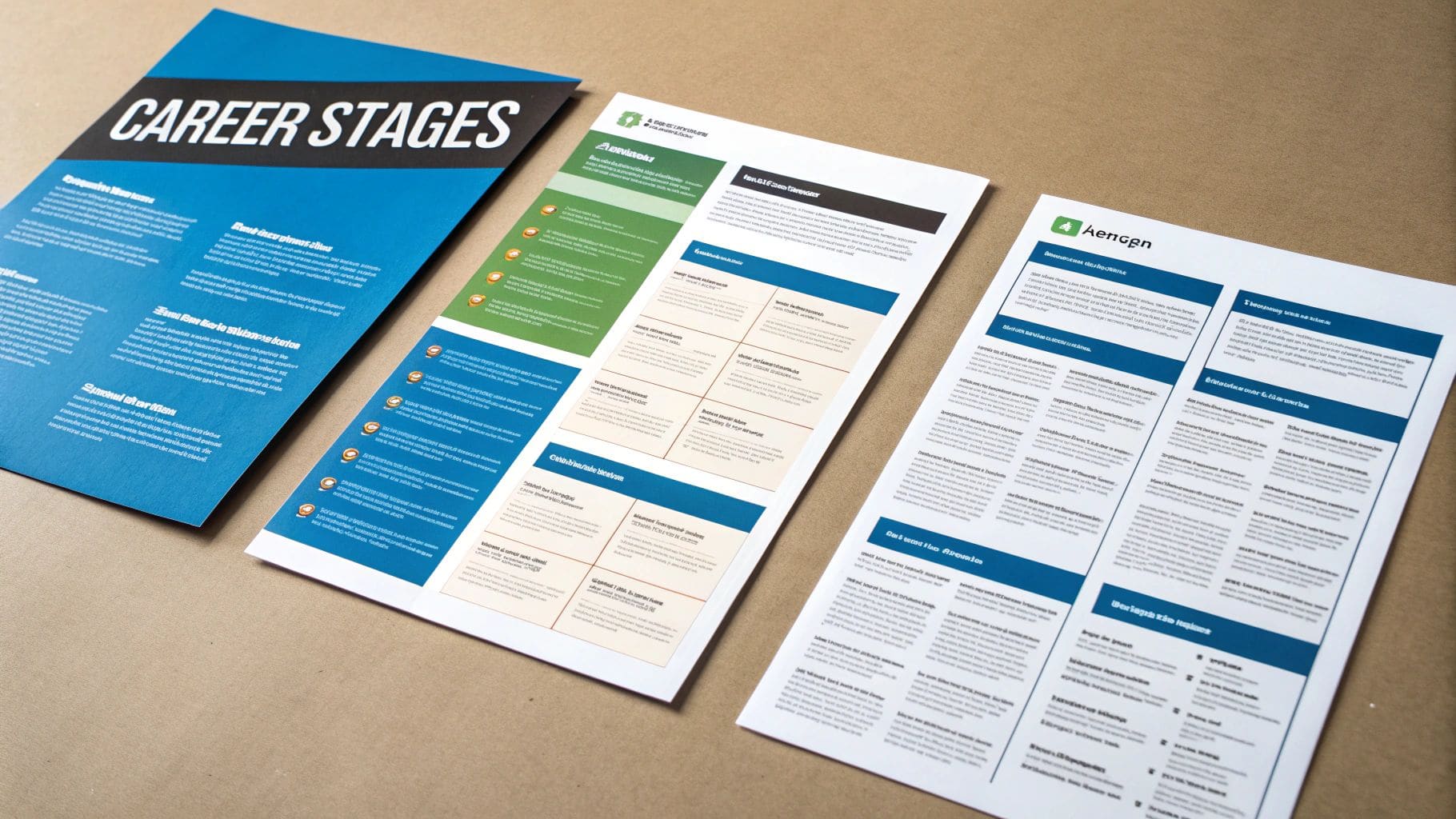 Applicant tracking system interface displaying parsed CV fields including name, contact details and section titles
This snapshot highlights fields like name, contact details, and section titles that feed into search results.
In the UK market, over 90% of employers use Applicant Tracking Systems. Recruiters spend just 2 minutes and 17 seconds on each CV—so if your document doesn't parse correctly, it never reaches a human desk. Learn more in our ATS-friendly CV UK guide.
Practical Steps When Saving and Submitting
Before you hit send, switch your file into plain text to catch hidden formatting glitches. Then run it through an ATS preview or scanning tool.
Name your file clearly, for example: LastNameFirstNameCV.docx.
Avoid Complex Visual Elements
Icons and charts may look attractive but often break parsing rules. Tables can misalign information and drop critical details.
- Skip embedded logos or text boxes.
- Break dense content into simple bullet points.
- Ditch sidebars, decorative borders or multi-column layouts.
This approach keeps your CV machine-friendly and easy on the eye.
Final Formatting Checklist
Do a last-minute sweep for consistency:
- Confirm headings match the ATS keywords you've chosen.
- Check dates use MM/YYYY or "Month Year."
- Remove special characters or symbols.
- Ensure bullet styles are uniform.
- Test uploading in popular ATS simulators.
Proofreading and Tone
A flawless layout can still fall flat if typos creep in. Read your CV out loud to catch awkward phrasing.
- Use grammar tools for a quick check.
- Ask a friend for fresh eyes.
- Keep your tone concise and professional.
- Double-check your contact details.
- Cut anything that doesn't add value.
A clean, ATS-friendly layout boosts your chances of getting noticed—and getting that interview.
CV Examples For Every Career Stage In cv uk format
 Visual guide displaying CV format variations for graduates, mid-career professionals and executives
Building a CV is a bit like sketching a blueprint for your career journey. Having cv uk format templates at your side means you're not fumbling in the dark. Each example—from newly graduated hopefuls to seasoned executives—illuminates the sections that matter most and the way they should flow.
Graduate CV Sample
Graduates sometimes pile coursework details without linking them to real outcomes. A tweak in structure can make a big difference.
- Before: Completed Business Management modules
- After: Managed a budgeting project, saving £1,200 and presenting findings to 30 peers
That simple swap transforms generic study notes into a clear success story. Aim for 3–5 crisp bullets under your education and project entries.
Mid Career CV Sample
Mid-level resumes need to shift the focus from day-to-day tasks to measurable wins.
- Developed a social media strategy that lifted engagement by 45%
- Led an 8-person team to deliver three campaigns under budget
- Negotiated partnerships bringing in £200,000 revenue
Numbers punctuate your achievements—turning routine work into memorable milestones.
"Quantify everything you can," advises a seasoned recruiter.
Executive CV Sample
At senior levels, your CV should read like an executive summary. It's not enough to note grueling responsibilities—you must underline strategic impact.
- Before: Oversaw company operations
- After: Directed global operations for a £50M division, increasing revenue by 15%
Keep your CV tight—3–5 high-impact bullets per role—and stick to two pages max.
CV Sample Comparison
Below is a quick reference that highlights how your CV sections evolve as your career progresses.
Table introduction: This comparative table breaks down the key structure for graduates, mid-tier professionals, and executives, helping you spot what to emphasise.
| Profile Level | Key Sections | Highlight Example |
|---|---|---|
| Graduate | Education, Projects, Skills | Saved £1,200 in a budgeting project |
| Mid Career | Experience, Achievements | Increased engagement by 45% |
| Executive | Leadership, Strategic Impact | Directed operations for £50M division |
Table conclusion: By observing these patterns, you'll know exactly where to place your strongest points and how to adapt them.
Tailoring cv uk format To Sectors
Every industry has its own playbook. Swap the order and spotlight the details that recruiters expect.
- Tech: Built a React/Node.js web app, cutting load times by 30%
- Finance: Created quarterly forecasts improving accuracy by 20%
STEM graduates might lead with projects before conventional work history. It keeps your CV aligned with sector norms.
Quick Customisation Tips
- Mirror keywords from job postings to sail through ATS scans
- Stick to consistent date styles like "MM/YYYY" or "Month Year"
- Pick legible fonts (Calibri or Helvetica) for easy on-screen reading
- Limit bullets to 3–6 per role to maintain clarity
Run your final version through an ATS checker. A clean, outcome-focused cv uk format wins points from both software and hiring teams.
For more templates and inspiration, dive into our practical examples: Explore UK CV template examples
Final Thoughts On cv uk format Models
Think of these samples as adaptable blueprints rather than one-size-fits-all forms. Each bullet you write is another brick in your professional narrative. Experiment with order, tweak phrasing, and ask peers for feedback. Before long, your CV will not only pass ATS filters but also leave a lasting impression on any recruiter.
Common Mistakes To Avoid
One tiny misstep and your CV might never reach a recruiter's desk. In the UK format, cluttered sections and outdated roles can bury your strongest months of work under irrelevant noise.
- Quantify your impact with clear metrics.
- Remove roles over a decade old unless they directly tie to the job.
- Use dynamic action verbs instead of passive phrasing.
- Highlight your top achievements within the first few bullets.
Burying key results in walls of text makes hiring managers scroll right past your best moments. Similarly, squashing everything into tight margins hurts readability for both ATS and human eyes.
Avoid Dense Blocks Of Text
Break each role into 3–6 sharp bullets. Short paragraphs of one or two lines guide the reader's eye.
"A bit of white space is your secret weapon—spacing can be the difference between a skim and a serious call."
Stick to a single-column layout and skip graphics or images that confuse parsing software. Standard headings like Work Experience and Education act as clear signposts.
Small tweaks like adjusting bullet styles can boost readability by 25%.
Guard Against Bland Passive Bullets
Words like "responsible for" turn vibrant achievements into background noise. Swap them for verbs such as "drove," "led," or "delivered."
- List your core wins and match each with an action verb.
- Attach numbers or percentages to every result.
- Prioritise recent success over older, less relevant details.
- Convert long sentences into punchy bullet points.
- Double-check for active voice throughout.
Proofread And Standardise Details
Typos in dates or company names shout "inattentive." Inconsistent formats can confuse both people and ATS.
- Check date formats line by line.
- Verify the spelling of all organisations and contacts.
- Read your CV aloud to catch awkward phrasing.
- Run a final spell-check for peace of mind.
Streamline Personal Details
In the UK, less really is more. Skip marital status or unrelated hobbies. Stick to essentials—your name, city, LinkedIn URL and phone number.
Learn how ATS parsing errors can derail your application in our guide on common ATS CV mistakes.
Tailor Your Personal Statement
A generic summary sounds like filler. Weave in specific keywords from each job advert to build a narrative that resonates with UK recruiters. Maintain a consistent date format throughout to avoid parsing errors.
Review On Multiple Devices
Your CV could land on a laptop, a tablet or a phone. View it everywhere to confirm it reads smoothly. A fresh perspective from a mentor or peer often reveals hidden gaps you overlooked.
By sidestepping these pitfalls, your CV stays out of the pile and in front of decision-makers.
cv uk format Template And Checklist
 Professional CV template displaying organised sections including contact details, personal statement, skills, experience and education
Picture this as a fill-in-the-blanks framework that balances clarity with depth. It spans just two pages—enough room for detail without overwhelming ATS scans or hiring managers.
Use this cv uk format template to fill in each section with confidence and clarity. The placeholder headings guide you through every essential part, from contact details and your personal statement to skills, experience and education.
Here's how each placeholder maps out:
- Contact Details placeholder shows where to add your name, phone number and LinkedIn URL.
- Personal Statement field prompts a 50–80-word summary focused on results and keywords.
- Skills Summary section lists 5–8 bullet points packed with role-relevant terms.
- Work Experience area reserves two pages for roles, each with 3–6 outcome-driven bullets.
- Education table includes qualifications, institutions and dates in clear reverse order.
How To Use The Template
First, copy the template into a blank document and overwrite every placeholder with your own information. Swap the 'Personal Statement' heading for a concise, 50–80-word snapshot that highlights your standout achievement.
Keep dates uniform—stick to MM/YYYY or full Month Year. Treat the section prompts as stepping stones, guiding you from one part of your CV to the next.
"Think of this checklist as your CV's final safety net before submission," advises CV coach Jane Smith.
Final Checks Before Sending
Run a quick spell check and eyeball each bullet point to ensure they follow the same style. Then, upload your draft into an ATS simulator to make sure headings parse correctly.
Lastly, verify that your cv uk format keywords mirror those in the job advert. And name your file using the LastNameFirstNameCV.docx convention to keep things neat.
Key Points To Remember
| Checklist Item | Purpose | Done |
|---|---|---|
| Contact Details Completed | Ensure recruiter can reach you | ☐ |
| Personal Statement Finalised | Highlight top achievement in 50–80 words | ☐ |
| Skills Section Checked | Match 5–8 keywords from job ad | ☐ |
| Work Experience Bullets Reviewed | Confirm 3–6 result-focused bullets | ☐ |
| ATS Preview Success | Verify parsing and formatting | ☐ |
Customisation Tips
Tailor this outline to fit your sector. For creative positions, drop in a link to your portfolio right under contact details. But steer clear of graphics or embedded visuals that might trip up an ATS.
- Replace placeholder text with concrete examples of your achievements.
- Use strong verbs like Led, Managed and Delivered.
- Keep formatting consistent—same font size, margins and bullet style.
These small changes boost your CV's relevance and keyword match rate.
"A well-checked CV feels like a polished presentation," notes recruiter Alex Lee.
Next Steps
Save your final CV as a .docx file and test it on both mobile and desktop screens. Submit through your chosen portal, then send a quick confirmation email to the recruiter.
Confidence in your cv uk format and these thorough checks mean fewer submission errors. Learn more about using this template in our article CV UK Template.
With this template and checklist, your cv uk format will be polished, ATS-ready and recruiter-approved.
Troubleshooting Issues
If formatting shifts after upload, switch to a text-based PDF and recheck alignment.
- Verify margins remain at one inch to avoid cut-off text.
- Ensure any links appear as clickable text, not raw URLs.
Tackle these checks early to prevent last-minute headaches. After a final proofread, save a backup to cloud storage. Confirm uniform font and spacing one last time. Your CV is now truly interview ready.
FAQ On cv uk format
Find straightforward answers to the most common questions about the UK CV layout. You'll learn about ideal length, ATS optimisation, when to add references and how often to refresh your document. Each response links back to core sections for a deeper dive.
What Is The Ideal Length For A UK CV
Most recruiters in the UK expect a two-page CV. It's long enough to show your career progression, but short enough to keep their attention.
This length hits the sweet spot between detail and readability. It follows the Preferred UK CV Length section and aligns with how ATS software parses documents.
Why Two Pages Work:
- Room To Quantify achievements like cost savings or efficiency gains
- Quick Scan format that recruiters breeze through in under a minute
- ATS-Friendly size that avoids truncation and ensures all sections register correctly
How To Optimise Your CV For Applicant Tracking Systems
An ATS scans for clear signposts. Stick to simple layouts, web-safe fonts and bullet points so both bots and humans find your top skills at a glance.
For step-by-step instructions, see our Styling Guidelines for ATS Compatibility.
"An ATS-friendly CV is your entry pass; poor formatting can block your application before a human ever sees it."
Key ATS Tips:
- Use standard headings like Work Experience, Education and Skills
- Choose web-safe fonts (Calibri, Helvetica or Arial)
- Opt for bullet lists instead of tables, columns or graphics
- Weave in keywords directly from the job advert
- Keep spacing consistent so each section stands out
When Should I Include References
Only list referees if the job advert explicitly asks. Otherwise, a simple note—References Available Upon Request—saves space and avoids confusing the ATS.
Why Skip Full References:
- Clears room for your most compelling achievements
- Stops ATS from misinterpreting contact details
- Shows you understand professional etiquette
Hold off on referee names and numbers until an employer specifically requests them.
How Often To Update Your cv uk format
Think of your CV as a living document. Aim to revisit it every six months or after any major milestone—promotions, new certifications or big project wins.
Use the CV UK Format Template And Checklist to guide each review.
Small, regular tweaks:
- Prevent outdated entries from creeping in
- Keep your story consistent and concise
- Signal that you're ready for fresh opportunities
Quick Tips To Remember
- Keep heading styles uniform (Contact Details, Work Experience, etc.)
- Mirror keywords from each job description to boost ATS matches
- Limit bullet lists to 3–6 concise points per role
- Refresh your personal statement with new highlights
- Save a .docx version for ATS uploads and a plain PDF as a backup
- Proofread on desktop and mobile to catch layout shifts
Implement these FAQs to navigate your cv uk format with confidence. Dive into the linked guides for more detail and ensure your CV stays recruiter-ready.
Ready to build a winning CV? Try CV Anywhere
Popular Articles
You do not need Word, a template hunt, or a blank page staring back at you. If you have a job advert open and twenty minutes before the deadline, you can create a CV free that is clear, ATS-safe, and ...
Need a free CV template for Google Docs? This guide covers 12 reliable sources with direct links to help you get started quickly. You will find options ranging from simple, ATS-friendly layouts to mor...
The best way to craft a comprehensive and professional CV of curriculum vitae is with a dedicated tool like CV Anywhere's CV builder. It ensures your document is perfectly formatted and optimised to h...
Choosing the right resume template comes down to two things: will it work with Applicant Tracking Systems (ATS) and does it suit your industry? The best template is one that presents your experience c...
Looking for a free resume maker that actually works? This guide compares 12 options so you can find the right tool without wasting time on paywalls or limited exports. > Ready to build now? Create you...