You're probably staring at a blank document, wondering how to make a resume for the first time when you do not feel like you have enough to put on it. The good news is that a strong first resume is not about having years of work history. It is about choosing the right structure, showing relevant experience clearly, and making it easy for employers to see your potential.
If you want to know how to make a resume for the first time, start with a simple one-page layout, add the core sections employers expect, and turn school, volunteer, and project work into proof that you can contribute. Below, you'll find the exact structure to use, examples you can copy, and a faster way to build and customize your resume for real job applications.
Choosing the Right Resume Format and Structure
The first decision matters more than most beginners think. If your layout is messy, hard to scan, or missing standard sections, even strong content can get overlooked.
For a first resume, the safest choice is reverse chronological format. Professional fonts like Arial, Calibri, and Times New Roman are the industry standard because they work well with applicant tracking systems and are easy to read. Resume structure should follow reverse chronological order, which naturally highlights career progression and is preferred by recruiters who may only spend seconds reviewing your document, as explained in Flatiron School's guide to resume formatting and ATS-friendly structure.
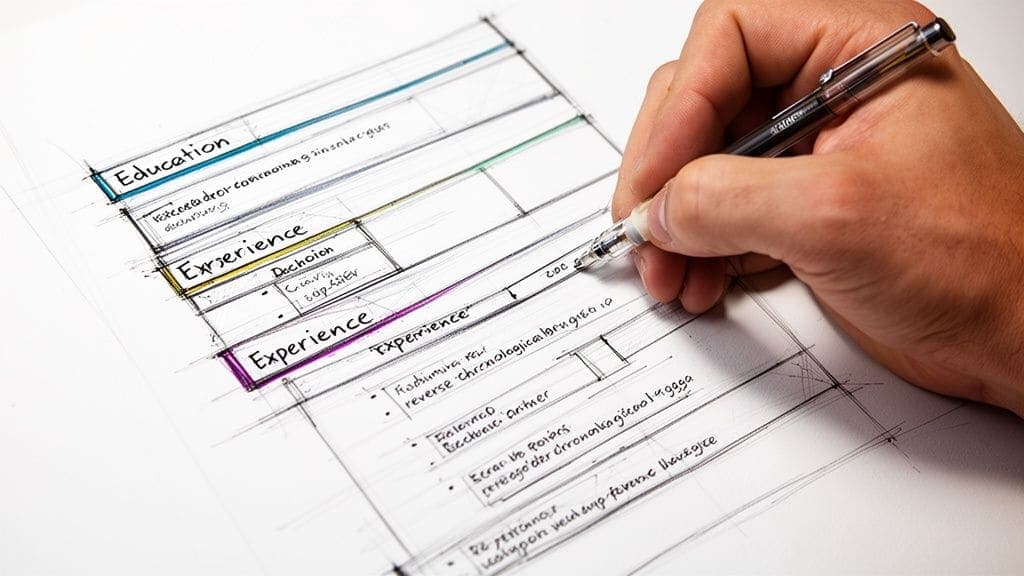
That sounds formal, but in practice it is simple. Put your most recent and relevant education or experience first. Use clear headings. Keep the layout clean.
The five sections every first resume needs
A first resume does not need fancy extras. It needs the basics done well.
| Section | What to include | What to leave out |
|---|---|---|
| Contact information | Full name, city and state, phone number, professional email | Full street address, personal details |
| Professional summary | Short headline with degree, relevant experience, key skills | Long career objective, vague claims |
| Experience | Projects, volunteering, internships, part-time work, campus roles | Empty section or unrelated detail with no explanation |
| Education | School, degree, graduation date, relevant coursework if useful | Every class you ever took |
| Skills | Hard skills and soft skills relevant to the role | Generic filler with no connection to the job |
What your header should look like
The top of your resume gets the most attention, so keep it clear and professional.
Use this format:
Jordan Lee
Austin, TX
jordlee@email.com | 555-555-5555
You can add LinkedIn if it is complete and professional. If it is unfinished, leave it off for now.
Tip: Your email address should sound like an adult who is ready to be hired. Use your name if possible.
How to structure the page
If you are a recent graduate or first-time applicant, keep your resume to one page. That forces you to focus on the strongest material.
Use these layout rules:
- Choose a standard font: Arial, Calibri, or Times New Roman.
- Use clear headings: Education, Experience, Skills, Summary.
- Leave white space: A cramped page feels harder to read.
- Keep formatting simple: Bold for headings, consistent spacing, no decorative graphics.
The resume should feel easy to scan in a few seconds. That is the test.
Where each section should go
For most first-time job seekers, this order works well:
- Contact information
- Professional summary
- Education
- Experience
- Skills
If your projects or volunteer work are stronger than your education details, place Experience above Education. That is often the better choice for internship and entry-level applications.
A blank resume template you can follow
Use this skeleton as your starting point:
Your Name
City, State | Phone | Professional Email | LinkedIn optional
Professional Summary
One to two sentences that describe your degree, relevant experience, and strongest skills.
Education
School Name
Degree or expected degree
Graduation month and year
Experience
Role Title | Organization | Dates
- Achievement-focused bullet
- Achievement-focused bullet
- Achievement-focused bullet
Skills
- Technical skills
- Tools
- Languages
- Relevant soft skills
If you want help choosing the exact layout, this guide to resume format is a useful next step.
Is your resume actually getting responses?
Your resume might be missing something important
Upload your resume → see its weakest areas → fix them, one by one.
Free. Takes less than 2 minutes.
Writing Compelling Content With No Work Experience
The hardest part of a first resume is usually not formatting. It is the feeling that you have nothing worth listing.
Most first-time applicants are wrong about that.
For entry-level candidates, a professional summary should act as a one to two sentence headline that includes your degree, relevant experience such as academic projects and volunteer work, and key skills. Beyond formal employment, your experience section should detail academic projects, extracurricular involvement, and volunteer work, listing your role, the organization, dates, and impact-focused bullet points, as outlined in The Undercover Recruiter's advice on entry-level resume writing.
What counts as experience
If you have done any of the following, you have resume material:
- Class projects: Group assignments, capstones, presentations, research work
- Volunteer work: Community events, nonprofit support, tutoring, fundraising
- Campus involvement: Clubs, student government, sports, societies
- Personal projects: Portfolio site, coding project, writing samples, design work
- Informal work: Babysitting, tutoring, family business help, freelance tasks
The trick is not listing these items like a diary. The trick is describing what you did in a way that sounds relevant to a hiring manager.
Replace duties with impact
Many first resumes fail because they read like this:
- Worked on a group project
- Helped at a charity event
- Was part of the marketing club
Those lines are too vague. They tell me you showed up, but not what you contributed.
Try this instead:
- Collaborated with a student team to research, build, and present a final project on consumer behavior using survey findings and presentation software
- Coordinated volunteer check-in and supply distribution for a community event serving local families
- Created social media graphics and event promotions for a campus club to support student attendance
Notice the difference. These bullets show action, context, and result.
A before and after example
Say a student named Maya is applying for an entry-level operations role. She thinks her class project is too small to include.
Her first draft says:
- Worked on business project in class
- Presented with group
- Did research
That version wastes the experience.
A stronger version would say:
Business Strategy Project | University Capstone | Spring 2025
- Collaborated with a student team to analyze a local business challenge and develop a presentation with practical recommendations
- Organized research findings into a clear slide deck for class presentation
- Contributed written analysis and team coordination to keep the project on schedule
No invented numbers. No exaggeration. Just clearer language.
Key takeaway: Employers do not expect a first-time applicant to sound senior. They do expect the resume to sound specific.
How to write a professional summary
Skip the old-fashioned objective that only says what you want. Use a professional summary that tells the employer what you bring.
A good first summary includes:
- Your degree or current education
- Your relevant experience
- Your strongest skills
- The type of role or field you are targeting
Here are a few examples.
Recent marketing graduate with experience in academic projects, campus event promotion, and content creation. Strong communication and organization skills with hands-on experience using design and social media tools.
Computer science student with project experience in Python, debugging, and team-based software development. Interested in entry-level technical roles where problem-solving and clear documentation matter.
Business graduate with volunteer leadership experience, presentation skills, and strong attention to detail. Seeking an entry-level operations or administrative role.
Each version is short, clear, and useful.
A simple formula for bullet points
When you feel stuck, use this:
Action verb + task + context + result
Examples:
- Designed onboarding materials for a student club to help new members understand event roles
- Researched and summarized sources for a history project, supporting a final presentation delivered to faculty and classmates
- Assisted with tutoring sessions for younger students, helping create a supportive learning environment
What to put in your experience section if you have several options
Pick the items that match the job best. If you are applying for customer service, a volunteer front-desk role may matter more than a research paper. If you are applying for an analyst internship, a data-heavy class project may matter more than club membership.
A good first resume is selective.
If you want more examples for filling out a sparse work history, this guide on building a resume with no experience can help.
How to Format Your Resume for Applicant Tracking Systems
A resume does not go straight to a hiring manager in many cases. It often gets scanned first by software.
That software is called an Applicant Tracking System, or ATS. It tries to pull out your contact details, job titles, dates, skills, and keywords so employers can sort applications more easily.
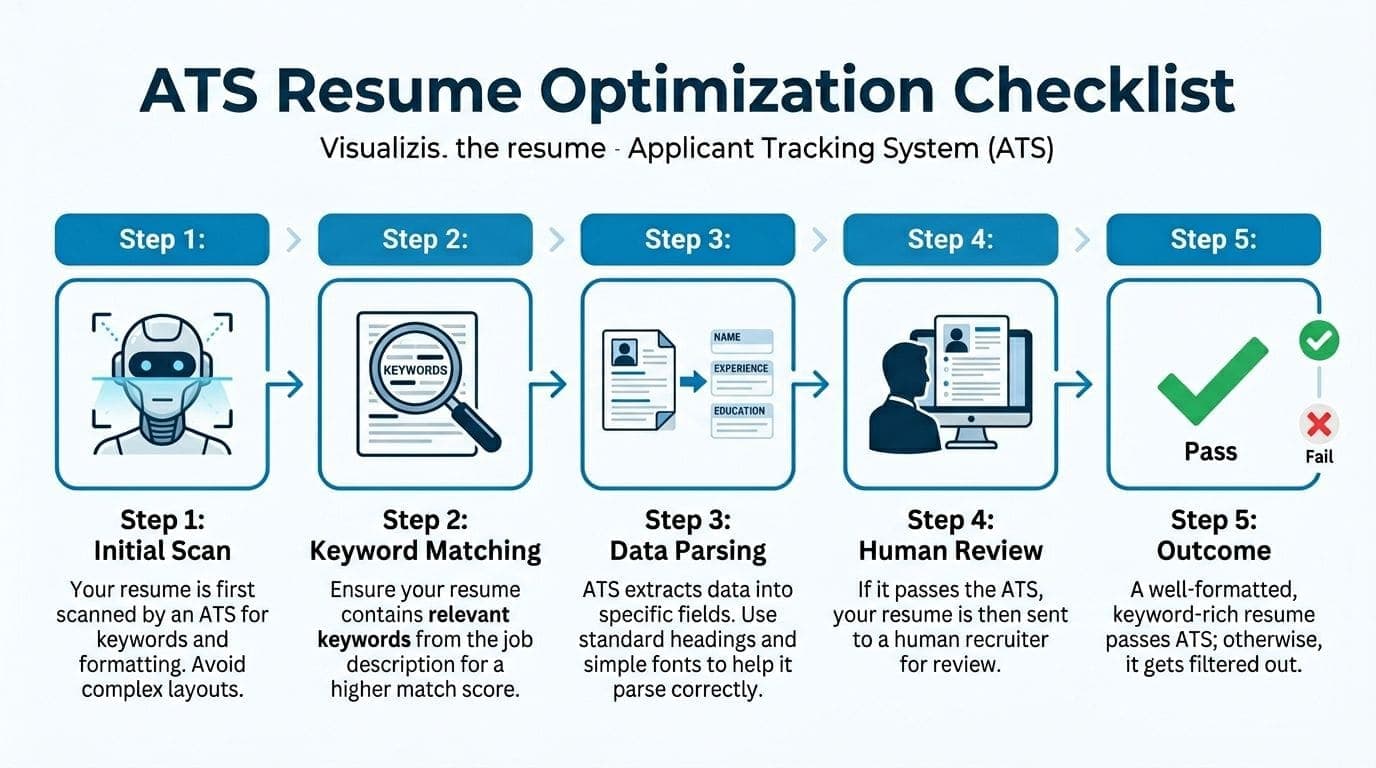
According to a 2025 Jobscan report on global hiring trends, many resumes are filtered out by Applicant Tracking Systems before they are ever seen by a human recruiter, often because of simple formatting errors, according to Jobscan.
That is why a visually impressive resume can still fail.
What ATS systems struggle with
Many first-time applicants use templates that look stylish but create parsing problems.
Avoid:
- Text boxes and graphics: These can scramble information
- Multiple columns: Some systems read in the wrong order
- Unusual headings: "What I've Done" is less clear than "Experience"
- Decorative fonts: Harder for systems and humans to read
- Icons for contact details: Systems may not read them correctly
What ATS-friendly formatting looks like
Keep it plain and organized.
Use standard headings such as:
- Professional Summary
- Education
- Experience
- Skills
Stick to standard fonts and a simple one-column layout. Save the document as a PDF if the application allows it. If an employer specifically asks for a different file type, follow that instruction.
How to use keywords without sounding robotic
Read the job description closely. Then highlight the skills, tools, and responsibilities that appear repeatedly.
If the posting asks for:
- customer service
- scheduling
- Microsoft Excel
- communication
and you possess that experience, use those exact phrases naturally in your summary, skills section, or bullet points.
Do not stuff keywords into a list with no context. That looks weak to humans and unclear to software.
Tip: Match the employer's wording when it is accurate. If the job says "data entry" and your experience fits, use "data entry," not a vague alternative like "handled information."
A quick ATS check before you apply
Ask yourself:
| Question | Good sign | Warning sign |
|---|---|---|
| Are headings standard? | Education, Experience, Skills | Creative labels |
| Is layout simple? | One column, clear spacing | Tables, boxes, graphics |
| Are keywords relevant? | Based on the job ad | Generic filler |
| Is font readable? | Arial, Calibri, Times New Roman | Decorative or script fonts |
For a deeper walkthrough, this ATS guide on how to optimize resume for ATS is worth reviewing before you start sending applications.
The Smart Way to Build and Tailor Your Resume Fast
Writing a first resume is one task. Customizing it for each job is another.
That second part is where many applicants stall. They either send the same generic resume everywhere or spend too long rewriting each version from scratch.
A better workflow is to build one strong master resume, then adapt copies for specific jobs.
Start with a clean base resume
Your base resume should include all your strongest material:
- your summary
- education
- projects
- volunteer work
- technical and soft skills
Once that is done, you trim and adjust based on the role.
For example, if one job emphasizes customer support and another emphasizes research, you do not need two entirely different resumes. You need two targeted versions of the same core document.
Use tools to speed up the repetitive parts
Software can help here, especially if you are learning how to make a resume for the first time and do not want to spend hours guessing at wording and layout.
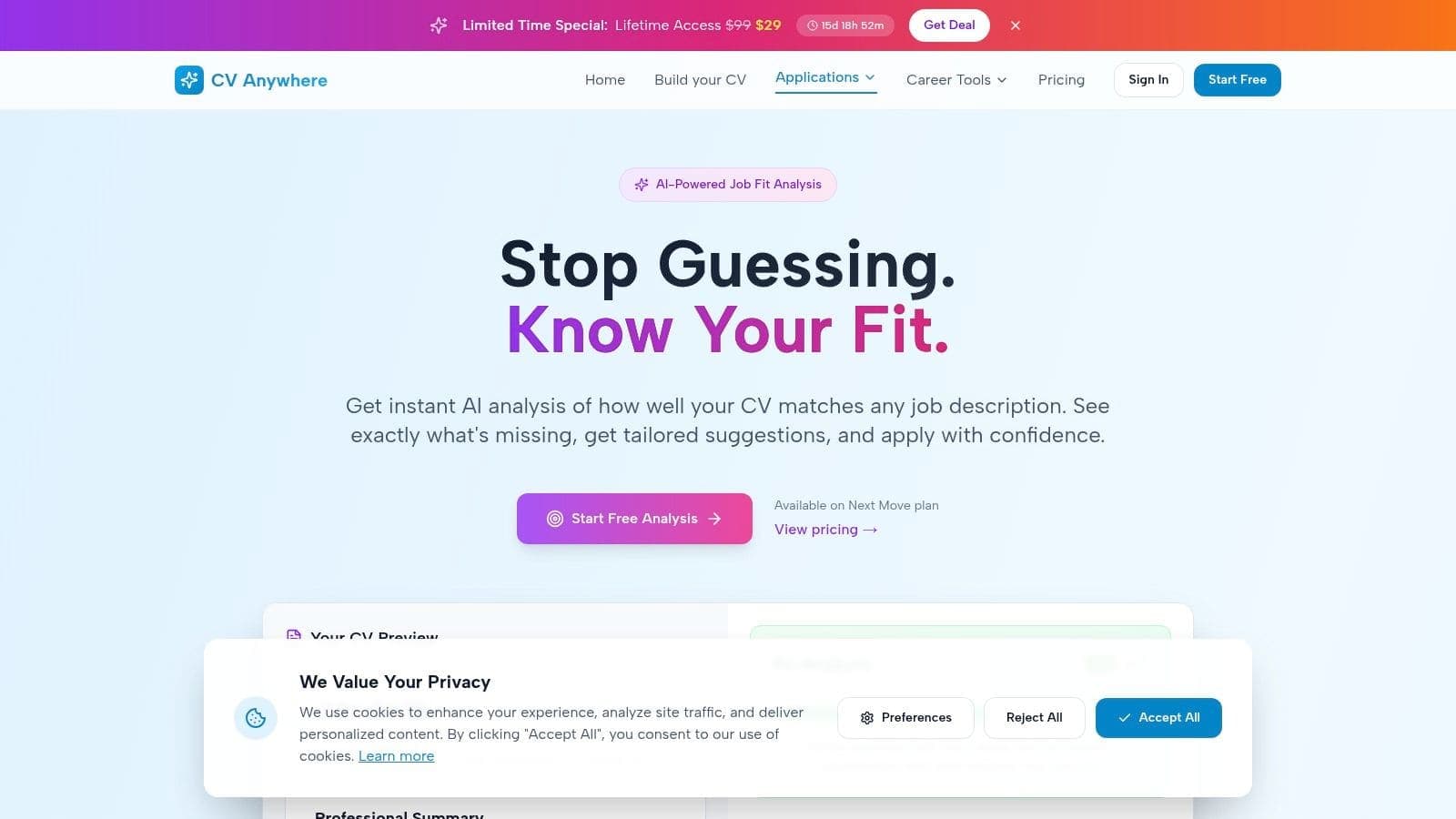
CV Anywhere offers a Smart CV Builder for creating ATS-friendly resumes, a JD Fit Checker that compares your resume against a job description, and an Application Tracker for keeping roles and versions organized in one place.
That kind of setup is useful for beginners because it reduces three common problems:
| Problem | Manual approach | Faster approach |
|---|---|---|
| Formatting the resume | Edit margins, fonts, spacing by hand | Start from an ATS-friendly builder |
| Tailoring for each role | Re-read the job ad and guess changes | Compare resume against the job description |
| Tracking applications | Use notes, emails, or spreadsheets | Keep role details and status in one tracker |
What customizing your resume means
Customizing does not mean making up experience. It means emphasizing the parts of your background that match the role.
If you are applying for an office assistant job, bring forward experience that shows:
- organization
- scheduling
- communication
- document handling
- spreadsheet familiarity
If you are applying for a junior marketing role, emphasize:
- content creation
- social media work
- writing
- event promotion
- design tools
This is also a good time to clean up your broader online presence. If you want help with that, this guide to personal branding on LinkedIn gives practical advice on making your profile match the story your resume tells.
A practical workflow you can follow
- Build one master resume: Include everything relevant.
- Paste in a job description: Highlight repeated skills and terms.
- Adjust the summary: Match your background to the role.
- Reorder bullet points: Put the most relevant experience first.
- Update the skills section: Keep only the skills that fit.
- Save a new version: Use a clear file name for that application.
This approach saves time and makes your applications more focused.
If you want a quicker process from blank page to usable draft, this guide on how to create a resume fast is a practical next read.
Common First-Time Resume Mistakes to Avoid
A first resume does not need to be perfect. It does need to avoid the mistakes that make employers stop reading.
Here is the fast version. Do not do this. Do this instead.
Use an unprofessional email
Do not use an email address that sounds casual, old, or embarrassing.
Use your name or a close variation of it. Keep it simple.
Write a vague summary
Do not write: "Hardworking person looking for an opportunity to grow."
Write a summary that shows your degree, relevant experience, and key skills in plain language.
List responsibilities without outcomes
Do not write bullets like:
- Helped with projects
- Assisted team members
- Participated in meetings
Write what you contributed. Name the task, the setting, and the value.
Send the same resume to every job
Many applicants assume one resume is enough. It usually is not.
Different roles look for different skills. Your resume should reflect the job you are applying for, not every skill you have ever used.
Make it longer than one page
For a first-time applicant, more pages do not make you look more qualified. They usually make you look less focused.
Keep the strongest material. Remove repetition.
Add personal information that does not belong
Leave out:
- photo
- age
- marital status
- full mailing address
- references listed directly on the resume
These details do not strengthen your application for a typical US resume.
Exaggerate or lie
If you only used a tool once in class, do not present yourself as an expert. If you helped on a project, do not claim you led the entire thing.
Honest, well-worded experience beats inflated claims.
Tip: If an interviewer asks a follow-up question about anything on your resume, you should be able to explain it clearly and comfortably.
Ignore proofreading
A single typo will not always ruin your chances, but it can make a first-time applicant look careless.
Read the resume slowly. Then read it again out loud. Then ask someone else to review it.
Overdesign the page
A resume is not a poster. Fancy colors, visual ratings, and complicated layouts often hurt more than they help.
Clean beats clever.
Your Printable First Resume Checklist
Before you apply, give your resume one final review. A checklist helps you catch small issues before an employer does.
Use this as a quick quality-control pass.
Final Resume Review Checklist
| Check | Item | Verification |
|---|---|---|
| ☐ | Resume is one page | Fits on a single page without cramped text |
| ☐ | Contact details are correct | Name, phone, email, city and state are accurate |
| ☐ | Email address is professional | Uses your name, not a nickname |
| ☐ | Summary is brief and specific | Mentions degree, relevant experience, and key skills |
| ☐ | Experience section includes relevant non-work experience | Projects, volunteering, clubs, or internships included if applicable |
| ☐ | Bullet points start with action verbs | Each bullet begins with a strong verb |
| ☐ | Education section is complete | School, degree, and graduation date listed |
| ☐ | Skills match the target job | Relevant tools and skills only |
| ☐ | Formatting is simple and consistent | Same font, spacing, and heading style throughout |
| ☐ | Resume has been proofread twice | Spelling and grammar checked carefully |
| ☐ | File name is professional | Uses your name and "resume" |
| ☐ | Final version is adapted to the job | Summary, skills, and bullet order fit the role |
Print it, save it, or keep it open while you review.
If you want another pair of eyes before applying, a structured resume review process can help you catch weak phrasing and formatting issues.
Frequently Asked Questions About Writing a First Resume
Should my first resume be one page
Yes. For a first-time job seeker with limited experience, a one-page resume is the right choice. It keeps the document focused and easier to scan.
Should I include a photo on my resume
For a US resume, no. Leave the photo off unless a specific role explicitly requests one. A clean, text-based format is the safer choice.
What if I have never had a real job
You can still create a strong resume. Use academic projects, volunteer work, extracurricular activities, personal projects, and informal work that shows responsibility, teamwork, communication, or technical skill.
Should I include references on my resume
No. Keep references on a separate document and provide them only if an employer asks.
What is the difference between a resume and a CV
In the US, a resume is the standard document for most jobs and is usually concise and targeted. A CV is typically used for academic, research, or certain specialist roles and is often more detailed. If you are applying for typical entry-level jobs in the US, use a resume.
Your first resume does not need to be perfect. It needs to be clear, honest, and customized to the job. If you want a faster way to build the document, check it against job descriptions, and keep your applications organized, CV Anywhere can help you manage that process in one place.