
Knowing how to update your CV in LinkedIn is crucial for any UK job seeker. The most effective way is to ensure your live LinkedIn profile is perfectly synchronised with your CV document first, then upload your tailored CV either to the 'Featured' section for public visibility or privately through the 'Easy Apply' function for specific job applications. In the competitive UK job market, recruiters scrutinise both your profile and any attached documents, and inconsistencies are an immediate red flag.
Think of your LinkedIn profile as the trailer and your CV as the full film—they must tell the same compelling story. Your profile acts as a dynamic, keyword-optimised version of your CV that attracts recruiters, while your uploaded CV provides the formal detail they need. Let's walk through the right way to synchronise and update them for maximum impact in 2026.
Step 1: Sync Your Profile and CV for Maximum Impact
Before you even think about uploading a new document, the first job is a side-by-side comparison of your latest CV and your LinkedIn profile. This is where most people trip up, and it's a huge red flag for recruiters.
Here are the critical areas you need to synchronise right now:
- Job Titles and Companies: Make sure they're absolutely identical. "Marketing Manager" on your CV can't be "Marketing Lead" on LinkedIn.
- Employment Dates: Mismatched start or end dates are one of the fastest ways to raise doubts about your attention to detail.
- Key Responsibilities and Achievements: The core accomplishments that define your roles must be consistent. Your profile can be more conversational, but the substance should be the same.
Why does this matter so much? Because in today's UK job market, a perfectly synced LinkedIn profile and CV can genuinely boost your interview chances. We're seeing candidates with optimised and consistent profiles receive up to 40% more interview requests.
On the flip side, discrepancies like mismatched job titles or dates are spotted by nearly 60% of UK recruiters straight away, often leading them to bin the application without a second thought.
To really make the platform work for you, understanding how to effectively use LinkedIn for your job search is vital. It ensures your shiny, updated CV actually gets seen by the right people.
Getting this initial alignment right sets a strong foundation. A perfectly aligned profile is a key part of the process when learning how to update your CV in LinkedIn correctly.
Crafting a Headline and Summary Recruiters Will Actually Read
Think of your LinkedIn headline and summary as your digital handshake. They're the very first things a recruiter sees after your name and photo, so making them count is non-negotiable.
So many people just leave their headline as their current job title, which is a massive missed opportunity. This prime real estate is your 220-character pitch to the world. Getting it right is a crucial first step when you're figuring out how to get your profile ready for a job search in 2026.

It's about turning your profile from a passive record into an active career tool. Instead of just "Project Manager," you want something that tells a story and is packed with keywords a UK recruiter would actually search for.
Writing a Headline That Hooks
Your headline needs to communicate your value instantly. I've found a simple formula works wonders: [Your Role] | [Key Specialism or Skill] | [Your Impact or Industry]. It's clear, scannable, and incredibly effective.
Here are a few examples I've seen work well for different UK professionals:
- For the Experienced Pro: "Senior Marketing Manager | B2B SaaS Growth & Demand Generation | Ex-HubSpot"
- For the Career Changer: "Communications Professional Transitioning into UX Design | Passion for User-Centric Solutions"
- For the Recent Graduate: "First-Class Economics Graduate | Aspiring Financial Analyst with Expertise in Data Modelling"
This approach immediately shows a recruiter what you do, what you're great at, and where you're headed. It's a powerful way to stand out before they even click on your profile.
Structuring a Compelling Summary
Next up is your 'About' section, or summary. This is where you expand on the promise you made in your headline. A lot of people either leave this blank or fill it with generic corporate jargon. Please don't be one of them. This is your chance to tell your career story and let your personality shine through.
A great summary doesn't just list skills; it provides context and evidence. It connects the dots between your past experiences and your future goals, making a recruiter's job easier. This narrative is a key part of how you update your CV presence on LinkedIn.
To build a summary that gets results, I recommend a simple three-part structure.
First, start with a powerful opening sentence that defines who you are and what you do. Then, in the middle, highlight 2-3 major achievements, making sure to use quantifiable results wherever you can (e.g., "Managed a £500k project budget, delivering 15% under cost"). Finally, end with a clear call to action, maybe inviting recruiters to connect or pointing them to your portfolio.
For more tips on getting this crucial section right, you can read our detailed guide on how to write a compelling professional summary.
Is your CV actually getting responses?
Your CV might be missing something important
Upload your CV → see its weakest areas → fix them, one by one.
Free. Takes less than 2 minutes.
Fine-Tuning Your Experience and Skills for Recruiters
Once you've nailed your headline and summary, it's time to focus on the engine room of your profile: the Experience section. This is where recruiters and Applicant Tracking Systems (ATS) hunt for hard evidence of what you can actually do. Just listing your old job duties won't cut it anymore; you have to show your impact.
Think of each role in your Experience section as a mini-story of achievement. Your job is to turn passive responsibilities into active accomplishments. A really effective way to do this is to frame your bullet points using a simple model like STAR (Situation, Task, Action, Result).
So, instead of a vague line like, "Responsible for social media," you can transform it into something that screams value. For example: "Grew social media engagement by 45% in six months (Result) by launching a data-driven content strategy (Action) to revitalise underperforming channels (Situation)." It's a small tweak that makes a huge difference.
Making Your Skills Section Work for You
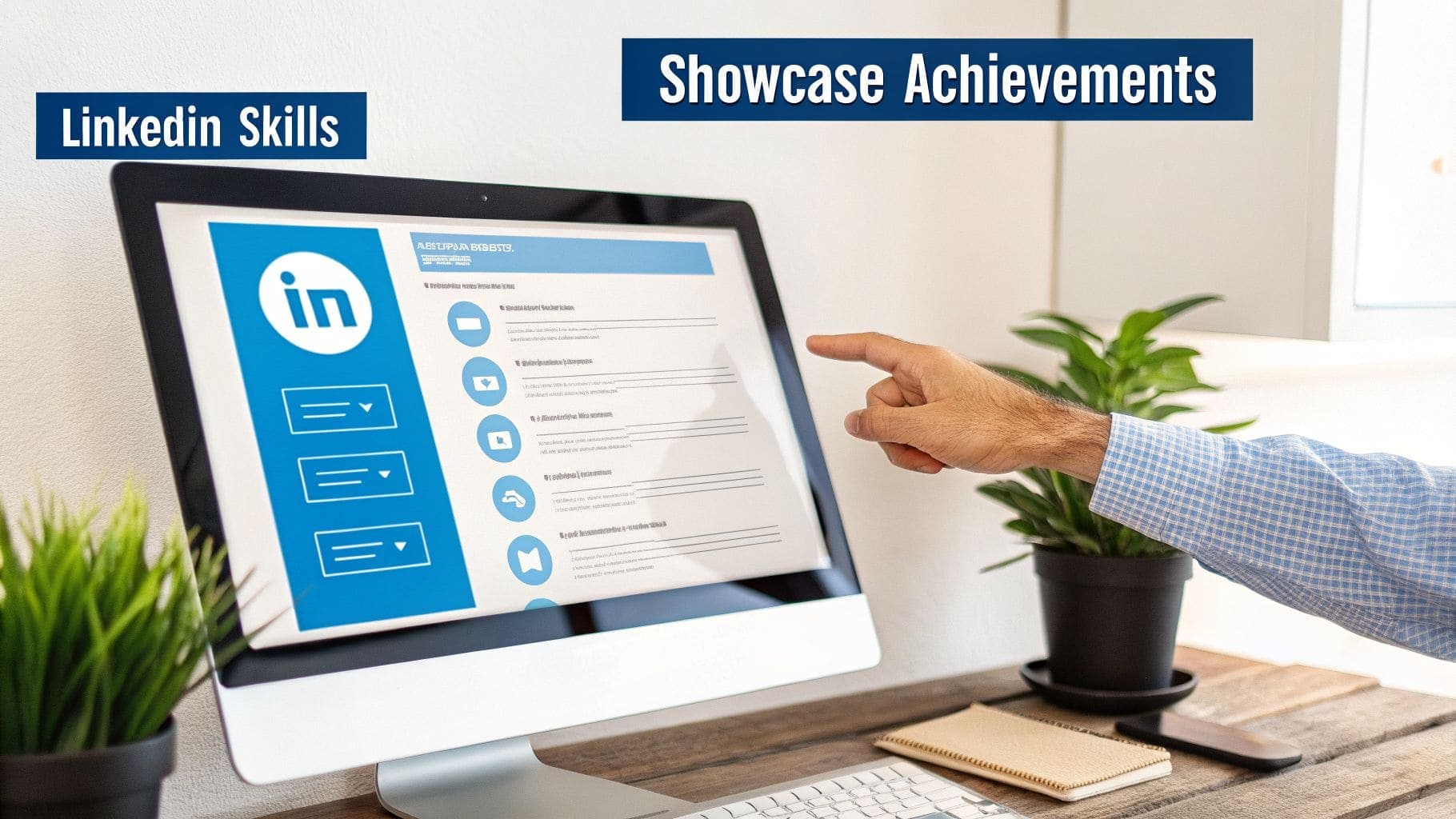
Your Skills section is far more than a list of buzzwords. It's a goldmine for the exact keywords UK recruiters are searching for every single day. If you neglect this part of your profile, you're missing a massive opportunity.
Your goal here is to load this section with the top skills relevant to the jobs you want. The best way to find these is by digging into job descriptions for roles you're interested in. Just look for the recurring keywords and technical skills they all mention.
Adding skills is the first step, but the real power comes from getting them endorsed.
- Be strategic with endorsements. Don't just sit back and wait for them. Reach out to old managers and trusted colleagues and ask them to endorse you for specific, high-value skills that match your career goals.
- Give to get. A great way to get endorsements is to give them first. When you endorse your connections for skills you genuinely rate them for, they're far more likely to return the favour.
Prove Your Worth with Skill Assessments
For an extra layer of credibility, LinkedIn's Skill Assessments are brilliant. These are short, multiple-choice quizzes that let you prove you know your stuff in a particular skill. If you pass, you get a verification badge that sits right next to the skill on your profile. It's an instant signal to recruiters that your abilities have been properly verified.
In the 2026 UK job market, having a fully optimised profile linked to an up-to-date CV is essential for getting noticed. Our data shows that comprehensive profiles can lead to a 71% higher chance of landing an interview, especially since 92% of recruiters check LinkedIn first. And consistency is key—60% of recruiters will immediately spot and question any mismatches between your CV and profile.
By focusing on achievement-driven descriptions and a keyword-rich Skills section, you create a powerful profile that does the hard work for you. For more in-depth advice on framing your professional journey, check out our guide on how to properly describe your work experience on a CV. This approach ensures your profile is packed with the exact terms that catch the eye of both recruitment algorithms and human hiring managers across the UK.
Three Smart Ways to Add Your CV to LinkedIn
Figuring out how to update your CV in LinkedIn is more than just a box-ticking exercise. It's about placing your most valuable career document where it will make a real impact. You have options, and the right one really depends on your goal. Are you broadcasting your availability or targeting specific roles privately?
Let's walk through the three main ways to get your CV onto the platform. Each one serves a different purpose, so knowing the difference is key to a smart job search in the UK for 2026.
Method 1: Pin Your Master CV to the Featured Section
Think of your LinkedIn 'Featured' section as your personal portfolio display. This is the ideal spot to pin your "master" CV—a comprehensive version that tells your full career story. It puts your CV right in front of anyone who lands on your profile, from recruiters to potential networking contacts.
Here's how to do it:
- Head to your profile and click 'Add profile section'.
- Choose 'Recommended', then 'Add featured'.
- Hit the '+' icon and select 'Add media' to upload your CV file.
This approach is fantastic for personal branding. It establishes your expertise and makes it incredibly easy for interested people to get your details. For a more detailed walkthrough, you can learn more about the best ways to put your resume on LinkedIn.
Pro Tip: Don't just upload a file called 'MyCVv4final.pdf'. A professional file name like 'FirstName-LastName-CV-2026.pdf' looks far more polished and organised. It's a small detail that shows you care.
Method 2: Save Tailored CVs for Easy Apply Jobs
The 'Easy Apply' button is a job seeker's best friend for firing off quick applications. LinkedIn gets this, and they let you save up to four different CVs. This is perfect for tailoring your document to specific roles—a crucial step when learning how to manage your CV on LinkedIn for different job targets.
When you find an 'Easy Apply' job, LinkedIn prompts you to pick one of your saved CVs or upload a new one. This keeps your tailored applications private, so the hiring manager only sees the version you want them to see. It's a game-changer.

This setup means you should always have multiple, role-specific CVs ready to go. When the perfect job appears, you can apply in seconds without a last-minute scramble to edit your document.
Method 3: Upload Directly Within an Application
Finally, you'll often click 'Apply' on LinkedIn only to be sent to the company's own website or Applicant Tracking System (ATS). This is where you'll upload your CV directly to their portal, bypassing the 'Easy Apply' feature altogether.
Even though this happens off-platform, it's still a core part of using LinkedIn for your job hunt. And once again, having a tailored CV is vital. Always name the file specifically for the role you're applying for, like 'Jane-Doe-CV-Project-Manager.pdf'. It's a small touch, but it shows real attention to detail and helps the recruiter keep things organised on their end.
If you need a hand turning your profile data into a polished document, our guide on how to export your LinkedIn profile into a resume is a great place to start.
Building a Powerful Narrative with Recommendations
Your experience section lists what you did. Recommendations are the social proof that shows how well you did it. Think of them as powerful testimonials that build a convincing narrative around your skills and character, adding a human element that a paper CV just can't match.
The goal here is always quality over quantity. A single, detailed recommendation highlighting your contribution to a specific project is worth far more than ten generic "great to work with" comments. It provides tangible evidence of your abilities, which is crucial for standing out in the crowded UK job market.
Requesting Recommendations That Make an Impact
Don't be shy about asking, but do be strategic. The best time to approach someone is right after a successful project wraps up or when you're leaving a role on good terms. Your achievements will be fresh in their mind, making it easier for them to write something specific and glowing.
When you do send that request, always personalise it. A quick reminder of the project you worked on together, along with a gentle nudge towards the skills you'd like them to highlight, makes their job much easier. It also ensures the testimonial you receive actually supports your career goals.
"A well-written recommendation is a story about your professional impact. It validates the achievements you've listed elsewhere on your profile and on your CV, offering a third-party perspective that recruiters trust."
For more on what hiring managers really want to see, our guide on what UK recruiters look for in resumes is a great place to start. It'll help you focus your recommendation requests on the qualities that matter most.
Showcasing Your Work in the Projects Section
Sometimes, your most impressive achievements don't fit neatly under a single job title. That's where the 'Projects' section comes in. It's the perfect spot to showcase these accomplishments, giving recruiters another layer of proof of what you can do.
You can link projects to specific roles in your experience section and even add collaborators who worked alongside you. This is especially effective for freelancers, creatives, or anyone whose work is heavily project-based. It lets you build a mini-portfolio right inside your profile, giving recruiters a concrete look at what you can deliver.
Keeping your profile updated is a real game-changer for UK job seekers. In fact, candidates who regularly post industry insights are 40% more likely to be contacted by recruiters. On a platform where seven people are hired every minute worldwide, that kind of active presence makes a huge difference.
Common Questions About Updating Your CV on LinkedIn
Figuring out the best way to manage your CV on LinkedIn can feel like a bit of a minefield. Do I update it constantly? Do I tell everyone? Is my 'Easy Apply' CV visible to my boss? These are the questions that come up all the time.
The simplest way to think about it is this: your LinkedIn profile is a living, breathing document. It needs regular, small tweaks to stay current. The key is knowing how to make those updates without spamming your network and making sure your CV looks professional every time a recruiter opens it.
Let's walk through the most common queries we see from UK job seekers.
How Often Should I Update My LinkedIn Profile?
Don't wait until you're actively hunting for a new job. The best approach is to treat your profile like a bit of ongoing professional housekeeping. A good rule of thumb is to make a small update after any significant career event.
Think about making a quick change when you:
- Wrap up a major project. Pop a new bullet point under your current role. Briefly describe what you did and, more importantly, what the result was.
- Finish a new certification. Get it straight into the 'Licenses & Certifications' section. It shows you're proactive about your development.
- Get a promotion or a new title. This is a big one. Update your title and responsibilities immediately to reflect your new status.
- Learn a valuable new skill. Add it to your 'Skills' section. Better yet, think about who in your network could endorse you for it.
Making small, regular updates is far less painful than trying to remember the last three years of your career in one go. It also sends a quiet signal to recruiters that you're on top of your game.
Should I Notify My Network About Every Update?
This is a really important one, and thankfully, LinkedIn gives you complete control. When you're just fixing a typo or slightly rephrasing a sentence in your summary, the last thing you want is to blast a notification to your entire network. A constant stream of minor updates can come across as unprofessional, or worse, a bit desperate.
You can easily avoid this.
Before you hit 'Save' on any change, look for the 'Share with your network' toggle switch. It's usually at the bottom of the editing box. For small tweaks, just flick it to 'Off'. For the big news, like a promotion or landing a new job, leave it 'On' and share your success.
Using this little feature is crucial for managing your professional image while keeping your profile perfectly polished.
Is PDF or Word Better for My Uploaded CV?
The answer is simple and non-negotiable: always use a PDF.
When you save your CV as a PDF, you lock in the formatting. That means no matter what device, browser, or software a recruiter uses to view it, your document will look exactly as you designed it. Your fonts, margins, and spacing will be perfectly preserved.
A Word document, on the other hand, can be a bit of a gamble. It can look completely different from one computer to another depending on their software version or settings. That can create a messy, unprofessional first impression before a recruiter has even read a single word. In 2026, a PDF is the only professional standard.
Is My 'Easy Apply' CV Visible on My Main Profile?
This is a huge point of confusion for many, but the answer is a reassuring no.
Any CV you upload for LinkedIn's 'Easy Apply' feature is stored privately. It doesn't get posted on your public profile and is only ever sent to the employer for the specific job you've applied for. Think of it as a separate, behind-the-scenes tool.
This is actually a massive strategic advantage. It allows you to maintain a more general, public-facing profile while submitting highly tailored, specific CVs for different roles. You can customise your application for each opportunity without having to constantly overhaul your main profile.
Ready to create a polished, ATS-friendly CV that gets you noticed? CV Anywhere uses smart AI to build your CV, analyse job descriptions, and track your applications all in one place. Stop juggling spreadsheets and start landing more interviews. Build your winning CV with CV Anywhere today!