To make a CV stand out, you need to capture a recruiter's attention in the first seven seconds. In the competitive 2026 UK job market, this means tailoring the top third of your CV to be an undeniable match for the job. You can achieve this by starting with a powerful, customised professional summary, followed by your most recent role featuring two or three bullet points of quantified achievements. Ditching generic duties for hard-hitting metrics and mirroring keywords from the job description are the keys to impressing both recruiters and the Applicant Tracking Systems they use.
You have just seven seconds. This tough pill is the reality of learning how to make a CV stand out. The top third of your CV is either an interview hook or a fast-track to the 'no' pile. This means your professional summary, your most recent role, and a snapshot of your key skills need to immediately tell the recruiter: "I am the right person for this job."
Winning the First 7 Seconds of Recruiter Attention

The first scan of your CV is brutally quick. Recruiters aren't reading every word; they're pattern-matching. They're looking for keywords, job titles, and measurable results that align with the role they're trying to fill. If they can't find that information at a glance, they're gone.
This is especially true when the average UK vacancy pulls in a staggering 118 applications. Eye-tracking studies have shown time and again that recruiters spend a mere seven seconds on that initial scan. Your job isn't just to list your experience; it's to make an immediate, unmissable case for why you are the solution they've been looking for.
To make this even clearer, let's compare what recruiters typically see versus what they want to see.
Standout CV vs Standard CV At a Glance
Most CVs are functional but forgettable. They list duties but fail to show impact. A standout CV, on the other hand, is a strategic document designed to pass the seven-second test with flying colours. Here's a quick breakdown of the differences.
| Feature | Standard CV Approach (Gets Ignored) | Standout CV Approach (Gets Interviews) |
|---|---|---|
| Opening | Vague "Objective" or generic summary. | Punchy, tailored Professional Summary. |
| Experience | Lists responsibilities ("responsible for..."). | Highlights quantified achievements ("grew by..."). |
| Keywords | Scattered or missing keywords. | Strategically mirrors keywords from the job spec. |
| Readability | Dense blocks of text, poor visual flow. | Clean layout, bullet points, bolded metrics. |
| Focus | Me-centric ("I am seeking..."). | Employer-centric ("I deliver..."). |
The difference is night and day. The standout CV immediately answers the recruiter's core question: "Can this person solve my problem?"
Structuring the Top of Your CV for Impact
To pass that seven-second test, you need to load the most critical information "above the fold"—the part of your CV visible without scrolling. This space is your prime real estate.
It needs three things, no exceptions:
- Your Name and Contact Details: Make it clean and professional. Include your phone number, email, and a link to your polished LinkedIn profile.
- A Punchy Professional Summary: This is your three or four-line elevator pitch. It must directly connect your skills and value to what the job description is asking for. For a deep dive, check out our guide on writing a compelling professional summary for your CV.
- Your Most Recent Role: List your job title, company, and dates. Immediately follow it with two or three bullet points showcasing your biggest, most impressive achievements in that role.
A huge mistake I still see is people starting with a generic "Objective." Ditch it. Replace it with a powerful headline or summary that tells the recruiter who you are and what you can deliver. Think "Results-driven Digital Marketing Manager with 8+ years of experience" instead of "Seeking a challenging marketing role."
From Vague Duties to Compelling Metrics
Recruiters glaze over when they see a list of responsibilities. They want to see your impact. The fastest way to show this is by backing up your claims with hard numbers. This is what turns your CV from a passive list into a document that actively sells you.
To really nail those first few seconds, it helps to learn how to write a great CV headline that grabs their attention right away.
Let's look at a simple but powerful transformation:
- Before: "Managed social media accounts for various clients."
- After: "Grew organic social media engagement by 45% across three key client accounts in six months, leading to a 15% increase in inbound leads."
See the difference? The second example doesn't just say what you did; it proves your competence with concrete evidence. It's specific, measurable, and links your actions directly to business results—which is exactly what every hiring manager in 2026 is desperate to find.
If you struggle with phrasing, CV Anywhere's Smart CV Builder is great for this. It helps you reframe simple duties into the kind of high-impact, quantified achievements that get you noticed.
Build a CV that actually gets interviews
Start from your current CV — or from scratch — with step-by-step guidance so you do not get stuck.
Free. No blank page. No templates to wrestle with.
Getting Your CV Past the Applicant Tracking System

Before your CV ever lands in front of a human, it has to get past the gatekeeper: the Applicant Tracking System (ATS). Think of it as a robotic bouncer for recruiters. The vast majority of UK companies now use this software to sift through the mountain of applications they receive, and understanding how to make a CV stand out to a machine is no longer optional.
If you don't play by its rules, your application gets tossed aside, often without a second glance.
These systems aren't looking for flair; they're scanning for keywords, specific job titles, and a clean, predictable format. Your job is to make your CV ridiculously easy for this software to read and understand. That creative, visually stunning CV you spent hours on? It might look incredible, but it can be an application killer if an ATS can't parse the fancy graphics, columns, or custom fonts.
Speaking the Language of the Machine
Optimising for an ATS really boils down to two things: clarity and relevance. The software works by cross-referencing your CV with the job description. The more your language mirrors the employer's, the higher your "match score" and the better your chance of making it to the human review stage.
So, how do you do it? Start by dissecting the job description.
- Weave in Keywords Naturally: Don't just stuff a list of keywords at the bottom. Instead, work them into your summary and experience bullet points. If the job asks for "stakeholder management," your CV should have a bullet point like, "Managed relationships with key stakeholders to deliver a critical project 15% ahead of schedule."
- Use Both Acronyms and Full Phrases: A system might be set to find "Customer Relationship Management," "CRM," or both. Play it safe by including both the first time you use it, for instance, "Implemented a new Customer Relationship Management (CRM) system..."
- Stick to Standard Section Headings: Forget creative titles like "My Journey" or "What I Do." The ATS is looking for familiar signposts. Use standard headings like "Work Experience," "Education," and "Skills" so the software knows exactly what it's reading.
A critical tip: Always submit your CV as a .docx or .pdf file unless the application explicitly asks for something else. These formats are universally friendly to ATS software, unlike image files or documents from obscure programs that can be completely unreadable.
Avoiding Common ATS Pitfalls
It's painful but true: countless qualified candidates get rejected because of simple formatting errors. These are the little mistakes that are so easy to avoid once you know what to look for. For a deeper dive, check out our guide on creating a fully ATS-optimised CV for the UK market.
Here's a quick look at the most common mistakes that get CVs binned by the bots, and exactly how to fix them.
Top ATS Optimisation Mistakes and How to Fix Them
Many perfectly good CVs get rejected before a recruiter ever sees them due to simple formatting mistakes that confuse the software. The table below breaks down the most common offenders and gives you a clear, simple fix for each one.
| Common Mistake | Why It Fails | How to Fix It |
|---|---|---|
| Using Tables or Columns | ATS software reads left-to-right, top-to-bottom. Columns scramble your information, mixing job titles with dates and creating a jumbled mess. | Stick to a single-column layout. Present your information linearly so the machine can read it in the correct order. |
| Including Graphics or Icons | Skill-rating bars, company logos, and other images are invisible to most ATS. They just create blank spaces and can disrupt the document's structure. | Replace all graphical elements with plain text. Use standard bullet points (simple circles or squares) to list your skills and achievements. |
| Unconventional Fonts | Ornate or custom fonts might look great, but if the system can't recognise the characters, it can't parse your content. | Use standard, universally recognised fonts like Calibri, Arial, or Cambria in a readable size (10-12pt). |
| Putting Info in Headers/Footers | Some ATS versions are programmed to completely ignore any text placed in the header or footer of a document. | Keep all your critical information, especially your name and contact details, within the main body of the document. |
By focusing on a clean, keyword-rich, and logically structured document, you give yourself the best possible chance of getting past the initial automated screen. It's not about being flashy; it's about being smart. This is the first and most important step to getting your CV into the hands of a hiring manager.
Showcase the Skills the Modern Job Market Demands
Listing job duties is a sure-fire way to get your CV ignored. To truly understand how to make a CV stand out in 2026, you need to shift your mindset from what you did to what you can do. The UK job market is increasingly skills-first, meaning recruiters and hiring managers now value proven capabilities far more than just job titles or company names.
Your CV needs to be a showcase of your most valuable hard and soft skills, proving you have what it takes to solve their problems from day one.
Forget that generic, separate skills section that reads like a random collection of buzzwords. The smartest approach is to weave your skills directly into your work experience, giving them context, weight, and credibility.
Tune into In-Demand UK Skills
Before you can show off your skills, you need to know which ones UK employers are actually looking for. While the specifics will always vary by industry, a clear pattern has emerged that blends technical know-how with timeless interpersonal strengths.
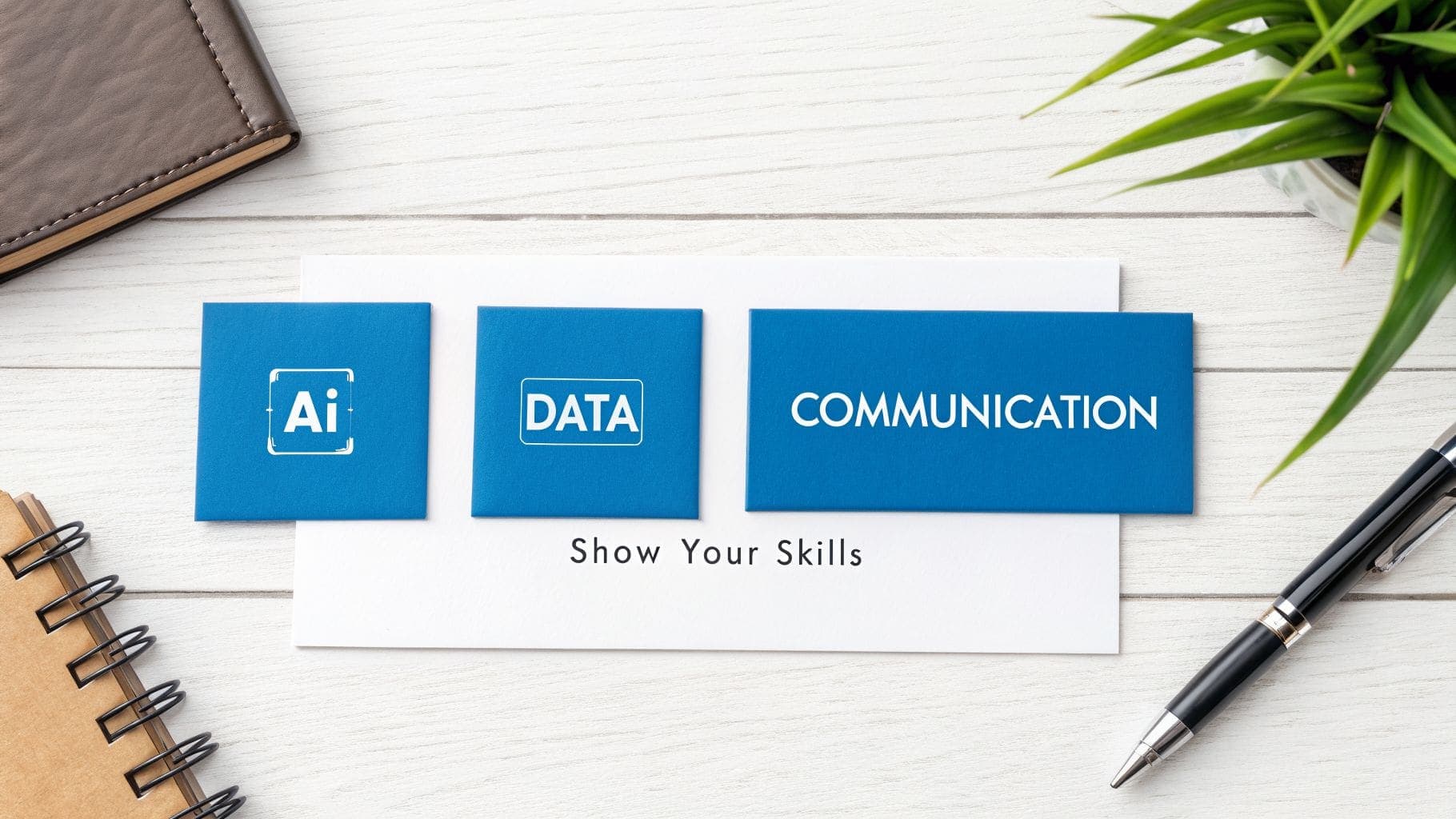
The modern workplace demands a fusion of hard skills (the teachable, technical stuff) and soft skills (the interpersonal traits that dictate how you work with others).
Key Hard Skills for 2026:
- Digital Fluency: This is more than basic computer literacy. It means getting comfortable with industry-specific software, data tools, and project management platforms like Asana or Jira.
- AI Literacy: Knowing how to use AI tools for research, analysis, or content creation is fast becoming a baseline expectation across countless roles.
- Data Analysis: The ability to look at data and use it to make smart decisions is a golden ticket, whether you're in marketing, finance, or operations.
Essential Soft Skills:
- Strategic Communication: The art of articulating complex ideas clearly, whether you're writing an email or presenting to a team.
- Problem-Solving: Showing you can think on your feet and find logical, creative solutions to challenges.
- Adaptability: Proving you can handle change, learn new things quickly, and thrive when things don't go to plan.
The secret to making your CV stand out is to demonstrate these skills with evidence. Don't just list "Leadership." Describe how you "Led a team of five to deliver a project 20% under budget by implementing a new agile workflow." Proof beats a simple claim every time.
Weave Your Skills into Your Work History
The most powerful way to highlight your skills is to embed them directly into your achievement-focused bullet points for each role. This provides immediate context and proves you can apply your knowledge in a real-world setting. It's a non-negotiable part of learning how to make a CV stand out for recruiters who scan for evidence, not just claims.
Let's turn a bland statement into something that screams competence.
- Before: "Managed the company's social media accounts."
- After: "Grew audience engagement by 45% across Instagram and LinkedIn by executing a data-driven content strategy (Data Analysis) and fostering community interaction (Strategic Communication)."
See the difference? The "after" version is far more compelling because it embeds multiple high-value skills directly into a measurable result. It doesn't just list them; it proves their impact. For a complete list of what to include, explore our detailed guide on the most important skills to add to your CV.
The UK's Shift to Skills-Based Hiring is Real
This move towards skills-based hiring is picking up speed across the UK. A recent MyPerfectCV survey found that 37% of UK workers plan to upskill in tech areas like AI, while 35% are focusing on industry-specific knowledge for 2026. This isn't just a trend; it's a fundamental change in how companies hire.
Employers are valuing what you can do over where you've been, especially since 67% now directly link in-demand skills to higher salary offers. Your ability to showcase a mix of future-focused strengths—like digital fluency and strategic communication—is exactly what will set you apart from the crowd.
Turning Job Duties into Compelling Achievements
The single biggest mistake that sends a CV into the 'no' pile? A work history that reads like a generic job description. Recruiters already know what a "Marketing Assistant" does on paper; what they don't know is the impact you made. To truly stand out, you have to shift your mindset from listing passive responsibilities to showcasing tangible, quantified achievements.
It's about turning your experience from a laundry list of tasks into a story of the value you delivered. The best way to frame that story is with a simple but powerful model: the STAR method (Situation, Task, Action, Result). You won't write out those headings on your CV, of course, but thinking this way forces you to build bullet points that are concise, evidence-based, and focused on outcomes. It's the secret sauce for proving the value you'll bring to your next employer.
From Passive Duties to Action-Oriented Statements
Recruiters spend just seconds scanning each role on your CV. They're hunting for proof of performance, which means your bullet points need to be active, specific, and kick off with a strong verb. Passive language just doesn't cut it. Action-oriented language, on the other hand, grabs their attention and projects confidence.
Let's look at a clear before-and-after from a project management role.
- Before: "Responsible for coordinating team meetings and tracking project timelines."
- After: "Spearheaded the transition to an agile workflow, implementing daily stand-ups that reduced project delivery times by 15% in the first quarter."
See the difference? The "before" is a duty. The "after" is a full-blown achievement. It uses a punchy verb ("Spearheaded"), explains the specific action ("implementing daily stand-ups"), and, most critically, it quantifies the result ("reduced delivery times by 15%").
Quantify Everything You Can
Numbers are the universal language of business. They cut through the waffle and provide concrete proof of what you can do. Your mission is to find a metric for every significant accomplishment on your CV.
And don't worry if you weren't in a sales role; you can quantify a lot more than just revenue.
- Time: How much time did you save? (e.g., "Automated a manual reporting process, saving the team 10 hours per week.")
- Efficiency: By what percentage did you improve a process? (e.g., "Refined the client onboarding system, boosting team efficiency by 25%.")
- Scale: How many people did you manage or customers did you serve? (e.g., "Managed a portfolio of 50+ client accounts, maintaining a 98% retention rate.")
If you're struggling to pin down exact figures, estimations are your best friend. Phrases like "approximately," "over," or "nearly" are perfectly fine. "Increased customer satisfaction by approximately 20%" is infinitely more powerful than "Improved customer satisfaction."
Weaving Your Narrative with the STAR Method
Let's break down how the STAR method builds the perfect bullet point. Imagine a retail manager wants to talk about improving their team's performance.
- Situation: The store was struggling with low morale and high staff turnover.
- Task: The goal was to boost team engagement and slash employee churn.
- Action: You designed and launched a new bi-weekly training programme and a peer-to-peer recognition scheme.
- Result: This led to a 30% reduction in staff turnover within six months and a 15% increase in positive customer feedback scores.
Now, let's distill that into a punchy, CV-ready bullet point:
"Reduced staff turnover by 30% in six months by designing and launching a new training and peer-recognition programme."
That single line tells a complete story of a problem you spotted, the action you took, and the positive, measurable outcome. This storytelling approach is what separates a good CV from a great one. It proves you don't just occupy a role—you drive results within it.
If you need more ideas on how to frame your wins, you can find a wealth of inspiration by reviewing these examples of professional achievements for your CV. Applying these techniques will transform your CV from a simple historical record into a forward-looking promise of the value you will deliver.
Designing a CV for Readability and Impact

It's a hard truth: you can have the most incredible achievements in the world, but if your CV is a cluttered mess, no one will ever read them. A CV packed with brilliant results will get ignored if it looks like a dense wall of text.
Recruiters spend an average of just 7.4 seconds on their initial scan. That's all the time you have to make an impression. This means a clean, professional, and easily scannable design isn't a "nice-to-have"—it's essential for getting noticed in the UK job market.
The key is to prioritise clarity over flashy creativity. Simple design choices, like using plenty of white space and a clean font, do the heavy lifting for you. They guide the recruiter's eye straight to your most impressive accomplishments. Forget the weird colours or graphics; they often confuse Applicant Tracking Systems (ATS) and can make your CV look amateurish. The goal is a document that works for both the initial robot screener and the human decision-maker.
Choosing the Right CV Format and Length
For almost every role in the UK, the reverse-chronological format is the undisputed champion. There's a good reason it's the gold standard: it places your most recent, relevant experience right at the top, which is exactly where recruiters look first. This structure is predictable, easy to follow, and exactly what both hiring managers and ATS software expect to see.
Just as important is keeping it brief. Your CV is a highlight reel, not your life story.
- One Page: This is the ideal length if you're a recent graduate, an early-career professional, or have less than ten years of experience. Keep it punchy.
- Two Pages (Maximum): This is acceptable only for senior-level professionals with a long and directly relevant work history. Anything more is almost guaranteed not to be read in full.
Selecting Professional Fonts and Sizes
You might not think much about your font choice, but it says a lot about your professionalism. The right font makes your CV a breeze to read on-screen and builds credibility. The wrong one is just distracting or, even worse, might be unreadable for an ATS.
Stick with the classics. Standard, universally available fonts are your best bet.
Top ATS-Friendly Fonts for a UK CV:
- Calibri: A modern, clean sans-serif that's become a corporate staple. It's professional and incredibly easy to read.
- Cambria: A classic serif font designed specifically for on-screen readability, even at smaller sizes. It gives off a reliable, traditional feel.
- Arial: A timeless, no-fuss sans-serif that's a safe and highly legible choice for any profession.
Once you've picked your font, be consistent with your sizing. This creates a clear visual hierarchy that helps the reader navigate your career journey at a glance.
Recommended Font Sizes for Clarity
- Your Name: 20-24pt
- Section Headings (e.g., Work Experience): 12-14pt and bold
- Body Text: 10-12pt
This simple structure ensures that even during that quick 7-second scan, the recruiter can easily pick out the most important sections.
The Power of White Space and Margins
A cluttered CV is an unreadable CV. White space—the empty area around your text and between sections—is your most powerful design tool. It stops the document from feeling overwhelming and helps the reader focus.
Think of it as giving your achievements room to breathe. Proper use of white space instantly makes your CV look cleaner, more polished, and far more professional.
To get it right, just follow these simple formatting rules:
- Margins: Set your margins to 1 inch (2.54 cm) on all sides. Anything smaller makes the page look crammed and is a major turn-off for readers.
- Line Spacing: Use single line spacing (or up to 1.15) for your main text, but always add an extra space between bullet points and different sections. This separation is crucial for scannability.
- Bullet Points: Ditch the long paragraphs describing your duties. Use short, sharp bullet points focused on your achievements. This breaks up the text and makes your impact much easier to digest.
By embracing these clean design principles, you're creating a CV that's not just ATS-compliant but is also inviting for the human reader. It's the final polish that ensures your hard-won achievements actually get seen.
The Final Polish That Secures the Interview
You're almost there. Your CV is packed with achievements and tailored to the role. But the difference between getting an interview and getting ignored often comes down to these last few crucial steps.
A single typo can make a recruiter question your attention to detail. A missing link to your portfolio can leave them wondering about the quality of your work. These final touches are what transform a good CV into a great one—a document that doesn't just list your experience but makes a compelling case for why you're the right person for the job.
Your Pre-Submission Checklist
Before you even think about hitting 'send', run through this quick but critical checklist. It's non-negotiable.
- Proofread. Then proofread again. Don't just rely on spell-checkers; they won't catch everything. A classic mistake is typing "manger" instead of "manager"—something software will miss, but a human won't.
- Read it out loud. This simple trick is surprisingly effective. If a sentence sounds awkward or clunky when you say it, it will read that way to a hiring manager. It's the fastest way to catch weird phrasing your eyes have skimmed over.
- Get a second opinion. You've been staring at this document for hours. You're blind to its flaws now. Ask a trusted friend or a colleague to give it a quick once-over. A fresh pair of eyes will spot errors you've completely missed. For more in-depth feedback, a professional CV review service can give you that extra layer of confidence.
Add Credibility with Social Proof
Your CV makes claims about your skills. Social proof is where you back them up. Linking to your professional profiles gives a hiring manager a much richer picture of who you are and what you can do.
A polished, up-to-date LinkedIn profile is a must. It should mirror the key information on your CV while also showing off your network and any recommendations you've earned.
For anyone in a creative, technical, or marketing role, a link to your portfolio is non-negotiable. It's your chance to show, not just tell.
Pro Tip: Don't just paste a long, messy URL. Tidy it up by hyperlinking the text, like "View My Portfolio" or "LinkedIn Profile." It's a small detail that keeps your CV looking clean and professional.
And one final touch that often gets overlooked? A timely thank you email after the interview. It reinforces your interest and leaves a lasting positive impression. If you're not sure what to write, you can find some great professional thank you email templates to get you started. It's the perfect way to complete the polished, professional image you've worked so hard to create.
Got Questions? We've Got Answers
CV writing can feel like navigating a minefield of conflicting advice. One "expert" tells you one thing, and the next guide says the complete opposite. Let's cut through the noise. Here are straight, no-nonsense answers to the questions we hear most often from job seekers in the UK.
How Long Should a CV Be in the UK?
In the UK, the golden rule is: shorter is better.
If you have under 10 years of professional experience, stick to one page. This isn't a limitation; it's a strength. It forces you to be ruthless, cutting the fluff and showcasing only your most powerful, relevant achievements.
For seasoned professionals with a long and directly relevant career path, a two-page CV is the absolute maximum. Even then, remember that recruiters skim. Your most compelling, attention-grabbing information must be on that first page.
Should I Put a Photo on My UK CV?
The short answer: never.
Including a photo on your CV is a major faux pas in the UK. It's a standard professional practice designed to prevent unconscious bias in the hiring process, and recruiters expect you to follow it.
Beyond that, photos and other graphics are notorious for confusing Applicant Tracking Systems (ATS). Adding one could get your application binned by the bots before a human ever lays eyes on it. This is a simple but critical rule to follow if you want to stand out for the right reasons.
A clean, text-only format is always the safest and most professional choice for UK applications. Focus on the quality of your content, not on personal imagery.
Is a Cover Letter Still Necessary?
Yes, absolutely. Unless a job advert specifically tells you not to, you should always include a cover letter. It's a huge misconception that they're outdated in 2026.
Think of it this way: your CV is the "what" and the "where," but the cover letter is the "why." It's your one chance to connect your skills directly to that company's specific problems and show some genuine passion for the role. It adds context your CV just can't provide and lets a bit of your personality shine through.
Ready to build a CV that actually gets you noticed? The CV Anywhere Smart CV Builder and JD Fit Checker give you the tools to craft a professional, ATS-friendly document that showcases your true value.