How to Write a CV That Gets Interviews
Learn how to write a CV that beats modern AI and gets you hired. Our step-by-step UK guide covers structure, ATS optimisation, examples, and a final checklist.

Most CV advice is stuck in the old ATS era. "Use a simple font" and "add keywords" are not enough on their own anymore. If you want to write a CV that gets interviews in the UK, you need a clear reverse chronological structure, evidence of impact, and wording that matches how modern screening tools read skills, experience, and relevance.
A strong CV does two jobs at once. It must be easy for software to parse, and it must give a recruiter a fast reason to keep reading. The practical formula is simple: clear structure + role-specific language + measurable achievements.
Your Guide to Writing a Job-Winning CV
If your CV is not specifically adapted, it usually fails before a recruiter even sees it. The average job advert receives around 250 CVs, and 75% are rejected by ATS before reaching a human reviewer, often because applicants include only about 51% of the relevant keywords from the job description, according to Cultivated Culture's resume statistics roundup.
That is the actual starting point when you write a CV today. Not design. Not clever wording. Not a flashy template.
Use this approach instead:
- Start with a clean UK CV structure in reverse chronological order
- Mirror the language of the job advert without copying it blindly
- Turn duties into outcomes so your experience reads as value, not activity
- Keep formatting machine-readable so scanners can parse every section properly
- Proofread like it matters because small mistakes still knock out strong applicants
A job-winning CV is not one perfect master document. It is a strong base version that you adapt quickly for each role.
Get Your Free CV Review
Upload your CV and get instant AI suggestions to improve your chances
How to Structure a CV for Scanners and Recruiters
A recruiter reads your CV in seconds. A screening tool reads it even faster. If the structure is muddled, both move on.
Reverse chronological order is still the gold standard. Put your most recent and most relevant experience first, then work backwards.

Modern screening is stricter than many candidates realise. With 99% of Fortune 500 companies using ATS and recent AI screening rejecting 75% of CVs for poor optimisation, old advice like "use simple fonts" is no longer enough. Modern systems now evaluate semantic matches and skill gaps, making a machine-readable structure paramount, as noted by Silicon Republic.
For a deeper breakdown, see this guide to an ATS-friendly CV for the UK.
The best section order for a UK CV
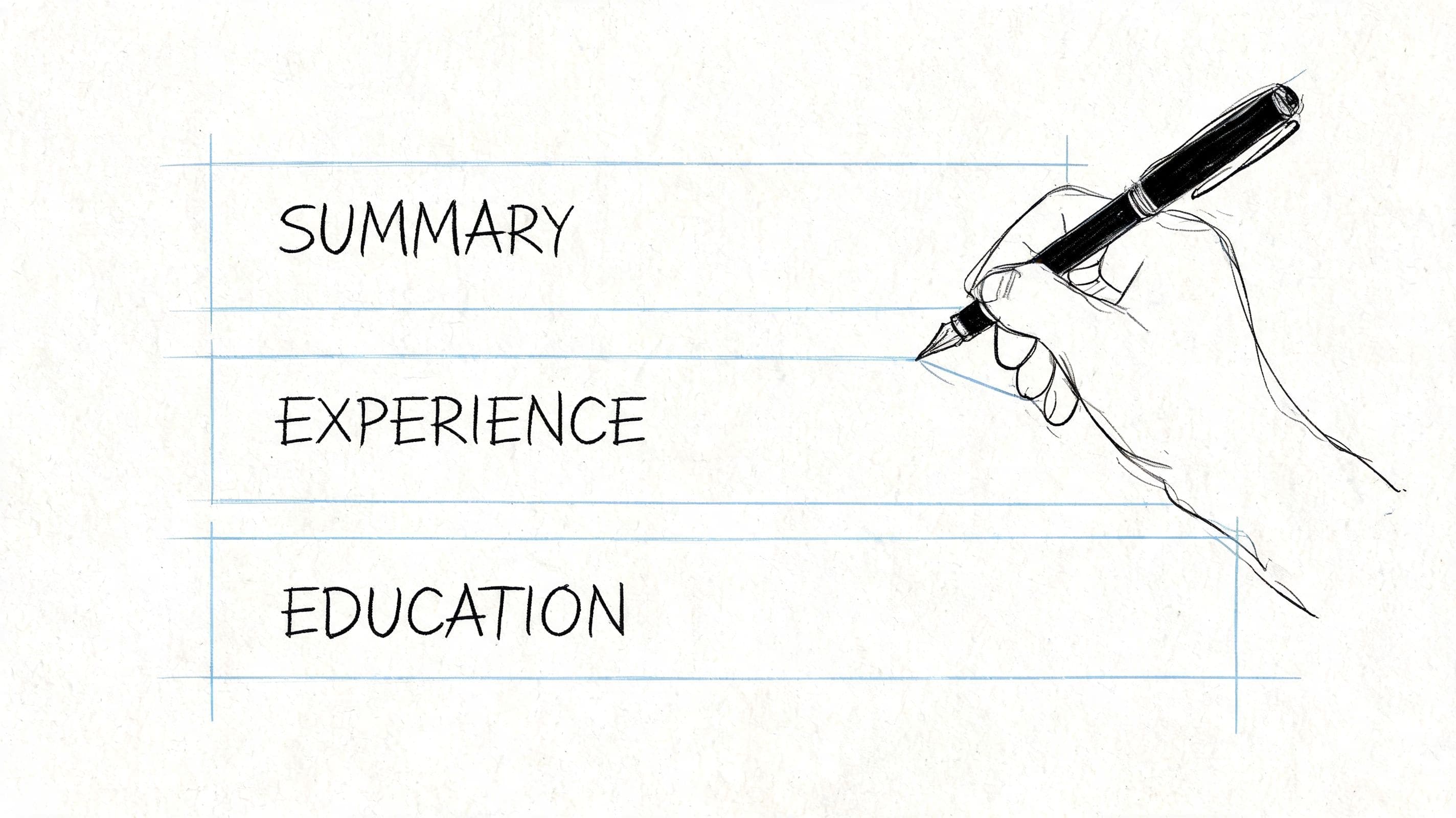
For most UK professionals, this order works best:
- Name and contact details
- Personal profile
- Core competencies or key skills
- Work experience
- Education
- Optional sections such as certifications, projects, volunteering, awards, or professional memberships
That order helps both audiences. Recruiters can skim your fit quickly. Screening tools can identify role alignment early.
What to include in each section
Contact details
Keep this tight and professional.
Include:
- Full name
- Mobile number
- Professional email address
- LinkedIn URL if your profile is up to date
- Town or city in the UK if location matters for the role
Do not include your full postal address. A town or city is enough in most cases.
Skip:
- Date of birth
- Marital status
- Nationality, unless relevant to right-to-work clarification
- A photo
Personal profile
This is your opening pitch. It should read like a brief professional summary, not a vague objective.
Good profile content usually answers three things:
- Who you are professionally
- What you have done well
- What role you are targeting next
Keep it short. Think in terms of clarity, not personality.
Core competencies
Many people still undersell themselves in this section. A flat list like "communication, teamwork, Excel, leadership" tells no one much.
Use a compact list of skills that are directly relevant to the role. If you work in a technical, digital, data, engineering, or specialist function, group them sensibly. Human readers want hierarchy. Scanners want precise language.
A better example:
| Section | Better wording |
|---|---|
| Flat skills list | Excel, CRM, reporting, communication, teamwork |
| Categorised skills | Data & Reporting: Excel, Power BI, dashboard reporting |
| Sales Tools: Salesforce, HubSpot | |
| Ways of Working: stakeholder management, client communication |
Work experience formatting rules that help, not hurt
This section carries the weight. Present each role like this:
Job Title Employer, Location Month Year to Month Year
Then use bullets.
Each role should make these points obvious:
- What level you operated at
- What problems you handled
- What changed because of your work
- Which tools, systems, sectors, or stakeholders were involved
Keep the formatting plain. Avoid text boxes, tables, graphics, icons, rating bars, and multi-column designs. They often look polished on screen but break parsing.
If a template forces you into decorative layout choices, it is working against you.
Education and optional sections
Education should be simple. List your qualification, institution, and dates. Add modules only if they support your target role.
Optional sections are useful when they strengthen relevance. Good examples include:
- Certifications for regulated or specialist work
- Projects if you need to prove transferable skills
- Volunteer work when it shows leadership, service, or practical outcomes
- Professional memberships in sectors where chartership or institute membership matters
Do not add filler sections just to make the CV look fuller.
The formatting choices that still matter
Plenty of candidates hear "make it ATS friendly" and assume that means making it ugly. It does not.
Use:
- Clear headings
- Consistent date format
- Standard fonts
- Bullet points instead of dense paragraphs
- Enough white space to scan quickly
- A saved file name that looks professional
Avoid:
- Headers and footers packed with key details
- Fancy skill charts
- Columns
- Logos
- Images
- Overdesigned Canva-style layouts for standard applications
The safest CV is not the most boring. It is the one that a system can parse cleanly and a recruiter can scan without effort.
Writing a CV Personal Profile and Work Experience
Most weak CVs have the same problem. They describe responsibility, not impact.
"Managed diary." "Supported team." "Helped with projects." "Responsible for customer service."
That kind of wording gives a recruiter no reason to shortlist you. It also gives screening tools very little context to rank your value.

The most useful framework here is the XYZ formula. "I Accomplished [X] as measured by [Y], by doing [Z]" directly tackles a common CV failure. 68% of CVs fail because they list duties instead of impact, and quantified metrics are weighted 3.2x higher by ATS scanners, according to SheCanCode.
If you want more help on the opening summary, this guide on the CV personal statement is a useful companion.
How to write a strong personal profile
Your personal profile should not repeat your job title and years of experience in bland language. It should frame your value.
Weak:
- Hardworking professional seeking a challenging role
- Motivated individual with good communication skills
- Experienced administrator looking for a new opportunity
Better:
- Operations coordinator with experience supporting multi-site teams, improving reporting accuracy, and keeping fast-moving workflows on track.
- Customer service adviser with a background in complaint resolution, case handling, and cross-team coordination in regulated environments.
- Marketing executive with experience producing campaign content, managing digital channels, and supporting lead generation activity across B2B teams.
Notice the difference. The better versions are specific enough to create a picture, but broad enough to adapt.
Before and after examples for work experience bullets
The easiest way to improve your CV is to rewrite every weak bullet through the XYZ lens.
Admin role
Before:
- Managed diaries and organised meetings
- Supported the team with admin tasks
After:
- Coordinated complex diaries for senior managers, improving meeting scheduling across overlapping priorities by introducing a clearer booking process
- Made document handling and meeting preparation more efficient, reducing last-minute admin issues through better tracking and follow-up
Retail role
Before:
- Helped customers and handled complaints
- Worked on the shop floor
After:
- Resolved customer issues across high-volume trading periods, maintaining service standards through calm complaint handling and quick escalation where needed
- Supported daily shop floor operations, stock availability, and merchandising to improve customer experience and keep trading areas organised
Graduate project role
Before:
- Worked on research tasks
- Assisted with presentations
After:
- Contributed to research and reporting for internal projects, improving turnaround on presentation materials by organising findings into clearer stakeholder-ready formats
- Supported project delivery by gathering data, summarising key points, and preparing concise updates for meetings
Career changer example
Before:
- Responsible for training staff
- Worked with customers
After:
- Delivered onboarding and informal coaching to new team members, helping standardise service delivery through practical process guidance
- Built strong customer relationships in a fast-paced environment, using active listening and problem solving skills now transferable to client-facing office roles
How to find useful evidence when you have no numbers
Candidates often panic here. They assume every bullet must contain a percentage or a revenue figure.
It helps if you have metrics. But many people do not have access to them, especially in support roles, public sector posts, or junior jobs. You can still show impact by pointing to:
- Scope such as team, region, or case type
- Complexity such as regulated work, multiple stakeholders, competing deadlines
- Change introduced such as a new process, system, template, or workflow
- Outcome observed such as faster turnaround, fewer errors, stronger service consistency
That gives your bullet substance, even when exact figures are unavailable.
Good CV writing is not about squeezing numbers into every line. It is about proving that your work changed something.
A simple test for every bullet point
Read each bullet and ask:
- Could another applicant paste this into their CV unchanged?
- Does this sound like a task list from the job description?
- Does it show what was better, faster, clearer, safer, smoother, or more effective because of me?
If the answer is not clear, rewrite it.
A useful pattern for UK CV bullets
A practical formula that works well for many roles is:
Action + context + result
Examples:
- Improved handover accuracy across shift changes by introducing a clearer checklist for team use
- Managed competing inbox and calendar requests for senior staff in a high-volume office environment
- Delivered first-line customer support across phone and email channels, resolving issues promptly and escalating complex cases appropriately
That style reads naturally. It also helps both recruiters and scanners understand your actual contribution.
How to Tailor Your CV for Any Job Description
A generic CV is easy to spot. It sounds broad, uses stock phrases, and fails to reflect the employer's priorities.
Customizing is not rewriting from scratch every time. It is a controlled editing process.

A practical way to improve ATS performance is to organise skills clearly. CVs with categorised technical skills organised by proficiency level achieve 2.4x higher ATS passage rates. Placing a "Core Competencies" section on the first page ensures human readers immediately see your top skills, according to CV Made Better.
You can also use tools that compare your CV against the advert. This article on how to tailor a resume to a job description shows the logic well, even if you are writing for the UK market and using CV terminology.
The five-part tailoring workflow
Step 1
Read the advert once for meaning, not wording.
Look for:
- The main purpose of the role
- The top problems the employer needs solved
- The level of seniority
- Whether the tone is operational, commercial, technical, customer-facing, or strategic
This tells you what kind of candidate the employer thinks they need.
Step 2
Mark the repeated terms.
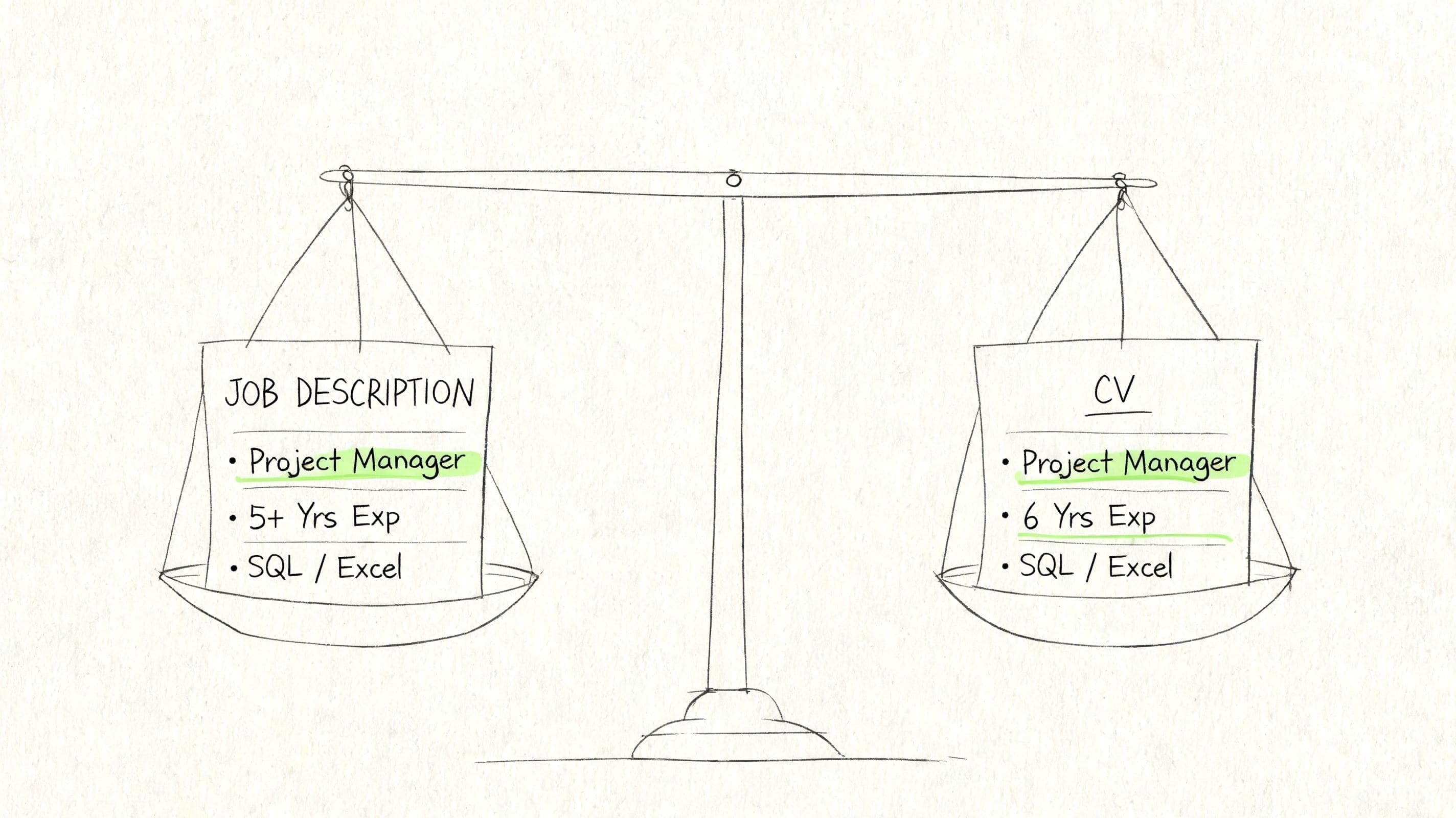
Repeated language usually signals priority. If the advert keeps returning to "stakeholder management", "case handling", "compliance", "data reporting", or "client onboarding", that language belongs in your CV if it reflects your experience.
Do not swap in looser alternatives if the exact term matters.
Step 3
Build a keyword map.
Use a simple table like this:
| Job advert need | Your matching evidence |
|---|---|
| Stakeholder management | Coordinated updates across internal teams and external partners |
| Reporting | Produced weekly Excel reports and tracked service issues |
| Customer service | Handled incoming queries, complaints, and follow-up actions |
| Compliance | Worked within policy and documented actions accurately |
This stops customizing from becoming guesswork.
Where to place keywords so they count
Candidates often dump keywords into a bloated skills list and hope for the best. Better practice is to spread them naturally across the CV.
Use the key terms in:
- Your personal profile
- Your core competencies section
- Your work experience bullets
- Your education or certification section, if relevant
That creates a believable pattern of fit.
How to handle hard skills and soft skills
Hard skills are easier because they are concrete. Systems, software, methods, standards, and tools belong on the page exactly as the role describes them.
Soft skills need evidence. Writing "excellent communication" proves nothing. Writing that you handled complaints, coordinated stakeholders, trained colleagues, or presented updates gives those skills a home.
A better skills section for modern screening
For many candidates, especially technical or specialist applicants, a Core Competencies or Key Skills section on page one helps.
A stronger version looks like this:
Project support Scheduling, meeting coordination, documentation, action tracking
Data and reporting Excel, reporting packs, record maintenance, dashboard input
Stakeholder communication Internal coordination, customer updates, issue escalation
Systems CRM, ticketing platforms, Microsoft Office
If your field is more technical, add proficiency labels where they are honest and useful.
Example:
- Advanced Excel, SQL
- Proficient Power BI, Salesforce
- Working knowledge Jira
One tailoring mistake that wastes good experience
Many candidates customize only the top summary and leave the experience section untouched. That is not enough.
If the role asks for stakeholder management, your work history should show where you did it. If it asks for reporting, your bullets should mention the reports. If it asks for compliance, your wording should make that visible.
Customizing works when the whole document supports the same story.
The best specifically adapted CV feels obvious to the recruiter. They should not have to infer your fit.
Common CV Writing Mistakes That Lead to Rejection
A lot of rejected CVs do not fail because the candidate lacks ability. They fail because the document sends the wrong signals.

The smallest errors still matter. A single spelling error can be enough for rejection, as 99% accuracy triples the likelihood of being hired. An unprofessional email address is also responsible for 3 in 10 rejections at the initial screening stage, according to the same evidence base cited earlier by Cultivated Culture.
The mistakes that knock out good candidates
Spelling and grammar slips
One typo tells a recruiter one of two things. Either you did not proofread, or you did not care enough to do it properly.
Fix: Read the CV aloud, run a spelling check, then ask someone else to review it.
Unprofessional email address
It should not need saying, but it still does. If your email looks informal, dated, or jokey, change it.
Fix: Use a simple format based on your name.
Duties with no evidence of value
Long lists of responsibilities do not separate you from other applicants.
Fix: Rewrite bullets so they show outcomes, improvements, scope, or context.
Overdesigned templates
A flashy template may look modern, but if it uses columns, icons, text boxes, and visual skill bars, it can confuse parsers and distract recruiters.
Fix: Choose clarity over decoration.
Irrelevant information
Old school subjects, outdated software, and unrelated detail create clutter. So do personal details that UK employers do not need.
Fix: Keep only what supports your fit for the role.
Adding a photo on a standard UK CV
For most UK job applications, a photo is not expected. In many sectors it is better left off. Employers want to assess relevance, experience, and skills. A photo does not help with that, and it can introduce avoidable bias into the process.
A quick rejection filter
Before sending your CV, ask:
- Does this look professional within five seconds?
- Does every section earn its place?
- Would a recruiter know what role I want?
- Could a scanner read this cleanly?
If the answer is shaky, fix the document before you apply.
Your Final CV Checklist Before You Apply
Most CV mistakes happen in the final ten minutes. Candidates finish the writing, feel relieved, and send too soon.
Use this checklist before every application.
Submission checklist
Role match checked Your profile, skills, and recent experience clearly reflect the target job
Keywords added naturally The language from the job advert appears in the right places, not just in one skills block
Formatting kept simple No columns, graphics, tables, icons, or awkward layout choices that could affect parsing
Achievements strengthened Bullets show contribution and outcomes, not just tasks
Contact details verified Phone number, email, LinkedIn, and location are correct
Spelling reviewed twice You have checked the CV yourself and, ideally, had another person read it
File named professionally Use something clear such as Firstname-Lastname-CV
Version saved for the specific job You are not sending the wrong draft to the wrong employer
If you want a final sense check before sending, a CV review guide can help you spot weak phrasing, missing relevance, and formatting problems quickly.
A good final check is not admin. It is part of your application strategy.
Frequently Asked Questions About Writing a CV
How long should a CV be in the UK
For most UK job seekers, two pages is the sensible target. If you are a graduate or have very limited experience, one page can work if it still gives enough evidence. If you are experienced, two pages gives you room to show relevant achievements without cramming.
The true test is not page count on its own. It is relevance. If the second page contains weak or outdated material, trim it.
Should I include a photo on my CV
Usually, no.
For standard UK applications, a photo is not expected. In many sectors it is better left off. Employers want to assess relevance, experience, and skills. A photo does not help with that, and it can introduce avoidable bias into the process.
How do I write a CV with no experience
You probably have more material than you think.
Use:
- Education
- Coursework tied to the role
- Part-time work
- Volunteering
- Placements
- University projects
- Student society positions
- Transferable skills from service work, admin, or customer-facing roles
The key is to describe what you did and what responsibility you held. A candidate with limited formal experience can still present strong evidence of organisation, teamwork, initiative, communication, and reliability.
How should I explain an employment gap
Do not try to hide it. Frame it properly.
If the gap included study, caring responsibilities, volunteering, freelance work, project work, or upskilling, say so plainly. Keep the explanation calm and factual. Then shift attention to what keeps you current and ready for the target role.
A gap becomes more manageable when the rest of the CV is strong, relevant, and well evidenced.
Is a CV the same as a resume
In the UK, most employers use CV as the standard term for job applications. In the US, resume is more common. For a UK audience and UK roles, write and label it as a CV unless the employer asks for something different.
If you want to build, customize, and track applications in one place, CV Anywhere helps you move from first draft to interview-ready CV with AI-assisted writing, job description matching, and application tracking that keeps every role organised.
Tags
Popular Articles
A practical guide to choosing a resume builder that saves time, improves formatting, and helps you land interviews faster.
A straightforward walkthrough of the resume format, sections, and writing choices that work best for US job applications.
Learn the structure, wording, and formatting expected in a UK CV so you can present your experience clearly and professionally.
Explore proven cover letter examples and templates you can adapt to write stronger applications and stand out to employers.
See why manual tracking systems break down and what to use instead to stay organised throughout a modern job search.