How to write a CV for a job application: The Ultimate UK Guide for 2026
Learn how to write a cv for job application with our UK guide. Discover ATS-friendly formats, tailored skills, and strategies to land more interviews.

Learning how to write a CV for a job application in the UK is about creating a powerful, targeted sales pitch that proves your value in seconds. To do this effectively, you must start with a compelling personal summary that highlights your key skills, tailor your experience to the job description using specific keywords, and showcase your achievements with quantifiable results (e.g., "increased sales by 15%"). This approach ensures your CV not only passes the initial 6-second scan by a recruiter but also gets through the automated Applicant Tracking Systems (ATS) that most UK companies use.
The First Six Seconds: How to Write a CV That Gets Noticed
In the UK job market, your CV isn't a document; it's a sales pitch. And you have a shockingly brief window to make it count. Recruiters are swamped, so they develop a ruthless scanning habit to filter out the 'maybes' and 'nos' in seconds. Your one and only job is to survive that initial cut and make them want to know more.
This is where the top third of your CV becomes prime real estate. Think of it as the trailer for your career movie. It has to answer the recruiter's biggest question straight away: "Why are you the right person for this job?" This means ditching the vague, fluffy statements and crafting a story that speaks directly to what that company needs, right now.
Making Every Second Count
The stats don't lie. In the UK's competitive job market, recruiters spend a mere 6-8 seconds on an initial CV scan before making a keep-or-toss decision. When a single job opening can attract over 500 applications, blending in is the same as being invisible.
Customising your CV isn't just a nice-to-have, either. A huge 83% of recruiters prioritise applications that are clearly tailored to the role. On top of that, with 98% of large UK firms using Applicant Tracking Systems (ATS), weaving in keywords from the job description is essential just to get past the robots.
This all points to one thing: a powerful opening is non-negotiable. A great CV doesn't just list what you did; it strategically showcases your most relevant wins right at the top.
The Power of a Strong Opening
So, how do you do it? It all begins with your personal statement or professional summary. This isn't just a warm-up paragraph; it's your elevator pitch, printed in black and white. It needs to be short, sharp, and customised for the exact job you're applying for. For a deeper look, our guide breaks down exactly what recruiters look for in a CV.
Here's a quick look at how a few targeted changes can completely transform the impact of your CV's opening.

This "first six seconds" test is exactly what your CV is up against, whether it's being scanned by a person or a machine. Passing this test is everything. This guide on how to write a CV for a job application is designed to make sure you sail through.
And remember, your CV is only part of the picture. Your online presence backs it up. Make sure your LinkedIn profile makes a great first impression with a professional LinkedIn headshot to complement your CV. It's a small detail that reinforces the polished image you're presenting.
Key Takeaway: The only goal of your CV's opening is to grab the reader's attention and prove your relevance. If you don't make that connection in the first few seconds, the rest of your experience might as well not exist. Learning how to write a CV for a job application that works is all about winning this initial battle.
Build a CV that actually gets interviews
Start from your current CV — or from scratch — with step-by-step guidance so you do not get stuck.
Free. No blank page. No templates to wrestle with.
Choosing the Right UK CV Format and Structure
The layout of your CV isn't just about making it look good; it's a strategic decision. The format you choose is the very first signal you send to a recruiter about your career path and whether you're a serious contender for the role. It guides their eyes to your biggest strengths from the moment they open the document.
So, when you're figuring out how to write a CV for a job application that actually works, getting the structure right is your first big win.
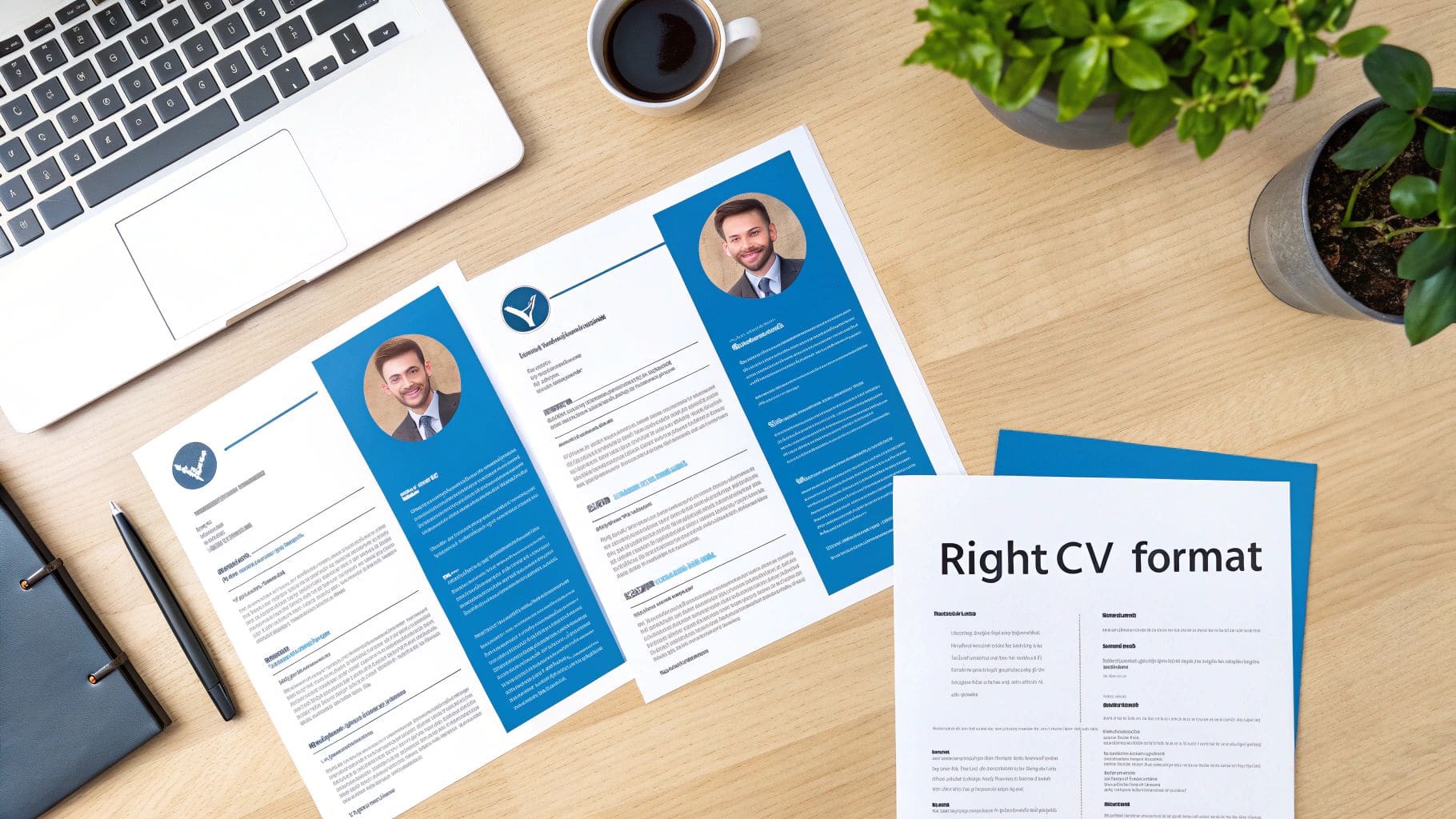
For almost everyone applying for jobs in the UK, the reverse-chronological format is king. There's no need to overcomplicate it. This layout lists your work experience starting with your most recent role and works backwards. It's clean, logical, and exactly what recruiters and Applicant Tracking Systems (ATS) are built to understand.
The Three Main UK CV Formats
While the reverse-chronological format is your safest bet, there are a couple of other options that can be useful in specific situations. Knowing which one to use is about presenting your professional story in the most compelling way.
- Reverse-Chronological CV: This is the gold standard if you have a fairly steady career history. It clearly maps out your professional journey and growth, making it dead simple for a recruiter to see your most recent, relevant experience first.
- Skills-Based (Functional) CV: Thinking of changing careers? Have some noticeable gaps in your employment? This format could be for you. It shifts the focus away from a timeline and onto your transferable skills, grouping your experience under headings like "Project Management" or "Stakeholder Engagement" instead of by employer.
- Combination CV: Just as it sounds, this is a hybrid. It usually kicks off with a detailed skills summary or profile at the top, followed by a more condensed work history in reverse-chronological order. It's a great option for people in technical fields or those moving into management who need to showcase both specific abilities and a solid career path.
If you want to see detailed examples and templates, our complete guide to the best UK CV formats and templates will help you pick the perfect one for your situation.
CV Length and ATS-Friendly Design
Once you've settled on a format, two more things demand your attention: length and readability. In the UK, the idea that a longer CV is a better CV is a myth. Brevity and clarity will serve you far better.
Keep your CV to one page if you have under 10 years of experience. For more seasoned professionals, a maximum of two pages is the absolute limit. It's not just a preference; concise formats get 60% more applications.
And don't forget the robots. With 90% of mid-to-large employers using ATS filters to screen candidates, a clean, parsable design is non-negotiable. That means avoiding fancy graphics, columns, and weird fonts. Stick to something standard like Arial or Calibri in a 10-12pt size.
Recruiter's Tip: Never sacrifice readability just to cram everything onto one page. Use clear headings, bullet points, and plenty of white space. A CV that's a dense wall of text is just as likely to be binned as one that's five pages long.
A well-structured CV makes the recruiter's job easier, and that immediately puts you on their good side. By choosing a format that plays to your strengths and keeping the design clean, you're laying the groundwork for a successful application.
Crafting Each CV Section for Maximum Impact
Alright, you've picked your format. Now for the fun part: filling it with content that actually sells your skills and experience. Every single section of your CV is another chance to persuade the recruiter that you're the right person for the job. This is where we shift from structure to substance, making sure every line pulls its weight.
The aim here is to build a compelling story, not just a dry list of jobs you've had. We'll go through each part, from the often-overlooked contact details to your personal statement and work history, turning your CV into a seriously effective marketing tool. Nailing this is the essence of knowing how to create a CV that gets you noticed.

Nail the Contact Details and Personal Statement
Your contact info seems obvious, but small mistakes here can make you look careless. Make your name prominent at the top. Follow it with a professional email address (no old university nicknames, please), your phone number, and a general location like "Manchester, UK". A crucial touch? Include a customised LinkedIn URL. It's a tiny detail that signals you're a professional who's on top of their game.
Next up is your personal statement, sometimes called a professional summary. This three-to-four-line paragraph is your elevator pitch—your hook. It has to be sharp, specific, and tailored directly to the role you're applying for.
- Weak Example: "A motivated and hardworking marketing professional looking for a new challenge."
- Strong Example: "A data-driven Marketing Manager with five years of experience in the B2B SaaS sector. Specialising in lead generation and content strategy, I increased marketing qualified leads by 45% in my previous role by implementing a new SEO-focused content plan."
See the difference? The strong example is packed with keywords ("B2B SaaS," "lead generation," "SEO") and a hard number that proves your impact. It tells the recruiter exactly who you are and what you can deliver, right from the start.
Transform Work Experience into Achievements
This is the heart of your CV, and it's where most people fall short. Stop just listing your duties. Instead, you need to frame your experience around your accomplishments. The easiest and most effective way to do this is with the STAR method.
The STAR method gives you a simple, powerful structure for every bullet point:
- Situation: Briefly set the scene.
- Task: What was your goal? What needed to be done?
- Action: What specific steps did you take? Use strong, active verbs.
- Result: What was the outcome? This is where you put your numbers.
Let's see it in action. Instead of a flat statement like "Responsible for managing social media," you can use STAR to create something that truly stands out.
Before: "Managed the company's Instagram account."
After (Using STAR): "Grew Instagram follower count from 10k to 25k (+150%) in 12 months (Situation/Result) by developing and executing a new content strategy focused on user-generated content and influencer collaborations (Action), aiming to boost brand engagement (Task)."
Turning passive duties into active achievements is what separates a mediocre CV from an impressive one. For a deeper dive, check out our full guide on how to write the perfect CV work experience section.
Highlighting Education and Skills Effectively
Your education and skills sections are there to provide supporting evidence. For your education, list your most recent and relevant qualifications first. Pop down the institution, the qualification, and the dates. If you have a degree, you generally don't need to list your A-levels or GCSEs unless the job description specifically asks for them.
When it comes to your skills, don't just dump everything you've ever done. This section needs to be a curated list that's easy for a recruiter to scan. Breaking it down into logical categories is a smart move.
Example Skills Section for a Project Manager:
- Project Management Software: Jira, Asana, Trello, MS Project
- Methodologies: Agile, Scrum, Kanban, PRINCE2 Practitioner
- Technical Skills: SQL (Basic), Power BI, SharePoint Administration
- Languages: English (Native), Spanish (Professional Working Proficiency)
Organising your skills like this makes it incredibly easy for a recruiter to tick their boxes and confirm you have the specific expertise they need. This structured, thoughtful approach is fundamental to knowing how to write a CV for a job application that makes a real impact in 2026.
The Power of Keywords and Tailoring Your CV
If there's one secret to writing a CV that actually gets you interviews, it's this: tailoring. Firing off the same generic CV to dozens of employers is the fastest way to get your application ignored. To get past that critical first screening, you absolutely have to customise your CV with specific keywords for each role. It's how you prove—to both the software and the recruiter—that you're a perfect match from the get-go.
Your first hurdle is the modern gatekeeper of hiring: the Applicant Tracking System (ATS). The vast majority of UK companies now use an ATS, meaning your CV is first read by software, not a person. This system scans your document for keywords and phrases straight from the job description to score how suitable you are. No right keywords? Your CV gets filtered out before a human ever lays eyes on it.

Decoding the Job Description for Keywords
Think of the job description as your roadmap. Don't just skim it; dissect it. Print it out or copy it into a document and get your digital highlighter ready. Your goal is to pinpoint the exact language and core requirements the employer is using.
Here's what to look for:
- Essential Skills: Make a list of all the "must-have" technical skills (like 'Python', 'Jira', or 'Power BI') and soft skills ('stakeholder management', 'cross-functional collaboration').
- Qualifications and Experience: Note any required certifications ('PRINCE2 Practitioner'), specific years of experience, or industry backgrounds ('B2B SaaS sector').
- Action Verbs and Company Language: Pay attention to the verbs they repeat, such as 'developed', 'led', or 'analysed'. Using their language shows you speak their dialect.
Once you have this list, you've got your keyword arsenal. The next step is to weave these terms naturally throughout your CV—in your personal summary, skills section, and work experience.
Strategically Placing Your Keywords
Just dumping a list of keywords at the bottom of your CV won't work. They need to be integrated into the narrative of your experience to sound authentic. A good rule of thumb is to place the most critical keywords in the top half of your CV, especially in your professional summary, to make an immediate impact.
When you describe your work history, use these keywords to frame your achievements. This does more than just get you past the ATS; it makes your accomplishments feel much more relevant and impressive to the recruiter who reads it next.
A real-world example of tailoring: A marketing professional, let's call her Sarah, was applying for dozens of jobs with her standard CV and hearing nothing back. Once she learned how to tailor it, she customised it for every application. For a "Digital Marketing Manager" role, she swapped out generic phrases for keywords from the job description like "SEO content strategy," "PPC campaign optimisation," and "Google Analytics." The result? Three interview invitations within a week.
This just goes to show that taking the time to align your CV with the job description isn't just a good idea—it's essential. For a more detailed walkthrough, you might find our guide on how to tailor your CV to a UK job description helpful.
The UK hiring landscape in 2026 is all about skills-based recruitment. With ATS adoption rates at 98%, embedding precise keywords like 'React' for a front-end developer role can boost recruiter engagement by 25%. And while 46% of UK job seekers now use AI tools for their CVs, a huge 83% of recruiters still say that a perfectly tailored application is their top priority.
This targeted approach is how you show you haven't just blindly applied, but that you've thoughtfully considered why you are the best person for this specific role. This is the heart of learning how to write a CV for a job application that truly gets results.
Common CV Mistakes and How to Avoid Them
You've spent hours polishing every section, quantifying your wins, and weaving in the perfect keywords. It's tempting to fire off that application the second you're done. But rushing this final check is often what separates a great application from one that's instantly rejected.
One sloppy typo or a weird formatting glitch can undo all that hard work. It sends a message of carelessness, and that's a red flag for any recruiter.
Think of this final review as your last line of defence. It's where you catch the small, silly errors that can cost you an interview. From ancient email addresses to ATS-unfriendly file types, these mistakes are surprisingly common, but thankfully, they're also incredibly easy to fix.
The Small Details That Make a Big Difference
Recruiters are actively looking for reasons to shrink their massive pile of applications. A CV riddled with typos or grammatical blunders makes their job easy. It screams "poor attention to detail," which is a deal-breaker for almost any role.
Beyond spelling, other little things can signal a lack of professional savvy. An unprofessional email address (looking at you, partyboy99@email.com) or including overly personal details can sink your credibility before a recruiter even reads about your experience.
- The Mistake: Using an old, cringe-worthy email address or listing your full home address.
- Why It Matters: An unprofessional email suggests you're not taking the process seriously. Your full postal address is an outdated practice and raises privacy red flags.
- How to Fix It: Set up a clean, simple email like
firstname.lastname@email.com. For your location, just your town and county (e.g., "Bristol, Somerset") is all that's needed.
Another classic slip-up in the UK market is adding a photograph. While it's standard practice in some countries, it's a definite no-no here. It can introduce unconscious bias into the hiring process and frequently causes parsing errors with Applicant Tracking Systems. Let your skills and experience do the talking.
Formatting and File Type Faux Pas
Your CV's layout isn't just about looking good; it's about being readable for both people and software. Using obscure fonts, cramming text into complex tables or columns, or saving your file in the wrong format can make it completely unreadable for an ATS.
If the machine can't parse your CV, it's as if you never applied at all.
Crucial Tip: Always, always submit your CV as a PDF unless the application instructions specifically ask for a Word document. A PDF locks in your formatting, ensuring what you see is exactly what the recruiter sees, no matter their device. It also prevents any accidental edits and just looks more professional.
Saving your file with a generic name like CV.pdf is another missed opportunity. Imagine a recruiter's downloads folder—it's chaos.
A Simple Fix for File Naming:
- Weak:
Document1.pdforCV_Final_v2.pdf - Strong:
FirstName-LastName-CV-JobTitle.pdf(e.g.,Sarah-Jones-CV-Marketing-Manager.pdf)
This tiny change makes you look organised and helps the recruiter find your file in a sea of others. It's a small detail that reinforces your professionalism. If you're worried about getting the technical side right, our deep dive into common ATS CV mistakes to avoid will help you dodge these traps.
Content Blunders to Avoid
Even with perfect formatting and zero typos, what you've written can still hold you back. The most common content mistake? Listing duties instead of achievements. A recruiter doesn't really care that you were "responsible for reports." They want to know that you "automated monthly reporting, saving 10 hours of manual work per month."
Including irrelevant hobbies is another classic. Unless your hobby is directly related to the job (like coding personal projects for a developer role), it's just taking up valuable space. Use that room to add another powerful achievement instead. Getting this right is a huge part of learning how to write a CV for a job application that actually gets results.
Finally, the most critical mistake of all: not getting a second pair of eyes on it. After staring at the same words for hours, you become blind to your own errors.
- Ask a friend, mentor, or family member with a sharp eye to proofread it.
- Read your CV out loud. This forces you to slow down and helps you catch awkward phrasing and typos your brain would otherwise skim over.
- Use a spelling and grammar checker, but don't treat it as foolproof. It won't catch everything.
This final quality check is what ensures a preventable error doesn't stand between you and your next opportunity.
Before you even think about hitting that 'send' button, run your CV through this final checklist. It's a quick, five-minute sanity check that can make all the difference.
Final CV Review Checklist
| Check Area | What to Look For | Why It Matters |
|---|---|---|
| Proofreading | Typos, grammatical errors, inconsistent tense (e.g., mixing past and present for a previous role). | Errors suggest a lack of attention to detail and can get your CV rejected immediately. |
| Contact Info | A professional email address (first.last@email.com), your phone number, and a link to your LinkedIn profile. | Makes you look professional and ensures recruiters can easily contact you for an interview. |
| Formatting | Consistent font, font size, and spacing. Clear headings. No tables, columns, or images. | Ensures the CV is easily readable for both humans and ATS software, preventing parsing errors. |
| File Type & Name | Saved as a PDF (unless specified otherwise). A clear file name like FirstName-LastName-CV-Role.pdf. | A PDF preserves your formatting perfectly. A good file name helps recruiters stay organised. |
| Content | Achievements are quantified with numbers. Every point is relevant to the job description. No generic duties listed. | Shows the tangible impact you made in previous roles, which is what hiring managers care about. |
Taking the time for this last review ensures your CV arrives in the best possible shape, free from the small mistakes that can have big consequences.
Got Questions About Writing a CV? We've Got Answers.
Even with the best guide, you're bound to have a few nagging questions when you're putting your CV together. It's completely normal. Getting the small details right can feel just as important as the big picture, and honestly, it often is.
This is the part where we tackle those common queries head-on. Think of it as a final check-in to clear up any confusion, from photos to work history, so you can finalise your CV with confidence.
Should I Put a Photo on My UK CV?
In a word: no. In the UK, including a photograph on your CV is a firm no-go. It's a standard practice designed to prevent unconscious bias from creeping into the early stages of the hiring process.
Putting a photo on your CV can come across as unprofessional and, on a practical level, it often messes with the formatting when scanned by an Applicant Tracking System (ATS). Your application's strength should come from your skills and experience alone. Let your achievements do the talking.
How Far Back Should My Work History Go?
Stick to the last 10 to 15 years of your career. That's the sweet spot. Recruiters are most interested in what you've been doing recently, so there's no need to list every single job you've ever had, especially if you've been working for a while.
What if you have older, relevant roles you still want to include? Easy. Just add a separate section at the bottom called something like 'Previous Professional Experience'. List the job title, company, and dates, but skip the detailed bullet points. It shows the breadth of your experience without cluttering the main section.
Is It Okay to Use a CV Template?
Absolutely, using a template can be a massive time-saver. But you have to choose the right one. Look for a clean, professional layout that's explicitly labelled as ATS-friendly. That means it avoids things like columns, tables, text boxes, and flashy graphics that can trip up the software.
The most critical part? Customise it heavily. A template is just a starting point. Your job is to rewrite every section so it tells your story and aligns perfectly with the job you're applying for. Never just fill in the blanks.
What Is the Difference Between a CV and a Resume?
This one trips a lot of people up, especially if they've looked at advice from the US.
In the UK, the document you use for job applications is called a 'CV' (Curriculum Vitae). It's a one-to-two-page summary of your professional life. Simple.
In the US, a 'resume' is a short, one-page summary, while a 'CV' is a much longer, detailed document used mostly in academia. When you're applying for jobs in the UK, just call it a CV and keep it to two pages max.
Ready to stop guessing and start getting interviews? CV Anywhere provides all the tools you need to create a perfectly tailored CV. Use our JD Fit Checker to analyse job descriptions and our Smart CV Builder to craft a document that beats the bots and impresses recruiters. Start building your winning CV today.
Tags
Related articles
How to Make a CV Stand Out in the UK for 2026
To make a CV stand out, you need to capture a recruiter's attention in the first seven seconds. In the competitive 2026 UK job market, this means tailoring the top third of your CV to be an undeniable...
CV and Resume Difference: The Essential Guide for UK Jobseekers in 2026
When applying for jobs in the UK, understanding the cv and resume difference is your first critical step. To put it simply, the main distinction lies in their purpose, length, and the level of detail ...
How Should a CV Look in the UK for 2026?
So, how should a CV look to succeed in the competitive 2026 UK job market? The answer is a clean, professional, and easily scannable document that highlights your achievements to both automated screen...
How to Make a New CV in 2026: A Step-by-Step Guide with Examples
To make a new CV that gets you hired, you need a document that's easy to scan, passes automated checks, and showcases your value with numbers. The best approach uses a reverse-chronological format, a ...
Popular Articles
To make a CV stand out, you need to capture a recruiter's attention in the first seven seconds. In the competitive 2026 UK job market, this means tailoring the top third of your CV to be an undeniable...
When applying for jobs in the UK, understanding the cv and resume difference is your first critical step. To put it simply, the main distinction lies in their purpose, length, and the level of detail ...
So, how should a CV look to succeed in the competitive 2026 UK job market? The answer is a clean, professional, and easily scannable document that highlights your achievements to both automated screen...
To make a new CV that gets you hired, you need a document that's easy to scan, passes automated checks, and showcases your value with numbers. The best approach uses a reverse-chronological format, a ...